# Custom Provider Configuration


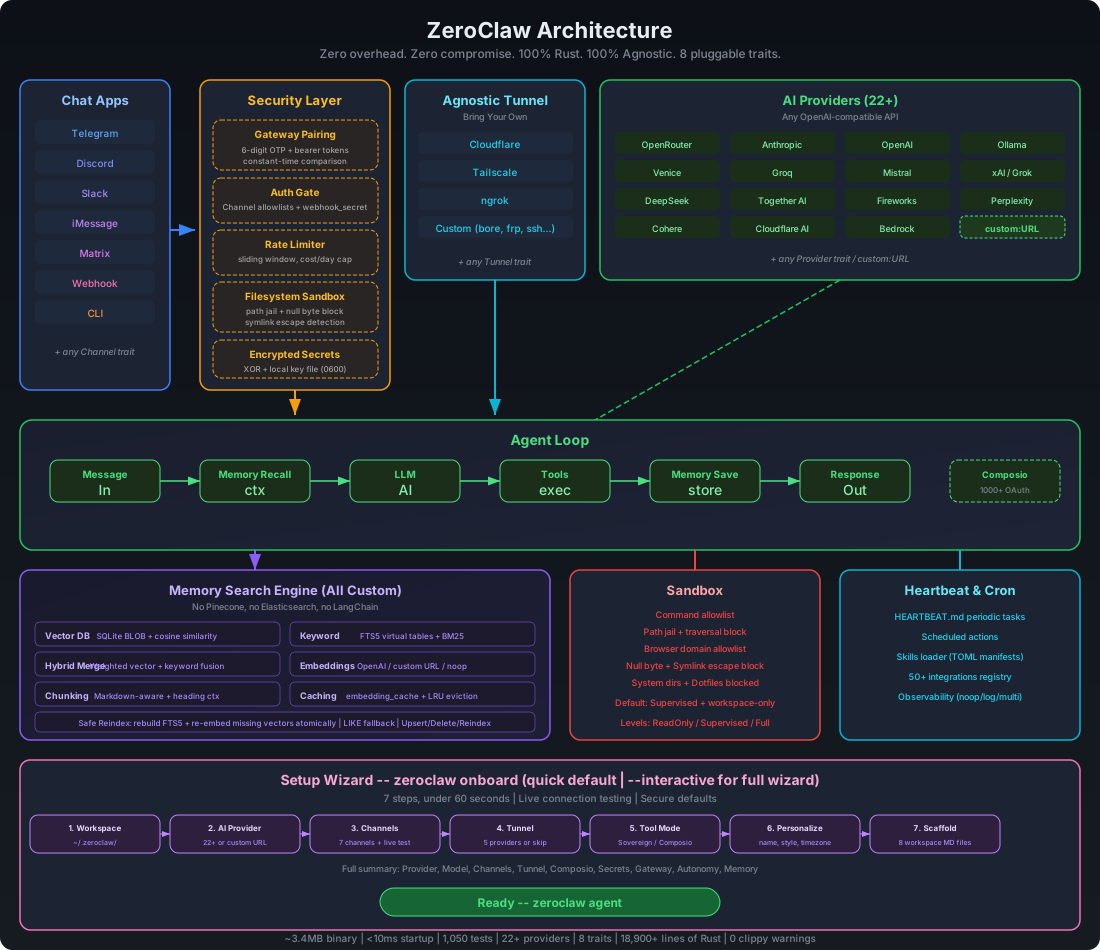
ZeroClaw supports custom API endpoints for both OpenAI-compatible and Anthropic-compatible providers.

## Provider Types


### OpenAI-Compatible Endpoints (`custom:`)


For services that implement the OpenAI API format:

```toml
default_provider = "custom:https://your-api.com"
api_key = "your-api-key"
default_model = "your-model-name"
```

### Anthropic-Compatible Endpoints (`anthropic-custom:`)


For services that implement the Anthropic API format:

```toml
default_provider = "anthropic-custom:https://your-api.com"
api_key = "your-api-key"
default_model = "your-model-name"
```

## Configuration Methods


### Config File


Edit `~/.zeroclaw/config.toml`:

```toml
api_key = "your-api-key"
default_provider = "anthropic-custom:https://api.example.com"
default_model = "claude-sonnet-4-6"
```

### Environment Variables


For `custom:` and `anthropic-custom:` providers, use the generic key env vars:

```bash
export API_KEY="your-api-key"
# or: export ZEROCLAW_API_KEY="your-api-key"

zeroclaw agent
```

## llama.cpp Server (Recommended Local Setup)


ZeroClaw includes a first-class local provider for `llama-server`:

- Provider ID: `llamacpp` (alias: `llama.cpp`)
- Default endpoint: `http://localhost:8080/v1`
- API key is optional unless `llama-server` is started with `--api-key`

Start a local server (example):

```bash
llama-server -hf ggml-org/gpt-oss-20b-GGUF --jinja -c 133000 --host 127.0.0.1 --port 8033
```

Then configure ZeroClaw:

```toml
default_provider = "llamacpp"
api_url = "http://127.0.0.1:8033/v1"
default_model = "ggml-org/gpt-oss-20b-GGUF"
default_temperature = 0.7
```

Quick validation:

```bash
zeroclaw models refresh --provider llamacpp
zeroclaw agent -m "hello"
```

You do not need to export `ZEROCLAW_API_KEY=dummy` for this flow.

## SGLang Server


ZeroClaw includes a first-class local provider for [SGLang](https://github.com/sgl-project/sglang):

- Provider ID: `sglang`
- Default endpoint: `http://localhost:30000/v1`
- API key is optional unless the server requires authentication

Start a local server (example):

```bash
python -m sglang.launch_server --model meta-llama/Llama-3.1-8B-Instruct --port 30000
```

Then configure ZeroClaw:

```toml
default_provider = "sglang"
default_model = "meta-llama/Llama-3.1-8B-Instruct"
default_temperature = 0.7
```

Quick validation:

```bash
zeroclaw models refresh --provider sglang
zeroclaw agent -m "hello"
```

You do not need to export `ZEROCLAW_API_KEY=dummy` for this flow.

## vLLM Server


ZeroClaw includes a first-class local provider for [vLLM](https://docs.vllm.ai/):

- Provider ID: `vllm`
- Default endpoint: `http://localhost:8000/v1`
- API key is optional unless the server requires authentication

Start a local server (example):

```bash
vllm serve meta-llama/Llama-3.1-8B-Instruct
```

Then configure ZeroClaw:

```toml
default_provider = "vllm"
default_model = "meta-llama/Llama-3.1-8B-Instruct"
default_temperature = 0.7
```

Quick validation:

```bash
zeroclaw models refresh --provider vllm
zeroclaw agent -m "hello"
```

You do not need to export `ZEROCLAW_API_KEY=dummy` for this flow.

## Testing Configuration


Verify your custom endpoint:

```bash
# Interactive mode

zeroclaw agent

# Single message test

zeroclaw agent -m "test message"
```

## Troubleshooting


### Authentication Errors


- Verify API key is correct
- Check endpoint URL format (must include `http://` or `https://`)
- Ensure endpoint is accessible from your network

### Model Not Found


- Confirm model name matches provider's available models
- Check provider documentation for exact model identifiers
- Ensure endpoint and model family match. Some custom gateways only expose a subset of models.
- Verify available models from the same endpoint and key you configured:

```bash
curl -sS https://your-api.com/models \
  -H "Authorization: Bearer $API_KEY"
```

- If the gateway does not implement `/models`, send a minimal chat request and inspect the provider's returned model error text.

### Connection Issues


- Test endpoint accessibility: `curl -I https://your-api.com`
- Verify firewall/proxy settings
- Check provider status page

## Examples


### Local LLM Server (Generic Custom Endpoint)


```toml
default_provider = "custom:http://localhost:8080/v1"
api_key = "your-api-key-if-required"
default_model = "local-model"
```

### Corporate Proxy


```toml
default_provider = "anthropic-custom:https://llm-proxy.corp.example.com"
api_key = "internal-token"
```

### Cloud Provider Gateway


```toml
default_provider = "custom:https://gateway.cloud-provider.com/v1"
api_key = "gateway-api-key"
default_model = "gpt-4"
```