# JSON Example
This chapter will walk through an example of using **Trivet** to build a parser for the JavaScript Object Notation (JSON). We will build the parser top-down (because that is easier to understand). In reality, for a more test-driven-development approach, you might wish to build the parser bottom-up so you could test it early and often.
The entire parser is available as an example in the distribution. See `examples/json.rs`.
> **Trivet** contains a JSON parser available in `trivet::parsers::json`. This parser can be used to implement embedded JSON in a language. See the chapter on [JSON](json.md) for details.
>
> The parser provided by the library uses a different approach from the one here. Specifically, it uses context information to avoid excessive recursion, allowing it to parse much larger and more deeply-nested JSON files. In fact, these two parsers differ _only_ in their ability to handle excessive nesting of objects and arrays.
## What is JSON?
The JavaScript Object Notation (JSON) is a text-based format for data representation and exchange that is both machine parseable and human-readable. A quick description of JSON's structure, along with railroad diagrams of the syntax, can be found [here](https://www.json.org/json-en.html).
JSON is an international standard defined by [ECMA-404: The JSON data interchange syntax](https://www.ecma-international.org/publications-and-standards/standards/ecma-404/). It is this definition we will use to create our parser. (Specifically, the Second Edition from December of 2017.)
> The JSON format is pretty strict, and this is good for computer data interchange. For people writing JSON... it's not as great. In that case you might take a look at [JSON5](https://json5.org/). This implementation will satisfy the standard to an acceptable degree but will not "get in the weeds." See the source for the **Trivet** parser in `trivet::parsers::json` for the full details of building a standards-compliant parser.
## Representing JSON
A JSON **value** is a single instance of an _object_, _array_, _number_, _string_, _Boolean_, or _null_. Our parser will read a single value when called.
We will need to represent the JSON content in memory, so let's build an `enum` to do that.
```rust,ignore
{{#include ../../examples/book_json_parser.rs:3:12}}
```
We need to be able to write out the JSON structure, and we can create a method to do that, but it is a bit beyond the scope of this chapter since it isn't parsing as such. We can use `dbg!(value)` to see the content of a JSON value defined by the above.
> The example code contained in the `examples` folder of the distribution includes code to print JSON values using the `StringEncoder` struct.
## Main Method and Configuration
Let's create a main method that will start things off and also configure the string and number parsers. JSON has strict rules about numbers, strings, and whitespace, and it does not allow comments. We will configure all that here. Additionally, we will check for extra bytes at the end of the parse, which may indicate that we failed to parse the entire file, or that it was badly formed.
```rust,ignore
{{#include ../../examples/book_json_parser.rs:121:160}}
```
First we build a parser around standard input, then we turn off most of the options for the number parser. JSON does not have comments, so we turn off comment parsing as well.
Finally, we set the string parser to the JSON standard (very convenient in this case) and define whitespace to be just those characters that the JSON standard allows.
Finally, we parse any leading whitespace, and then parse the next JSON value from the stream and print it. Now we just need to implement `parse_value_ws(&mut Parser) -> ParseResult<JSON>`.
## Parsing JSON Values
Let's write the method that will parse a single JSON value, given a `Parser` instance. We will consume any trailing whitespace after the value, so we suffix the method name with `_ws` to indicate this. Note that we decide what specific thing to parse by looking at the next character in the stream. Everything is immediately handled here except for _objects_ and _arrays_, thanks to the **Trivet** string and number parsers that we configured earlier.
```rust,ignore
{{#include ../../examples/book_json_parser.rs:15:47}}
```
Note that we use the assumption that, on entry, the parser points to the first character of the value to parse. We then use that character to determine _how_ to parse the stream. This works really well for a language like JSON and, surprisingly, for _most_ languages. We could have written this differently, such as a series of `if-then-else` statements, but the above is simple and obvious, and thus a good choice.
Note how the checks for `true`, `false`, and `null` are implemented. A check for the first character is very low cost, and that gates the more expensive check for the entire string.
Now we need `parse_object_ws(&mut Parser) -> ParseResult<JSON>` and `parse_array_ws(&mut Parser) -> ParseResult<JSON>`.
## Parsing Objects
JSON objects are enclosed in curly braces `{`..`}` and consist of _key_`:`_value_ pairs separated by commas `,`. The key is a double-quoted string, and the value can be any JSON value.
JSON is unforgiving about the format. Stray or trailing commas, for instance, are not allowed. This makes parsing the format a bit more complicated, but helps assure that errors are detected early.
The first thing to do is to consume the starting `{`, then consume any whitespace, then start consuming _key_`:`_value_ pairs.
Our algorithm will look something like this, but with error handling.
```text
consume '{' and trailing whitespace
create a new map
while we have not found '}', do
if this isn't the first element, parse a ',' and any trailing whitespace
parse a string, whitespace, a ':', whitespace, and a value
add the (name,value) pair to the map
done
consume trailing whitespace
return map
```
We will use a flag `first` to determine whether to consume a comma or not.
We expect parsing a string to consume trailing white space, and we expect the same for parsing a value, but since this method handles the colons and commas, we must consume whitespace after those. At the end we consume any whitespace after the closing curly brace.
```rust,ignore
{{#include ../../examples/book_json_parser.rs:49:92}}
```
On entry we consume the opening brace and any whitespace that follows it. Then while we haven't hit the closing brace, we parse _key_:_value_ pairs. Each key is a string, and each value is a JSON value, so we use `parse_value_ws(&mut Parser) -> ParseResult<JSON>` recursively to deal with that.
## Parsing Arrays
Now we need to parse arrays. An array is a comma-separated sequence of JSON values, enclosed in a pair of square brackets `[`..`]`. We can use almost the same code as we did for objects. The algorithm is simple.
```text
consume '[' and trailing whitespace
create a new vector
while we have not found ']', do
if this isn't the first element, parse a ',' and any trailing whitespace
parse a value
add the value to the vector
done
consume trailing whitespace
return vector
```
Implementing this and adding error handling gives us the following code.
```rust,ignore
{{#include ../../examples/book_json_parser.rs:94:120}}
```
This looks very much like the code we wrote to parse objects. On entry we consume the square bracket and any following whitespace, then while we haven't found the closing bracket we parse a single JSON value. These have to be comma separated, so we expect a comma before all but the last value.
We're done. This is everything we need for the parser.
## Performance
Okay, that's a parser. How fast is it?
Well, this parser (which you can find in `examples/book_json_parser.rs`) was written with the goal of making the solution as obvious as possible, but not necessarily fast. On my current computer ([Framework Laptop](https://frame.work/) w/12th Gen Intel i7-1260P and 32 GB RAM), it parses about 95 MB of JSON/second. Is that fast? Well... it's pretty good.
Here's my **Highly Scientific Experiment**.[^file]
```bash
$ time target/release/examples/book_json_parser <large-file.json
real 0m0.273s
user 0m0.216s
sys 0m0.057s
$ ls -l large-file.json
-rw-rw-r-- 1 sprowell sprowell 26141343 Aug 10 08:08 large-file.json
$ echo $((26141343000/(216+57)))
95755835
```
A dedicated parser, written to use SIMD instructions and hand-tuned is going to beat it. _Into_. _The_. _Ground_. I cite [simdjson](https://github.com/simdjson/simdjson) which runs crazy fast, is written in highly-optimized C++ using SIMD instructions, and achieves an incredible 3 GB/second.
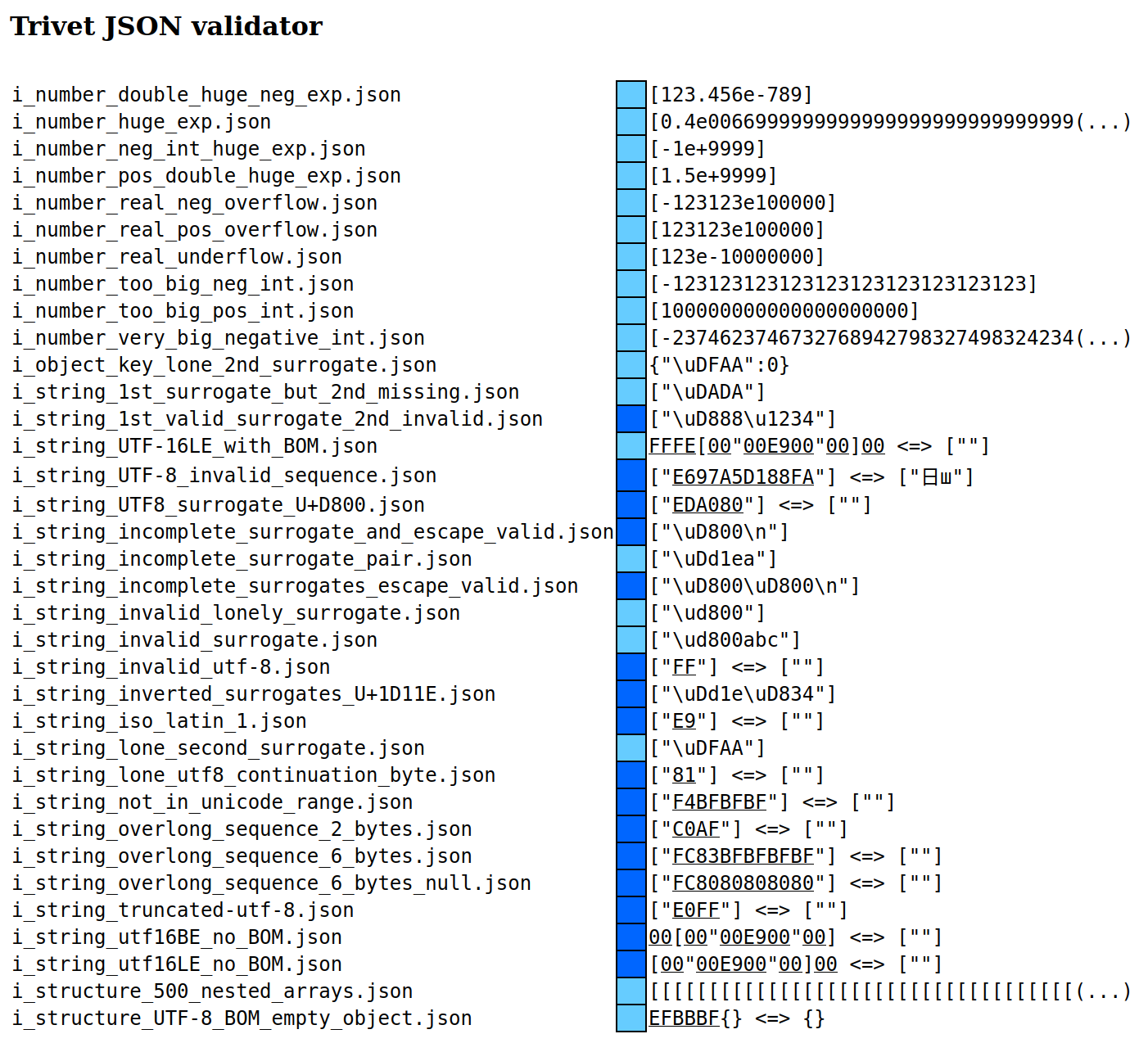
On the other hand, this naïve JSON parser is 130 lines of code (per [Tokei](https://crates.io/crates/tokei)), passes every test of the [JSONTestSuite](https://github.com/nst/JSONTestSuite) except the two excessive nesting samples (100,000 nested arrays), and was written in only a few minutes.
How do we deal with the two cases the parser does _not_ pass? The other implementation in the library accomplishes this by avoiding recursion.