# Tracing Support in rsActor

rsActor provides comprehensive tracing support through the optional `tracing` feature, offering deep observability into actor behavior, message handling, and performance characteristics with structured logging through the [`tracing`](https://crates.io/crates/tracing) crate.

## Enabling Tracing

Add the tracing feature to your `Cargo.toml`:

```toml
[dependencies]
rsactor = { version = "0.12", features = ["tracing"] }
tracing-subscriber = "0.3"  # For setting up a subscriber
```

## Setting Up Tracing

Initialize a tracing subscriber in your application:

```rust
#[tokio::main]
async fn main() -> Result<(), Box<dyn std::error::Error>> {
    // Initialize tracing subscriber
    tracing_subscriber::fmt()
        .with_max_level(tracing::Level::DEBUG)
        .with_target(false)
        .init();

    // Your actor code here...
    Ok(())
}
```

## What Gets Traced

When the tracing feature is enabled, rsActor automatically traces:

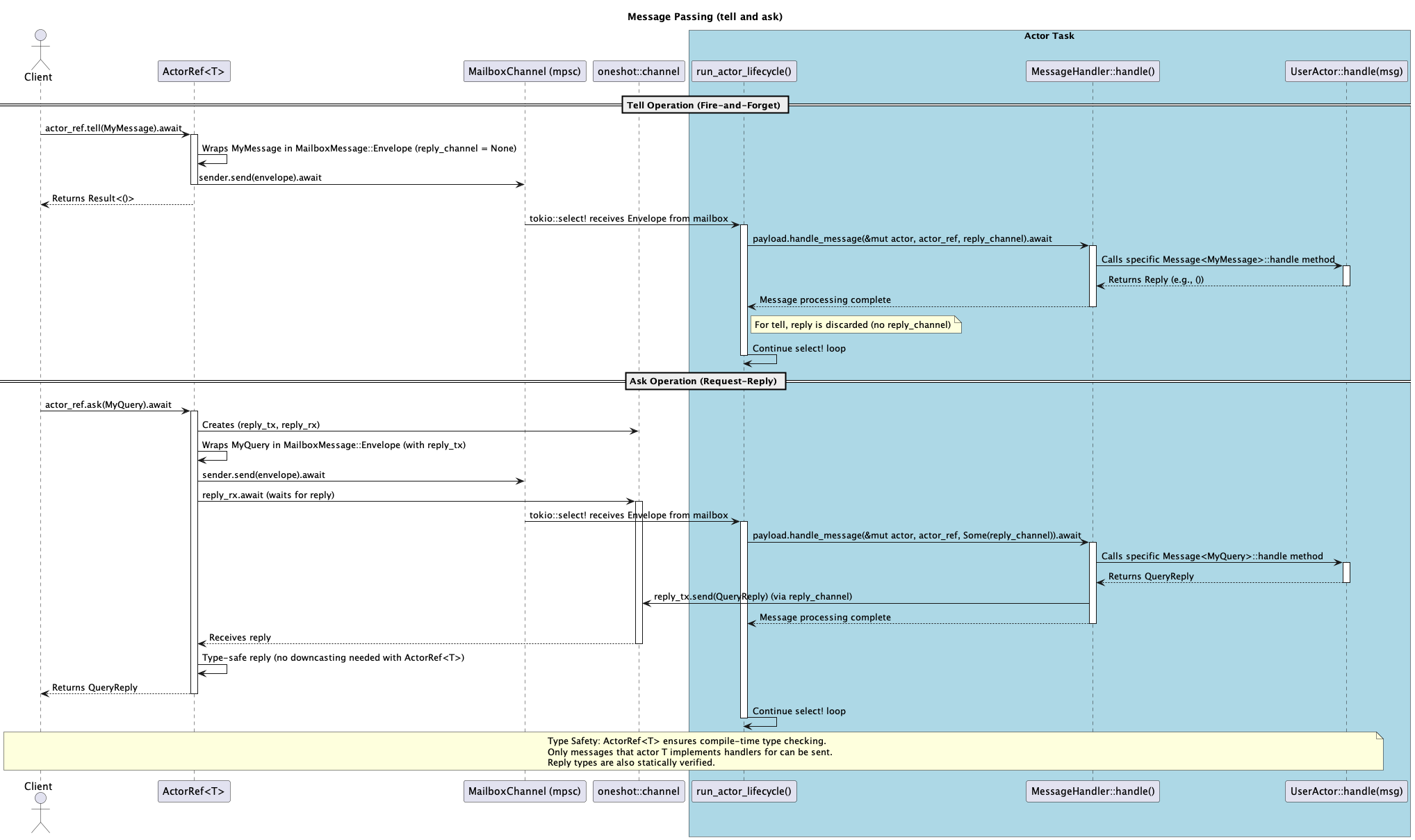
### Message Sending Operations
- **`actor_tell`** span: Fire-and-forget message operations
  - Actor ID and message type
  - Success/failure status with detailed error messages

- **`actor_ask`** span: Request-reply message operations
  - Actor ID, message type, and expected reply type
  - Message sending status
  - Reply reception status
  - Type downcast success/failure with expected vs actual types

- **`actor_tell_with_timeout`** and **`actor_ask_with_timeout`** spans:
  - All of the above plus timeout duration in milliseconds

- **`actor_blocking_tell`** and **`actor_blocking_ask`** spans:
  - Blocking operations for use from any thread (no runtime context required)
  - Timeout handling via `Option<Duration>` parameter
  - Note: Deprecated `actor_tell_blocking` and `actor_ask_blocking` spans still exist for backwards compatibility

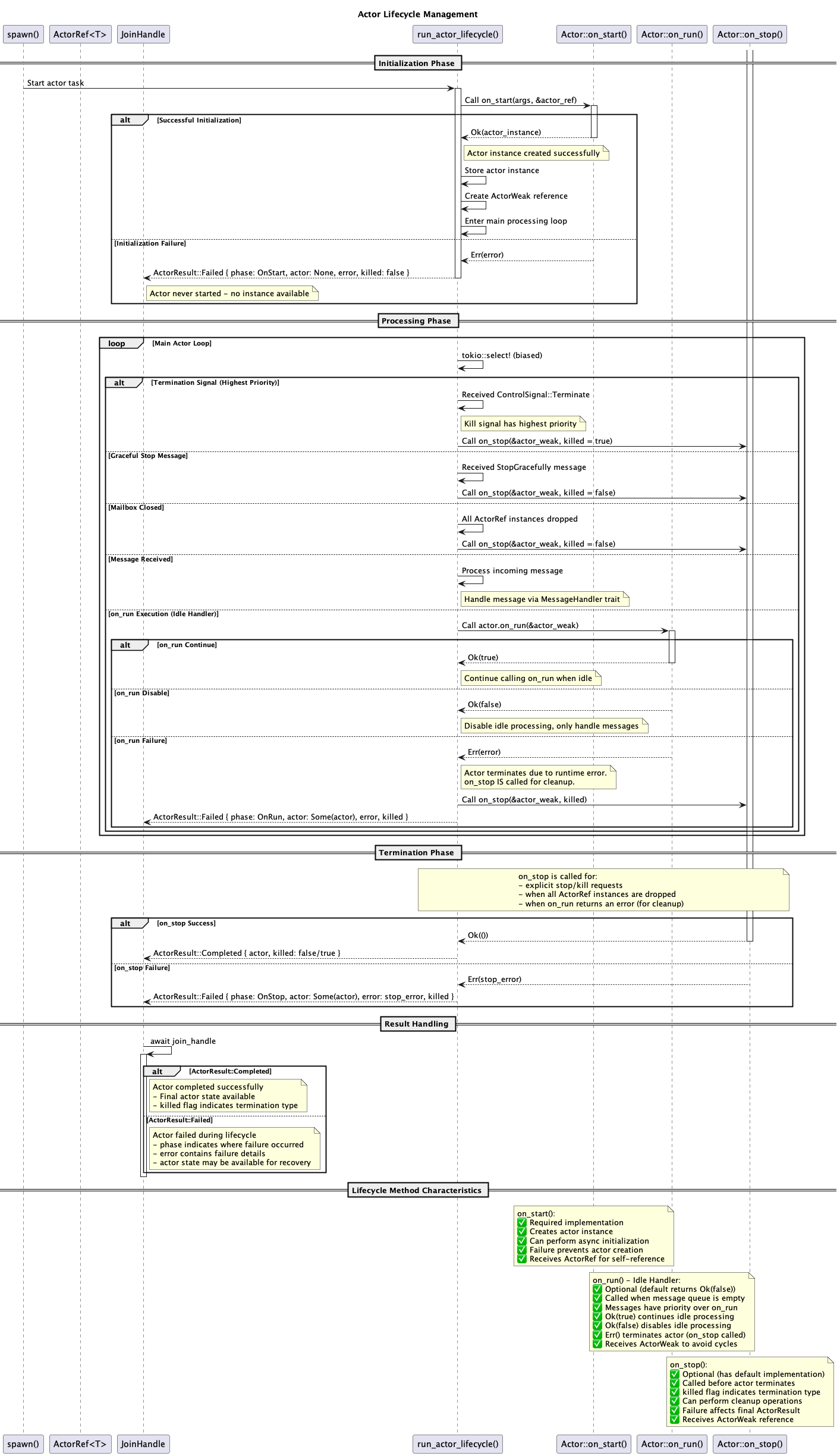
### Actor Lifecycle Events
- **Actor Start**: When `on_start` completes successfully
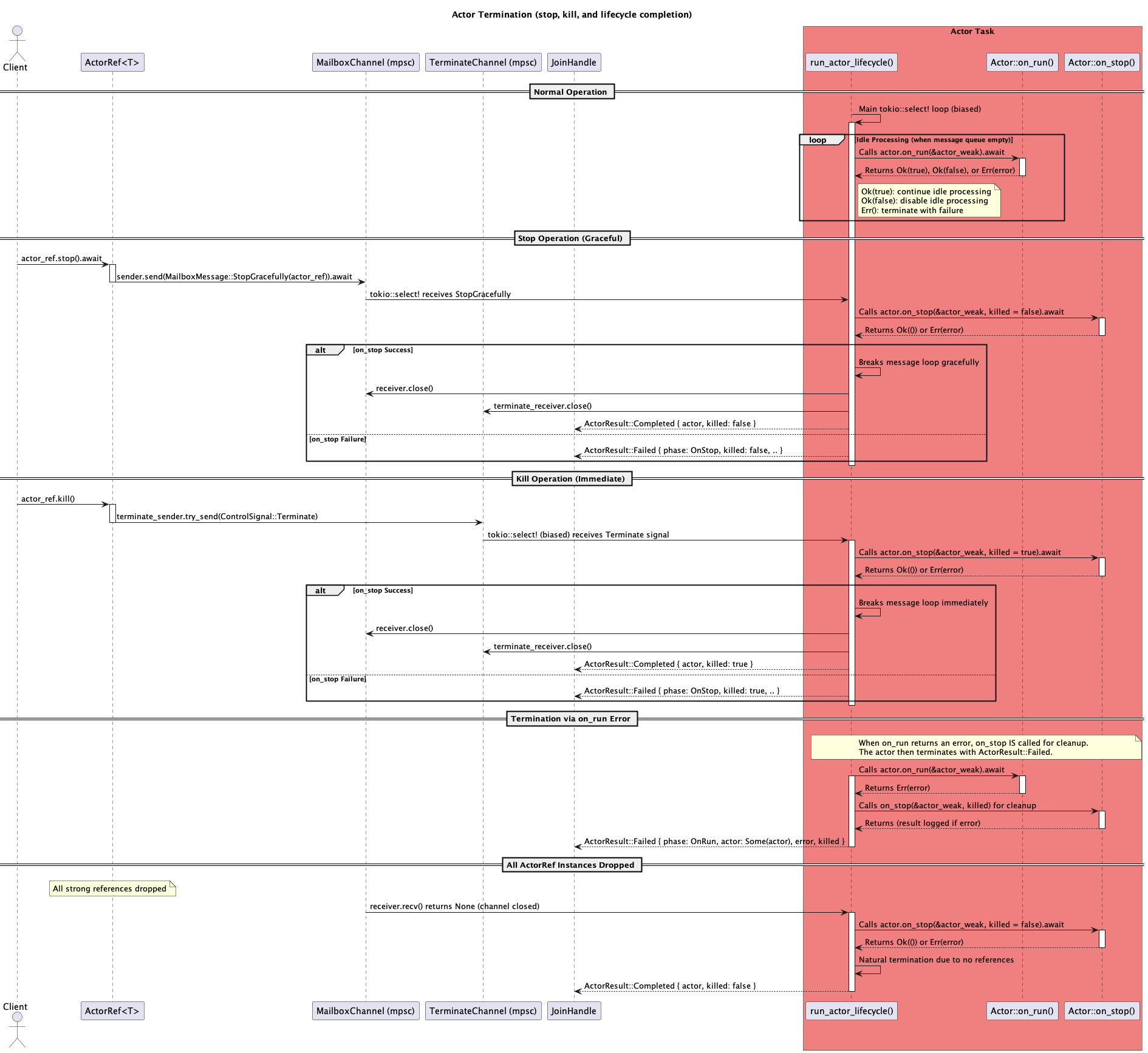
- **Actor Termination**: Different termination scenarios with clear distinctions:
  - `Actor termination via kill() method` - Explicit kill() call
  - `Actor termination due to graceful stop` - Normal stop() call
  - `Actor termination due to all actor_ref instances being dropped` - Reference cleanup

### Actor Control Operations
- **`actor_kill`** span: Immediate actor termination
  - Kill signal sending success/failure
  - Actor state at termination

- **`actor_stop`** span: Graceful actor termination
  - Stop signal sending success/failure
  - Graceful shutdown process

### Message Processing
- **Message Handler Processing**: Automatic message processing traces
  - Actor ID and message type (detected automatically during downcasting)
  - Processing start and completion events
  - Processing duration in milliseconds
  - Reply sending status (for ask operations)
  - Error handling and error reply sending

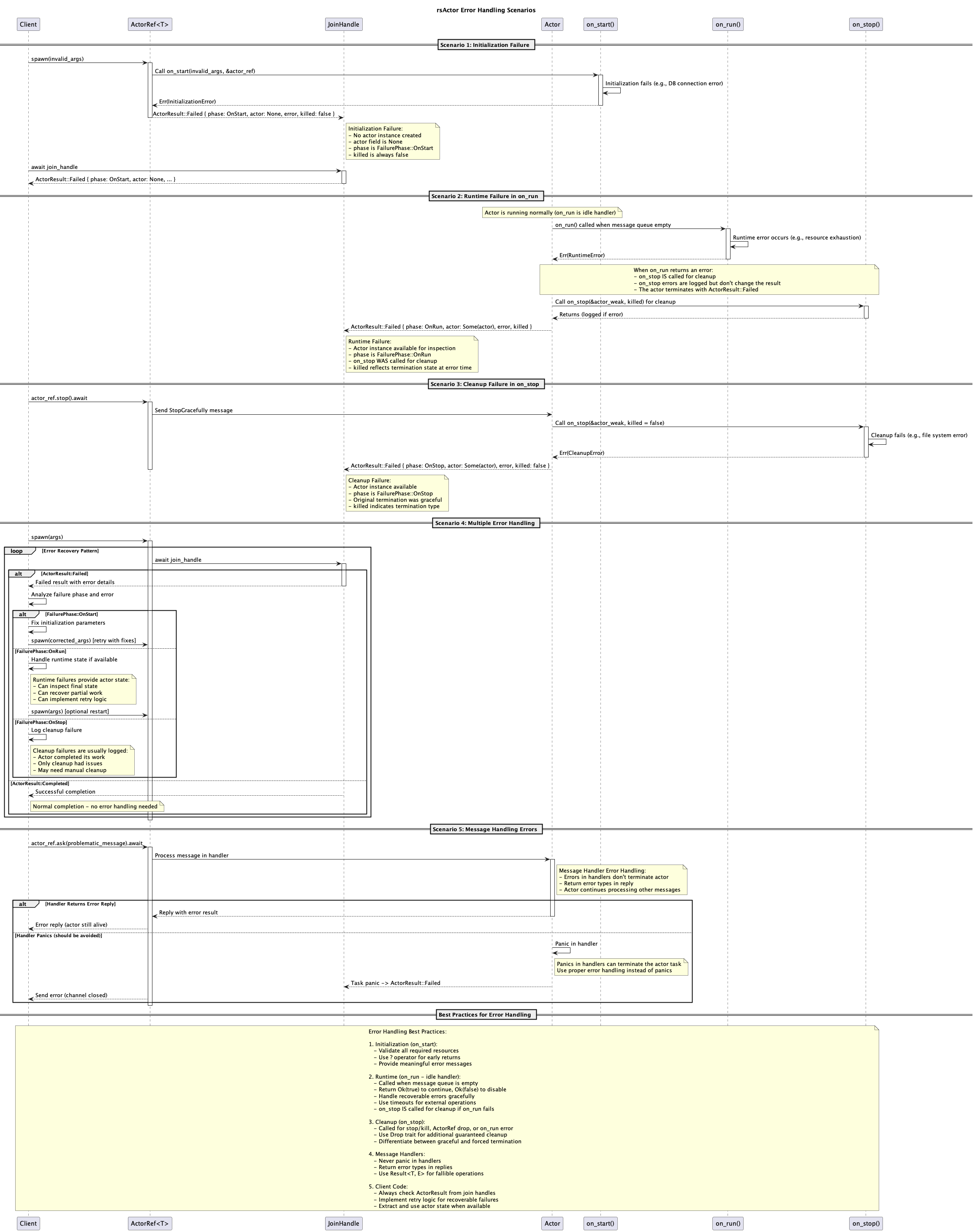
### Error Handling
- **Downcast Failures**: Warnings when reply type downcasting fails
  - Expected type information logged
- **Timeout Events**: When operations exceed specified time limits
- **Channel Errors**: When actor mailboxes are closed or receivers drop
- **Dead Letters**: Messages that cannot be delivered are logged at WARN level (see Dead Letter Tracking)

## Example Trace Output

When tracing is enabled, you'll see structured logs like:

```
DEBUG actor_ask{actor_id=DemoActor message_type=Ping reply_type=String}: Sending ask message and waiting for reply
DEBUG actor_ask{actor_id=DemoActor message_type=Ping reply_type=String}: Ask reply received successfully
DEBUG actor_tell{actor_id=DemoActor message_type=Increment}: Sending tell message (fire-and-forget)
DEBUG actor_tell{actor_id=DemoActor message_type=Increment}: Tell message sent successfully
DEBUG actor_ask_with_timeout{actor_id=DemoActor message_type=SlowOperation reply_type=String timeout_ms=150}: Sending ask message with timeout
WARN  actor_ask_with_timeout{actor_id=DemoActor message_type=SlowOperation reply_type=String timeout_ms=150}: Ask with timeout failed error=Timeout { identity: Identity { name: "DemoActor", id: ... }, timeout: 150ms, operation: "ask" }
```

You'll also see message processing traces at the handler level:

```
DEBUG rsactor::actor: Actor processing message message_type=Ping actor_id=DemoActor
DEBUG rsactor::actor: Actor processing message message_type=Increment actor_id=DemoActor
WARN  rsactor::actor: Unhandled message type expected_types=["Ping", "Increment"] actual_type_id=TypeId { .. }
```

## Performance Impact

The tracing feature is designed with minimal performance impact:

- **Zero cost when disabled**: When the tracing feature is not enabled, all tracing code is completely removed at compile time
- **Conditional compilation**: All tracing code uses `#[cfg(feature = "tracing")]` attributes
- **Structured logging**: Uses the efficient `tracing` crate instead of string formatting

## Integration with Observability

The structured tracing output integrates well with observability tools:

- **OpenTelemetry**: Tracing spans can be exported to OpenTelemetry-compatible systems
- **Jaeger/Zipkin**: Distributed tracing visualization
- **Prometheus**: Metrics can be derived from trace events
- **Log aggregation**: JSON-formatted logs work with ELK stack, Fluentd, etc.

## Example Usage

See the following examples for complete tracing demonstrations:

```bash
# Comprehensive tracing demonstration
RUST_LOG=debug cargo run --example tracing_demo --features tracing

# Actor lifecycle and weak references
RUST_LOG=debug cargo run --example weak_reference_demo --features tracing

# Explicit kill scenario tracing
RUST_LOG=debug cargo run --example kill_demo --features tracing

# Run without tracing to see the difference
cargo run --example tracing_demo
```

### Basic Setup Example

```rust
use rsactor::{Actor, ActorRef, message_handlers, spawn};
use std::time::Duration;

#[derive(Actor)]
struct MyActor {
    counter: u64,
}

struct Increment;
struct GetCounter;

#[message_handlers]
impl MyActor {
    #[handler]
    async fn handle_increment(&mut self, _msg: Increment, _: &ActorRef<Self>) -> u64 {
        self.counter += 1;
        self.counter
    }

    #[handler]
    async fn handle_get_counter(&mut self, _msg: GetCounter, _: &ActorRef<Self>) -> u64 {
        self.counter
    }
}

#[tokio::main]
async fn main() -> Result<(), Box<dyn std::error::Error>> {
    // Initialize tracing subscriber
    #[cfg(feature = "tracing")]
    {
        tracing_subscriber::fmt()
            .with_max_level(tracing::Level::DEBUG)
            .with_target(false)
            .init();
        println!("🚀 Tracing is ENABLED");
    }

    #[cfg(not(feature = "tracing"))]
    {
        println!("📝 Tracing is DISABLED");
    }

    let actor = MyActor { counter: 0 };
    let (actor_ref, _handle) = spawn(actor);

    // This will generate tracing events when tracing feature is enabled
    let count = actor_ref.ask(Increment).await?;
    println!("Count: {}", count);

    actor_ref.stop().await?;
    Ok(())
}
```

## Span Hierarchy

The tracing spans are organized to show the complete message flow:

```
actor_ask/tell/tell_with_timeout/ask_with_timeout
├── message processing (via MessageHandler trait)
│   ├── automatic message type detection
│   ├── handler method execution
│   └── reply handling (for ask operations)
└── timeout handling (if applicable)

actor_kill/actor_stop
├── signal sending
└── termination confirmation
```

This structure allows you to:
- Track message flow from sender to processing
- Measure end-to-end latency for ask operations
- Identify bottlenecks in message processing
- Debug timeout and error scenarios
- Monitor actor performance and throughput
- Observe actor lifecycle events and termination patterns