
Rust plotting library using Python (Matplotlib)




* Requires Ubuntu 24.04 or newer.
Contents
Introduction
This crate implements functions for generating plots and drawings in Rust. It uses Python/Matplotlib but is designed specifically for Rust developers, combining the convenience of a Rust-native API with the exceptional quality of Matplotlib 😀.
Plotpy is more verbose than native Matplotlib because the aim here is to take advantage of the intelligence of the IDE (e.g., VS Code) to auto-complete the code while developing in Rust.
Plotpy generates Python code in a temporary directory (e.g., /tmp/plotpy). It then runs the code via Python 3 using Rust's std::process::Command. The result is an image file such as SVG.
For more information (and examples), check out the plotpy documentation on docs.rs.
See also the examples directory with the output of the integration tests.
Installation
This code is mainly tested on Arch Linux and Debian/Ubuntu Linux.
This crate needs Python3 and Matplotlib.
Arch Linux
Install the dependencies:
Debian/Ubuntu Linux
Install the dependencies:
Other systems
It is possible to run plotpy in other systems where Python and Matplotlib are already installed. The Rust code calls python3 via std::process::Command. However, there is an option to call a different python executable; for instance (the code below is untested):
let mut plot = Plot::new();
plot.set_python_exe("C:\Windows11\WhereIs\python.exe")
    .add(...)
    .save(...)?;
Setting Cargo.toml

👆 Check the crate version and update your Cargo.toml accordingly:
[]
= "*"
Use of Jupyter via evcxr
Plotpy can be used with Jupyter via evcxr. Thus, it can interactively display the plots in a Jupyter Notebook. This feature requires the installation of evcxr. See the Jupyter/evcxr article.
The following code shows a minimal example (the code below is untested)
// set the python path
let python = "where-is-my/python";

// set the figure path and name to be saved
let path = "my-figure.svg";

// plot and show in a Jupyter notebook
let mut plot = Plot::new();
plot.set_python_exe(python)
    .set_label_x("x")
    .set_label_y("y")
    .show_in_jupyter(path)?;
Examples
Note, below StrError is defined as pub type StrError = &'static str; — a type alias for a static string slice. It's used throughout the library as the error type returned from functions. It's essentially a lightweight, allocation-free error type that avoids pulling in a full error-handling crate.
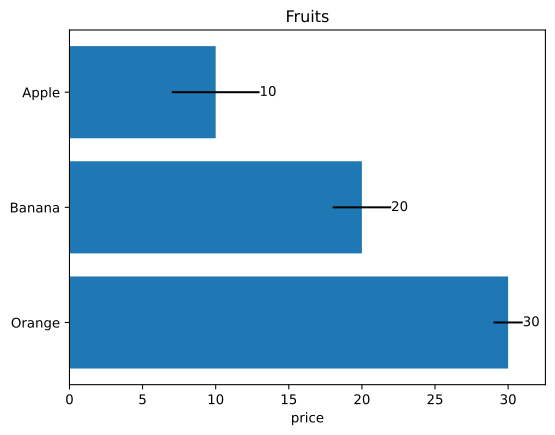
Barplot
use ;
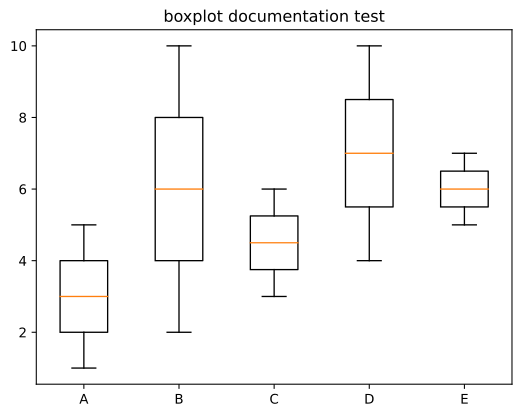
Boxplot
use ;
Canvas
use ;

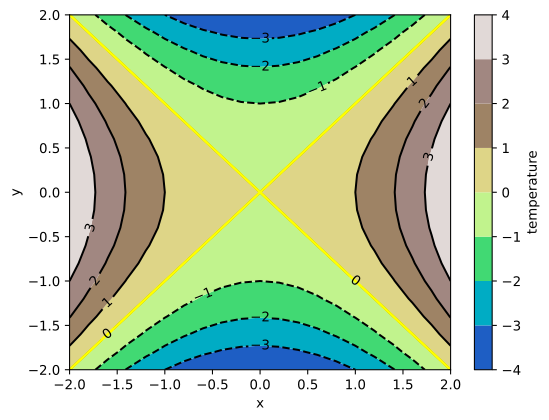
Contour
use ;
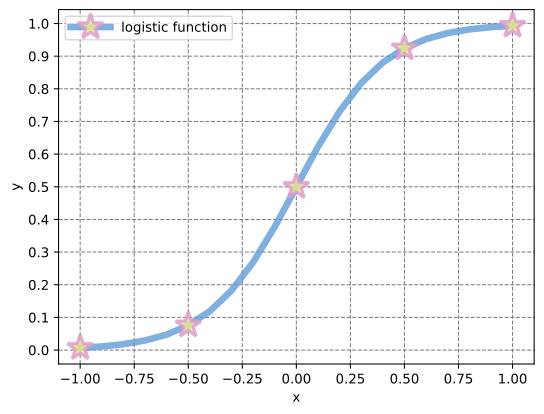
Curve
use ;
Histogram
use ;
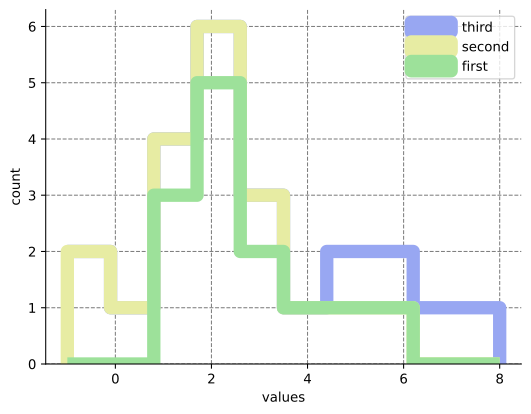
Image
use ;
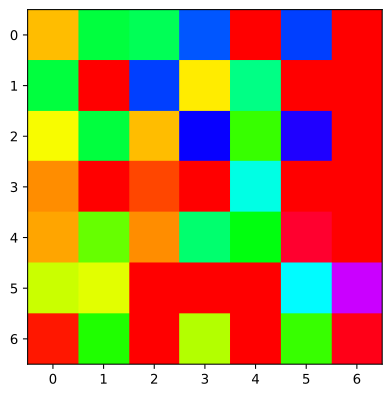
InsetAxes
use ;
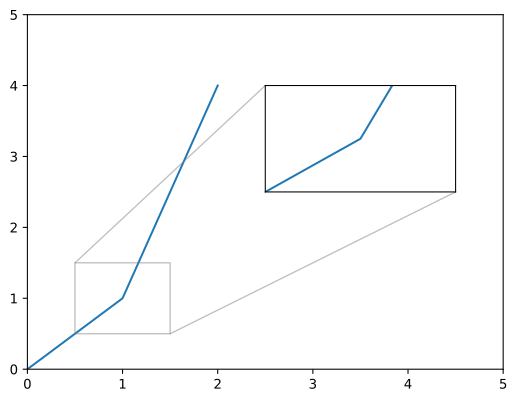
Surface
use ;
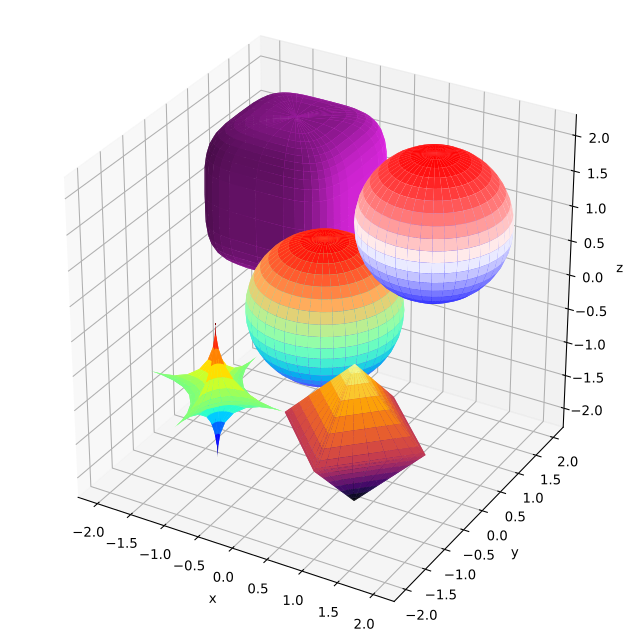
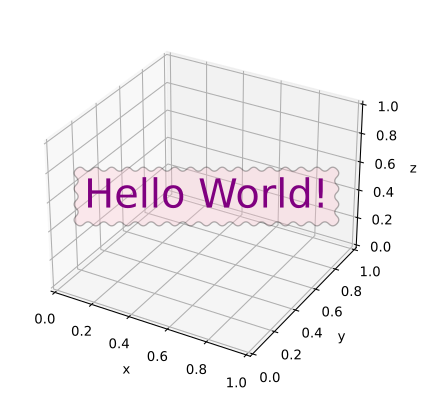
Text
use ;
use Path;
Comparing figures
The tests and doc-tests generate figures into /tmp/plotpy (and its
doc_tests/, integ_tests/, and unit_tests/ sub-directories), while the
committed reference figures live in figures/. The script
zscripts/compare-figures.py compares the generated figures against the
references and reports which ones are identical, different, or missing.
It offers two comparison modes:
- Text mode (default) — normalises both SVGs before comparing: it removes the
<!DOCTYPE>, XML comments, and the<metadata>block (which holds a timestamp and the Matplotlib version), masks Matplotlib's random clip-path/marker/image identifiers, and rounds floating-point numbers (--decimals). This catches real content differences while ignoring Matplotlib noise. - Raster mode (
--raster) — rasterises both SVGs to PNG at the same pixel width (usingrsvg-convert,inkscape, or ImageMagick, whichever is installed) and compares pixels. It reports the mean absolute error, the percentage of differing pixels, and the maximum delta; this is tolerant to Matplotlib-version and anti-aliasing differences.
By default the tool reads /tmp/plotpy recursively and the figures/ directory.
Use --pattern, --generated, --reference, and --json as needed. In raster
mode, --diff-image DIR additionally writes a red diff heat-map and a
side-by-side PNG for every differing figure. The exit status is 0 only when
every compared figure is identical (or within tolerance) and none is missing,
which makes the tool suitable for CI.
Usage
# generate the figures first
# text compare (defaults: /tmp/plotpy -> ./figures, recursive)
# show a unified diff for the figures that differ
# pixel compare (tolerant to Matplotlib version differences), writing diff images
# refresh the committed reference figures from the current output
# or:
Run ./zscripts/compare-figures.py --help for the full list of options.
Raster mode requires numpy and Pillow in addition to a SVG rasteriser.
Architecture
(Generated by DeepSeek)
Core idea: Generates Python 3 scripts as strings from Rust, then executes them via python3. Not a direct API wrapper — it's a code generator.
- 25 source files in
src/, each a standalone module - Each "graph entity" struct (
Curve,Barplot,Boxplot,Contour,Surface,Canvas,Histogram,Text, etc.) implementsGraphMakertrait (get_buffer()+clear_buffer()) Plotis the central coordinator — collects buffers viaadd(&entity), prepends a Python header, appendsplt.savefig(), writes.pyfile, executes it- Only one dependency:
num-traits = "0.2"(for genericNumbound) - Two data abstraction traits:
AsVector(for 1D data) andAsMatrix(for 2D data)
Chaining pattern (builder style)
The entire library follows something.method1().method2().method3() pervasively.
Graph entities — setters return &mut Self:
curve.set_label("logistic")
     .set_line_color("#5f9cd8")
     .set_line_style("-")
     .set_line_width(5.0);
curve.draw(&x, &y);
Note: draw() methods don't return &mut Self (they finalize by writing Python code). But points_begin()/points_add()/points_end() do chain.
Plot — everything returns &mut Self:
plot.set_subplot(2, 2, 1)
    .set_title("first")
    .add(&curve1)
    .grid_labels_legend("x", "y")
    .set_equal_axes(true);
Consistent conventions across all files
new()→ defaults (empty strings,0.0sentinels)set_*()→ returns&mut Selfoptions()→ private method builds CSV-style parameter stringdraw()→ writes Python tobufferusingwrite!macro (all.unwrap()sinceStringwrites are infallible)GraphMakerimpl → exposes the buffer- Inline
#[cfg(test)] mod testsin every file + integration tests undertests/ max_width = 120inrustfmt.toml- Error type:
pub type StrError = &'static str;