# Creating Components
The `#[component]` macro creates reusable widgets from functions. Function parameters become props, and the function body becomes the render method.
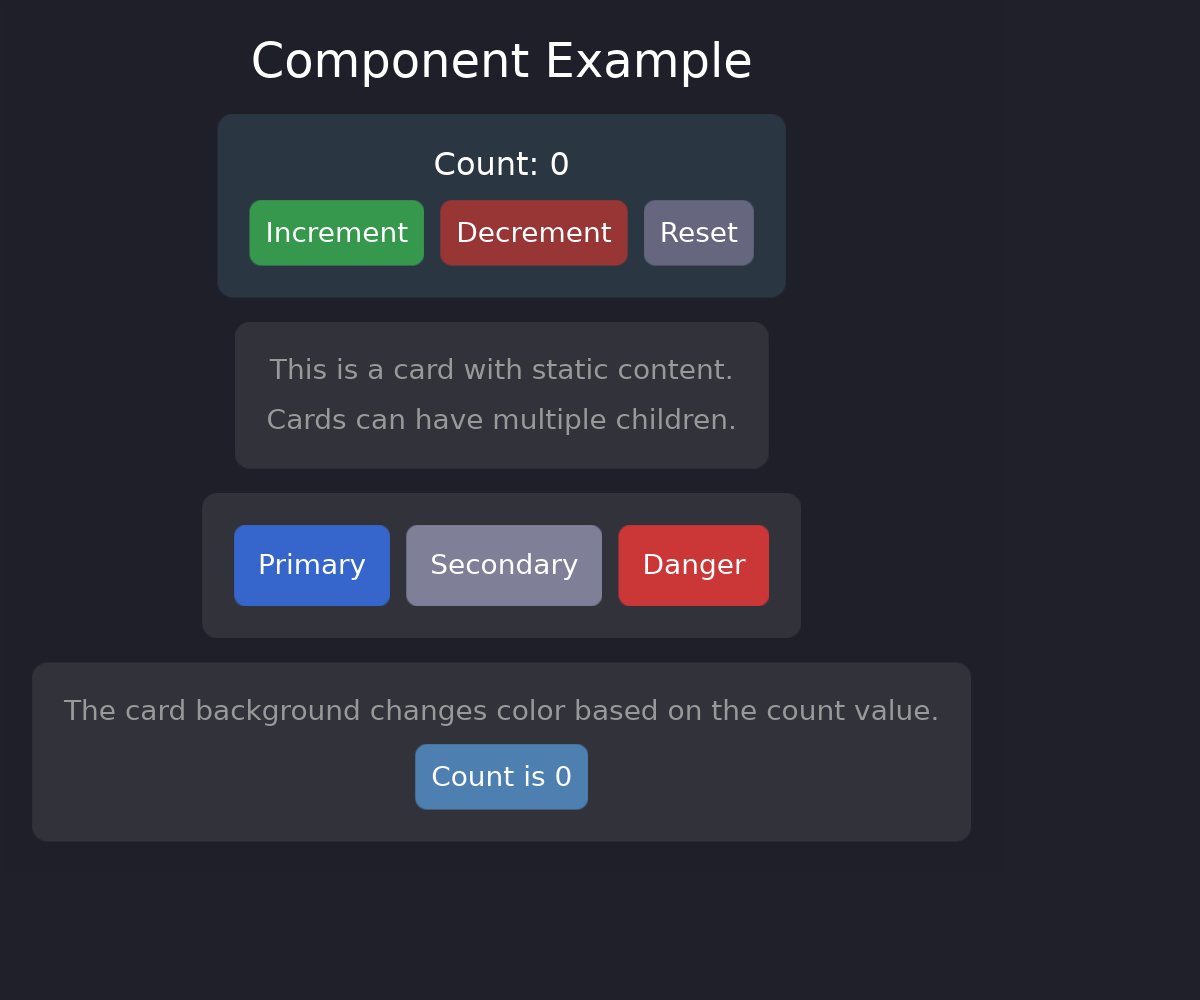
## Basic Component
```rust
# extern crate guido;
use guido::prelude::*;
#[component]
pub fn button(label: String) -> impl Widget {
container()
.padding(12.0)
.background(Color::rgb(0.3, 0.5, 0.8))
.corners(6.0)
.when_hovered(|s| s.lighter(0.1))
.when_pressed(|s| s.ripple())
.child(container().child(text(label).color(Color::WHITE)))
}
# fn main() {}
```
Use the component with the auto-generated builder:
```rust
# extern crate guido;
# use guido::prelude::*;
# #[component]
# pub fn button(label: String) -> impl Widget {
# container()
# .padding(12.0)
# .background(Color::rgb(0.3, 0.5, 0.8))
# .corners(6.0)
# .when_hovered(|s| s.lighter(0.1))
# .when_pressed(|s| s.ripple())
# .child(container().child(text(label).color(Color::WHITE)))
# }
# fn main() {
button().label("Click me")
# ;
# }
```
The macro generates a `Button` struct (PascalCase) and a `button()` constructor function from the function name.
## Props
All function parameters are props. Use `#[prop(...)]` attributes for special behavior.
### Standard Props
Parameters without attributes become standard props with `Default::default()`:
```rust
# extern crate guido;
# use guido::prelude::*;
#[component]
pub fn button(label: String) -> impl Widget {
container().child(text(label))
}
# fn main() {}
```
```rust
# extern crate guido;
# use guido::prelude::*;
# #[component]
# pub fn button(label: String) -> impl Widget {
# container().child(text(label))
# }
# fn main() {
button().label("Required")
# ;
# }
```
### Props with Defaults
```rust
# extern crate guido;
# use guido::prelude::*;
#[component]
pub fn button(
label: String,
#[prop(default = Color::rgb(0.3, 0.3, 0.4))]
background: Color,
#[prop(default = Padding::all(8.0))]
padding: Padding,
) -> impl Widget {
container()
.padding(padding)
.background(background)
.child(container().child(text(label).color(Color::WHITE)))
}
# fn main() {}
```
Optional — uses default if not specified:
```rust
# extern crate guido;
# use guido::prelude::*;
# #[component]
# pub fn button(
# label: String,
# #[prop(default = Color::rgb(0.3, 0.3, 0.4))]
# background: Color,
# #[prop(default = Padding::all(8.0))]
# padding: Padding,
# ) -> impl Widget {
# container()
# .padding(padding)
# .background(background)
# .child(container().child(text(label).color(Color::WHITE)))
# }
# fn main() {
button().label("Uses defaults");
button().label("Custom").background(Color::RED).padding(16.0)
# ;
# }
```
### Callback Props
```rust
# extern crate guido;
# use guido::prelude::*;
#[component]
pub fn button(
label: String,
#[prop(callback)] on_click: (),
) -> impl Widget {
container()
.on_click(on_click)
.child(text(label))
}
# fn main() {}
```
Provide closures for events:
```rust
# extern crate guido;
# use guido::prelude::*;
# #[component]
# pub fn button(
# label: String,
# #[prop(callback)] on_click: (),
# ) -> impl Widget {
# container()
# .on_click(on_click)
# .child(text(label))
# }
# fn main() {
button()
.label("Click me")
.on_click(|| println!("Clicked!"))
# ;
# }
```
Inside the body a callback prop is an `Option<Callback<..>>`. A
[`Callback`](../concepts/reactive-model.md) is a `Copy` handle to the closure,
so it goes into as many closures as needed without being cloned, and is called
with `run`:
```rust
# extern crate guido;
# use guido::prelude::*;
#[component]
pub fn stepper(#[prop(callback)] on_change: fn(i32)) -> impl Widget {
container()
.layout(Flex::row().spacing(4))
// The same handle used twice — no clone in sight
.child(container().on_click(move || {
if let Some(cb) = on_change { cb.run(-1) }
}))
.child(container().on_click(move || {
if let Some(cb) = on_change { cb.run(1) }
}))
}
# fn main() {}
```
## Accessing Props
In the function body, each prop is a read-only `Signal<T>` (which is `Copy`). Pass the signal directly to widget methods — this preserves reactivity so props update automatically when the caller provides reactive values (both `RwSignal<T>` and `Signal<T>` work as prop values via `IntoSignal`):
```rust
# extern crate guido;
# use guido::prelude::*;
#[component]
pub fn button(
label: String,
#[prop(default = Padding::all(8.0))] padding: Padding,
#[prop(default = Color::rgb(0.3, 0.3, 0.4))] background: Color,
#[prop(callback)] on_click: (),
) -> impl Widget {
container()
.padding(padding) // Pass Signal<Padding> directly (Copy, keeps reactivity)
.background(background) // Pass Signal<Color> directly (Copy, keeps reactivity)
.on_click(on_click) // Copy handle, no clone
.child(text(label))
}
# fn main() {}
```
## The Body Runs Once
A component's body executes **one time**, when the widget is first built, inside
its own ownership scope — that is what lets the signals and effects it creates
die with the component. Reactivity comes from the closures it leaves behind,
not from re-running the body:
```rust
# extern crate guido;
# use guido::prelude::*;
#[component]
pub fn status_chip(label: String, active: bool) -> impl Widget {
container()
// Reactive: the closure re-runs when `active` changes
.background(move || if active.get() { Color::GREEN } else { Color::GRAY })
// Reactive: the signal is passed through untouched
.child(text(label))
}
# fn main() {}
```
Reading a prop **outside** a closure takes a snapshot of it, and the component
will never update:
```rust
# extern crate guido;
# use guido::prelude::*;
# fn plain_row() -> Container { container() }
# fn selected_row() -> Container { container() }
# fn main() {
# let active = create_signal(false);
# let _snapshot =
// Wrong: the branch is decided once, for good
if active.get() { selected_row() } else { plain_row() }
# ;
// Right: the choice itself lives in a closure
})
# ;
# }
```
Debug builds warn at the exact line when a prop is read this way — unless the
caller passed a plain value, which cannot change anyway. If the snapshot is
deliberate, `get_untracked()` says so and silences the warning.
## Components with Children
```rust
# extern crate guido;
# use guido::prelude::*;
#[component]
pub fn card(
title: String,
#[prop(children)] children: (),
) -> impl Widget {
container()
.padding(16.0)
.background(Color::rgb(0.18, 0.18, 0.22))
.corners(8.0)
.layout(Flex::column().spacing(8.0))
.child(container().child(text(title).font_size(18.0).color(Color::WHITE)))
.children(children)
}
# fn main() {}
```
`children` is the same method the caller uses, and the rows land where the call
is written: the title above stays above them, and anything the component adds
afterwards comes after. A component that never calls it drops what it was
handed.
Use with child/children methods:
```rust
# extern crate guido;
# use guido::prelude::*;
# #[component]
# pub fn card(
# title: String,
# #[prop(children)] children: (),
# ) -> impl Widget {
# container()
# .padding(16.0)
# .background(Color::rgb(0.18, 0.18, 0.22))
# .corners(8.0)
# .layout(Flex::column().spacing(8.0))
# .child(container().child(text(title).font_size(18.0).color(Color::WHITE)))
# .children(children)
# }
# fn main() {
card()
.title("My Card")
.child(text("First child"))
.child(text("Second child"))
# ;
# }
```
## Slot Props
Slots let a component accept named widget positions — useful for layout components
like headers, sidebars, or multi-region containers:
```rust
# extern crate guido;
# use guido::prelude::*;
#[component]
pub fn center_box(
#[prop(slot)] left: (),
#[prop(slot)] center: (),
#[prop(slot)] right: (),
) -> impl Widget {
container()
.layout(Flex::row())
.children(vec![
left,
center,
right,
].into_iter().flatten())
}
# fn main() {}
```
Use with the auto-generated builder methods:
```rust
# extern crate guido;
# use guido::prelude::*;
# #[component]
# pub fn center_box(
# #[prop(slot)] left: (),
# #[prop(slot)] center: (),
# #[prop(slot)] right: (),
# ) -> impl Widget {
# container()
# .layout(Flex::row())
# .children(vec![left, center, right].into_iter().flatten())
# }
# fn main() {
center_box()
.left(text("Left"))
.center(text("Center"))
.right(text("Right"))
# ;
# }
```
Each slot accepts any `impl Widget + 'static`. Inside the function body, use the parameter name
directly — it's an `Option<Box<dyn Widget>>` that was automatically consumed from the slot.
## Reactive Props
Props accept signals and closures:
```rust
# extern crate guido;
# use guido::prelude::*;
# #[component]
# pub fn button(
# label: String,
# #[prop(default = Color::rgb(0.3, 0.3, 0.4))] background: Color,
# ) -> impl Widget {
# container().background(background).child(text(label))
# }
# fn main() {
let count = create_signal(0);
button()
.label(move || format!("Count: {}", count.get()))
.background(move || {
if count.get() > 5 {
Color::rgb(0.3, 0.8, 0.3)
} else {
Color::rgb(0.3, 0.5, 0.8)
}
})
# ;
# }
```
## Complete Example
```rust,no_run
# extern crate guido;
use guido::prelude::*;
#[component]
pub fn button(
label: String,
#[prop(default = Color::rgb(0.3, 0.3, 0.4))] background: Color,
#[prop(default = Padding::all(8.0))] padding: Padding,
#[prop(callback)] on_click: (),
) -> impl Widget {
container()
.padding(padding)
.background(background)
.corners(6.0)
.when_hovered(|s| s.lighter(0.1))
.when_pressed(|s| s.ripple())
.on_click(on_click)
.child(container().child(text(label).color(Color::WHITE)))
}
#[component]
pub fn card(
title: String,
#[prop(default = Color::rgb(0.18, 0.18, 0.22))] background: Color,
#[prop(children)] children: (),
) -> impl Widget {
container()
.padding(16.0)
.background(background)
.corners(8.0)
.layout(Flex::column().spacing(8.0))
.child(container().child(text(title).font_size(18.0).color(Color::WHITE)))
.children(children)
}
fn main() {
App::new().run(|app| {
let count = create_signal(0);
let view = container()
.padding(16.0)
.layout(Flex::column().spacing(12.0))
.child(
card()
.title("Counter")
.child(container().child(text(move || format!("Count: {}", count.get())).color(Color::WHITE)))
.child(
container()
.layout(Flex::row().spacing(8.0))
.child(button().label("Increment").on_click(move || count.update(|c| *c += 1)))
.child(button().label("Reset").on_click(move || count.set(0)))
)
);
app.add_surface(
SurfaceConfig::new()
.width(400)
.height(200)
.background_color(Color::rgb(0.1, 0.1, 0.15)),
move || view,
);
});
}
```
## When to Use Components
Components are ideal for:
- **Repeated patterns** - Buttons, cards, list items
- **Configurable widgets** - Same structure, different props
- **Encapsulated state** - Self-contained logic
- **Team collaboration** - Clear interfaces and contracts
For one-off layouts, regular functions returning `impl Widget` may be simpler.