
ghpending
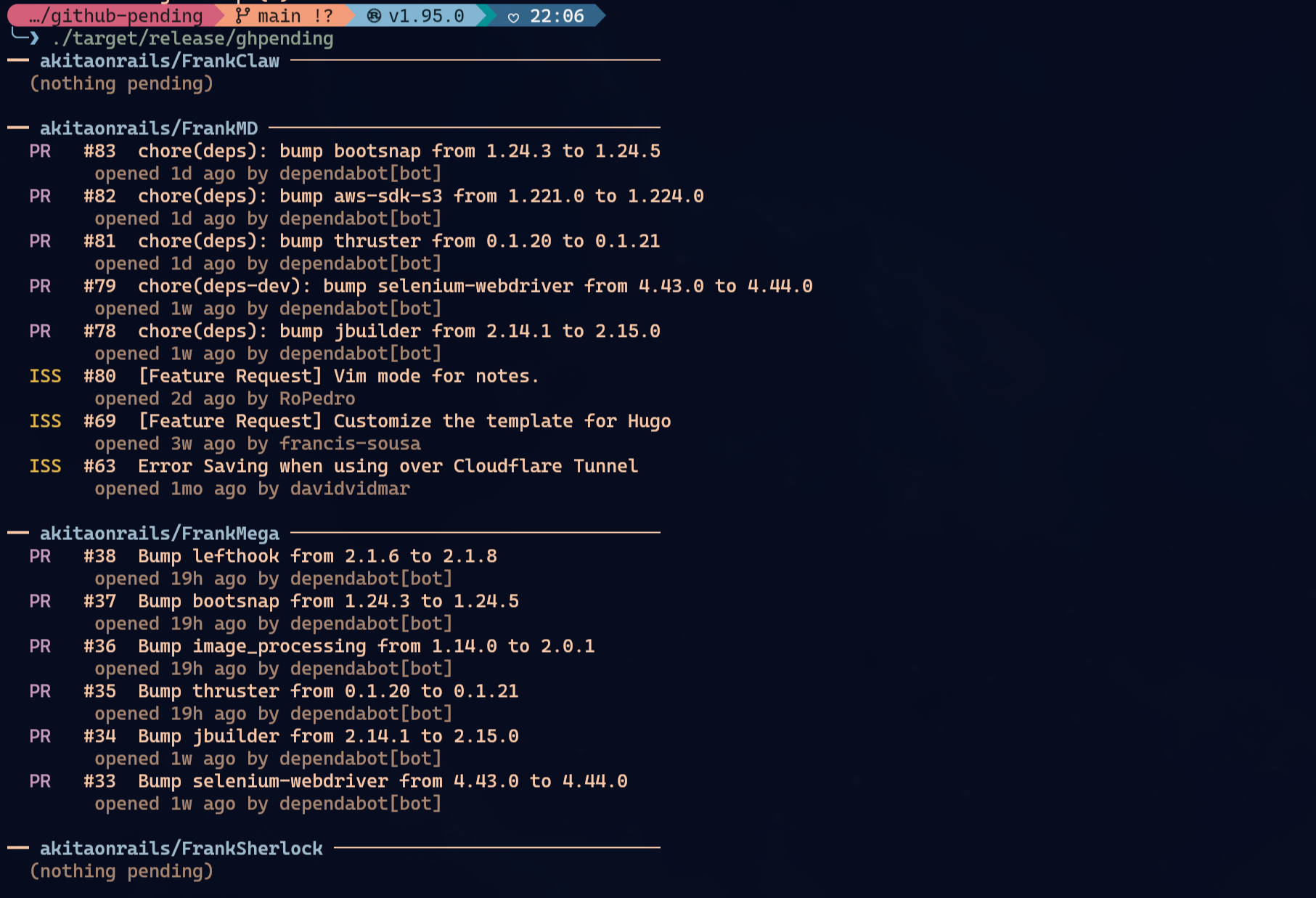
See open issues and pull requests across the GitHub repos you care about, at a glance.
Install
Homebrew (macOS / Linux)
&&
Arch Linux (AUR)
Cargo
mise
From source
Upgrading
# Homebrew
# AUR (any helper that respects upstream changes)
# Cargo
# mise
# From source
&& &&
Usage
ghpending add— lists repos and lets you select which to track. The username is saved so subsequentaddruns skip the prompt. Pass--user <name>to switch to a different user/org without editing the config; it replaces the saved one.- Private repos: with a
GITHUB_TOKENthat has thereposcope,addincludes private repos automatically when the target is your own account or an org you belong to. For a third-party user only their public repos are visible. --alllists every repo your token can reach — owned, collaborator and organization-member, private included — in a single picker, ignoring the saved user. Use it to grab private repos you collaborate on across different owners.
- Private repos: with a
ghpending— fetches tracked repos concurrently and prints their open issues and pull requests. Pass--subscribedto show only items that the authenticated user is subscribed to. Pass--limit <count>to cap the total number of displayed items; each repository receives a proportional share while preserving its existing item order. Pass--sort <mode>to control repo order:activity(default, most recently updated open item first),name(alphabetical, the config-file order),count(most open items first) orstale(most neglected repo — oldest-updated open item — first). Within each repo, items you authored are de-emphasized and listed below everyone else's — they're waiting on other people, not on you — and marked "by you" instead of your login; other people's items keep full color since those are the ones to act on. Comment counts show up wherever the API provides them and are highlighted when nonzero, so feedback stands out at a glance.ghpending list— prints the repos currently in your watch list.ghpending rm— opens an interactive menu to select repos to remove from tracking.
Forks
Forks are detected automatically — no configuration needed. When a tracked repo turns out to be a fork (e.g. akitaonrails/omarchy, forked from omacom/omarchy), you almost never care about issues or PRs on the fork itself, so the digest switches to showing the issues and pull requests you opened on the upstream project instead: still open, with comment counts and review decisions so you can see if there's feedback waiting. Detection results are cached in the config's [forks] table (tracked fork name → upstream name, or an empty string for a confirmed non-fork) so repeat runs don't pay for the extra lookup. Manual edits to that table always win: delete an entry to force re-detection, set it to "" to opt a fork out of the upstream view (useful for forks you maintain as independent projects), or point it at a different upstream entirely.
Authentication
GITHUB_TOKEN is optional. Without one, public repository access is subject to GitHub's 60 requests/hour limit. Set a token for a 5,000 requests/hour limit, access to private repositories, and faster digests (all repos are fetched in one batched GraphQL request instead of two REST calls each):
GITHUB_TOKEN=
The --subscribed filter requires a token because GitHub subscriptions are user-specific:
GITHUB_TOKEN=
To include private repos, the token needs the repo scope (classic) or read access to the repo's Contents, Issues and Pull requests (fine-grained). The token is read silently at startup.
GitHub API proxy (optional)
If a SOCKS proxy is already listening at 127.0.0.1:9050, ghpending uses it for GitHub API calls and falls back to direct API access when it is not available. You can also force a SOCKS proxy with GHPENDING_GITHUB_PROXY=socks5h://host:port; existing HTTPS_PROXY / ALL_PROXY values are honored when they use socks5 or socks5h.
Config
The config file lives at:
- Linux:
~/.config/ghpending/config.toml - macOS:
~/Library/Application Support/ghpending/config.toml
Example:
= "akitaonrails"
= ["ratatui-org/ratatui", "tokio-rs/tokio"]
= "name"
Run ghpending add --user <name> to change the user field, or edit the file directly to reorder repos. Set sort to activity, name, count or stale to change the default repo order without passing --sort each time.
Themes
Pass --theme nerv on the command line (any subcommand) or set theme = "nerv" in the config file to switch to the NERV interface palette. The older purple-accent Evangelion palette is still available as evangelion.
= "akitaonrails"
= ["ratatui-org/ratatui"]
= "nerv"
The environment variables GHPENDING_THEME (specific) and TCLOCK_WIDGET_THEME (generic, set by tclock for its widget subprocesses) are also honored, so running ghpending as a tclock widget follows the clock's theme cycling automatically.
Precedence: --theme flag, then GHPENDING_THEME, then TCLOCK_WIDGET_THEME, then the config file, then default. An unknown name in an env var is skipped with a warning; an unknown name in the flag is an error.
License
MIT