
ghpending
See open issues and pull requests across the GitHub repos you care about, at a glance.
Install
Homebrew (macOS / Linux)
&&
Arch Linux (AUR)
Cargo
mise
From source
Upgrading
# Homebrew
# AUR (any helper that respects upstream changes)
# Cargo
# mise
# From source
&& &&
Usage
ghpending add— lists repos and lets you select which to track. The username is saved so subsequentaddruns skip the prompt. Pass--user <name>to switch to a different user/org without editing the config; it replaces the saved one.- Private repos: with a
GITHUB_TOKENthat has thereposcope,addincludes private repos automatically when the target is your own account or an org you belong to. For a third-party user only their public repos are visible. --alllists every repo your token can reach — owned, collaborator and organization-member, private included — in a single picker, ignoring the saved user. Use it to grab private repos you collaborate on across different owners.
- Private repos: with a
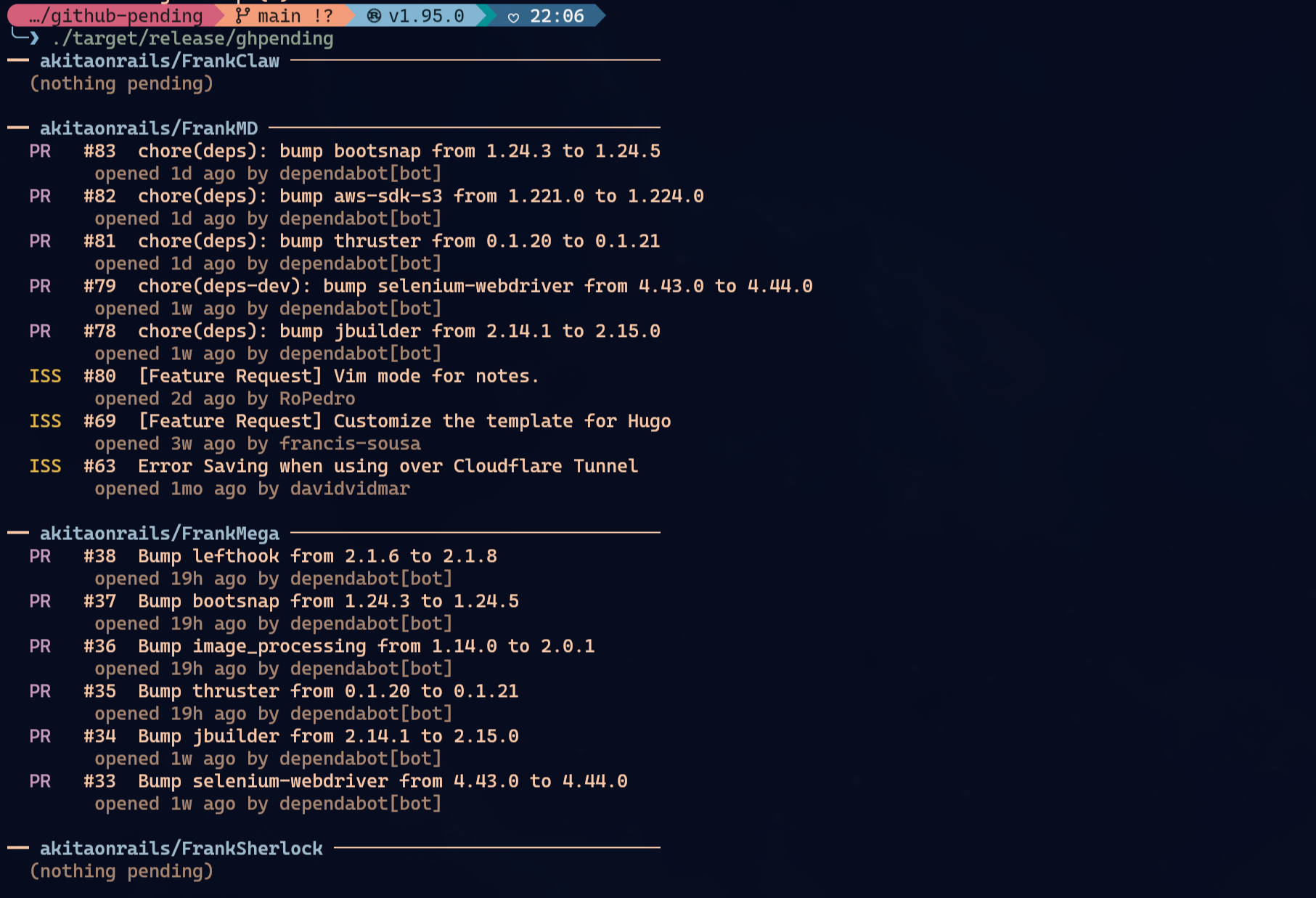
ghpending— fetches all tracked repos concurrently and prints a digest of open issues and pull requests.ghpending list— prints the repos currently in your watch list.ghpending rm— opens an interactive menu to select repos to remove from tracking.
Authentication (optional)
Everything works unauthenticated for public repos, subject to GitHub's default 60 requests/hour rate limit. Set GITHUB_TOKEN to raise that to 5,000 requests/hour:
GITHUB_TOKEN=
The token is read silently at startup — no configuration needed. To track private repos (and have them show up in ghpending add), the token needs the repo scope (classic) or read access to the repo's Contents, Issues and Pull requests (fine-grained).
GitHub API proxy (optional)
If a SOCKS proxy is already listening at 127.0.0.1:9050, ghpending uses it for GitHub API calls and falls back to direct API access when it is not available. You can also force a SOCKS proxy with GHPENDING_GITHUB_PROXY=socks5h://host:port; existing HTTPS_PROXY / ALL_PROXY values are honored when they use socks5 or socks5h.
Config
The config file lives at:
- Linux:
~/.config/ghpending/config.toml - macOS:
~/Library/Application Support/ghpending/config.toml
Example:
= "akitaonrails"
= ["ratatui-org/ratatui", "tokio-rs/tokio"]
Run ghpending add --user <name> to change the user field, or edit the file directly to reorder repos.
Themes
Pass --theme nerv on the command line (any subcommand) or set theme = "nerv" in the config file to switch to the Evangelion/NERV palette. The flag takes priority over the config field when both are set.
= "akitaonrails"
= ["ratatui-org/ratatui"]
= "nerv"
License
MIT