# tokio-immediate
[](https://docs.rs/tokio-immediate)
[](https://docs.rs/tokio-immediate-egui)
Primitives for calling asynchronous code from immediate mode UIs.
**tokio-immediate** manages asynchronous tasks for you and wakes up the main UI loop when task completes or sends
status updates via a channel.
## Examples
The repository includes runnable examples for several immediate UI frameworks:
| [`example-egui`](https://github.com/tara-zero/tokio-immediate/blob/main/example-egui/src/main.rs) | `egui` + `eframe` |
| [`example-egui-minimal`](https://github.com/tara-zero/tokio-immediate/blob/main/example-egui-minimal/src/main.rs) | `egui` + `eframe` |
| [`example-imgui-minimal`](https://github.com/tara-zero/tokio-immediate/blob/main/example-imgui-minimal/src/main.rs) | Dear ImGui (`dear-imgui-rs` + `dear-app`) |
| [`example-ratatui-minimal`](https://github.com/tara-zero/tokio-immediate/blob/main/example-ratatui-minimal/src/main.rs) | `ratatui` + `crossterm` |
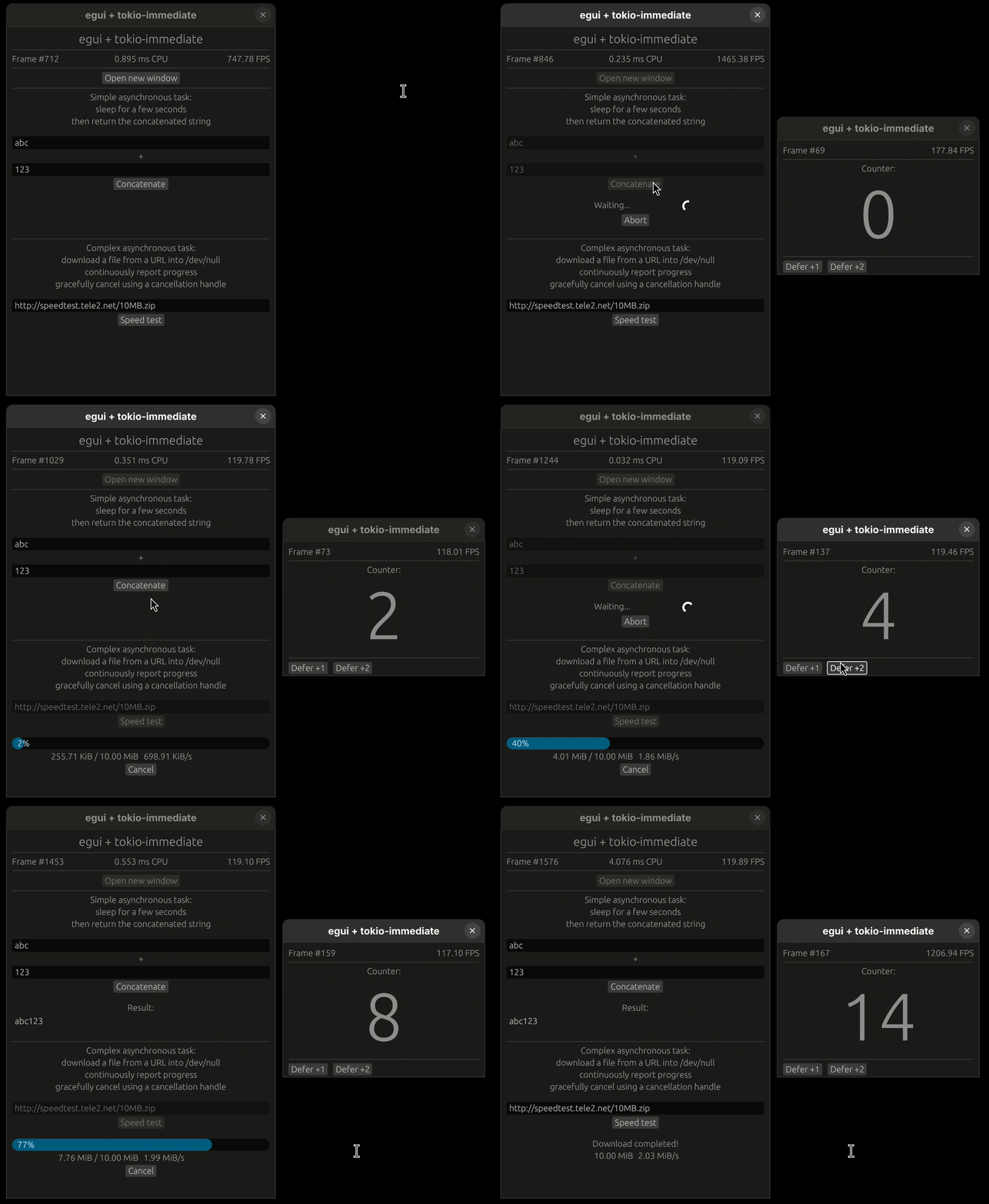
The full `egui` example demonstrates multi-viewport support, `sync::watch` channels for
streaming progress updates, and cancellation tokens.
## Crates
| [`tokio-immediate`](https://crates.io/crates/tokio-immediate) | [`docs.rs/tokio-immediate`](https://docs.rs/tokio-immediate) | Core library, framework-agnostic |
| [`tokio-immediate-egui`](https://crates.io/crates/tokio-immediate-egui) | [`docs.rs/tokio-immediate-egui`](https://docs.rs/tokio-immediate-egui) | Optional [egui](https://github.com/emilk/egui) integration via an `egui::Plugin` |
## Simplified code (with egui-specific helper plugin)
```rust
use tokio_immediate_egui::single::{AsyncCall, AsyncCallState};
use tokio_immediate_egui::EguiAsync;
// During app setup - create an EguiAsync and register its plugin:
let egui_async = EguiAsync::default();
cc.egui_ctx.add_plugin(egui_async.plugin());
let mut task: AsyncCall<String> = egui_async.new_call();
// In your update() loop:
task.poll(); // check for completion — call once per frame
match &*task {
AsyncCallState::Stopped => { /* never started or aborted */ }
AsyncCallState::Running(handle) => {
ui.spinner();
if ui.button("Abort").clicked() {
handle.abort();
}
}
AsyncCallState::Completed(value) => {
ui.label(value);
}
}
// To kick off work:
task.start(async {
tokio::time::sleep(std::time::Duration::from_secs(2)).await;
String::from("done!")
});
```
When the spawned future finishes, the library automatically requests a repaint of the viewport
that owns the `AsyncCall`, so you never miss the result.
## Development
A [`justfile`](https://github.com/tara-zero/tokio-immediate/blob/main/justfile) provides common development recipes (need [`just`](https://github.com/casey/just) to run):
```sh
just clippy # lint with Clippy (all crates, all feature combinations)
just test # run tests
just doc # generate documentation
just build # build all examples (debug)
just fmt # format code
```