
tokio-immediate


Primitives for calling asynchronous code from immediate mode UIs.
tokio-immediate manages asynchronous tasks for you and wakes up the main UI loop when task completes or sends status updates via a channel.
Examples
The repository includes runnable examples for several immediate UI frameworks:
| Example | Framework |
|---|---|
example-egui |
egui + eframe |
example-egui-minimal |
egui + eframe |
example-imgui-minimal |
Dear ImGui (dear-imgui-rs + dear-app) |
example-ratatui-minimal |
ratatui + crossterm |
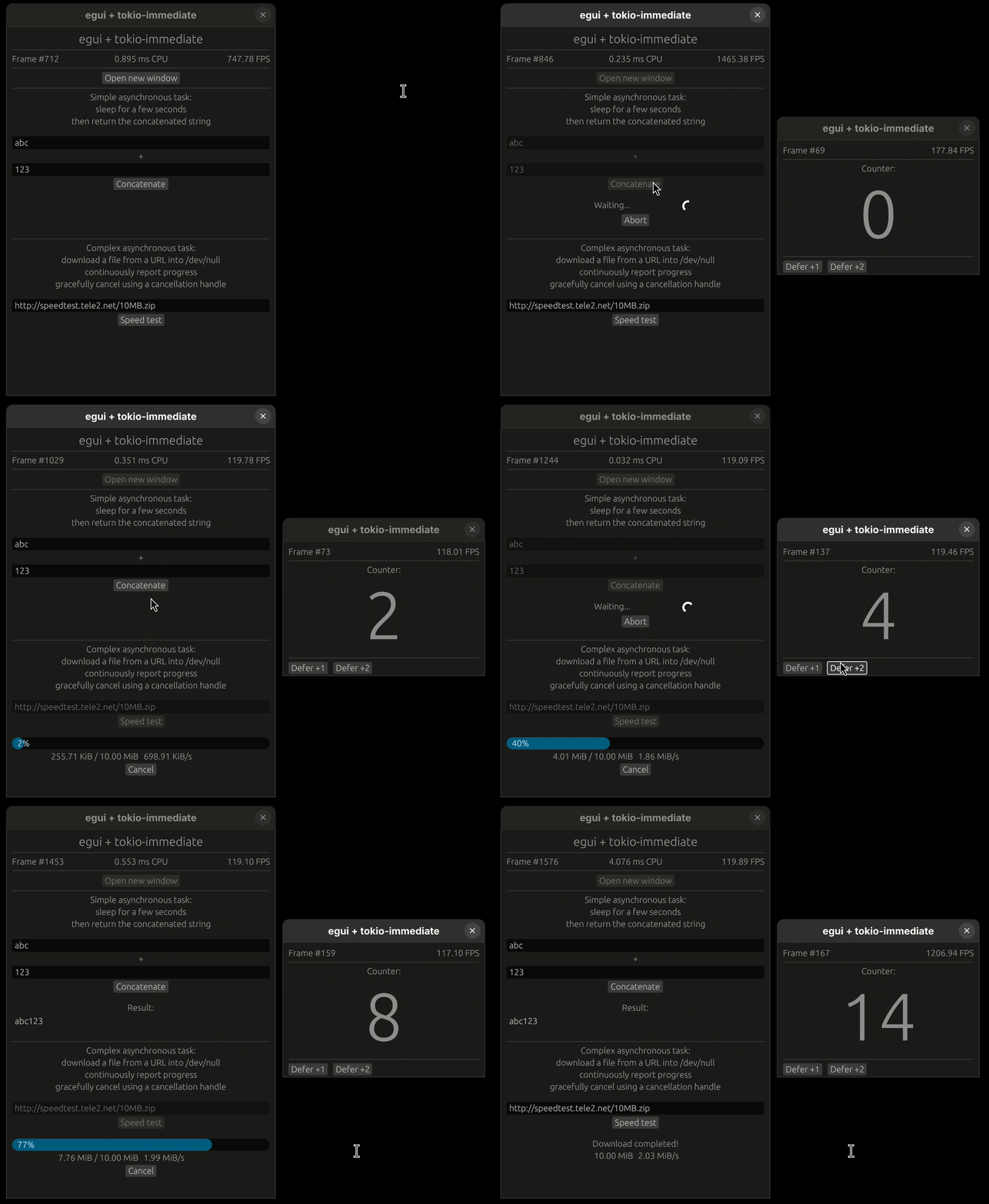
The full egui example demonstrates multi-viewport support, sync::watch channels for
streaming progress updates, and cancellation tokens.
Crates
| Crate | Docs | Description |
|---|---|---|
tokio-immediate |
docs.rs/tokio-immediate |
Core library, framework-agnostic |
tokio-immediate-egui |
docs.rs/tokio-immediate-egui |
Optional egui integration via an egui::Plugin |
Simplified code (with egui-specific helper plugin)
use ;
use EguiAsync;
// During app setup - create an EguiAsync and register its plugin:
let egui_async = default;
cc.egui_ctx.add_plugin;
let mut task: = egui_async.new_call;
// In your update() loop:
task.poll; // check for completion — call once per frame
match &*task
// To kick off work:
task.start;
When the spawned future finishes, the library automatically requests a repaint of the viewport
that owns the AsyncCall, so you never miss the result.
Development
A justfile provides common development recipes (need just to run):