# Terminal Control
Control, inspect, test, and capture real terminal applications for agents and TUI review.
[](https://crates.io/crates/terminal-control)
[](https://github.com/anomalyco/terminal-control/actions/workflows/ci.yml)
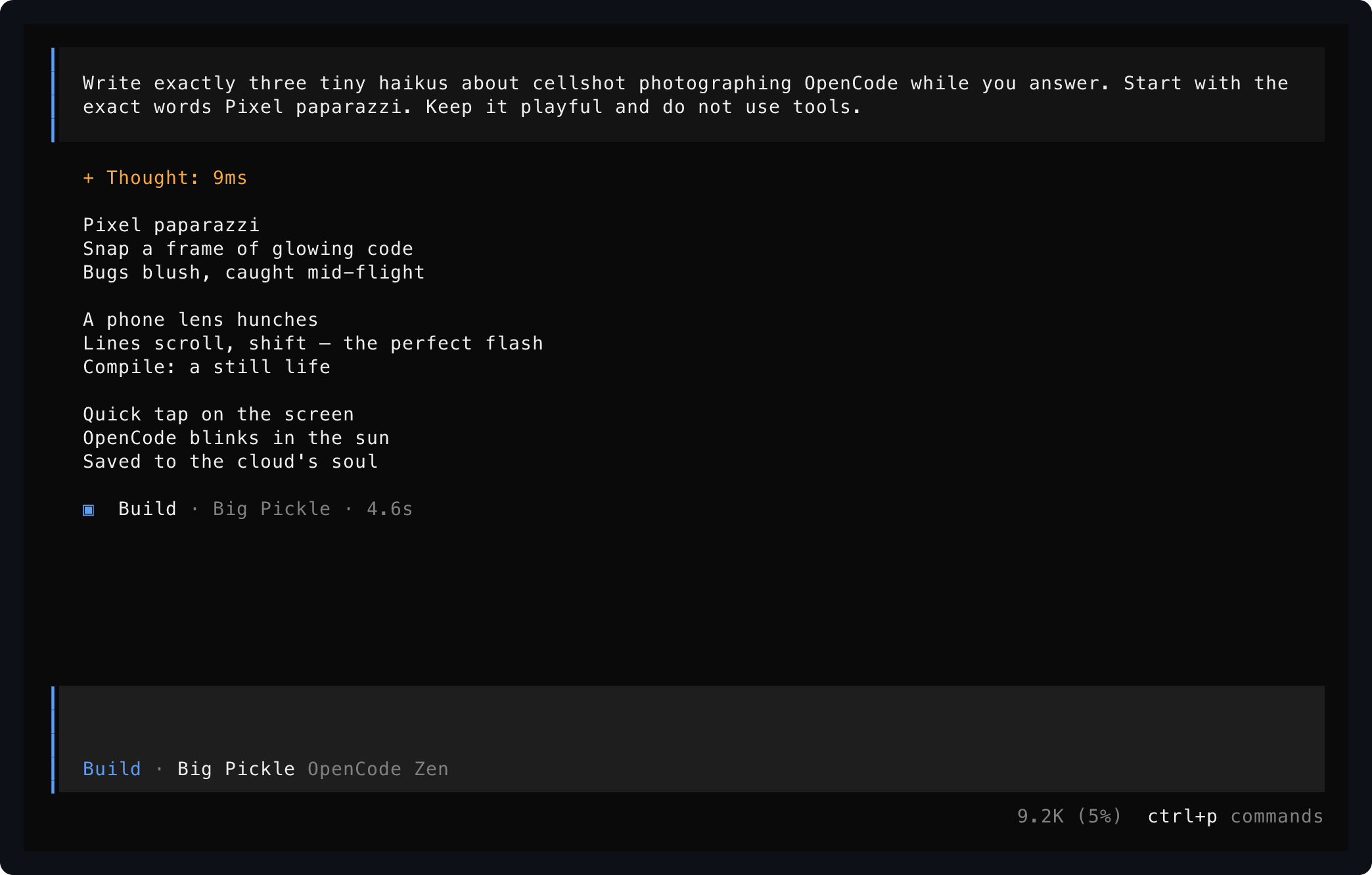
Saved from one live OpenCode session using `start`, `send`, and `save`.
## Install
Requires Rust 1.93 or newer. Video export also requires `ffmpeg`.
```bash
cargo install terminal-control
termctrl --help
```
Or install the current repository head:
```bash
cargo install --locked --git https://github.com/anomalyco/terminal-control terminal-control
```
## Set Up Your Agent
Terminal Control is built for agents first. Install the skill so your coding agent knows the workflow:
```bash
npx skills add anomalyco/terminal-control --skill terminal-control
```
Or expose sessions as structured MCP tools instead of shell commands (stdio server):
```bash
termctrl mcp
```
MCP screen reads and interactions return the current frame immediately. Agents can opt into
quiet-output settling with `settleMs` and `deadlineMs` when a specific transition requires it.
Then ask for terminal work in ordinary language:
```text
Use terminal-control to open my TUI, press through the setup flow, and save a screenshot of the final screen.
```
```text
Record yourself using the terminal app, mark the important moments, and export a short MP4 demo.
```
The skill teaches the safe workflow: start named sessions, wait for visible text, send exact input, inspect screens, save artifacts, record timelines, and stop sessions when finished.
## Read A Screen
`show` runs a program in a PTY and prints its settled visible screen to stdout. No files are created.
```bash
termctrl show --cols 100 --rows 32 -- my-terminal-app
```
Wait for the app to mount and interact before reading:
```bash
termctrl show --cols 100 --rows 32 --wait-for "Commands" \
-s ctrl-p text:model enter -- my-terminal-app
```
Other stdout representations are explicit:
```bash
termctrl show --format json -- my-terminal-app
termctrl show --format svg -- my-terminal-app
```
## Save Evidence
`save` writes only the artifact formats you request:
```bash
termctrl save --format png --out captures/home.png -- my-terminal-app
termctrl save --format png --format txt --out captures/model -- my-terminal-app
```
The second command writes `captures/model.png` and `captures/model.txt`. Raw ANSI artifacts can contain sensitive terminal data and require explicit `--format ansi`.
## Drive A Live Session
Use a named session when several interactions target the same running application:
```bash
termctrl start demo --cols 112 --rows 34 -- my-terminal-app
termctrl wait demo "Ready" --timeout 5000
termctrl send demo text:help enter
termctrl show demo
termctrl save demo --format png --out captures/help.png
termctrl stop demo
```
- `send` accepts `text:<value>`, named keys (`enter`, `escape`, arrows, `tab`, `shift-tab`, `backspace`, `delete`, `home`, `end`, `page-up`, `page-down`), and `ctrl-a` through `ctrl-z`. Pipe exact bytes with `--stdin`.
- `wait` blocks until text is visible; use it instead of sleeping.
- `status` reports running/exited state, command, cwd, viewport, and recording path. `list` shows all sessions.
- `resize demo --cols 132 --rows 38` tests responsive layouts.
- `restart demo` relaunches with the stored command, cwd, viewport, and recording settings.
- An exited session keeps its final screen for `show` until stopped.
OpenTUI applications such as OpenCode need the opt-in host handshake:
```bash
termctrl start demo --host opentui --cols 112 --rows 34 -- opencode
termctrl wait demo "/connect" --timeout 5000
```
For normal-screen tools and log-like processes, read retained scrollback with `logs`:
```bash
termctrl logs demo
termctrl logs demo --ansi > captures/demo-output.ansi
```
Full-screen alternate-screen TUIs do not produce useful logs; read their visible screen with `show`.
## Share A Session With A Human
`run` keeps the application visible and interactive in your current terminal pane while agents control the same PTY through the named session commands:
```bash
termctrl run -- nvim
termctrl run editor --cwd ~/src/project -- nvim
```
Without `NAME`, the session name is the executable basename (`nvim` above); a name collision is an error, never a suffixed name. No tmux or multiplexer involved.
## Record And Export Video
Record a timeline, mark moments while it runs, then export an edited MP4:
```bash
termctrl start demo --record captures/demo.termctrl --host opentui -- opencode
termctrl wait demo "Ask anything"
termctrl mark demo before-prompt
termctrl send demo --pace-ms 35 'text:Write a terminal haiku. End with DONE.' enter
termctrl wait demo "DONE" --timeout 60000
termctrl mark demo after-answer
termctrl stop demo
termctrl markers captures/demo.termctrl
termctrl show --recording captures/demo.termctrl --at-marker after-answer
termctrl video captures/demo.termctrl --edit captures/demo.json --footer --out captures/demo.mp4
```
An edit plan selects marker ranges with per-clip speed, captions, and optional end holds:
```json
{
"clips": [
{
"from": "before-prompt",
"to": "after-answer",
"speed": 4,
"caption": "The agent answers inside the live terminal UI"
}
]
}
```
Without `--edit`, export preserves recorded timing. `--footer` renders captions, timecode, and branding in a bottom bar. `--tail-ms 0` removes the default one-second final hold. Keep speeds low enough for text to stay readable.
Recordings are JSON Lines files containing terminal output and typed input; they can include prompts or secrets. Treat them as sensitive.
## Pipes And ANSI Streams
Capture piped command output, or render an existing ANSI/VT stream without launching a process:
```bash
termctrl save --pipe --format png --cols 100 --rows 16 --out captures/log -- my-command
printf '\033[44;97m terminal output \033[0m\n' | termctrl show --input -
```
One-off `show` and `save` own disposable processes: after the read or save, the launched process tree is terminated. Use `start` for long-running applications.
## TypeScript Testing
`@kitlangton/terminal-control` on npm wraps the driver as typed test sessions with bundled native binaries — no Rust toolchain needed:
```bash
bun add -d @kitlangton/terminal-control vitest
```
```ts
import { TerminalControl } from "@kitlangton/terminal-control"
await using terminal = await TerminalControl.make()
await using session = await terminal.launch({ command: ["my-tui"] })
await session.screen.waitForText("Ready")
await session.keyboard.press("Enter")
expect(await session.screen.text()).toMatchSnapshot()
```
See [docs/typescript-client.md](docs/typescript-client.md) for artifacts, recordings, Vitest matchers, and configuration.
## More Documentation
- [docs/rust-library.md](docs/rust-library.md) — embed the shot engine and sessions in Rust, plus versioned JSON schemas.
- [docs/driver-protocol.md](docs/driver-protocol.md) — the `termctrl driver` JSON Lines protocol for external tooling.
- [docs/typescript-client.md](docs/typescript-client.md) — the npm test client in full.
- [docs/releasing.md](docs/releasing.md) — maintainer release process for the npm packages.
## Notes
- Persistent sessions use owner-only local Unix sockets and are supported on macOS and Linux.
- `--host opentui` answers startup probes needed by current OpenTUI applications.
- The renderer uses a pure-Rust `vt100` backend and exports PNG, SVG, JSON, text, and raw ANSI artifacts.
- Run `termctrl <command> --help` for dimensions, timing, color, rendering, and output options.