# Changelog

## v1.8.0

A maintenance-and-cleanup release: one big new feature (session lock + boss key), one notable contributor PR (native inline images inside tmux), substantial idle-CPU and image-decode fixes, plus a deep tech-debt sweep across the codebase.

### New features

- **Session lock + boss key** -- `Ctrl-L` or `/lock` blanks the chat behind an
  argon2-hashed passphrase prompt. `/lock-reset` changes the passphrase from
  inside the app (requires the current one). A new `siggy --reset-lock` CLI
  flag deletes the stored hash for forgotten-passphrase recovery (closes
  #261, #442).
- **Native inline images inside tmux** -- Kitty and iTerm2 image escapes are
  now wrapped in tmux's DCS passthrough envelope so attachments render as
  actual pixels rather than halfblock approximations. New
  `SIGGY_IMAGE_PROTOCOL` env override (`kitty` / `iterm2` / `sixel` /
  `halfblock`) covers the case where tmux hides the outer terminal from
  auto-detection. Requires tmux 3.3+ with `set -g allow-passthrough on`
  (closes #466). Thanks to [@cultlead3r](https://github.com/cultlead3r) for
  this contribution.
- **Conversation delete** -- new `/delete` command removes the current
  conversation locally and declines pending message requests so the sender
  stops appearing (closes #312).

### Bug fixes

- **Idle CPU pinning** -- skip per-tick housekeeping on bare mouse motion,
  cache the `SetTitle` payload, and drop unrecognised events without going
  around the loop. Resolves the "100% core idle" report on Alacritty + qtile
  + X11 (closes #408).
- **Image-decode hang** -- defensive 8192-pixel cap before decode (via
  `image::Limits`) plus start/done diagnostics so pathological link-preview
  images can no longer pin a background thread (closes #408).
- **send_rpc ordering** -- register the pending RPC entry after the stdin
  write succeeds, not before. Eliminates a 60s-TTL leak when serialize or
  channel-send fails (REL-001), and recovers from a poisoned mutex instead
  of silently dropping the registration (REL-002). Closes #434.
- **Welcome spinner freeze** -- the spinner counter now advances on the 80
  ms wall-clock cadence whenever the app is loading, regardless of sync
  state. Previously paused entirely during the initial sync burst, which
  looked like a hung process on slow hardware (closes #426).
- **rand 0.8.6** -- patches GHSA-cq8v-f236-94qc (build-time only impact for
  siggy, but bumping anyway to clear the advisory).

### Diagnostics

- **Slow-decode warning** -- `render_image` now writes a `WARN:` line to the
  debug log file when any single decode exceeds 5000 ms, regardless of
  whether `--debug` was passed. Future "my CPU is pinned" reports land with
  the offending file path already on disk (closes #444).
- **Loop-rate digest** -- under `--debug`, the event loop emits a 5-second
  `loop 5s: iter=N render=N term_ev=N sig_ev=N bg_in_flight=N` summary that
  pinpoints whether CPU is going to terminal events, signal events, redraws,
  or background image decodes (#408 / #414).
- **Wire-format snapshot tests** -- the 5 special-shape send_* RPCs (bare
  recipient vs. wrapped array) now have JSON-shape regression tests so a
  future "tidy-up" refactor can't silently break sends (closes #433).

### Refactors

The codebase landed a substantial structural cleanup. None of these change
behaviour for users; they make future feature work cheaper.

- **handlers/ extraction** -- `handle_signal_event` and friends extracted
  out of `app.rs` into `handlers/signal.rs`, `handlers/input.rs`,
  `handlers/keys.rs` (closes #399, #415, #417, #454).
- **signal/ split** -- `signal/client.rs` split along the parser seam,
  26 `send_*` methods deduped via a shared `send_rpc` helper, and
  `signal/parse.rs` (2758 LOC) split into a 5-file submodule (closes
  #400, #435, #455).
- **Data-driven tables** -- db schema migrations and the three keybinding
  profiles converted from imperative builders to static tables (closes
  #402 items B and C).
- **App field-count ratchet** -- new `SettingsOverlayState` consolidates the
  last loose overlay fields; baseline dropped 67 -> 65 (#352).
- **Typed enums replace stringly-typed fields** -- `notification_preview`
  and `image_mode` config fields, the `"you"` sender sentinel, and the
  action-menu key-hint are now compiler-enforced enums (closes #401, #453,
  #458).
- **SignalMessage::default** -- collapses 14 test fixtures from ~12 lines
  each to one or two non-default fields plus `..Default::default()`.
- **action_menu key handlers, list-overlay nav** -- shared helpers replace
  the copy-pasted Up/Down/FilterPush/FilterPop arms across 5 overlays, also
  fixing a latent empty-list underflow risk (closes #456).
- **Wire-quote dedup** -- quotes persisted only on the body row, not also
  on attachment rows (closes #423).
- **push_resolved decomposition** -- 185-line god function split into a
  thin orchestrator + 6 focused helpers (closes #454).

### Internal

- **+25 tests** since v1.7.1 (576 total -> 579 with #466). New coverage on
  send_rpc ordering edge cases, wire-format snapshots, 12 previously-
  untested SignalEvent dispatch paths, list-overlay nav, and the lock
  state machine.
- **Module docstrings backfilled** across `src/domain/` (closes #361).
- **Dependency bumps** -- tokio, tempfile, emojis, open, notify-rust, plus
  the rand security bump above.

### Acknowledgements

Thanks to:

- [@cultlead3r](https://github.com/cultlead3r) for #466 (native inline
  images inside tmux). First-time contributor and a meaty PR.
- [@pcrockett](https://github.com/pcrockett) for the detailed CPU-pinning
  report, debug logs, and confirmation testing on #408. The diagnostics
  this drove (loop-rate digest + slow-decode warning) will pay off long
  after the original incident.
- [@shwoop](https://github.com/shwoop) for the passphrase-recovery review
  feedback on #437 that led directly to the `--reset-lock` flag.

---

## v1.5.0

### New features

- **Sidebar filter** -- press `s` in Normal mode to type-to-filter conversations
  in the sidebar. Filter text shows in the sidebar title. Enter selects the first
  match, Esc cancels. Tab/Shift-Tab and mouse clicks clear the filter (#184)
- **Unread count in sidebar** -- conversations with unread messages now show the
  count as `(N)` next to the name, alongside the existing unread dot (#185)
- **Jump to quoted message** -- press `Q` in Normal mode on a message with a quote
  to jump to the original message. Press `Ctrl+O` to jump back. Supports a stack
  for multiple jumps (#187)
- **Export chat history** -- `/export` dumps the active conversation to a plain
  text file in your Downloads directory. `/export 100` exports only the last 100
  messages. Output includes timestamps, senders, edited labels, and quoted
  replies (#191)
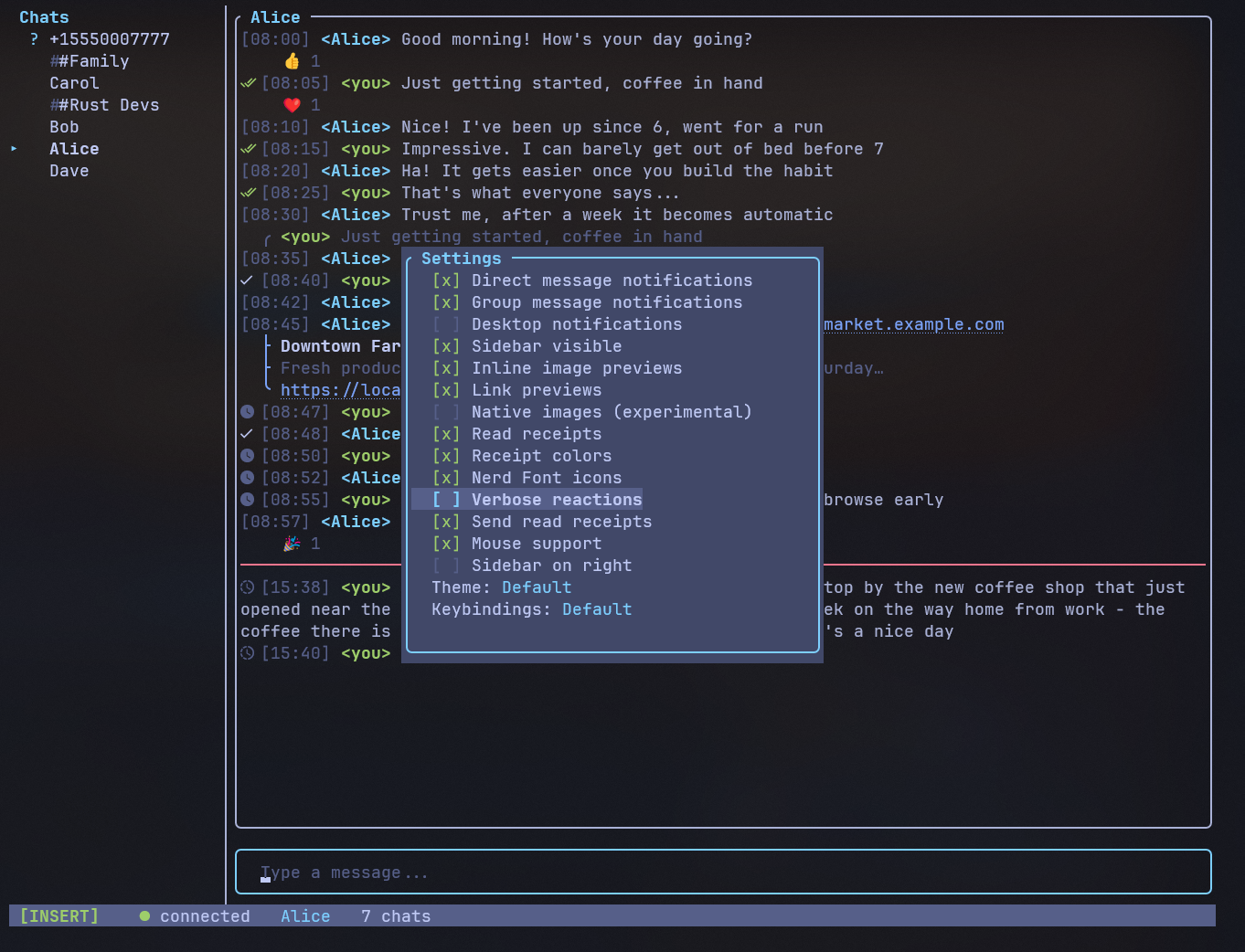
- **Hide reactions** -- new "Show reactions" toggle in `/settings` (default: on).
  When disabled, reaction summary lines are hidden from messages (#211)
- **Emoji-to-text mode** -- new "Emoji to text" toggle in `/settings` (default:
  off). Converts emoji to text emoticons (:) <3 +1) or :shortcodes: at render
  time. Display-only -- stored messages keep original emoji (#213)

### Bug fixes

- **Reaction undo** -- selecting the same emoji you already reacted with now
  removes the reaction instead of being a no-op, matching other Signal clients
  (#216)

### Internal

- **Integration snapshot tests** -- 16 insta-based snapshot tests render the full
  UI via ratatui's TestBackend and compare against committed .snap files. Covers
  sidebar layout, chat messages, overlays, message features, and edge cases (#230)
- **Search dedup** -- extracted `SearchState::open()` method and
  `dispatch_search_action()` to remove duplicated match arms (#238)
- **Typing state extraction** -- moved typing indicator state and logic from App
  into `domain::TypingState` (#239)
- **Snapshot timezone fix** -- demo timestamps built via Local timezone so
  snapshots display stable hours across timezones (#238)

Thanks to [@Dowsley](https://github.com/Dowsley) for #238 and #239,
and [@shwoop](https://github.com/shwoop) for reporting #216.

---

## v1.4.2

### Bug fixes

- **Paste attachment deleted before send** - `/paste` images were deleted
  immediately after dispatching the RPC, before signal-cli could read the file.
  Now defers cleanup until signal-cli confirms or fails the send (#229)

### Internal

- **Unified event loop** - consolidated `run_app` and `run_demo_app` into a
  single function using a `MessagingBackend` enum. Demo mode now inherits all
  main loop features (#214)
- **File picker extraction** - moved file picker state and logic out of the App
  god object into `domain::FilePickerState`, the first step toward #221 (#226)
- **Dead code cleanup** - marked `find_settings_profile` as test-only with
  `#[cfg(test)]` (#225)

### Infrastructure

- **Homebrew tap** - `brew tap johnsideserf/siggy && brew install siggy` now
  works on macOS. Formula auto-updates on each release (#227)
- **Mermaid diagrams** - added interactive architecture, data flow, and module
  dependency diagrams to the developer guide

Thanks to [@Dowsley](https://github.com/Dowsley) for #214 and #226,
[@shwoop](https://github.com/shwoop) for #227 and #229,
and [@zamadye](https://github.com/zamadye) for #225.

---

## v1.4.1

### New features

- **Clipboard paste** -- `/paste` (alias `/pa`) pastes clipboard contents directly
  into a conversation. Images (e.g. screenshots) are saved as a temp PNG and staged
  as an attachment with inline preview. Text pastes into the input buffer (#217)

### Bug fixes

- **Typing indicator bleed** -- group typing events were keyed by sender phone
  number instead of group ID, causing indicators to appear in unrelated
  conversations. Now correctly scoped to the conversation they belong to (#215)

### Enhancements

- **Outgoing image preview** -- sending an image attachment now renders an inline
  preview in the chat area immediately, matching the behavior of received images
  (#217)

Thanks to [@shwoop](https://github.com/shwoop) for both changes in this release.

---

## v1.4.0

### New features

- **Settings profiles** -- predefined profiles (Default, Compact, Minimal) that
  apply a set of display settings at once. Select from `/settings` > Profile (#210)
- **Date separators** -- day-boundary separator lines between messages showing
  "Today", "Yesterday", or full date. Toggle via `/settings` (#210)
- **Background image** -- set a background image for the chat area via
  `background_image` in config.toml. Renders as dimmed halfblock art behind
  messages (#210)
- **Startup spinner** -- shows a spinner with status messages (syncing, loading
  contacts/groups/identities) during startup instead of a blank screen (#196)
- **Quit confirmation** -- prompts before quitting if there's unsent text in the
  input buffer (#203)

### Bug fixes

- **Disappearing message icon clipping** -- the timer icon was overlapping the
  timestamp on narrow windows. Now properly spaced (#201)
- **iTerm2 image squishing** -- images squished vertically when the chat was
  partially scrolled. Fixed pixel-level offset calculation (#198)

### Enhancements

- **Kitty Unicode Placeholders** -- native image rendering now uses Kitty's
  Unicode placeholder method for flicker-free, properly composited images (#195)
- **Settings hints** -- settings menu items now show a brief description of what
  each toggle does (#193)
- **Sidebar reorder on activity** -- the sidebar now reorders conversations to
  the top when messages are sent or received, keeping active chats visible (#205,
  #212)

Thanks to [@Dowsley](https://github.com/Dowsley) for #195, #198, and #205.

---

## v1.3.3

### Bug fixes

- **Kitty image ghosting** -- images that scrolled out of view persisted on
  screen. Now deletes all Kitty placements before each redraw (#180)
- **Kitty image stretching** -- partially visible images were scaled into fewer
  rows instead of being cropped. Now uses Kitty source-rect params to crop at
  the pixel level (#180)
- **Kitty image flickering** -- images were deleted and re-transmitted every
  frame even when unchanged. Now tracks the previous frame's visible images
  and skips redundant redraws (#180)
- **Native image cache consistency** -- the first visible height would win in
  the cache, producing wrong results at different sizes. Images are now always
  encoded at full dimensions and cropped at display time (#180)

### Enhancements

- **Synchronized updates** -- the entire render cycle (clear + text draw +
  image overlay) is now wrapped in a synchronized update, eliminating flash
  on conversation switch and during scroll (#180)
- **Suppressed Kitty responses** -- added `q=2` to Kitty graphics commands to
  prevent response bytes from leaking into stdin (#180)

Thanks to [@Dowsley](https://github.com/Dowsley) for this release.

---

## v1.3.2

### Bug fixes

- **Cursor blink fix** -- the event loop was redrawing every 50ms regardless of
  state changes, resetting the terminal's cursor blink timer. Now frames are only
  drawn when state actually changes (#177)

### Enhancements

- **Proxy config** -- added a `proxy` field to `config.toml` for Signal TLS
  proxy URLs, passed through to signal-cli as `--proxy`. Useful for connecting
  in censored regions (#178)

### Developer

- **Fuzz testing** -- added `cargo-fuzz` harnesses for JSON-RPC parsing, UTF-8
  cursor operations, keybinding parsing, and slash command parsing (#179)

---

## v1.3.1

### Bug fixes

- **Image attachments** -- fixed image attachments not rendering after restart on
  Unix (#175)
- **Quit aliases** -- added `:q` and `:quit` as aliases for `/quit` (#174)

---

## v1.3.0

### Bug fixes

- **Unicode input crash** -- typing accented characters (á, ã, ó, é) caused a
  panic due to cursor arithmetic assuming single-byte characters. All cursor
  movement, insertion, and deletion now correctly handle multi-byte UTF-8
  characters (#166)

### Security

- **SQLite secure_delete** -- added `PRAGMA secure_delete = ON` so deleted
  message content is zeroed in database free pages rather than left recoverable
  (#161)
- **Debug log PII redaction** -- `--debug` now masks phone numbers and message
  bodies in log output. Use `--debug-full` for unredacted output when needed
  (#163)
- **Security documentation** -- added a comprehensive security page to the
  docsite covering trust model, credential storage, encryption at rest, and
  privacy features (#164)

### Enhancements

- **Notification preview in settings** -- the `notification_preview` setting
  ("full", "sender", "minimal") is now accessible as a cycle toggle in the
  `/settings` overlay (#162)

---

## v1.2.2

### Bug fixes

- **Uppercase keybindings broken** -- Shift+J/K (focus next/prev message),
  G (scroll to bottom), N (prev search), Y (copy all), and other uppercase
  bindings stopped working after the keybindings refactor. crossterm sends
  uppercase chars with a SHIFT modifier that the lookup didn't account for
- **j/k scroll snapping back** -- pressing j/k to scroll would briefly shift
  the viewport then immediately snap back to the bottom. The draw code was
  deriving a focus index that triggered a "keep focused message visible"
  adjustment on the next frame

---

## v1.2.1

### Bug fixes

- **Autocomplete popup crash** -- fixed a panic when opening the autocomplete
  popup (`/` commands, `@` mentions) in a small terminal window. The popup
  now clamps to available space and skips rendering if the terminal is too small

---

## v1.2.0

### New features

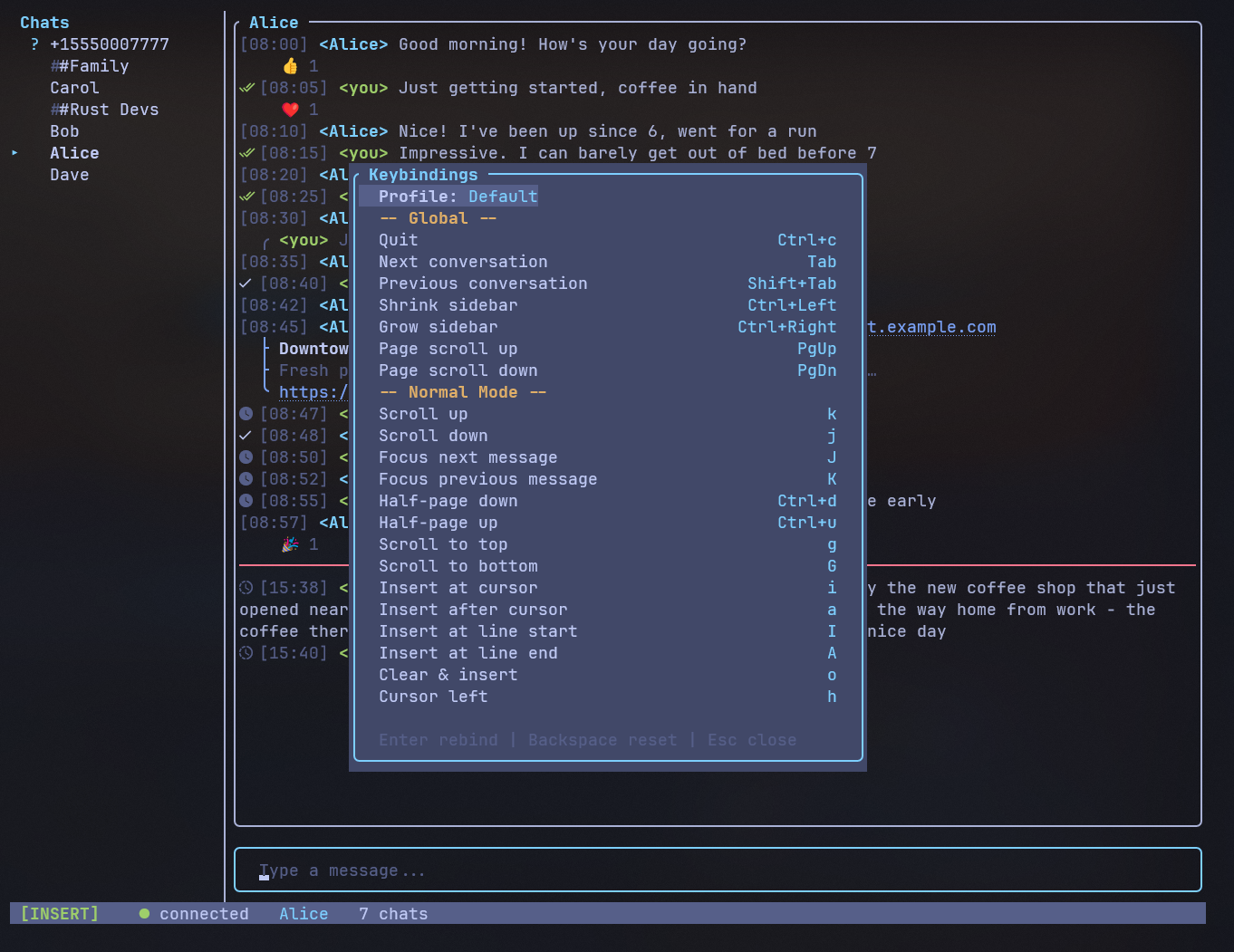
- **Configurable keybindings** -- keybindings are now fully configurable via
  three built-in profiles (Default, Emacs, Minimal), custom TOML profiles in
  `~/.config/siggy/keybindings/`, and per-key overrides in
  `~/.config/siggy/keybindings.toml`. Switch profiles and rebind keys live in
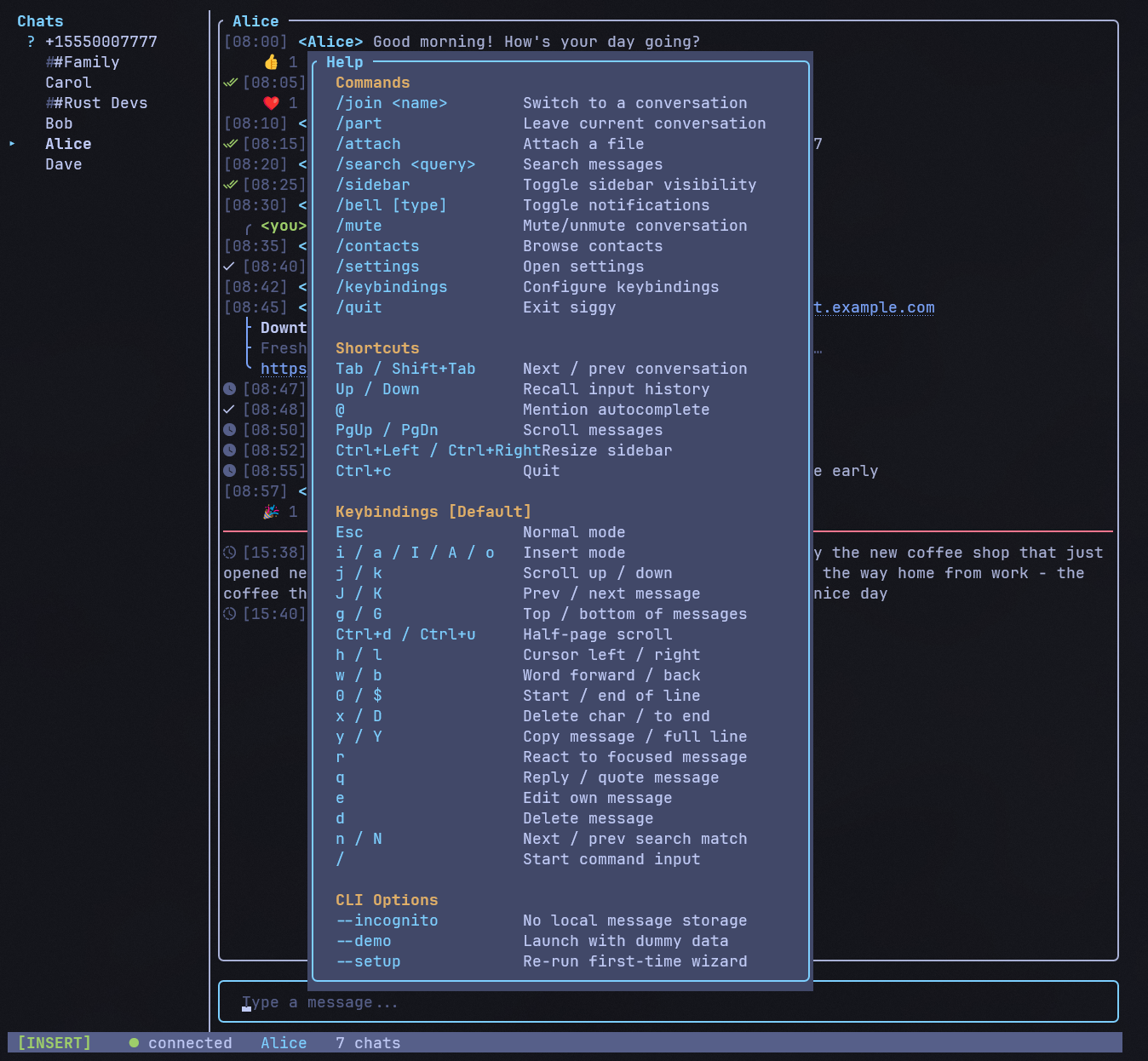
  the new `/keybindings` overlay. The help overlay dynamically reflects active
  bindings (#138)
- **Message history pagination** -- scrolling to the top of a conversation
  automatically loads older messages from the database, with a loading indicator
  while fetching (#158)
- **Multi-line message input** -- press Alt+Enter (or Shift+Enter) to insert
  newlines in your message before sending (#157)

---

## v1.1.0

### New features

- **Forward messages** -- press `f` in Normal mode to forward a message to
  another conversation via a filterable picker overlay (#139)
- **Scroll position memory** -- switching between conversations now remembers
  and restores your scroll position (#137)
- **Notification preview levels** -- new `notification_preview` config option
  with three levels: `"full"` (default), `"sender"`, or `"minimal"` (#132)
- **Clipboard auto-clear** -- clipboard is automatically cleared 30 seconds
  after copying a message. Configurable via `clipboard_clear_seconds` (#131)
- **Tree-style connectors** -- quotes and link previews now use curved Unicode
  box-drawing characters (`╭`, `├`, `╰`) for visual clarity (#141)

### Security

- **Identity verification fix** -- `/verify` now uses `verifiedSafetyNumber`
  instead of `trustAllKnownKeys`, requiring explicit safety number confirmation
  before trusting a contact's identity key (#144)
- **Secure debug log** -- debug log moved from CWD to `~/.cache/siggy/debug.log`
  with 10MB rotation and a startup warning (#134)
- **Incognito attachment isolation** -- `--incognito` mode now redirects
  attachment downloads to a temp directory that is auto-deleted on exit (#133)

---

## v1.0.1

### Security

- **OSC 8 escape injection fix** -- URLs in messages are now sanitized before
  being embedded in terminal hyperlink escape sequences, preventing crafted
  URLs from manipulating terminal state (title, colors, screen)
- **Attachment path traversal fix** -- attachment filenames from signal-cli are
  now sanitized by replacing path separators and `..` traversal sequences,
  preventing writes outside the configured download directory

---

## v1.0.0

### Rename to siggy

- **Renamed from signal-tui to siggy** -- the binary, package, config paths,
  data paths, and database filename are all now "siggy" (#127)
- **Automatic migration** -- existing config directories, data directories,
  and database files are seamlessly migrated from the old "signal-tui" paths
  on first launch. No manual action required
- **Published to crates.io** -- install with `cargo install siggy` (closes #11)

### Docsite

- **Brand theme** -- docsite color palette updated from gray mIRC to siggy's
  navy-blue brand colors in both light and dark modes (#128)
- **Logo integration** -- siggy logo and favicon added to the docsite intro
  page and menu bar

### Repo hygiene

- **Cargo.lock tracked** -- binary crate now correctly tracks its lockfile
- **.gitignore cleanup** -- added IDE directories and platform artifacts

---

## v0.9.0

### Pinned messages

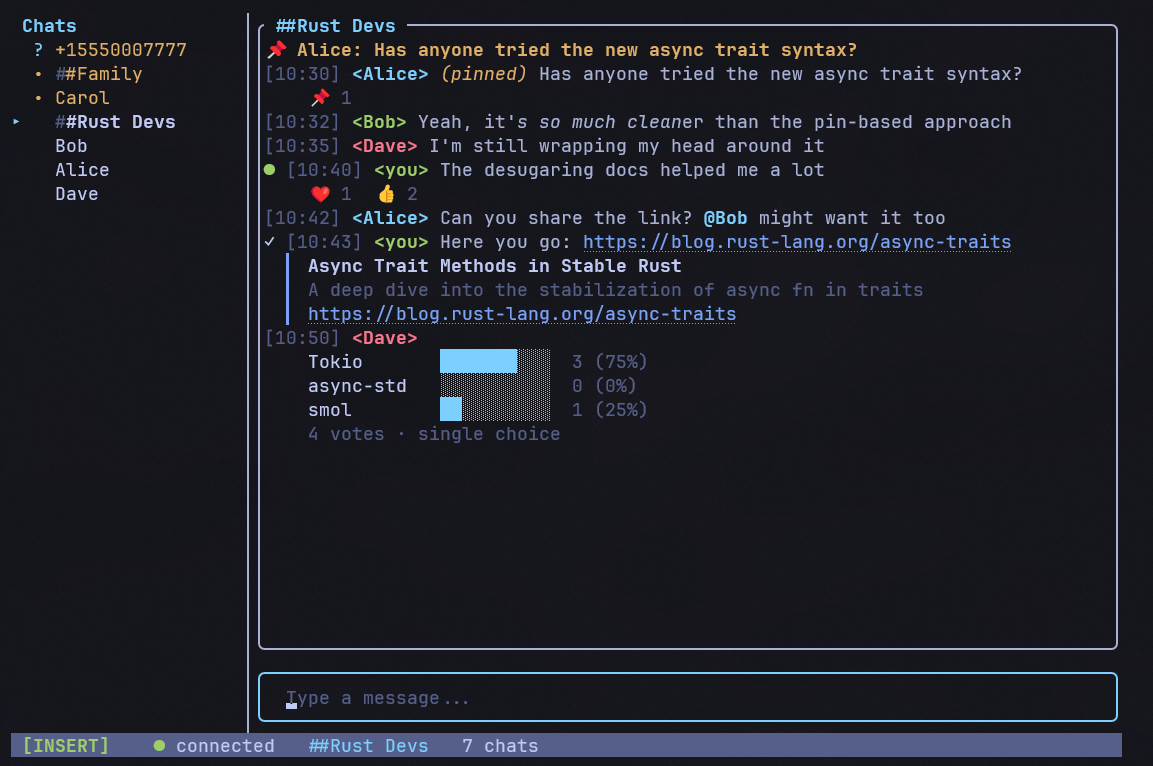
- **Pin and unpin messages** -- press `p` in Normal mode or use the action menu
  to pin a message. Choose a pin duration (forever, 24h, 7d, 30d). Pinned
  messages show a banner at the top of the chat area. Unpin by pressing `p`
  again. Pin state syncs across devices (closes #65)

### Link previews

- **URL preview display** -- messages containing URLs now show link preview
  cards with title, description, and thumbnail image (when available). Toggle
  via `/settings` > "Link previews" (closes #63)

### Polls

- **Create polls** -- use `/poll "question" "opt1" "opt2"` to create a poll.
  Add `--single` to restrict to single-select. Polls display as inline bar
  charts showing vote counts and percentages
- **Vote in polls** -- press Enter on a poll message to open the vote overlay.
  Select options with Space, confirm with Enter. Multi-select polls allow
  toggling multiple options (closes #64)

### Identity verification

- **`/verify` command** -- verify the identity keys of your contacts. In 1:1
  chats, shows the safety number and trust level. In groups, browse members
  and verify individually. Trust/untrust identity keys directly from the
  overlay (closes #70)

### Profile editor

- **`/profile` command** -- edit your Signal profile directly from the TUI.
  Change your given name, family name, about text, and about emoji. Navigate
  with j/k, Enter to edit fields inline, and Save to push changes via
  `updateProfile` RPC (closes #69)

### About overlay

- **`/about` command** -- shows app version, description, author, license,
  and repository link. Press any key to close

### Sidebar position

- **Left/right sidebar** -- new setting to place the sidebar on the right
  side instead of the default left. Toggle via `/settings` > "Sidebar on
  right" (closes #125)

### Bug fixes

- **Mouse selection** -- fixed mouse click positioning in the input bar,
  right-click paste, and slow Ctrl+V behavior (#124)
- **Poll vote counting** -- votes now correctly use `vote_count` as a
  multiplier instead of always counting as 1 (#122)
- **Mention parsing** -- fixed mention field names to match signal-cli's
  actual protocol (#108)

### Internal

- **Test coverage** -- added unit tests for UI helpers and event handlers,
  migrated to rstest parameterized tests (#109, #113, #120)
- **Robustness** -- removed unsafe unwraps, surfaced DB errors in status bar,
  used binary search for message insertion (#118, #119)

---

## v0.8.0

### Disappearing messages

- **Timer support** -- siggy now honors disappearing message timers.
  Messages auto-expire after the configured duration, with a countdown shown
  in the chat area. Set the timer with `/disappearing <duration>` (alias `/dm`)
  using values like `30s`, `5m`, `1h`, `1d`, `1w`, or `off` (closes #61)

### Group management

- **`/group` command** -- manage groups directly from the TUI (alias `/g`).
  Opens a menu with options to view members, add/remove members, rename the
  group, create a new group, or leave a group. Add/remove members use a
  type-to-filter contact picker (closes #26)

### Message requests

- **Unknown sender detection** -- messages from unknown senders (not in your
  contacts) are now flagged as message requests. A banner appears with options
  to accept (start chatting) or delete the conversation. Unaccepted
  conversations do not trigger notifications or send read receipts (closes #62)

### Block and unblock

- **`/block` and `/unblock` commands** -- block or unblock the current
  conversation's contact or group. Blocked conversations do not trigger
  notifications, read receipts, or typing indicators (closes #60)

### Mouse support

- **Clickable sidebar** -- click conversations in the sidebar to switch
- **Scrollable messages** -- scroll wheel in the chat area
- **Overlay navigation** -- scroll wheel navigates lists in overlays
- **Click to position cursor** -- click in the input bar to place the cursor
- Configurable via `/settings` > "Mouse support" (default: on) (closes #17)

### Color themes

- **Selectable themes** -- open the theme picker with `/theme` (alias `/t`)
  or from `/settings` > Theme. Includes built-in themes with customizable
  sidebar, chat, status bar, and accent colors (closes #18)

### Desktop notifications

- **OS-level notifications** -- cross-platform desktop notifications using
  `notify-rust` (Linux D-Bus, macOS NSNotification, Windows WinRT toast).
  Shows sender name and message preview. Toggle via `/settings` > "Desktop
  notifications" (default: off) (closes #19)

### Bug fixes

- **Mouse capture on Windows** -- mouse support no longer breaks after
  signal-cli starts on Windows. Spawning `signal-cli.bat` (cmd.exe) was
  resetting console input mode flags (#105)

### Database

- **Migration v7** -- adds `expiration_timer` to `conversations` and
  `expires_in_seconds`, `expiration_start_ms` to `messages` (disappearing
  messages)
- **Migration v8** -- adds `accepted` column to `conversations` (message
  requests)
- **Migration v9** -- adds `blocked` column to `conversations` (block/unblock)

---

## v0.7.0

### Text styling

- **Rich text rendering** -- messages with Signal formatting now display with
  proper styling: **bold**, *italic*, ~~strikethrough~~, `monospace`, and spoiler
  text. Spoiler content is hidden behind block characters (closes #66)

### Sticker messages

- **Sticker display** -- incoming stickers are now shown as `[Sticker: emoji]`
  in the chat area instead of being silently dropped (closes #67)

### View-once messages

- **View-once handling** -- view-once messages display as `[View-once message]`
  with attachments suppressed, respecting the ephemeral intent (closes #68)

### Cross-device read sync

- **Read state sync** -- when you read messages on your phone or another linked
  device, siggy marks those conversations as read and updates unread counts
  automatically (closes #71)

### System messages

- **Missed calls** -- missed voice and video calls now show as system messages
- **Safety number changes** -- a warning appears when a contact's safety number
  changes
- **Group updates** -- group metadata changes (member adds/removes) display as
  system messages
- **Disappearing message timer** -- changes to the expiration timer show a
  human-readable message (e.g. "Disappearing messages set to 1 day")

### Message action menu

- **Enter key menu** -- press Enter in Normal mode on a focused message to open
  a contextual action menu. Available actions (shown with key hints): Reply (q),
  Edit (e), React (r), Copy (y), Delete (d). Navigate with j/k, press Enter to
  execute, or use the shortcut key directly (closes #85)

### Bug fixes

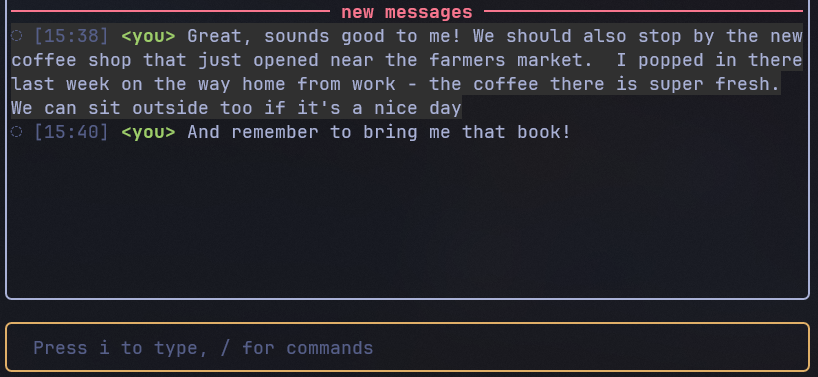
- **"New messages" bar** -- the unread separator no longer persists after viewing
  a conversation with new messages (#90)

---

## v0.6.1

### Bug fixes

- **j/k scroll fixed** -- viewport no longer gets stuck when scrolling with
  `j`/`k`. The root cause was the message window expanding in lockstep with
  scroll offset, keeping the viewport position constant (#84)
- **J/K navigation in short conversations** -- `J`/`K` message jumping now
  works even when all messages fit the viewport (no scroll offset needed) (#84)
- **Edit preserves quotes** -- editing a quoted message no longer strips the
  original quote on remote clients. The wire-format phone number is now
  preserved through display name resolution (#84)
- **Contact names no longer revert to phone numbers** -- conversations would
  permanently show phone numbers in the sidebar when messages arrived before
  the contact list synced. Fixed by preventing phone-number fallback names
  from overwriting real display names in the database (#84)
- **Contact name recovery on startup** -- 1:1 conversations still named as
  phone numbers (e.g. when signal-cli's contact list has no cached profile
  name) now recover the correct name from stored message sender fields (#86)
- **Reaction sender names after reload** -- reaction senders no longer revert
  to phone numbers after restarting the app (#80)
- **Non-contact name resolution** -- display names for non-contacts in
  reactions and quotes are now resolved correctly (#83)
- **Mention placeholders in quotes** -- U+FFFC placeholder characters from
  @mentions are now stripped from quoted text (#79)

### Improvements

- **Loading screen** -- a loading indicator now appears during startup while
  contacts and groups sync from signal-cli (#81, #82)
- **Install scripts updated** -- Windows and macOS install scripts now
  reference Java 25+ (required by signal-cli 0.14). The Windows script
  checks the actual Java version before installing signal-cli (#87)

---

## v0.6.0

### Reply, edit, and delete messages

- **Quote reply** -- press `q` in Normal mode on any message to reply with a
  quote. A reply indicator appears above the input box, and the sent message
  includes a quoted block showing the original author and text (closes #15)
- **Edit messages** -- press `e` on your own outgoing message to edit it.
  The original text is loaded into the input buffer for modification. Edited
  messages display an "(edited)" label. Edits sync across devices (closes #24)
- **Delete messages** -- press `d` on any message to open a delete confirmation.
  Outgoing messages offer "delete for everyone" (remote delete) or "delete
  locally". Incoming messages can be deleted locally. Deleted messages show as
  "[deleted]" (closes #23)

### Message search

- **`/search` command** -- search across all conversations with `/search <query>`
  (alias: `/s`). Results appear in a scrollable overlay showing sender, message
  snippet, and conversation name. Press Enter to jump directly to the message in
  context. Use `n`/`N` in Normal mode to cycle through matches (closes #14)
- **Highlight matches** -- search terms are highlighted in the result snippets

### File attachments

- **`/attach` command** -- send files with `/attach` to open a file browser
  overlay. Navigate with `j`/`k`, Enter to select, Backspace to go up a
  directory. The selected file attaches to your next message, shown as a
  pending indicator in the input area (closes #54)

### /join autocomplete

- **Contact and group autocomplete** -- `/join` now offers Tab-completable
  suggestions from your contacts and groups. Type `/join ` and see matching
  names, or keep typing to filter. Groups and contacts are distinguished by
  color (closes #21)

### Send typing indicators

- **Outbound typing** -- siggy now sends typing indicators to your
  conversation partner while you type. Typing state starts on the first
  keypress, auto-stops after 5 seconds of inactivity, and stops immediately
  when you send or switch conversations (closes #58)

### Send read receipts

- **Read receipt sending** -- when you view a conversation, read receipts are
  automatically sent to message senders, letting them know you've read their
  messages. Controlled by the "Send read receipts" toggle in `/settings`
  (closes #59)

### Welcome screen

- **Getting started hints** -- the welcome screen now shows useful commands
  and navigation tips including Tab/Shift+Tab for cycling conversations

### Bug fixes

- **Out-of-order messages** -- messages with delayed delivery timestamps are
  now inserted in correct chronological order (#56)
- **Link highlight** -- fixed background color bleeding on highlighted links
  and J/K message navigation edge cases (#55)

### Database

- **Migration v5** -- adds index on `messages(conversation_id, timestamp_ms)`
  for faster search queries
- **Migration v6** -- adds `is_edited`, `is_deleted`, `quote_author`,
  `quote_body`, `quote_ts_ms`, and `sender_id` columns to the messages table

---

## v0.5.0

### Message reactions

- **Emoji reactions** -- react to any message with `r` in Normal mode to
  open the reaction picker. Navigate with `h`/`l` or `1`-`8`, press
  Enter to send. Reactions display below messages as compact emoji
  badges (e.g. `👍 2 ❤️ 1`) with an optional verbose mode showing
  sender names (closes #16)
- **Reaction sync** -- incoming reactions, sync reactions from other
  devices, and reaction removals are all handled in real time
- **Persistence** -- reactions are stored in the database (migration v4)
  and restored on startup

### @mentions

- **Mention autocomplete** -- type `@` in group chats to open a member
  autocomplete popup. Filter by name, press Tab to insert the mention.
  Works in 1:1 chats too (with the conversation partner)
- **Mention display** -- incoming mentions are highlighted in cyan+bold
  in the chat area

### Visible message selection

- **Focus highlight** -- when scrolling in Normal mode, the focused
  message gets a subtle dark background highlight so you can see exactly
  which message reactions and copy will target
- **`J`/`K` navigation** -- Shift+j and Shift+k jump between actual
  messages, skipping date separators and system messages

### Startup error handling

- **stderr capture** -- signal-cli startup errors (missing Java, bad
  config, etc.) are now captured and displayed in a TUI error screen
  instead of silently failing

### Internal

- Major refactoring across four PRs (#45-#48): extracted shared key
  handlers, data-driven settings system, split `parse_receive_event`
  into sub-functions, modernized test helpers, added persistent debug
  log and pending_requests TTL

---

## v0.4.0

### Contact list

- **`/contacts` command** -- new overlay for browsing all synced contacts,
  with j/k navigation, type-to-filter by name or number, and Enter to
  open a conversation (alias: `/c`) (closes #22)

### Clipboard

- **Copy to clipboard** -- in Normal mode, `y` copies the selected
  message body and `Y` copies the full formatted line
  (`[HH:MM] <sender> body`) to the system clipboard (closes #28)

### Navigation

- **Full timestamp on scroll** -- when scrolling through messages in
  Normal mode, the status bar now shows the full date and time of the
  focused message (e.g. "Sun Mar 01, 2026 12:34:56 PM") (closes #27)

---

## v0.3.3

### Bug fixes

- **Settings persistence** -- changes made in `/settings` are now saved
  to the config file and persist between sessions (fixes #40)
- **Input box scrolling** -- long messages no longer disappear when
  typing past the edge of the input box; text now scrolls horizontally
  to keep the cursor visible (fixes #39)
- **Image preview refresh** -- toggling "Inline image previews" in
  `/settings` now immediately re-renders or clears previews on existing
  messages (fixes #41)

### Settings

- **Tab to toggle** -- Tab key now toggles settings items in the
  `/settings` overlay, alongside Space and Enter

---

## v0.3.2

### Read receipts and delivery status

- **Message status indicators** -- outgoing messages now show delivery
  lifecycle symbols: `◌` Sending → `○` Sent → `✓` Delivered → `●` Read
  → `◉` Viewed
- **Real-time updates** -- status symbols update live as recipients
  receive and read your messages
- **Group receipt support** -- delivery and read receipts work correctly
  in group conversations
- **Race condition handling** -- receipts that arrive before the server
  confirms the send are buffered and replayed automatically
- **Persistent status** -- message status is stored in the database and
  restored on reload (stale "Sending" messages are promoted to "Sent")
- **Nerd Font icons** -- optional Nerd Font glyphs available via
  `/settings` > "Nerd Font icons"
- **Configurable** -- three new settings toggles: "Show read receipts" (on/off),
  "Receipt colors" (colored/monochrome), "Nerd Font icons" (unicode/nerd)

### Debug logging

- **`--debug` flag** -- opt-in protocol logging to `siggy-debug.log`
  for diagnosing signal-cli communication issues

### Database

- **Migration v3** -- adds `status` and `timestamp_ms` columns to the
  messages table (automatic on first run)

---

## v0.3.1

### Image attachments

- **Embedded file links** -- attachment URIs are now hidden behind clickable
  bracket text (e.g. `[image: photo.jpg]`) instead of showing the raw
  `file:///` path
- **Double extension fix** -- filenames like `photo.jpg.jpg` are stripped to
  `photo.jpg` when signal-cli duplicates the extension
- **Improved halfblock previews** -- increased height cap from 20 to 30
  cell-rows for better inline image quality
- **Native image protocols** -- experimental support for Kitty and iTerm2
  inline image rendering, off by default. Enable via `/settings` >
  "Native images (experimental)"
- **Pre-resized encoding** -- native protocol images are resized and cached
  as PNG before sending to the terminal, avoiding multi-megabyte raw file
  transfers every frame

### Attachment lookup

- **MSYS/WSL path fix** -- `find_signal_cli_attachment` now checks both
  platform-native data dirs (`AppData/Roaming`) and POSIX-style
  (`~/.local/share`) where signal-cli stores files under MSYS or WSL.
  Fixes outgoing images sent from Signal desktop not displaying in the TUI.

### Platform

- **Windows Ctrl+C fix** -- suppress the `STATUS_CONTROL_C_EXIT` error on
  exit by disabling the default Windows console handler (crossterm already
  captures Ctrl+C as a key event in raw mode)

### Documentation

- mdBook documentation site with custom mIRC/Win95 light theme and dark mode
  toggle

---

## v0.3.0

Initial public release.

- Terminal Signal client wrapping signal-cli via JSON-RPC
- Vim-style modal input (Normal/Insert modes)
- Sidebar with conversation list, unread counts, typing indicators
- Inline halfblock image previews
- OSC 8 clickable hyperlinks
- SQLite persistence with WAL mode
- Incognito mode (`--incognito`)
- Demo mode (`--demo`)
- First-run setup wizard with QR device linking
- Slash commands: `/join`, `/part`, `/quit`, `/sidebar`, `/help`, `/settings`,
  `/mute`, `/notify`, `/bell`
- Input history (Up/Down recall)
- Autocomplete popup for commands and @mentions
- Configurable notifications (direct/group) with terminal bell
- Cross-platform: Linux, macOS, Windows