# Commands
All commands start with `/`. Type `/` in Insert mode to open the autocomplete popup.
## Command reference
| `/join` | `/j` | `<name>` | Switch to a conversation by contact name, number, or group |
| `/part` | `/p` | | Leave current conversation |
| `/search` | `/s` | `<query>` | Search messages across all conversations |
| `/attach` | `/a` | | Open file browser to attach a file |
| `/sidebar` | `/sb` | | Toggle sidebar visibility |
| `/bell` | `/notify` | `[type]` | Toggle notifications (`direct`, `group`, or both) |
| `/mute` | | | Mute/unmute current conversation |
| `/block` | | | Block current contact or group |
| `/unblock` | | | Unblock current contact or group |
| `/disappearing` | `/dm` | `<duration>` | Set disappearing message timer (`off`, `30s`, `5m`, `1h`, `1d`, `1w`) |
| `/group` | `/g` | | Open group management menu |
| `/theme` | `/t` | | Open theme picker |
| `/keybindings` | `/kb` | | Open keybindings overlay |
| `/poll` | | `"q" "a" "b" [--single]` | Create a poll |
| `/verify` | `/v` | | Verify contact identity keys |
| `/profile` | | | Edit your Signal profile |
| `/about` | | | Show app info (version, license, etc.) |
| `/contacts` | `/c` | | Browse synced contacts |
| `/settings` | | | Open settings overlay |
| `/help` | `/h` | | Show help overlay |
| `/quit` | `/q` | | Exit siggy |
## Autocomplete
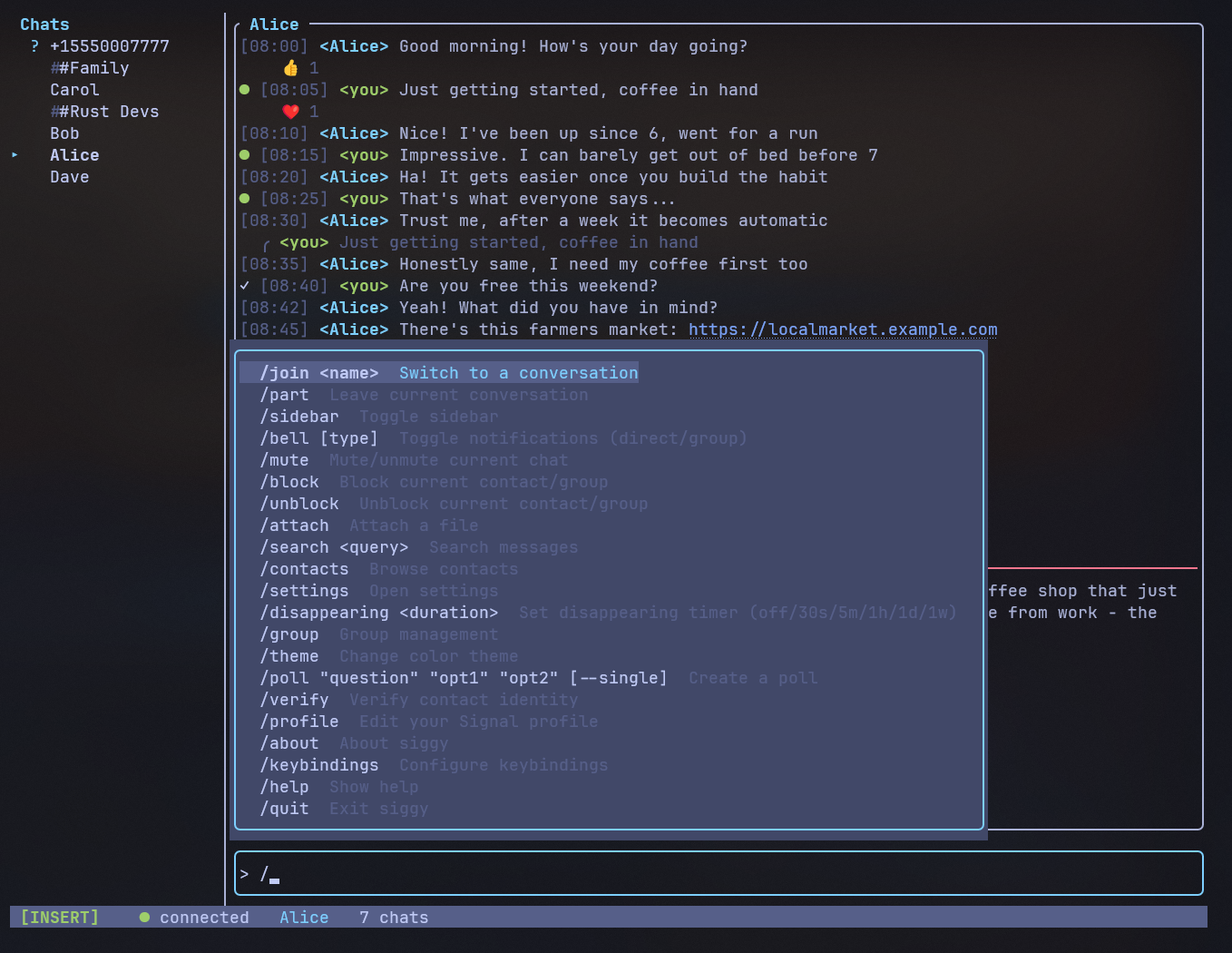
When you type `/`, a popup appears showing matching commands. As you continue
typing, the list filters down. Use:
- **Up/Down arrows** to navigate the list
- **Tab** to complete the selected command
- **Esc** to dismiss the popup
### /join autocomplete
After typing `/join `, a second autocomplete popup shows matching contacts and
groups. Filter by name or phone number. Groups are shown in green. Press Tab to
complete the selection.
## Examples
**Join a conversation by name:**
```
/join Alice
```
**Join by phone number:**
```
/j +15551234567
```
**Toggle direct message notifications off:**
```
/bell direct
```
**Toggle all notifications:**
```
/bell
```
**Mute the current conversation:**
```
/mute
```
**Search for a message:**
```
/search hello
```
**Attach a file:**
```
/attach
```
This opens a file browser. Navigate with `j`/`k`, Enter to select a file or
enter a directory, Backspace to go up. The selected file attaches to your next
message.
**Block the current conversation:**
```
/block
```
**Set disappearing messages to 1 day:**
```
/disappearing 1d
```
**Disable disappearing messages:**
```
/dm off
```
**Open group management:**
```
/group
```
This opens a menu with options to view members, add/remove members, rename the
group, create a new group, or leave. Only available in group conversations
(except create, which works anywhere).
**Switch color theme:**
```
/theme
```
**Create a poll:**
```
/poll "Lunch?" "Pizza" "Sushi" "Tacos"
```
**Create a single-select poll:**
```
/poll "Best editor?" "Vim" "Emacs" --single
```
**Verify a contact's identity:**
```
/verify
```
**Edit your Signal profile:**
```
/profile
```
Navigate fields with `j`/`k`, press Enter to edit a field inline, Enter again
to confirm (or Esc to cancel). Move to Save and press Enter to push changes.
**Show app info:**
```
/about
```
## Messaging a new contact
To start a conversation with someone not in your sidebar, use `/join` with their
phone number in E.164 format:
```
/join +15551234567
```
The conversation will appear in your sidebar once the first message is exchanged.