roughr


This crate is a rustlang port of Rough.js npm package written by @pshihn.
This package exposes functions to generate rough drawing primitives which looks like hand drawn sketches. This is the core create of operations to create rough drawings. It exposes its own primitive drawing types for lines curves, arcs, polygons, circles, ellipses and even svg paths. Works on Point2D type from euclid crate
On its own this crate can not draw on any context. One needs to use existing drawing libraries such as piet, raqote, tiny-skia etc in combination with roughr. In this workspace an example adapter is implemented for piet. Below examples are output of rough_piet adapter.
📦 Cargo.toml
[]
= "0.13"
🔧 Example
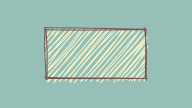
Rectangle
let options = default
.stroke
.fill
.fill_style
.fill_weight
.build
.unwrap;
let generator = new;
let rect_width = 100.0;
let rect_height = 50.0;
let rect = generator.;
let background_color = from_hex_str.unwrap;
rc.fill;
rect.draw;
🖨️ Output Rectangle
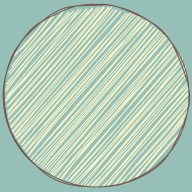
Circle
let options = default
.stroke
.fill
.fill_style
.fill_weight
.build
.unwrap;
let generator = new;
let circle_paths = generator.;
let background_color = from_hex_str.unwrap;
rc.fill;
circle_paths.draw;
🖨️ Output Circle
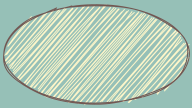
Ellipse
let options = default
.stroke
.fill
.fill_style
.fill_weight
.build
.unwrap;
let generator = new;
let ellipse_paths = generator.;
let background_color = from_hex_str.unwrap;
rc.fill;
ellipse_paths.draw;
🖨️ Output Ellipse
Svg Path
let options = default
.stroke
.fill
.fill_style
.fill_weight
.build
.unwrap;
let generator = new;
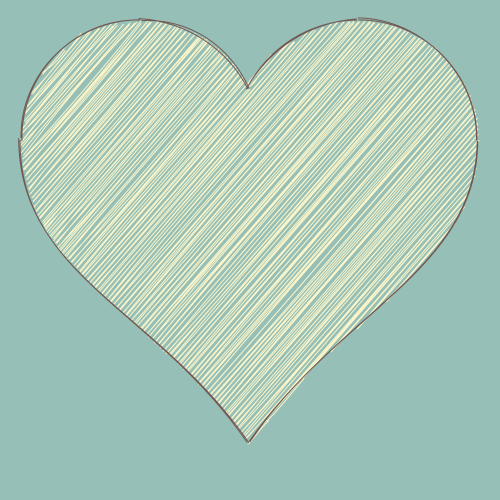
let heart_svg_path = "M140 20C73 20 20 74 20 140c0 135 136 170 228 303 88-132 229-173 229-303 0-66-54-120-120-120-48 0-90 28-109 69-19-41-60-69-108-69z".into;
let heart_svg_path_drawing = generator.;
let background_color = from_hex_str.unwrap;
rc.fill;
heart_svg_path_drawing.draw;
🖨️ Output Svg Path
Filler Implementation Status
- Hachure
- Zigzag
- Cross-Hatch
- Dots
- Dashed
- Zigzag-Line
🎛️ Options
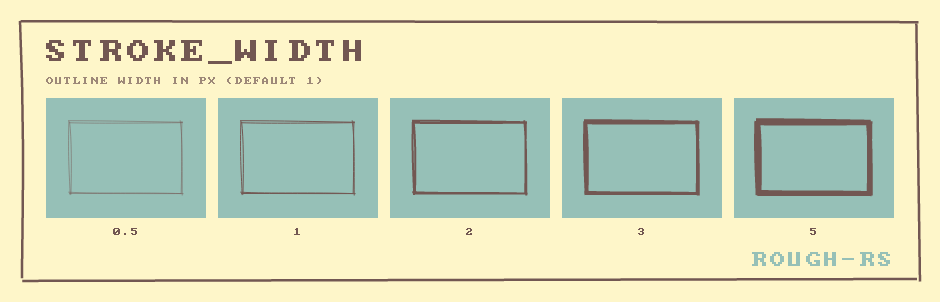
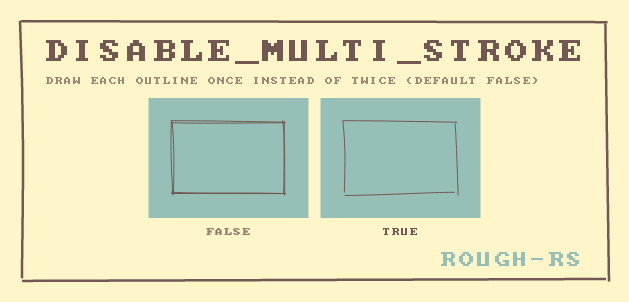
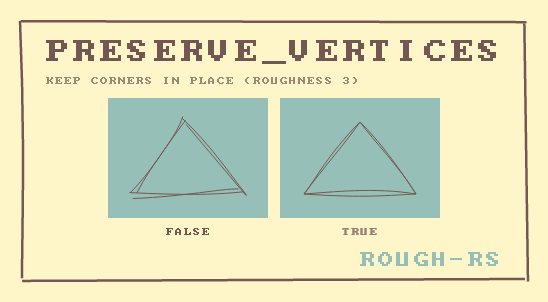
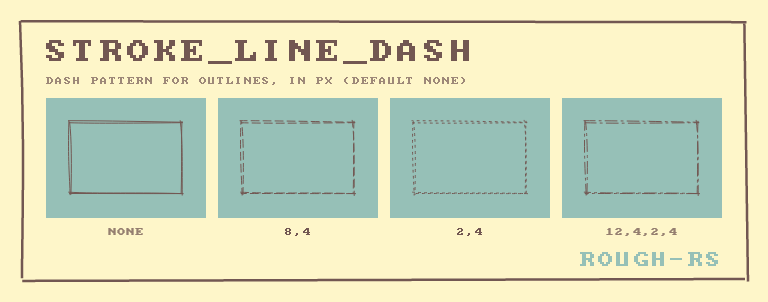
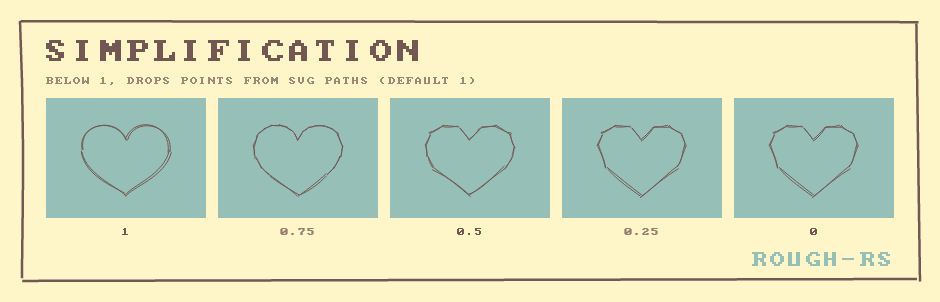
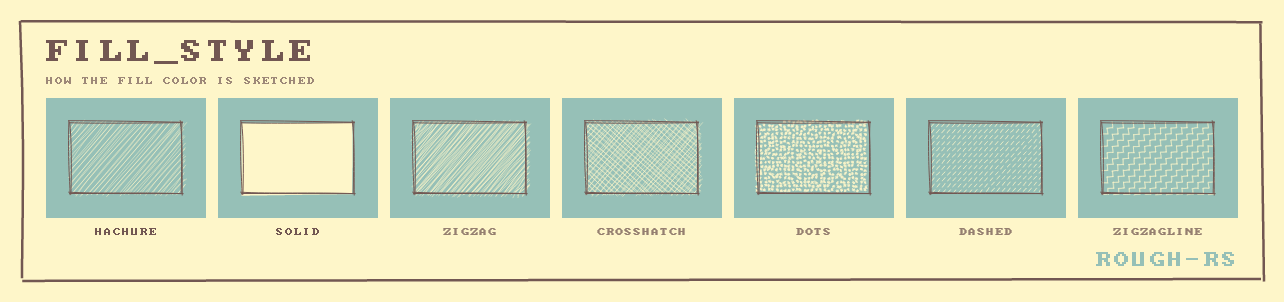
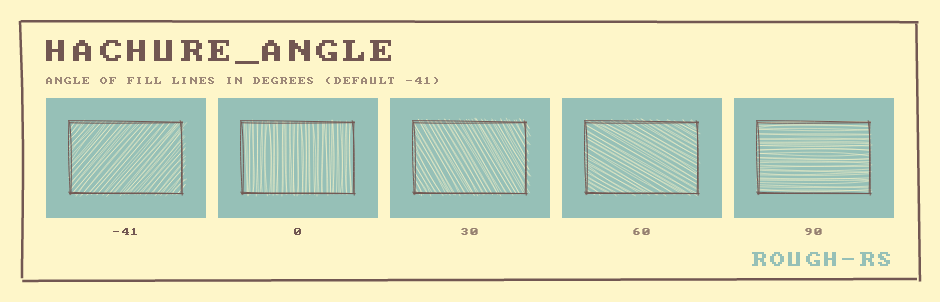
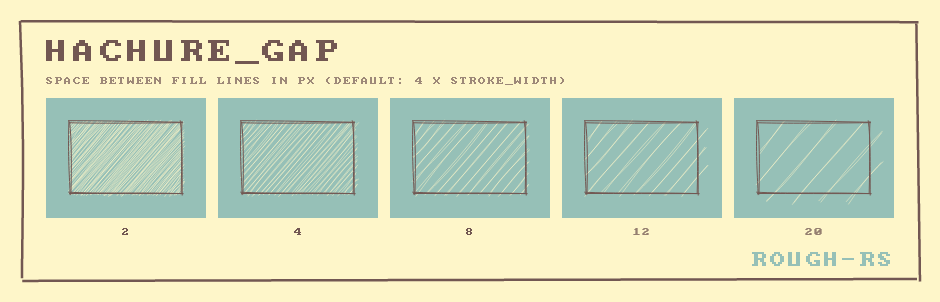
Every drawing is controlled by an Options value, built with OptionsBuilder. All fields
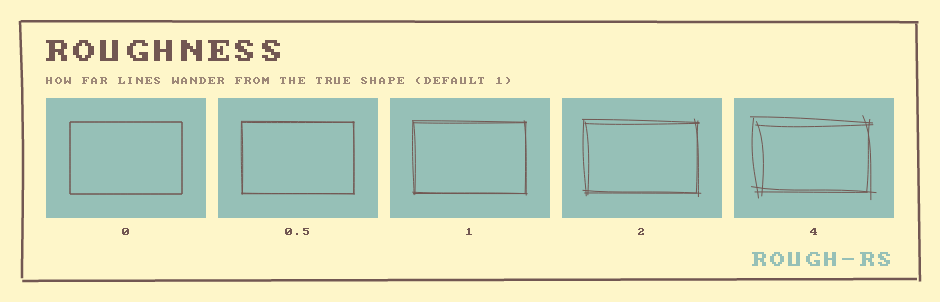
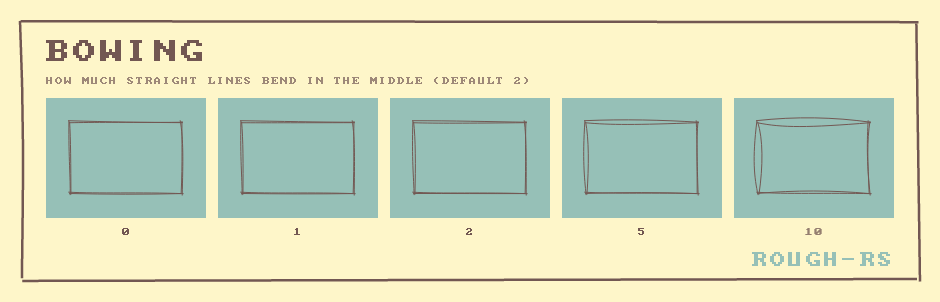
have defaults, so set only what you want to change. The most useful ones are roughness,
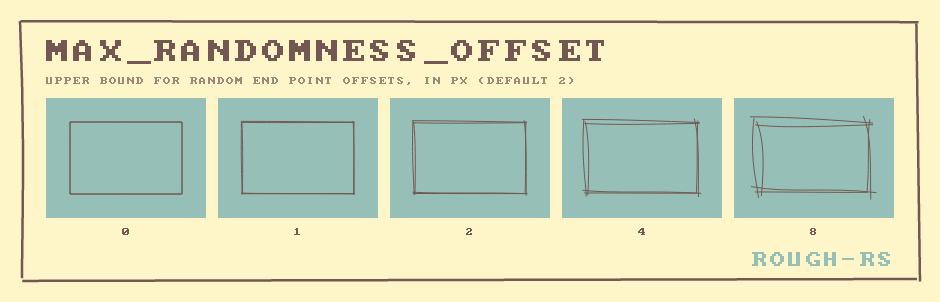
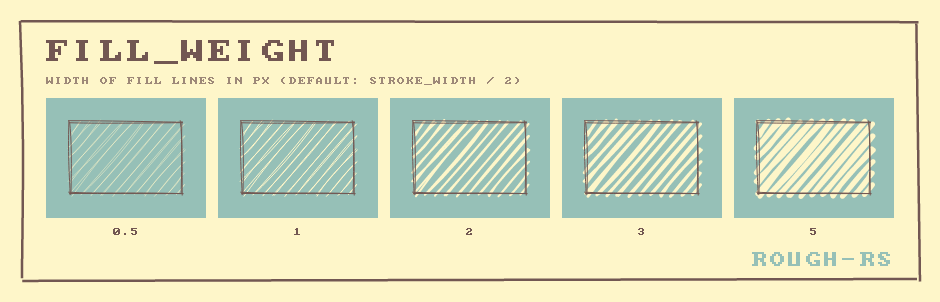
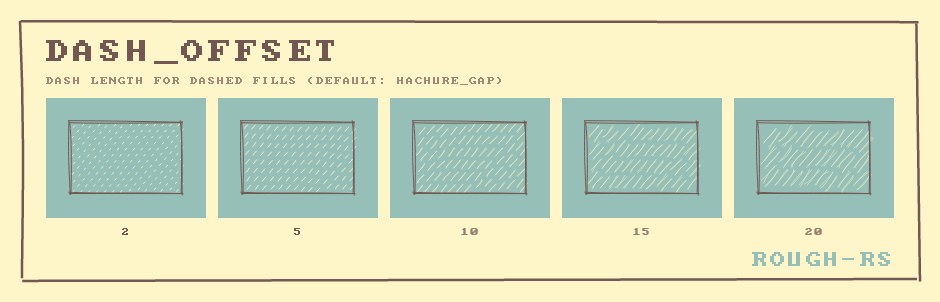
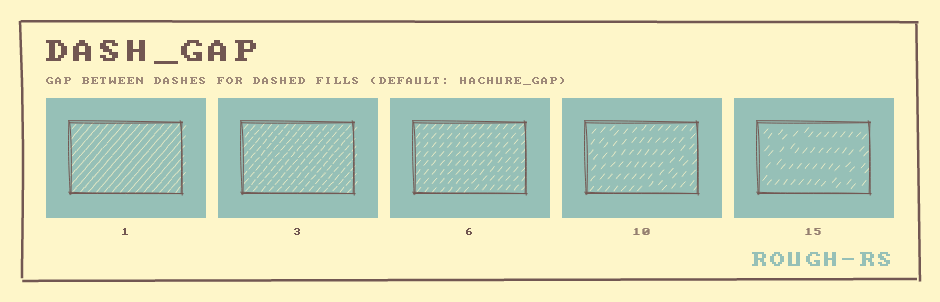
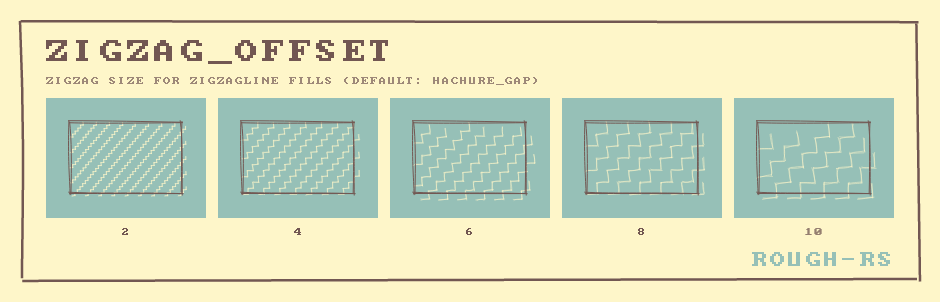
bowing, stroke, stroke_width, fill, fill_style, hachure_gap and seed.
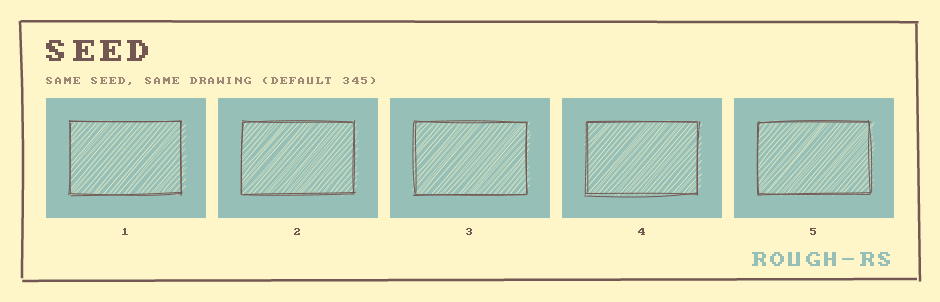
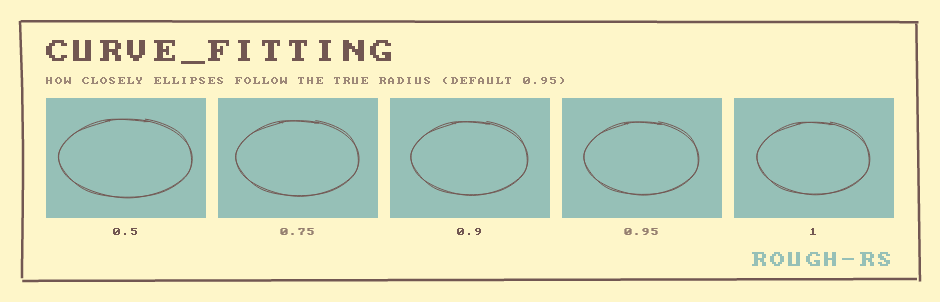
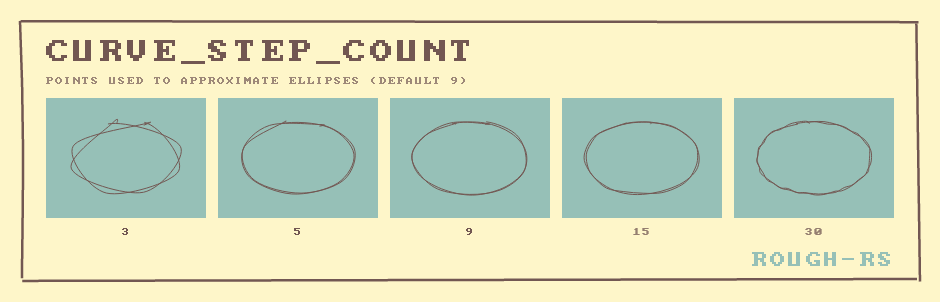
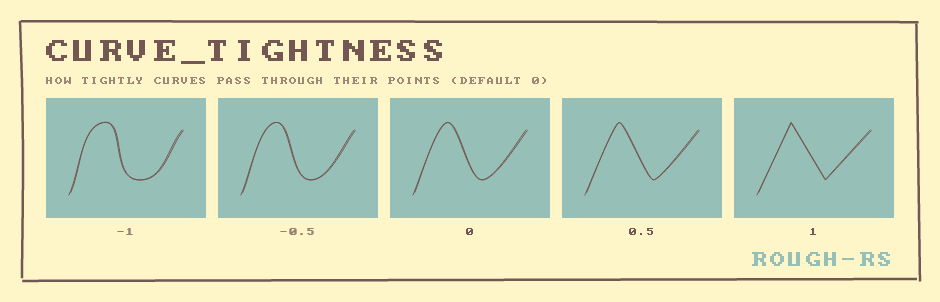
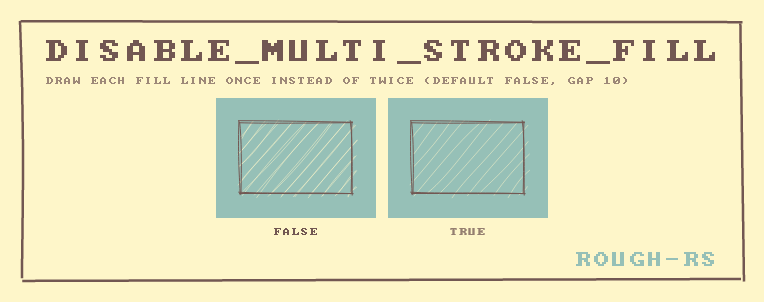
Each image below draws the same shape with only one option changed, from left to right.
The field docs of Options
explain every option and its default. To try options interactively, run the
drawing_app example
of rough_iced.
🧾 Drawing SVG files
path takes SVG path data, the d attribute of a <path> element. To sketch a whole SVG
file, which may also contain shapes like <rect> and <circle>, transforms and styles,
first convert it to plain paths with usvg, then draw every
path with its own colors:
let tree = usvg::Tree::from_data(&svg_bytes, &usvg::Options::default())?;
// For each usvg::Path in the tree:
let data = path.data().clone().transform(path.abs_transform()).unwrap();
let options = OptionsBuilder::default()
    .fill(/* the path's fill color */)
    .stroke(/* the path's stroke color */)
    .build()?;
let drawing = SkiaGenerator::new(options).path::<f32>(to_svg_path_data(&data));
drawing.draw(&mut pixmap.as_mut());
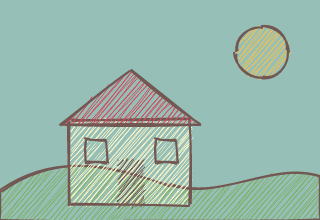
The complete, runnable version is the
svg example
of rough_tiny_skia:
🔭 Examples
For more examples have a look at the examples folder.
📝 License
Licensed under MIT License (LICENSE).
🚧 Contributions
Unless you explicitly state otherwise, any contribution intentionally submitted for inclusion in this project by you, as defined in the MIT license, shall be licensed as above, without any additional terms or conditions.