# Ratagrid
An independent, typed data grid for [Ratatui](https://ratatui.rs): sorting, selection, search, column resizing and pagination.
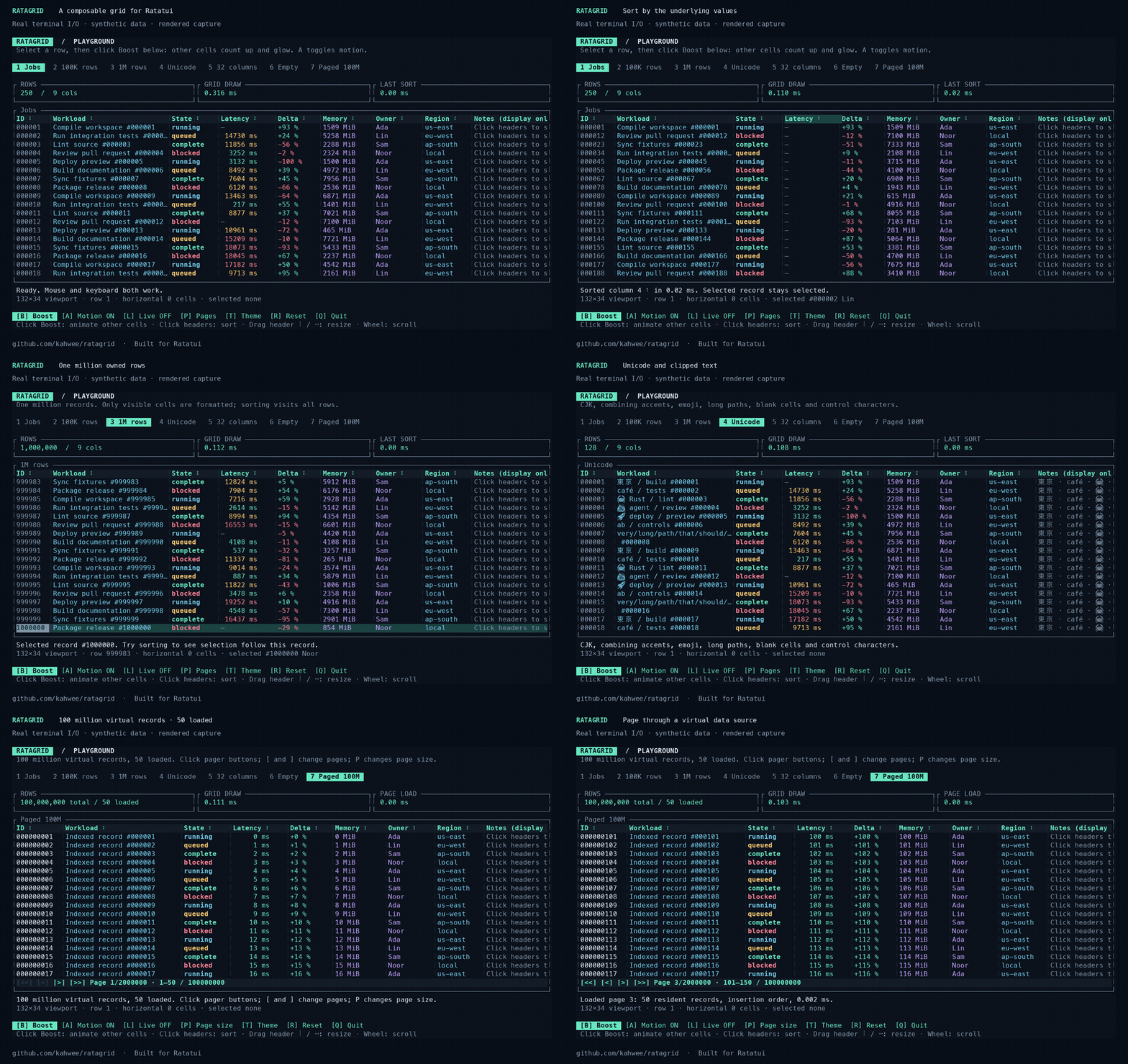
[Documentation and demo](https://kahwee.github.io/ratagrid/) · [crates.io](https://crates.io/crates/ratagrid) · [API reference](https://docs.rs/ratagrid) · [Usage guide](https://github.com/kahwee/ratagrid/blob/main/docs/GUIDE.md)
The demo shows real terminal I/O rendered into media, using synthetic records.
## Run it
Rust 1.99.0 is required.
```sh
git clone https://github.com/kahwee/ratagrid.git
cd ratagrid
cargo run --release --locked --example playground
```
Enable optional full-value panels for truncated cells:
```sh
cargo run --release --locked --example playground -- --cell-details
```
Shrink Workload, then hover a data cell for 500 ms or click it and press Enter. Escape closes the panel; Up/Down, PageUp/PageDown and Home/End scroll a keyboard-opened panel. The mouse wheel over the panel also scrolls it. This option is disabled by default. [Library configuration](docs/GUIDE.md#optional-cell-details).
## Bar chart columns
Ratagrid 0.3.0 includes horizontal bar columns. Try the keyboard-and-mouse demo:
```sh
cargo run --locked --example bar_chart
```
The demo uses synthetic disk usage, colored bars, a separate **Size** column and
four rows per page. Every bar uses the same application-supplied **60 GB** maximum,
including after searching or changing pages. Resize **Usage** with its right-hand
separator, or focus its header with Tab and press `-` / `+`.
Add `.bar_chart(max, value)` to a normal formatted column:
```rust
use ratagrid::{Column, Grid};
use std::num::NonZeroUsize;
const SCALE_GB: f64 = 60.0;
let grid = Grid::new(
vec![
Column::new("Usage", 33, |gb: &f64| format!("{gb:.1} GB"))
.bar_chart(SCALE_GB, |gb| *gb)
.sortable(|a, b| a.total_cmp(b)),
Column::new("Size", 12, |gb: &f64| format!("{gb:.1} GB"))
.sortable(|a, b| a.total_cmp(b)),
],
vec![57.1, 13.3, 8.4, 3.1, 0.2], // Synthetic GB values.
).with_pagination(NonZeroUsize::new(4).unwrap());
```
Choose the scale in your application, such as a fixed capacity or the maximum
across the full dataset. Do not recompute it from the filtered rows or current
page: the same value should keep the same proportion of the column. Resizing
changes the available drawing width; horizontal scrolling clips the bar.
The `Column::new` formatter still provides text for search, copy payloads and
optional full-value details. Sorting is configured separately with `.sortable`,
using the underlying record values. Keep visible numbers in a neighboring column.
See [bar chart columns](docs/GUIDE.md#bar-chart-columns) for styling and edge cases.


## Use with Ratatui
```toml
ratagrid = "0.3"
ratatui = "0.30"
crossterm = "0.29"
```
Start with the [example guide](examples/README.md) to choose an integration or demo.
A complete keyboard example (`cargo run --locked --example quickstart`):
```rust
use crossterm::event::{self, Event, KeyCode, KeyEventKind, KeyModifiers};
use ratagrid::{Column, Grid};
fn main() -> std::io::Result<()> {
let mut grid = Grid::new(
vec![Column::new("Value", 12, |n: &i64| n.to_string()).sortable(|a, b| a.cmp(b))],
vec![20, -3, 100],
);
let mut terminal = ratatui::init();
let result = (|| {
loop {
terminal.draw(|frame| frame.render_widget(grid.widget(), frame.area()))?;
let input = event::read()?;
if matches!(&input, Event::Key(k) if k.code == KeyCode::Char('q')
&& k.kind != KeyEventKind::Release
&& !k.modifiers.intersects(KeyModifiers::CONTROL | KeyModifiers::ALT | KeyModifiers::SUPER)
&& !grid.is_searching())
{
break;
}
grid.handle_event(&input);
}
Ok(())
})();
ratatui::restore();
result
}
```
Use arrows to select, Tab + Enter to sort, `/` to search, and `q` to quit. For mouse capture and synthetic financial amounts, see [positions.rs](examples/positions.rs). Your application owns the terminal, focus and data source.
For a SQLite adapter with global search, one-based application pages, optional sorting and changing totals, run `cargo run --locked --example database`; see [the adapter guide](docs/PAGINATION.md#database-adapter-with-one-based-application-pages).
For native database cursor/keyset pagination, use `Grid::new_cursor_paged`, handle `Action::CursorPageRequested`, and return rows plus the next token. Try `cargo run --locked --example cursor`; see the [cursor integration guide](docs/PAGINATION.md#native-cursorkeyset-pagination).
[Feature guide](docs/FEATURES.md) · [Pagination](docs/PAGINATION.md) · [Release notes and migration](CHANGELOG.md#031--2026-10-11-utc) · [Contributing](CONTRIBUTING.md) · [MIT license](LICENSE)
## GitHub benchmarks
Benchmarks run across Linux, macOS and Windows when a PR opens ready for review,
when a draft becomes ready, weekly on Mondays at 09:17 UTC, or manually. They do
not run on ordinary pushes or subsequent PR commits. Correctness CI still checks
all three platforms on every push and PR update.
Measured 2026-10-05 on GitHub-hosted runners at [`228c004`](https://github.com/kahwee/ratagrid/commit/228c004d3be96103bcf5366fcde28add80fe2a6b). [Workflow and logs](https://github.com/kahwee/ratagrid/actions/runs/37355520611/attempts/1) · [Raw CSV/JSON](docs/benchmarks/github/runs/37355520611-1).
| ubuntu-24.04 (x86_64) | 0.121 ms | 150.274 ms | 28.766 ms | 0.116 ms | 28.00 s / 1.90 s |
| macos-15 (arm64) | 0.102 ms | 86.989 ms | 17.756 ms | 0.099 ms | 25.82 s / 2.19 s |
| windows-2025 (AMD64) | 0.125 ms | 175.170 ms | 17.767 ms | 0.120 ms | 34.94 s / 2.74 s |
Release-mode, in-memory runtime medians from three process runs; terminal I/O and real database/network work excluded. Build timings cover Clippy, tests, doctests and rustdoc with pre-fetched dependencies; setup and release compilation excluded. Fresh/warm build figures are medians of two runs each. Compare within a platform; hosted hardware/load varies.
- ubuntu-24.04: Compared with frozen baseline 9617519. 10 possible runtime regression(s).
- macos-15: Compared with frozen baseline 9617519. 0 possible runtime regression(s).
- windows-2025: Compared with frozen baseline 9617519. 3 possible runtime regression(s).
Slowdown warnings require both >25% and >0.05 ms; paired runs use the same-runner reference, otherwise the frozen baseline. They are advisory. [Method, triggers and baseline policy](docs/BENCHMARKS.md).
## CI maintenance
[GitHub Actions maintenance](.github/ACTIONS.md) covers workflows, parallel checks, action versions, and weekly updates.