
Ratagrid
An independent, typed data grid for Ratatui: sorting, selection, search, column resizing and pagination.
Documentation and demo · crates.io · API reference · Usage guide
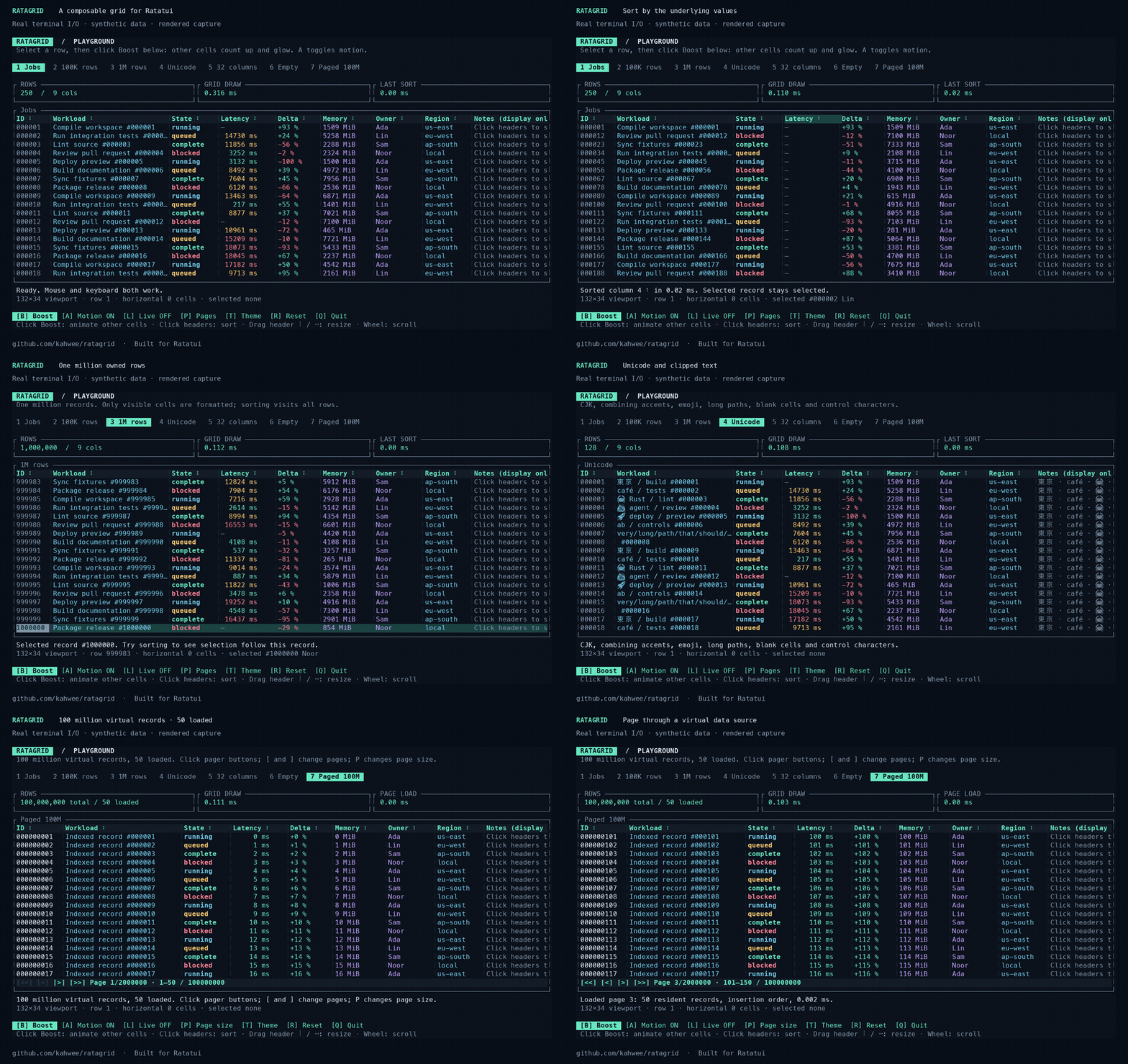
The demo shows real terminal I/O rendered into media, using synthetic records.
Run it
Rust 1.99.0 is required.
Enable optional full-value panels for truncated cells:
Shrink Workload, then hover a data cell for 500 ms or click it and press Enter. Escape closes the panel; Up/Down, PageUp/PageDown and Home/End scroll a keyboard-opened panel. The mouse wheel over the panel also scrolls it. This option is disabled by default. Library configuration.
Bar chart columns
Ratagrid 0.3.0 includes horizontal bar columns. Try the keyboard-and-mouse demo:
The demo uses synthetic disk usage, colored bars, a separate Size column and
four rows per page. Every bar uses the same application-supplied 60 GB maximum,
including after searching or changing pages. Resize Usage with its right-hand
separator, or focus its header with Tab and press - / +.
Add .bar_chart(max, value) to a normal formatted column:
use ;
use NonZeroUsize;
const SCALE_GB: f64 = 60.0;
let grid = new.with_pagination;
Choose the scale in your application, such as a fixed capacity or the maximum across the full dataset. Do not recompute it from the filtered rows or current page: the same value should keep the same proportion of the column. Resizing changes the available drawing width; horizontal scrolling clips the bar.
The Column::new formatter still provides text for search, copy payloads and
optional full-value details. Sorting is configured separately with .sortable,
using the underlying record values. Keep visible numbers in a neighboring column.
See bar chart columns for styling and edge cases.


Use with Ratatui
= "0.3"
= "0.30"
= "0.29"
Start with the example guide to choose an integration or demo.
A complete keyboard example (cargo run --locked --example quickstart):
use ;
use ;
Use arrows to select, Tab + Enter to sort, / to search, and q to quit. For mouse capture and synthetic financial amounts, see positions.rs. Your application owns the terminal, focus and data source.
For a SQLite adapter with global search, one-based application pages, optional sorting and changing totals, run cargo run --locked --example database; see the adapter guide.
For native database cursor/keyset pagination, use Grid::new_cursor_paged, handle Action::CursorPageRequested, and return rows plus the next token. Try cargo run --locked --example cursor; see the cursor integration guide.
Feature guide · Pagination · Release notes and migration · Contributing · MIT license
GitHub benchmarks
Benchmarks run across Linux, macOS and Windows when a PR opens ready for review, when a draft becomes ready, weekly on Mondays at 09:17 UTC, or manually. They do not run on ordinary pushes or subsequent PR commits. Correctness CI still checks all three platforms on every push and PR update.
Measured 2026-10-05 on GitHub-hosted runners at 228c004. Workflow and logs · Raw CSV/JSON.
| Runner | 1M draw | 1M numeric sort | 1M: 50 large moves + draw | 100M virtual / 50 resident draw | Fresh / warm Cargo stages |
|---|---|---|---|---|---|
| ubuntu-24.04 (x86_64) | 0.121 ms | 150.274 ms | 28.766 ms | 0.116 ms | 28.00 s / 1.90 s |
| macos-15 (arm64) | 0.102 ms | 86.989 ms | 17.756 ms | 0.099 ms | 25.82 s / 2.19 s |
| windows-2025 (AMD64) | 0.125 ms | 175.170 ms | 17.767 ms | 0.120 ms | 34.94 s / 2.74 s |
Release-mode, in-memory runtime medians from three process runs; terminal I/O and real database/network work excluded. Build timings cover Clippy, tests, doctests and rustdoc with pre-fetched dependencies; setup and release compilation excluded. Fresh/warm build figures are medians of two runs each. Compare within a platform; hosted hardware/load varies.
- ubuntu-24.04: Compared with frozen baseline 9617519. 10 possible runtime regression(s).
- macos-15: Compared with frozen baseline 9617519. 0 possible runtime regression(s).
- windows-2025: Compared with frozen baseline 9617519. 3 possible runtime regression(s).
Slowdown warnings require both >25% and >0.05 ms; paired runs use the same-runner reference, otherwise the frozen baseline. They are advisory. Method, triggers and baseline policy.
CI maintenance
GitHub Actions maintenance covers workflows, parallel checks, action versions, and weekly updates.