# Ratagrid
An independent, typed data grid for [Ratatui](https://ratatui.rs): sorting, selection, search, column resizing and pagination.
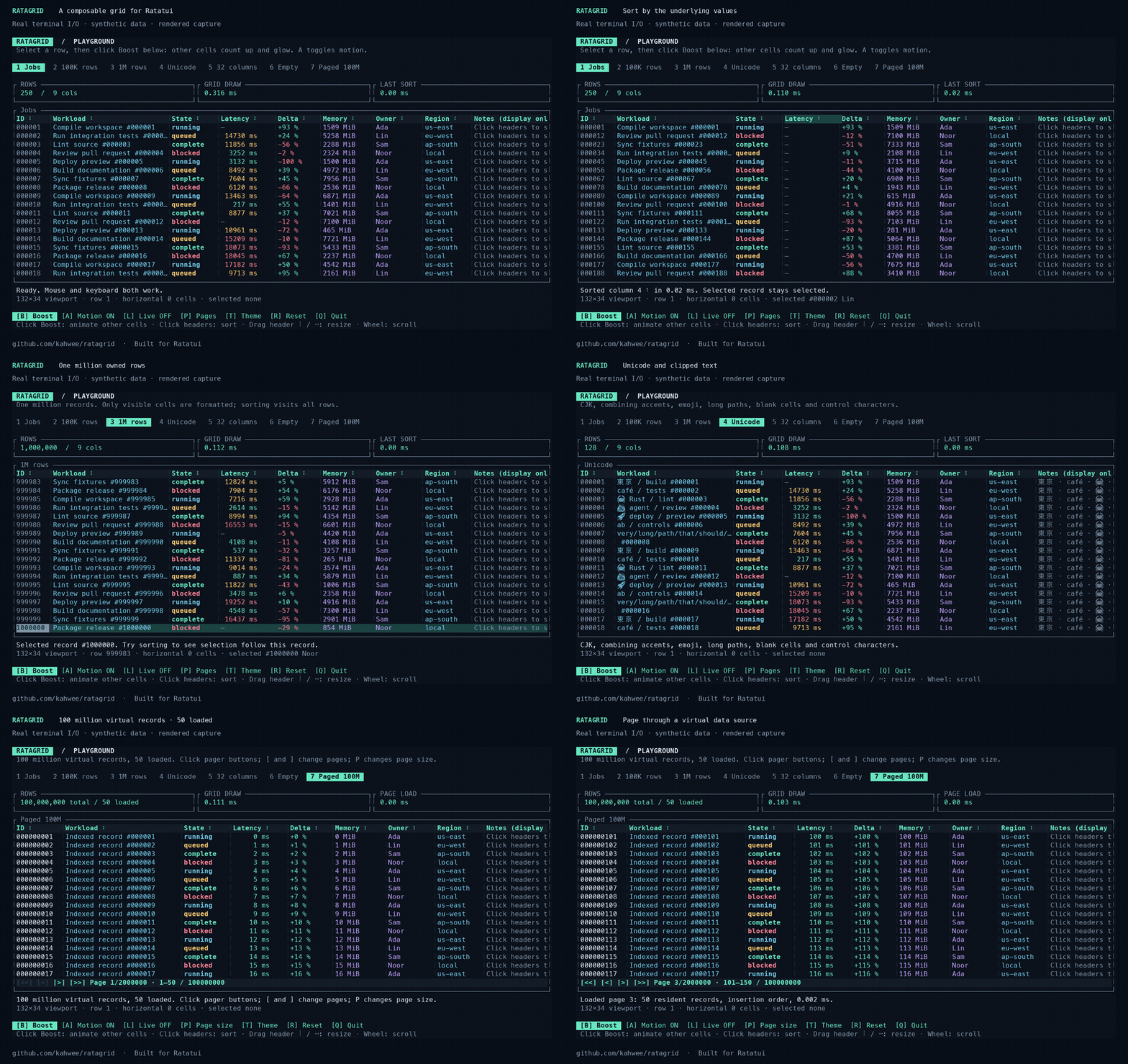
[Documentation and demo](https://kahwee.github.io/ratagrid/) · [crates.io](https://crates.io/crates/ratagrid) · [API reference](https://docs.rs/ratagrid) · [Usage guide](https://github.com/kahwee/ratagrid/blob/main/docs/GUIDE.md)
The demo shows real terminal I/O rendered into media, using synthetic records.
## Run it
Rust 1.99.0 is required.
```sh
git clone https://github.com/kahwee/ratagrid.git
cd ratagrid
cargo run --release --locked --example playground
```
In 0.2.0, enable optional full-value panels for truncated cells:
```sh
cargo run --release --locked --example playground -- --cell-details
```
Shrink Workload, then hover a data cell for 500 ms or click it and press Enter. Escape closes the panel; Up/Down, PageUp/PageDown and Home/End scroll a keyboard-opened panel. The mouse wheel over the panel also scrolls it. This option is disabled by default. [Library configuration](docs/GUIDE.md#optional-cell-details).
## Use with Ratatui
```toml
ratagrid = "0.2"
ratatui = "0.30"
crossterm = "0.29"
```
A complete keyboard example (`cargo run --locked --example quickstart`):
```rust
use crossterm::event::{self, Event, KeyCode, KeyEventKind, KeyModifiers};
use ratagrid::{Column, Grid};
fn main() -> std::io::Result<()> {
let mut grid = Grid::new(
vec![Column::new("Value", 12, |n: &i64| n.to_string()).sortable(|a, b| a.cmp(b))],
vec![20, -3, 100],
);
let mut terminal = ratatui::init();
let result = (|| {
loop {
terminal.draw(|frame| frame.render_widget(grid.widget(), frame.area()))?;
let input = event::read()?;
if matches!(&input, Event::Key(k) if k.code == KeyCode::Char('q')
&& k.kind != KeyEventKind::Release
&& !k.modifiers.intersects(KeyModifiers::CONTROL | KeyModifiers::ALT | KeyModifiers::SUPER)
&& !grid.is_searching())
{
break;
}
grid.handle_event(&input);
}
Ok(())
})();
ratatui::restore();
result
}
```
Use arrows to select, Tab + Enter to sort, `/` to search, and `q` to quit. For mouse capture and synthetic financial amounts, see [positions.rs](examples/positions.rs). Your application owns the terminal, focus and data source.
For a SQLite adapter with global search, one-based application pages, optional sorting and changing totals, run `cargo run --locked --example database`; see [the adapter guide](docs/PAGINATION.md#database-adapter-with-one-based-application-pages).
For native database cursor/keyset pagination, use `Grid::new_cursor_paged`, handle `Action::CursorPageRequested`, and return rows plus the next token. Try `cargo run --locked --example cursor`; see the [cursor integration guide](docs/PAGINATION.md#native-cursorkeyset-pagination).
[Feature guide](docs/FEATURES.md) · [Pagination](docs/PAGINATION.md) · [Release notes and migration](CHANGELOG.md#020--2026-10-04-utc) · [Contributing](CONTRIBUTING.md) · [MIT license](LICENSE)