### A library to create syntax ("railroad") diagrams as Scalable Vector Graphics (SVG).
[](https://github.com/lukaslueg/railroad/actions/workflows/check.yml)
[](https://crates.io/crates/railroad)
[](https://docs.rs/railroad)
**[Live demo](https://lukaslueg.github.io/macro_railroad_wasm_demo/)** ([code](https://github.com/lukaslueg/macro_railroad_wasm))
**[Some examples](https://htmlpreview.github.io/?https://github.com/lukaslueg/railroad_dsl/blob/master/examples/example_diagrams.html)** using a small [DSL of it's own](https://github.com/lukaslueg/railroad_dsl).
Railroad diagrams are a way to represent context-free grammar. Every diagram has exactly one starting- and end-point; everything that belongs to the described language is represented by one of the possible paths between those points.
Using this library, diagrams are created using primitives which implement `Node`. Primitives are combined into more complex structures by wrapping simple elements into more complex ones.
```rust
use railroad::*;
let mut seq = Sequence::default();
seq.push(Box::new(Start) as Box<dyn Node>)
.push(Box::new(Terminal::new("BEGIN".to_owned())))
.push(Box::new(NonTerminal::new("syntax".to_owned())))
.push(Box::new(End));
let mut dia = Diagram::new(seq);
dia.add_element(svg::Element::new("style")
.set("type", "text/css")
.text(DEFAULT_CSS));
println!("{}", dia);
```
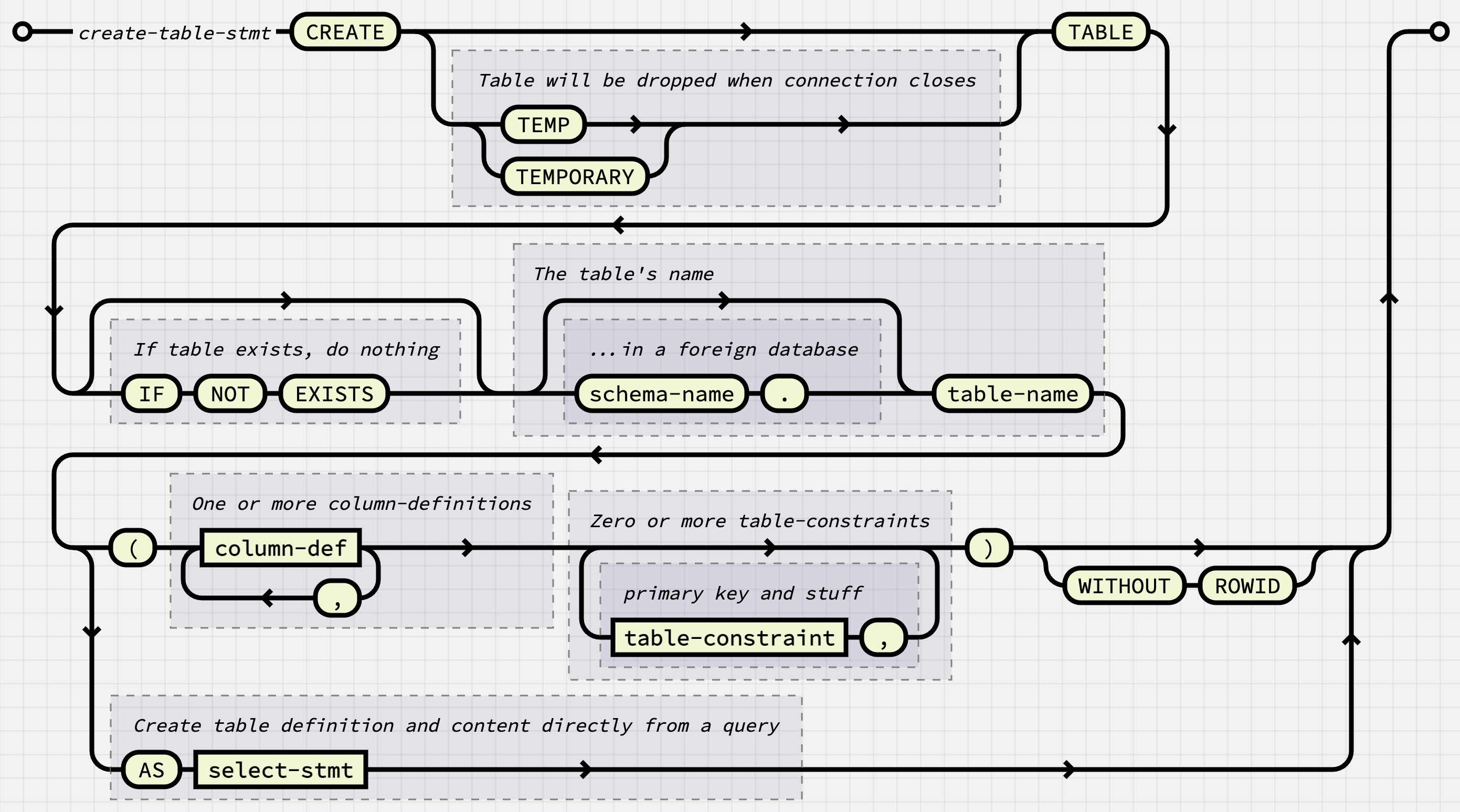
When adding new `Node`-primitives to this library, you may find `examples/visual.rs` come in handy to quickly generate special-cases and check if they render properly. Use the `visual-debug` feature to add guide-lines to the rendered diagram and extra information to the SVG's code.