# Quaturn
A simple 3D Game Engine in Rust!
## Features
**3D Model Support:** load and manipulate 3D GLTF models\
**Customizable:** Create your own Nodes and use predefined nodes for more specific functionality\
**Write Your Own Shaders:** write your own shaders with GLSL\
**Easily Add UI's:** using egui you can easily set up a UI
## Example Images
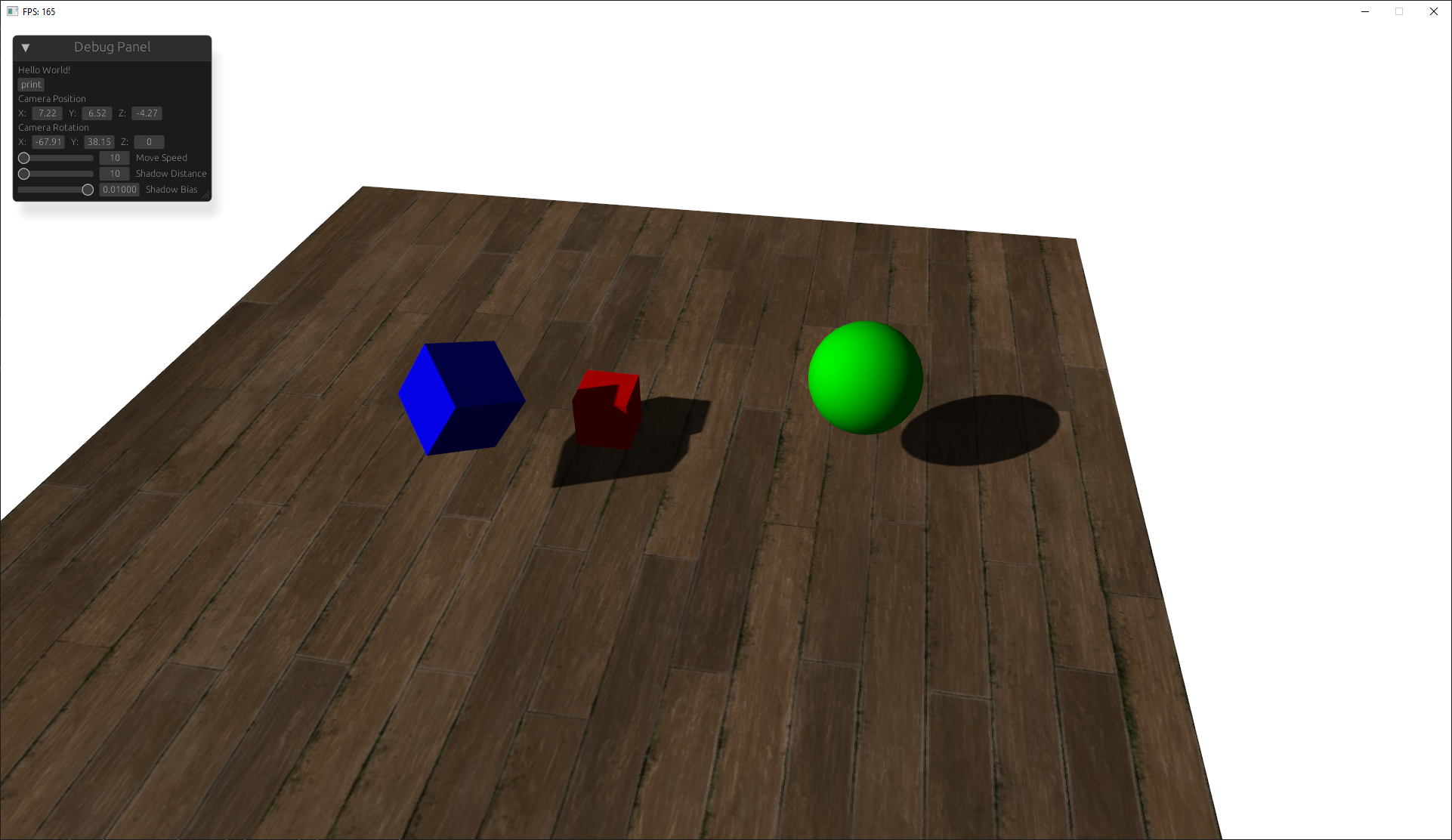
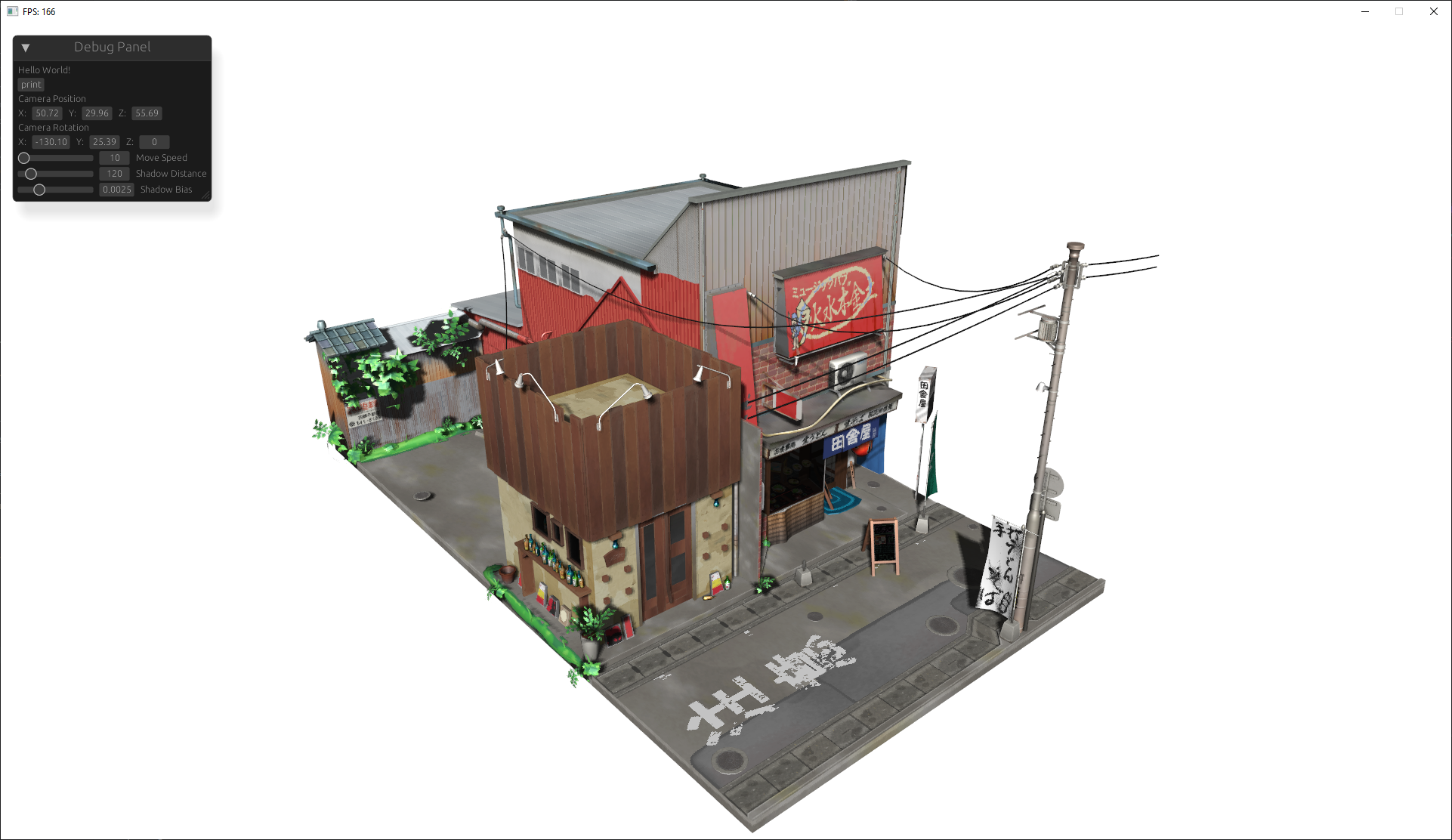
This work is based on ["Japanese Restaurant Inakaya"](https://sketchfab.com/3d-models/japanese-restaurant-inakaya-97594e92c418491ab7f032ed2abbf596) by [MGuegan](https://sketchfab.com/MGuegan), licensed under [CC BY 4.0](https://creativecommons.org/licenses/by/4.0/).
# Guide to using the Engine
this guide goes over the basic usage of initializing the engine, adding nodes, and defining custom nodes.
## Initialization
to begin initialize the engine with the window title and dimensions:
```rust
let mut engine = Engine::init("Title", WINDOW_WIDTH, WINDOW_HEIGHT);
```
## Add a Model
models are rendered objects that you can load from a gltf file or simply a primitive shape:
```rust
engine
.context
.nodes
.add("model_name", Model::new_gltf("res/path/to/model"))
.define_ready(|model: &mut Model| {
//runs when model is ready
println!("(model_name) Is Ready!")
})
.define_ready(|model: &mut Model, context: &mut GameContext| {
//runs every frame
if input_manager.keys.contains(&Key::W) {
//move mode forward when W is pressed
model.translate(glm::vec3(0.0, 1.0 * fps_manager.time_delta.as_sec_f32(), 0.0));
}
})
.apply_transform(&mut |t| {
// rotate and scale to your liking
t.rotate_euler_xyz(glm::vec3(-90.0, 0.0, 0.0));
t.scale(0.1, 0.1, 0.1)
});
```
## Add a Camera
add a 3D camera to render the scene from its perspective:
```rust
engine
.context
.nodes
.add(
"camera",
Camera3D::new(
glm::vec3(10.0, 10.0, 10.0), // position
glm::vec3(0.0, 0.0, 1.0), // look direction
0.78539, // field of view
WINDOW_WIDTH as f32 / WINDOW_HEIGHT as f32, // aspect ratio
0.1, // near plane
1000.0, // far plane
),
)
.define_ready(|camera: &mut Camera3D| {
//ran before the first frame
println!("camera ready");
})
.define_behavior(|camera: &mut Camera3D, context: &mut GameContext| {
//ran every frame
//println!("camera behavior");
camera.take_input(&context.input, context.frame.time_delta.as_secs_f32()); //basic built in fly movement
});
```
## add a shader
you can add a configure shaders in the engine:
```rust
let mut shader = engine.context.nodes.add_shader(
"default",
Shader::default(), // add the default shader
);
shader.set_uniform4f("lightColor", 1.0, 1.0, 1.0, 1.0);
```
## Add Lights with Shadows
add a directional light with shadows:
```rust
engine.context.nodes.add(
"Direct Light",
DirectionalLight::new(
glm::vec3(1.0, 1.0, 1.0), // light direction
glm::vec3(1.0, 1.0, 1.0), // color
1.0, // intensity
100.0, // shadow range
2048, // shadow resolution
),
);
```
## Optionally add a UI with Egui
integrate a UI with egui:
```rust
let ui = UI::init(&mut engine.window);
engine
.add("debug_panel", ui)
.define_ui(move |ctx, context| {
//ui to be drawn every frame
egui::Window::new("Debug Panel").show(ctx, |ui| {
ui.label("Hello World!");
});
});
```
## Transformations
in order to apply transforms to a node and all of its child nodes you can use a special method that traverses the node tree.
```rust
node.apply_transform(&mut |t| {
// move 1 unit in the x direction every frame
t.translate(glm::vec3(1.0, 0.0, 0.0))
// rotate 90 degrees per second
t.rotate_euler_xyz(glm::vec3(90.0 * context.frame.time_delta.as_secs_f32(), 0.0, 0.0))
})
```
## Finally Start the Render Loop
start the render loop (this should be last):
```rust
engine.begin()
```
## Defining your own Nodes
you can define your own nodes using rust traits. when you add a node to the games context it must implement the node trait. using this you can add more functionality
### Example: Custom Node
```rust
struct CustomNode {
transform: NodeTransform,
children: NodeManager,
/* more optional fields */
}
// Implement Node for your custom node
impl Node for CustomNode {
fn get_transform(&mut self) -> &mut NodeTransform {
&mut self.transform
}
fn get_children(&mut self) -> &mut NodeManager {
&mut self.children
}
// nodes that implement the Ready trait need to have a as_ready method to
// cast to the dyn Ready object so the engine can dynamically dispatch the ready method
fn as_ready(&mut self) -> Option<&mut (dyn Ready + 'static)> {
Some(self)
}
// nodes that implement the Behavior trait need to have a as_behavior method to
// cast to the dyn Behavior object so the engine can dynamically dispatch the ready method
fn as_behavior(&mut self) -> Option<&mut (dyn Behavior + 'static)> {
Some(self)
}
}
// Optional Ready function that runs when the node it ready
impl Ready for CustomNode {
fn ready(&mut self) {
println!("Node ready!");
}
}
// Optional Behavior funtion that runs on every frame
impl Behavior for CustomNode {
fn behavior(&mut self, _ctx: &mut GameContext) {
println!("Node update!");
}
}
impl CustomNode {
// while a constructor isnt required its always a good Idea to have.
pub fn new() -> Self {
Self {
transform: NodeTransform::default(),
children: NodeManager::new(),
}
}
}
```
## Shader Uniforms
for building your own shaders the engine applies these uniforms you can also define your own uniforms with
```rust
shader.set_uniform(name, value)
```
| `diffuse0` | `sampler2D` | Diffuse texture sampler |
| `specular0` | `sampler2D` | Specular texture sampler |
| `shadowMap` | `sampler2D` | Shadow map texture sampler |
| `baseColorFactor` | `vec4` | Base color factor for the material (RGBA) |
| `useTexture` | `bool` | Whether to use the texture for the object |
| `useAlphaCutoff` | `bool` | Whether alpha cutoff is applied |
| `alphaCutoff` | `float` | Alpha cutoff value for transparency |
| `lightColor` | `vec4` | Color of the light (RGBA) |
| `lightPos` | `vec3` | Position of the light source in world space |
| `camPos` | `vec3` | Camera position in world space |
| `u_directLightDirection` | `vec3` | Direction of the directional light (normalized vector) |
| `u_SpecularStrength` | `float` | Strength of the specular highlights |
| `u_AmbientStrength` | `float` | Strength of the ambient lighting |
| `u_bias` | `float` | Bias value for shadow mapping to avoid shadow acne |
| `u_BackgroundColor` | `vec3` | Background color of the scene (RGB) |
| `u_VP` | `mat4` | View projection matrix (combined model-view-projection matrix) |
| `u_Model` | `mat4` | Model matrix for the object |
| `u_lightSpaceMatrix` | `mat4` | Light space matrix for shadow mapping |
## Contributing
Contributions are welcome! If you have suggestions for improvements, feel free to create a pull request or open an issue.
## License
This project is licensed under the MIT License
## Acknowledgments
- [nalgebra-glm](https://crates.io/crates/nalgebra-glm)
- [egui](https://crates.io/crates/egui)
- [glfw](https://crates.io/crates/glfw)
- [gl](https://crates.io/crates/gl)