Okmain: OK main colors (Rust edition)
okmain finds the main colors of an image and makes sure they look good.
Crate • GitHub • Rust Docs • Python package
Sometimes you need to show a "dominant" color (or colors) of an image. It can be a background or a placeholder. There are several ways of doing that; a popular quick-and-dirty method is to resize the image to a handful of pixels, or even just one.
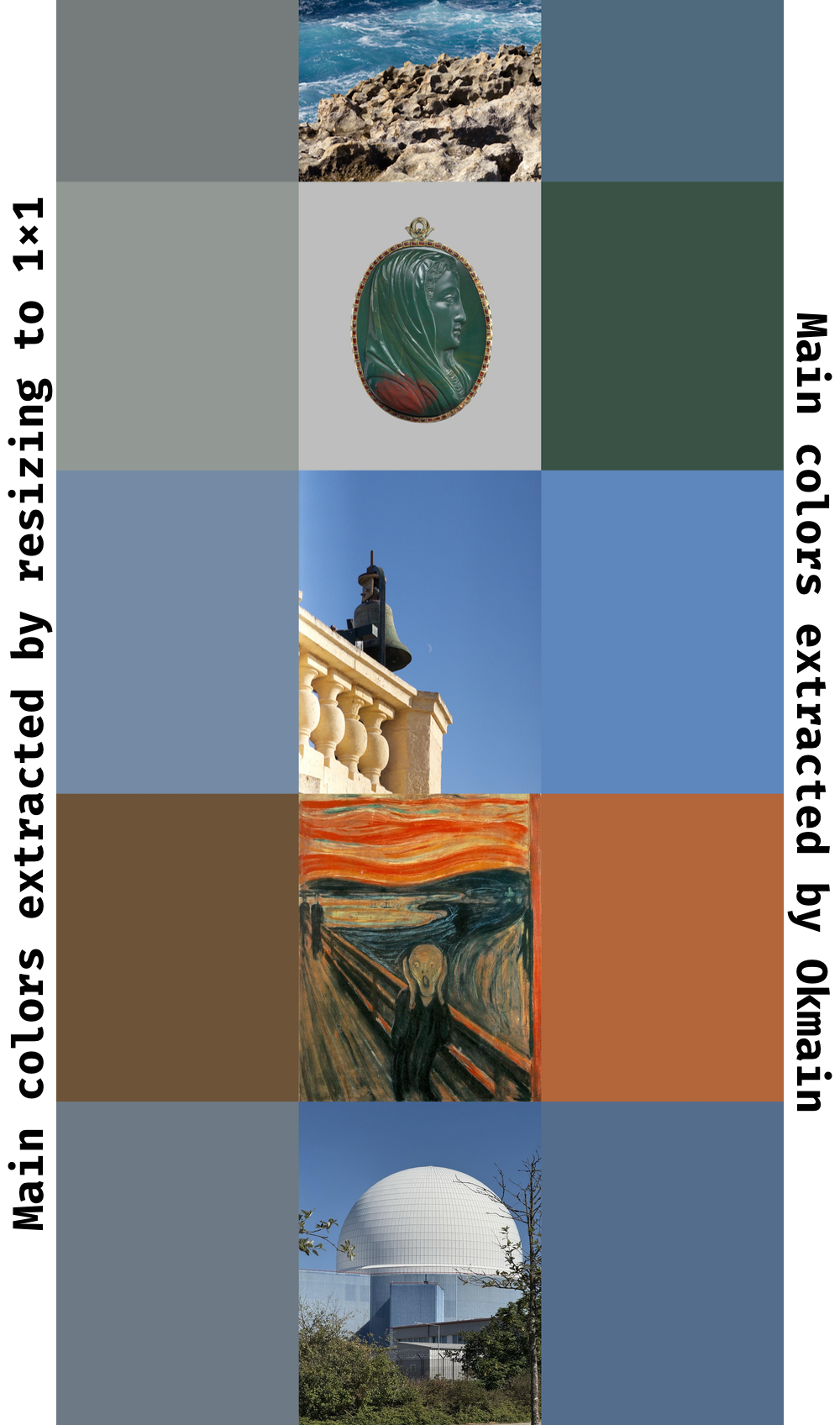
However, this method tends to produce muted, dirty-looking colors. Most images have clusters of colors: the dominant colors of an image of a lush green field with a clear sky above it are not a muddy average of blue and green, it's a bright blue and green. Okmain clusters colors explicitly, recovering and ranking main colors while keeping them sharp and clean.
Here's a comparison:
Technical highlights
- Color operations in a state-of-the-art perceptually linear color space (Oklab)
- Finding main colors of a reasonably sized image takes about 100ms
- Fast custom K-means color clustering, optimized for auto-vectorization (confirmed with disassembly)
- Position- and visual prominence-based color prioritization (more central and higher Oklab chroma pixels tend to be more important)
- Tunable parameters (see
colors_with_config) - Minimal and stable dependencies
- Python wrapper
Read more about Okmain in the blog post.
Usage
Add the dependency in your Cargo.toml:
[]
= "0.1"
Then call [colors] on image bytes:
let input = from_bytes.unwrap;
let output = colors;
let green = Rgb ;
let red = Rgb ;
assert_eq!
Or if you need interop with the image crate, add the image feature:
let img = from_raw.unwrap;
let input = try_from.unwrap;
let output = colors;
let red = Rgb ;
assert_eq!;
Features
image: interop with theimagecrateunstable: features with no stability guarantees (currently, debug information)