Expand description
§Okmain: OK main colors (Rust edition)
okmain finds the main colors of an image and makes sure they look good.
Crate • GitHub • Rust Docs • Python package
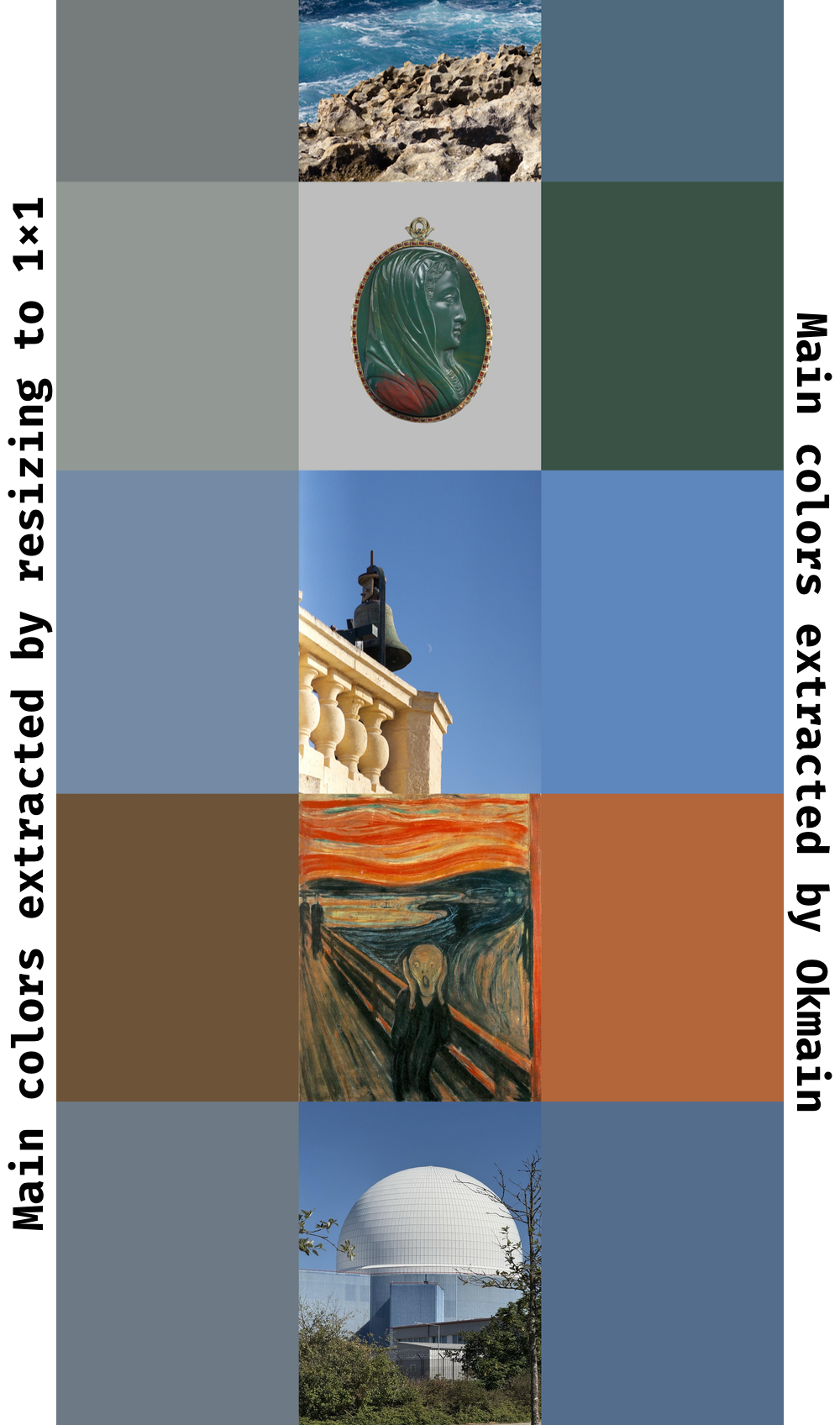
Sometimes you need to show a “dominant” color (or colors) of an image. It can be a background or a placeholder. There are several ways of doing that; a popular quick-and-dirty method is to resize the image to a handful of pixels, or even just one.
However, this method tends to produce muted, dirty-looking colors. Most images have clusters of colors: the dominant colors of an image of a lush green field with a clear sky above it are not a muddy average of blue and green, it’s a bright blue and green. Okmain clusters colors explicitly, recovering and ranking main colors while keeping them sharp and clean.
Here’s a comparison:
§Technical highlights
- Color operations in a state-of-the-art perceptually linear color space (Oklab)
- Finding main colors of a reasonably sized image takes about 100ms
- Fast custom K-means color clustering, optimized for auto-vectorization (confirmed with disassembly)
- Position- and visual prominence-based color prioritization (more central and higher Oklab chroma pixels tend to be more important)
- Tunable parameters (see
colors_with_config) - Minimal and stable dependencies
- Python wrapper
Read more about Okmain in the blog post.
§Usage
Add the dependency in your Cargo.toml:
[dependencies]
okmain = "0.1"
Then call colors on image bytes:
let input = okmain::InputImage::from_bytes(
    2, 2,
    &[255, 0, 0, 0, 255, 0,
      255, 0, 0, 255, 0, 0]
).unwrap();

let output = okmain::colors(input);

let green = rgb::Rgb { r: 0, g: 255, b: 0 };
let red = rgb::Rgb { r: 255, g: 0, b: 0 };
assert_eq!(vec![red, green], output)
Or if you need interop with the image crate, add the image feature:
let img = image::ImageBuffer::from_raw(
    1, 2,
    vec![255, 0, 0,
         255, 0, 0]
).unwrap();
let input = okmain::InputImage::try_from(&img).unwrap();

let output = okmain::colors(input);

let red = rgb::Rgb { r: 255, g: 0, b: 0 };
assert_eq!(vec![red], output);§Features
image: interop with theimagecrateunstable: features with no stability guarantees (currently, debug information)
Re-exports§
Structs§
- Config
- Tuning parameters for
colors_with_configandcolors_debug. - Debug
Info unstable - Debug info returned by
colors_debug. Available only if theunstablefeature is enabled. - Input
Image - A reference to image bytes with the image size attached.
- Scored
Centroid unstable - Debug details about every “centroid” in the Oklab color space and its score.
Available only if the
unstablefeature is enabled.
Enums§
- Config
Error - Config errors that
colors_with_configcan return. - Input
Image Error - Errors that can occur when constructing an
InputImage.
Constants§
- DEFAULT_
CHROMA_ WEIGHT - Default weight of the chroma component of the color.
The more saturated the color is, the more prominent it is. This is especially true in Oklab,
since it accounts for low luminance affecting perceived saturation.
The more prominent the color is, the more likely it is to be the dominant color.
See
Config::chroma_weightfor details. - DEFAULT_
MASK_ SATURATED_ THRESHOLD - Default saturation threshold for the mask. Pixels within the central rectangle defined by
this threshold have a weight of 1.0, with linear falloff to 0.1 at the image borders.
See
Config::mask_saturated_thresholdfor details. - DEFAULT_
MASK_ WEIGHT - The default weight of the center-priority mask. The closer this value is
to 1.0, the more the mask reduces the contribution of peripheral pixels to color scoring.
See
Config::mask_weightfor details. - DEFAULT_
WEIGHTED_ COUNTS_ WEIGHT - Default weight of the number of pixels assigned to each color.
The more pixels are assigned to a color, the more likely it is to be the dominant color.
See
Config::mask_weighted_counts_weightfor details.
Functions§
- colors
- Extract dominant colors from something that can provide sRGB bytes with default parameters.
- colors_
debug unstable - Same as
colors_with_config, but also returns debug info that can be used to debug the algorithm’s behavior. SeeDebugInfofor details. No stability guarantees are provided forDebugInfo, so this function is opt-in via theunstablefeature. - colors_
with_ config - Extract dominant colors from something that can provide sRGB bytes, providing explicit config values.