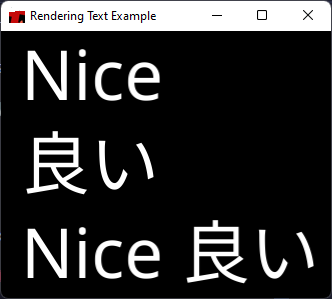
use macroquad::prelude::*;
use macroquad_text::{DrawFrom, Fonts, TextParams};
const NOTO_SANS: &[u8] = include_bytes!("../assets/fonts/NotoSans-Regular.ttf");
const NOTO_SANS_JP: &[u8] = include_bytes!("../assets/fonts/NotoSansJP-Regular.otf");
fn window_conf() -> Conf {
Conf {
window_title: "Multi Size Example".to_owned(),
window_width: 2000,
window_height: 1200,
high_dpi: true,
window_resizable: true,
..Default::default()
}
}
#[macroquad::main(window_conf)]
async fn main() {
let mut fonts = Fonts::default();
fonts.load_font_from_bytes("Noto Sans", NOTO_SANS).unwrap();
fonts.load_font_from_bytes("Noto Sans JP", NOTO_SANS_JP).unwrap();
loop {
let mut prev = 0.0;
let mut i = 10;
while i <= screen_width() as u16 * 2 {
fonts.draw_text_ex(&TextParams {
text: "a",
x: prev,
y: screen_height(),
size: i,
color: Color::from([1.0; 4]),
draw: DrawFrom::BottomLeft
});
prev = i as f32;
i *= 2;
}
next_frame().await;
}
}