use macroquad::prelude::*;
use macroquad_text::Fonts;
const NOTO_SANS: &[u8] = include_bytes!("../assets/fonts/NotoSans-Regular.ttf");
const NOTO_SANS_JP: &[u8] = include_bytes!("../assets/fonts/NotoSansJP-Regular.otf");
fn window_conf() -> Conf {
Conf {
window_title: "Rendering Text Example".to_owned(),
window_width: 850,
window_height: 267,
high_dpi: true,
window_resizable: true,
..Default::default()
}
}
#[macroquad::main(window_conf)]
async fn main() {
let mut fonts = Fonts::default();
let mut toggle = true;
fonts.load_font_from_bytes("Noto Sans", NOTO_SANS).unwrap();
fonts.load_font_from_bytes("Noto Sans JP", NOTO_SANS_JP).unwrap();
for font in fonts.fonts() {
println!("{:?}", font);
}
loop {
let text1 = fonts.draw_text("Press \"", 20.0, 0.0, 69, Color::from([0.9; 4]));
let text2 = fonts.draw_text("r", 20.0 + text1.width, 0.0, 69, Color::from([0.9, 0.2, 0.9, 1.0]));
fonts.draw_text("\" to toggle fonts", 20.0 + text1.width + text2.width, 0.0, 69, Color::from([0.9; 4]));
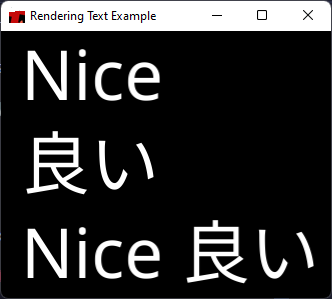
fonts.draw_text("Nice 良い", 20.0, 40.0 + text2.height, 169, Color::from([1.0; 4]));
if is_key_released(KeyCode::R) {
if toggle {
fonts.unload_font_by_name("Noto Sans JP");
} else {
fonts.load_font_from_bytes("Noto Sans JP", NOTO_SANS_JP).unwrap();
}
toggle = !toggle;
}
next_frame().await;
}
}