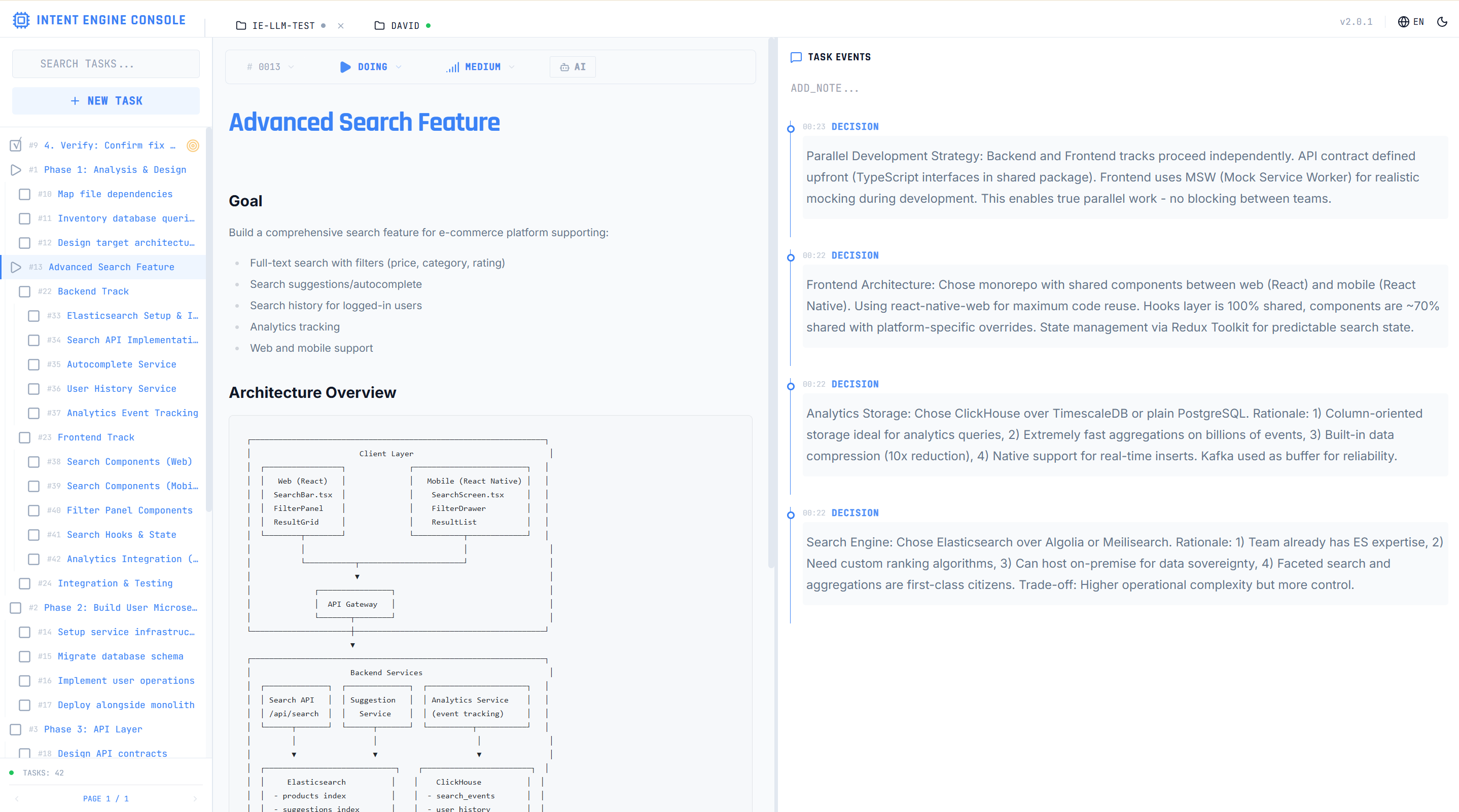
# Intent-Engine Interface Specification
**Version**: 0.11
**Last Updated**: 2026-02-06
**Status**: Experimental (Pre-1.0)
---
> **🚨 CRITICAL: Version Update Policy**
>
> This document defines the **interface contract version** (major.minor format).
>
> **WHEN TO UPDATE THE VERSION:**
> - ✅ **Breaking changes** → Increment major (0.1 → 1.0)
> - ✅ **New features/tools** → Increment minor (0.1 → 0.2)
> - ❌ **Bug fixes only** → Do NOT update (keep 0.1)
>
> **THIS VERSION IS THE SOURCE OF TRUTH**
> - All other files (CLAUDE.md, etc.) follow this version
> - Cargo.toml may have additional patch version (e.g., 0.10.6)
> - When you update this version, you MUST update Cargo.toml's minor version
>
> **FOR AI ASSISTANTS:**
> If you modify this file and change the interface (add/remove/modify CLI commands
> or data models), you MUST increment the version number above and
> remind the user to run the version sync workflow.
---
## Changelog
### Version 0.11 (2026-02-06)
**Theme**: "Individual Task CRUD - Claude Code Task Management Parity"
**New Features:**
- **`ie task` CRUD Subcommands**: 8 new subcommands for individual task operations:
- `ie task create` - Create a task with name, description, parent, status, priority, owner, metadata, and dependency options
- `ie task get` - Get task details by ID, with optional event history and full context
- `ie task update` - Update any task field (name, description, status, priority, owner, parent, metadata, dependencies)
- `ie task list` - List tasks with filters (status, parent), sorting, pagination, and tree view
- `ie task delete` - Delete a task, with optional cascade to descendants
- `ie task start` - Start a task (sets status to doing and focuses it)
- `ie task done` - Mark a task as done (by ID or current focused task)
- `ie task next` - Suggest the next task to work on (context-aware priority)
- **Metadata Field**: Arbitrary JSON key-value metadata on tasks via `--metadata key=value` (use `key=` to delete a key)
- **Relaxed Owner Field**: Owner accepts any string, not just `human`/`ai`
**Data Model Changes:**
- Added `metadata` TEXT column to tasks table (stores JSON key-value pairs)
**Migration:**
- `ie plan` still works for batch task operations
- `ie task` commands are now recommended for individual task create/read/update/delete operations
---
### Version 0.10 (2025-12-16)
**Theme**: "Simplified Architecture - System Prompt Integration"
**BREAKING CHANGES:**
- **Removed MCP Server**: Eliminated MCP integration in favor of system prompt approach
- **Old behavior**: Claude Code connected via MCP tools, required persistent MCP server process
- **New behavior**: Claude Code uses system prompt + CLI commands directly
- **Rationale**: Reduces context overhead (~15K → ~4K tokens), eliminates complexity, enables offline operation
- **Impact**: All MCP tools removed, replaced by CLI commands (full feature parity maintained)
**Architecture Changes:**
- **Unidirectional Communication**: CLI → Local DB → Dashboard (single notification)
- Previous: Bidirectional MCP connections with heartbeat mechanism
- Current: Fire-and-forget notifications, no persistent connections
- Dashboard can directly read/write any project SQLite database
- No "online/offline" project states
- **Global Dashboard**: Single dashboard instance monitors all projects
- Previous: Each project had separate MCP server connecting to central dashboard
- Current: One global dashboard with direct database access
- Humans can create/modify tasks via Dashboard UI
- AI picks up human-created tasks on next CLI operation
**New Features:**
- **Plan Auto-Focus Enhancement**: `ie plan` now automatically returns focused task with full context
- When plan contains `status="doing"` task, response includes complete task details + event history
- Eliminates need for separate `ie current` or `ie start --with-events` calls
- Improves efficiency: one API call provides complete context
**Data Model Changes:**
- `PlanResult`: Added `focused_task: Option<TaskWithEvents>` field
- Automatically populated when plan creates/updates a task with `status="doing"`
- Contains full task details and events_summary for immediate context access
**Removed:**
- All MCP server code (`src/mcp/` directory)
- MCP tool definitions and handlers
- MCP-specific tests
- Bidirectional communication infrastructure
- Heartbeat mechanism
- Project "online/offline" state tracking
**Migration:**
- Users should configure Claude Code with system prompt (see integration guides)
- Remove MCP server configuration from Claude Code settings
- Use CLI commands directly instead of MCP tools (full feature parity)
- Dashboard operation now optional (CLI works independently)
---
### Version 0.8 (2025-11-28)
**Theme**: "Production Refinement - UI/UX Overhaul & Code Quality"
**New Features:**
- **Frontend V2**: Complete dashboard UI overhaul with refined operation area and logo
- **Enhanced Testing**: 160% coverage increase for workspace module, 100% increase for report module
- **Improved Code Quality**: Extensive refactoring to eliminate dead code, reduce duplication, and centralize common logic
**BREAKING CHANGES:**
- **Removed dry-run mode** from `setup`, `init`, and `plan` commands
- **Old behavior**: Commands supported `--dry-run` flag to preview changes without committing
- **New behavior**: Commands execute directly without preview mode
- **Rationale**: Simplifies command interface, reduces complexity, dry-run mode was rarely used
**Refactoring & Improvements:**
- Centralized SQL query constants to reduce duplication
- Unified FTS5 escape logic into search module
- Unified time parsing with centralized `parse_duration` utility
- Centralized notification logic with `NotificationSender`
- Extracted CLI handlers to dedicated `cli_handlers` module with unit tests
- Fixed zombie green light and temp directory pollution in dashboard
- Removed obsolete registry references and dead code (~138 lines)
### Version 0.7 (2025-11-26)
**Theme**: "Explicit Initialization - No Magic"
**BREAKING CHANGES:**
- **`ie init` behavior changed**: Now initializes in the current working directory instead of auto-detecting project root
- **Old behavior**: `ie init` would search upward for project markers (.git, Cargo.toml, etc.) and initialize at the detected project root
- **New behavior**: `ie init` creates `.intent-engine/` in the current working directory where the command is executed
- **Migration**: Users should `cd` to their desired project root directory before running `ie init`
- **Rationale**: Simplifies initialization logic, makes behavior more predictable and explicit, removes "magic" auto-detection
**Removed:**
- Smart project root detection during initialization
- Documentation for smart initialization feature
**Implementation Changes:**
- `ProjectContext::initialize_project_at()` no longer infers project root - initializes directly in specified directory
- Updated test assertions to verify current directory initialization
**CLI Parameters (Unchanged):**
- `--at <path>`: Still available to initialize a specific directory
- `--dry-run`: Shows what would be done without making changes
- `--force`: Re-initializes even if .intent-engine exists
### Version 0.5 (2025-11-16)
**Theme**: "Hybrid Command Model & Ergonomic CLI"
**New Features:**
- **Hybrid Commands**: Added convenient top-level aliases for high-frequency operations
- **Positional Parameters**: Optimized `list` command to use positional argument for status
- **Reduced Verbosity**: Common operations now require fewer characters (e.g., `ie ls` vs `ie task list`)
**CLI Commands Added:**
- `add`: Alias for `task add`
- `start`: Alias for `task start`
- `done`: Alias for `task done`
- `switch`: Alias for `task switch`
- `log`: Alias for `event add`
- `next`: Alias for `task pick-next`
- `list` / `ls`: Alias for `task list`
- `context` / `ctx`: Alias for `current-task`
- `get`: Alias for `task get`
**CLI Behavior Changes:**
- `list/ls` command: Status parameter changed from `--status <value>` to positional `<status>`
- Old: `ie ls --status todo`
- New: `ie ls todo`
- Backward compatible: `--status` flag still works
**MCP Tools:**
- No changes (all changes are CLI-only convenience aliases)
**Breaking Changes:**
- None (all aliases maintain full compatibility with hierarchical commands)
**Migration Notes:**
- All new commands are optional convenience aliases
- Existing hierarchical commands (`ie task list`, etc.) continue to work unchanged
- For `list` command, positional syntax is preferred but flag syntax still supported
---
### Version 0.4 (2025-11-14)
**Theme**: "Unified Search & Enhanced Discovery"
**New Features:**
- **Unified Search**: New `search` command searches across both tasks and events using FTS5
- **Event Search**: Full-text search in event discussion_data with snippet highlighting
- **Task Ancestry**: Event results include full task ancestry chain for hierarchical context
- **Global Event Queries**: `event list` now supports omitting task_id to query across all tasks
**CLI Commands Added:**
- `search`: Unified full-text search across tasks and events (replaces `task search`)
**CLI Commands Removed:**
- `task search`: Use `search` instead (searches both tasks and events)
**MCP Tools Added:**
- `search`: Searches across tasks and events with task ancestry for events
**MCP Tools Removed:**
- `task_search`: Use `search` instead
**Data Models Added:**
- `UnifiedSearchResult`: Tagged enum with task and event variants
**Breaking Changes:**
- Removed `ie task search` command (use `ie search` instead)
- Removed `task_search` MCP tool (use `search` instead)
- `event_list` parameter `task_id` is now optional (breaking for strict type checkers)
**Migration Notes:**
- Replace all `ie task search` calls with `ie search`
- Replace all `task_search` MCP tool calls with `search`
- Event results now include `task_chain` array for ancestry context
---
### Version 0.3 (2025-11-13)
**Theme**: "Focus Restoration & Session Continuity"
**New Features:**
- **Session Restoration**: `session-restore` command provides complete session context for AI agents
- **Claude Code Integration**: `setup-claude-code` command automates SessionStart hook installation
- **Phase 1 Guardian Protocol**: Automatic focus restoration via SessionStart hooks
**CLI Commands Added:**
- `session-restore`: Restore session context (current task, parent, siblings, children, events)
- `setup-claude-code`: Install Claude Code integration hooks
**New Capabilities:**
- Rich context restoration with task hierarchy
- Recent events replay (decisions, blockers, notes)
- Context-aware command suggestions
- Graceful error handling with recovery guidance
- Automated hook installation with dry-run mode
**Breaking Changes:**
- None (all changes are backward-compatible additions)
**Migration Notes:**
- Optional: Run `ie setup-claude-code` to enable automatic focus restoration in Claude Code
- Session restoration is opt-in via hook installation
---
### Version 0.2 (2025-11-11)
**Theme**: "Intelligence & Interconnection"
**New Features:**
- **Task Dependency System**: Define task dependencies with `task depends-on`, circular dependency detection, blocking checks in `task start` and `pick-next`
- **Smart Event Querying**: Filter events by type (`--type`) and time range (`--since`) for efficient context retrieval
- **Priority Enum Interface**: Human-friendly priority levels (`critical`, `high`, `medium`, `low`) instead of raw integers
- **Command Rename**: `task find` → `task list` for better clarity (with backward-compatible alias)
**MCP Tools Added/Updated:**
- `task_add_dependency` (new): Create task dependencies
- `task_list` (renamed from `task_find`): List/filter tasks
- `event_list` (enhanced): Added `type` and `since` filtering parameters
- `task_context` (enhanced): Now includes dependency information
**Breaking Changes:**
- None (all changes are backward-compatible additions or have deprecation aliases)
**Migration Notes:**
- Priority strings are now recommended (`--priority critical` instead of `--priority 1`)
- Use `task list` instead of `task find` (old command still works with deprecation warning)
- Old integer priorities still work internally but string interface is preferred
---
## Overview
Intent-Engine provides two primary interfaces for task and intent management:
1. **CLI Interface** - Command-line tool for human operators and AI assistants
2. **Rust Library API** - Direct library integration
This document serves as the **authoritative specification** for all public interfaces.
---
## 1. Core Concepts
### 1.1 Data Model
```
Task
├── id: Integer (auto-increment)
├── name: String (required)
├── spec: String (markdown, optional)
├── status: String { "todo", "doing", "done" }
├── complexity: Integer (optional, nullable)
├── priority: Integer (stored as 1-4: critical=1, high=2, medium=3, low=4)
├── parent_id: Integer (optional, nullable)
├── first_todo_at: Timestamp (when first set to todo)
├── first_doing_at: Timestamp (when first set to doing)
└── first_done_at: Timestamp (when first set to done)
Event
├── id: Integer (auto-increment)
├── task_id: Integer (required)
├── timestamp: Timestamp
├── log_type: String { "decision", "blocker", "milestone", "note" }
└── discussion_data: String (markdown)
Dependency
├── id: Integer (auto-increment)
├── blocking_task_id: Integer (FK to tasks.id)
├── blocked_task_id: Integer (FK to tasks.id)
└── created_at: Timestamp
Workspace State
└── current_task_id: Integer (nullable)
```
**Key Design Principles**:
- **Focus-Driven**: Most commands operate on `current_task_id` (the "focused" task)
- **Priority Model**: String interface ("critical", "high", "medium", "low") maps to integers (1-4), lower number = higher priority
- **Dependency System**: Tasks can depend on others; blocked tasks cannot start until dependencies are done
- **Lifecycle Timestamps**: Track first occurrence of each status for analysis
- **Atomic Operations**: Commands like `start`, `switch`, `done` combine multiple steps
### 1.2 Status Transitions
```
todo → doing → done
↑ ↓
└──────┘
```
**Transition Rules**:
- `start <ID>`: Set task to `doing` + set as current
- `switch <ID>`: (Previous doing → todo) + Set new task to `doing` + set as current
- `done`: Current task → `done` + clear current (requires all children done)
### 1.3 Project Initialization
**Philosophy**: Intent-Engine's initialization is designed to be simple and predictable. Users can explicitly initialize a directory with `ie init` or rely on lazy initialization on the first write operation.
**Lazy Initialization**: The system automatically initializes in the current working directory on the first write operation if no `.intent-engine` folder exists.
#### Explicit Initialization
Users can explicitly initialize a directory using the `ie init` command:
```bash
# Initialize in current directory
ie init
# Initialize in specific directory
ie init --at /path/to/project
# Preview initialization without executing
ie init --dry-run
# Re-initialize existing directory
ie init --force
```
#### Trigger Conditions
Lazy initialization is triggered when **all** of the following conditions are met:
1. A write-type CLI command is executed (e.g., `task add`, `task spawn-subtask`)
2. No `.intent-engine` folder exists in the current working directory
If `.intent-engine` already exists, it is used directly without re-initialization. If a read-only command is executed and no `.intent-engine` is found, an error is returned.
#### Initialization Behavior
The system creates `.intent-engine/project.db` in the current working directory where the command is executed.
**Important**: Users should `cd` to their project root directory before running Intent-Engine commands to ensure the database is created in the desired location.
#### Example Scenarios
**Scenario 1: Explicit Initialization**
```bash
cd /home/user/my-app
ie init
# Result: .intent-engine created at /home/user/my-app/
```
**Scenario 2: Lazy Initialization**
```bash
cd /home/user/my-app
ie task add --name "Fix button"
# Result: .intent-engine automatically created at /home/user/my-app/
```
#### Error Handling
- **Permission Errors**: If directory/file creation fails due to permissions, the command fails with a clear filesystem-related error message
- **Read-Only Commands**: If a read command is executed without an existing `.intent-engine`, return `NOT_A_PROJECT` error
---
## 2. CLI Interface
### 2.1 Task Commands
#### `task add`
**Purpose**: Create a new task
**Signature**:
```bash
ie task add \
--name <NAME> \
[--spec-stdin] \
[--parent <PARENT_ID>]
```
**Parameters**:
- `--name <NAME>` (required): Task name
- `--spec-stdin` (optional): Read spec from stdin
- `--parent <PARENT_ID>` (optional): Parent task ID for subtasks
**Output**: JSON
```json
{
"id": 42,
"name": "Implement authentication",
"status": "todo",
"parent_id": null,
"first_todo_at": "2024-11-09T10:00:00Z"
}
```
**Exit Codes**:
- `0`: Success
- `1`: Invalid parameters
- `2`: Database error
---
#### `task start`
**Purpose**: Start working on a task (atomic operation)
**Signature**:
```bash
ie task start <TASK_ID> [--with-events]
```
**Parameters**:
- `<TASK_ID>` (required): Task ID to start
- `--with-events` (optional): Include event history in output
**Atomic Behavior**:
1. Set task status to `doing` (and set `first_doing_at` if first time)
2. Set as current task in workspace
3. Return full task context
**Output**: JSON
```json
{
"task": {
"id": 42,
"name": "Implement authentication",
"status": "doing",
"spec": "...",
"first_doing_at": "2024-11-09T10:05:00Z"
},
"events_summary": {
"total_count": 3,
"recent_events": [...]
}
}
```
---
#### `task done`
**Purpose**: Complete the current focused task
**Signature**:
```bash
ie task done
```
**No Parameters** - This command is **strictly focus-driven** and operates only on `current_task_id`.
**Prerequisites**:
- A task must be set as current (via `task start` or `current --set`)
- All subtasks must have status `done`
**Atomic Behavior**:
1. Verify all subtasks are `done` (fails if not)
2. Set current task status to `done` (and set `first_done_at` if first time)
3. Clear `current_task_id` in workspace
**Output**: JSON
```json
{
"completed_task": {
"id": 42,
"name": "Implement authentication",
"status": "done",
"first_done_at": "2024-11-09T11:00:00Z"
},
"workspace_status": {
"current_task_id": null
}
}
```
**Error Cases**:
- No current task: `"error": "No current task set"`
- Incomplete subtasks: `"error": "Cannot complete task: has incomplete subtasks"`
---
#### `task spawn-subtask`
**Purpose**: Create subtask under current task and switch to it
**Signature**:
```bash
ie task spawn-subtask \
--name <NAME> \
[--spec-stdin]
```
**Parameters**:
- `--name <NAME>` (required): Subtask name
- `--spec-stdin` (optional): Read spec from stdin
**Prerequisites**:
- Must have a current task set
**Atomic Behavior**:
1. Create subtask with `parent_id` = current task ID
2. Switch to new subtask (set as current, mark as `doing`)
**Output**: JSON
```json
{
"subtask": {
"id": 43,
"name": "Configure JWT secret",
"parent_id": 42,
"status": "doing"
},
"parent_task": {
"id": 42,
"name": "Implement authentication"
}
}
```
---
#### `task switch`
**Purpose**: Switch focus to a different task
**Signature**:
```bash
ie task switch <TASK_ID>
```
**Parameters**:
- `<TASK_ID>` (required): Task ID to switch to
**Atomic Behavior**:
1. If there's a current task in `doing` status, set it back to `todo`
2. Set new task status to `doing` (and set `first_doing_at` if first time)
3. Update `current_task_id` to new task
**Output**: JSON
```json
{
"previous_task": {
"id": 42,
"status": "todo"
},
"current_task": {
"id": 43,
"name": "Configure JWT secret",
"status": "doing"
}
}
```
---
#### `task pick-next`
**Purpose**: Intelligently recommend the next task to work on
**Signature**:
```bash
ie task pick-next [--format <FORMAT>]
```
**Parameters**:
- `--format <FORMAT>` (optional): Output format (`text` or `json`, default: `text`)
**Algorithm** (Context-Aware, Depth-First):
**Priority 1**: Subtasks of current focused task
```
IF current_task_id IS SET:
SELECT * FROM tasks
WHERE parent_id = current_task_id
AND status = 'todo'
ORDER BY priority ASC NULLS LAST, id ASC
LIMIT 1
```
**Priority 2**: Top-level tasks (if no focused subtasks)
```
IF Priority 1 returns empty:
SELECT * FROM tasks
WHERE parent_id IS NULL
AND status = 'todo'
ORDER BY priority ASC NULLS LAST, id ASC
LIMIT 1
```
**Output** (text format):
```
📋 Recommended next task:
#43: Configure JWT secret (priority: 1)
Parent: #42 Implement authentication
🎯 Reason: Subtask of current focused task
💡 To start: ie task start 43
```
**Output** (json format):
```json
{
"recommended_task": {
"id": 43,
"name": "Configure JWT secret",
"priority": 1,
"parent_id": 42
},
"reason": "subtask_of_current",
"context": {
"current_task_id": 42,
"strategy": "depth_first"
}
}
```
**Empty State Response**:
```json
{
"recommended_task": null,
"reason": "no_todo_tasks",
"suggestion": "All tasks are done! Use 'task add' to create new tasks."
}
```
---
#### `task list`
**Purpose**: Filter tasks by structured metadata
**Signature**:
```bash
ie task list \
[--status <STATUS>] \
[--parent <PARENT_ID>]
```
**Parameters**:
- `--status <STATUS>` (optional): Filter by status (`todo`, `doing`, `done`)
- `--parent <PARENT_ID>` (optional): Filter by parent ID (use `"null"` for root tasks)
**Design Note**: `task list` handles **structured filtering only**. For text search, use `search` (unified search across tasks and events).
**Output**: JSON (array of tasks)
```json
[
{
"id": 42,
"name": "Implement authentication",
"status": "doing",
"parent_id": null
},
...
]
```
---
#### `task get`
**Purpose**: Get task by ID
**Signature**:
```bash
ie task get <TASK_ID>
```
**Output**: JSON (single task with full details)
---
#### `task update`
**Purpose**: Update task properties
**Signature**:
```bash
ie task update <TASK_ID> \
[--name <NAME>] \
[--status <STATUS>] \
[--spec-stdin]
```
---
### 2.1b `ie task` CRUD Subcommands (v0.11)
These subcommands provide direct CRUD operations on individual tasks. Use `ie task` for individual operations and `ie plan` for batch operations.
#### `ie task create`
**Purpose**: Create a new task
**Signature**:
```bash
ie task create <NAME> \
[--description <DESC>] \
[--parent <PARENT_ID>] \
[--status <STATUS>] \
[--priority <1-4>] \
[--owner <OWNER>] \
[--metadata key=value ...] \
[--blocked-by <ID> ...] \
[--blocks <ID> ...] \
[--format <text|json>]
```
**Parameters**:
- `<NAME>` (required, positional): Task name
- `--description` / `-d` (optional): Task description/spec (markdown)
- `--parent` / `-p` (optional): Parent task ID (0 = root, omit = auto-parent to current focus)
- `--status` / `-s` (optional, default: `todo`): Initial status
- `--priority` (optional): Priority (1=critical, 2=high, 3=medium, 4=low)
- `--owner` (optional, default: `human`): Task owner (any string)
- `--metadata` (optional, repeatable): Key-value pairs (e.g., `--metadata type=epic`)
- `--blocked-by` (optional, repeatable): IDs of tasks that block this task
- `--blocks` (optional, repeatable): IDs of tasks this task blocks
- `--format` (optional, default: `text`): Output format
---
#### `ie task get`
**Purpose**: Get task details by ID
**Signature**:
```bash
ie task get <ID> \
[--with-events] \
[--with-context] \
[--format <text|json>]
```
**Parameters**:
- `<ID>` (required, positional): Task ID
- `--with-events` / `-e` (optional): Include event history
- `--with-context` / `-c` (optional): Include full context (ancestors, siblings, children, dependencies)
- `--format` (optional, default: `text`): Output format
---
#### `ie task update`
**Purpose**: Update any field of an existing task
**Signature**:
```bash
ie task update <ID> \
[--name <NAME>] \
[--description <DESC>] \
[--status <STATUS>] \
[--priority <1-4>] \
[--active-form <TEXT>] \
[--owner <OWNER>] \
[--parent <PARENT_ID>] \
[--metadata key=value ...] \
[--add-blocked-by <ID> ...] \
[--add-blocks <ID> ...] \
[--rm-blocked-by <ID> ...] \
[--rm-blocks <ID> ...] \
[--format <text|json>]
```
**Parameters**:
- `<ID>` (required, positional): Task ID
- `--name` (optional): New task name
- `--description` / `-d` (optional): New description/spec
- `--status` / `-s` (optional): New status (todo, doing, done)
- `--priority` (optional): New priority
- `--active-form` (optional): New active form text
- `--owner` (optional): New owner
- `--parent` (optional): New parent ID (0 = make root task)
- `--metadata` (optional, repeatable): Metadata key=value pairs to merge (`key=` to delete a key)
- `--add-blocked-by` (optional, repeatable): Add blocked-by dependency
- `--add-blocks` (optional, repeatable): Add blocks dependency
- `--rm-blocked-by` (optional, repeatable): Remove blocked-by dependency
- `--rm-blocks` (optional, repeatable): Remove blocks dependency
- `--format` (optional, default: `text`): Output format
---
#### `ie task list`
**Purpose**: List tasks with optional filters, sorting, and pagination
**Signature**:
```bash
ie task list \
[--status <STATUS>] \
[--parent <PARENT_ID>] \
[--sort <SORT>] \
[--limit <N>] \
[--offset <N>] \
[--tree] \
[--format <text|json>]
```
**Parameters**:
- `--status` / `-s` (optional): Filter by status (todo, doing, done)
- `--parent` / `-p` (optional): Filter by parent ID (0 = root tasks only)
- `--sort` (optional): Sort by (id, priority, time, focus_aware)
- `--limit` (optional): Maximum number of results
- `--offset` (optional): Result offset for pagination
- `--tree` (optional): Show as hierarchical tree
- `--format` (optional, default: `text`): Output format
---
#### `ie task delete`
**Purpose**: Delete a task
**Signature**:
```bash
ie task delete <ID> [--cascade] [--format <text|json>]
```
**Parameters**:
- `<ID>` (required, positional): Task ID
- `--cascade` (optional): Also delete all descendant tasks
- `--format` (optional, default: `text`): Output format
---
#### `ie task start`
**Purpose**: Start working on a task (sets status to `doing` and focuses it)
**Signature**:
```bash
ie task start <ID> [--description <DESC>] [--format <text|json>]
```
**Parameters**:
- `<ID>` (required, positional): Task ID
- `--description` / `-d` (optional): Update description before starting
- `--format` (optional, default: `text`): Output format
---
#### `ie task done`
**Purpose**: Mark a task as done
**Signature**:
```bash
ie task done [<ID>] [--format <text|json>]
```
**Parameters**:
- `<ID>` (optional, positional): Task ID. If omitted, completes the current focused task
- `--format` (optional, default: `text`): Output format
---
#### `ie task next`
**Purpose**: Suggest the next task to work on (context-aware, depth-first priority)
**Signature**:
```bash
ie task next [--format <text|json>]
```
**Parameters**:
- `--format` (optional, default: `text`): Output format
---
### 2.2 Event Commands
#### `event add`
**Purpose**: Record event for a task
**Signature**:
```bash
ie event add \
--type <TYPE> \
[--task-id <TASK_ID>] \
[--data-stdin]
```
**Parameters**:
- `--type <TYPE>` (required): Event type (`decision`, `blocker`, `milestone`, `note`)
- `--task-id <TASK_ID>` (optional): Task ID to attach event to
- **If omitted**: Uses current focused task
- **If current task not set**: Returns error
- `--data-stdin` (optional): Read event data from stdin
**Design Note**: This command supports **flexible event recording**:
- **During active work**: Omit `--task-id` to record events for current task
- **Cross-task insights**: Use `--task-id` to record events for any task (e.g., project retrospectives)
**Output**: JSON
```json
{
"id": 123,
"task_id": 42,
"log_type": "decision",
"discussion_data": "Chose HS256 algorithm...",
"timestamp": "2024-11-09T10:30:00Z"
}
```
---
#### `event list`
**Purpose**: List events for a task
**Signature**:
```bash
ie event list <TASK_ID>
```
**Output**: JSON (array of events)
---
### 2.3 Search Commands
#### `search`
**Purpose**: Unified full-text search across tasks and events using FTS5
**Signature**:
```bash
ie search <QUERY> \
[--tasks <true|false>] \
[--events <true|false>] \
[--limit <N>]
```
**Parameters**:
- `<QUERY>` (required): FTS5 search query
- `--tasks` (optional, default: true): Include tasks in search
- `--events` (optional, default: true): Include events in search
- `--limit <N>` (optional, default: 20): Maximum total results to return
**Search Scope**:
- Tasks: Searches in both `name` and `spec` fields
- Events: Searches in `discussion_data` field
**FTS5 Syntax Support**:
- AND: `auth AND jwt`
- OR: `auth OR oauth`
- NOT: `auth NOT password`
- NEAR: `auth NEAR/5 token`
- Phrases: `"user authentication"`
**Output**:
```json
{
"results": [
{
"result_type": "task",
"task": {
"id": 42,
"name": "Implement authentication",
"spec": "Use JWT with 7-day expiry...",
"status": "doing"
},
"match_snippet": "Implement **authentication**",
"match_field": "name"
},
{
"result_type": "event",
"event": {
"id": 15,
"task_id": 42,
"log_type": "decision",
"discussion_data": "Chose JWT over OAuth for simplicity",
"timestamp": "2025-11-14T10:30:00Z"
},
"task_chain": [
{
"id": 42,
"name": "Implement authentication",
"parent_id": null
}
],
"match_snippet": "Chose **JWT** over OAuth for simplicity"
}
]
}
```
**Design Note**: The `task_chain` array shows the full ancestry path from the event's task to the root. This provides hierarchical context for event matches.
---
### 2.4 Report Commands
#### `report`
**Purpose**: Generate analysis and reports
**Signature**:
```bash
ie report \
[--since <DURATION>] \
[--status <STATUS>] \
[--summary-only]
```
**Parameters**:
- `--since <DURATION>`: Time duration (e.g., `"7d"`, `"2h"`, `"30m"`)
- `--status <STATUS>`: Filter by status
- `--summary-only`: Return summary statistics only
**Output**: JSON
```json
{
"summary": {
"total_tasks": 50,
"tasks_by_status": {
"todo": 20,
"doing": 5,
"done": 25
},
"total_events": 150,
"date_range": {
"from": "2024-11-02T00:00:00Z",
"to": "2024-11-09T11:00:00Z"
}
},
"tasks": [...],
"events": [...]
}
```
---
### 2.5 Workspace Commands
#### `current`
**Purpose**: Get or set current task
**Signature**:
```bash
# Get current task
ie current
# Set current task
ie current --set <TASK_ID>
```
**Output** (get):
```json
{
"current_task_id": 42,
"task": {
"id": 42,
"name": "Implement authentication",
"status": "doing"
}
}
```
---
#### `session-restore`
**Purpose**: Restore session context for AI agents (Phase 1 Focus Restoration)
**Signature**:
```bash
ie session-restore \
[--include-events <NUM>] \
[--workspace <PATH>]
```
**Parameters**:
- `--include-events <NUM>` (optional, default: 3): Number of recent events to include
- `--workspace <PATH>` (optional): Workspace path (defaults to current directory)
**Output**: JSON with session context
**Success scenario** (has active focus):
```json
{
"status": "success",
"workspace_path": "/home/user/project",
"current_task": {
"id": 42,
"name": "Implement authentication",
"status": "doing",
"spec": "Complete auth system with JWT...",
"spec_preview": "Complete auth system with JWT and sessions. Use HS256 algorithm for simplicity. Store tokens in h...",
"created_at": "2024-11-09T10:00:00Z",
"first_doing_at": "2024-11-09T10:15:00Z"
},
"parent_task": {
"id": 40,
"name": "User Management System",
"status": "doing"
},
"siblings": {
"total": 5,
"done": 2,
"doing": 1,
"todo": 2,
"done_list": [
{"id": 41, "name": "Design user schema"},
{"id": 39, "name": "Setup database"}
]
},
"children": {
"total": 3,
"todo": 3,
"list": [
{"id": 43, "name": "JWT implementation", "status": "todo"},
{"id": 44, "name": "Session management", "status": "todo"},
{"id": 45, "name": "Password hashing", "status": "todo"}
]
},
"recent_events": [
{
"type": "decision",
"data": "Chose HS256 algorithm for simplicity",
"timestamp": "2024-11-09T10:20:00Z"
},
{
"type": "blocker",
"data": "Need to decide on token storage location",
"timestamp": "2024-11-09T10:25:00Z"
},
{
"type": "note",
"data": "jsonwebtoken crate looks most mature",
"timestamp": "2024-11-09T10:30:00Z"
}
],
"suggested_commands": [
"ie event add --type blocker",
"ie task spawn-subtask",
"ie task done"
]
}
```
**No focus scenario**:
```json
{
"status": "no_focus",
"workspace_path": "/home/user/project",
"stats": {
"total_tasks": 10,
"todo": 5,
"doing": 0,
"done": 5
},
"suggested_commands": [
"ie task pick-next",
"ie task list --status todo"
]
}
```
**Error scenario**:
```json
{
"status": "error",
"error_type": "workspace_not_found",
"message": "Current directory is not an Intent-Engine project",
"recovery_suggestion": "Run 'ie init' to initialize a workspace",
"suggested_commands": [
"ie init",
"ie help"
]
}
```
**Use Cases**:
- AI agents restoring work context after session restart
- SessionStart hooks in Claude Code
- Debugging current workspace state
- Context verification before starting work
**Design Notes**:
- Spec preview truncated to 100 chars with "..." suffix
- Events limited to prevent prompt spam (configurable via `--include-events`)
- Three-status model: success/no_focus/error
- Context-aware command suggestions based on task state
---
#### `setup-claude-code`
**Purpose**: Automated Claude Code integration setup (install SessionStart hook)
**Signature**:
```bash
ie setup-claude-code \
[--dry-run] \
[--force] \
[--claude-dir <PATH>]
```
**Parameters**:
- `--dry-run` (optional): Show what would be done without actually doing it
- `--force` (optional): Overwrite existing hook file
- `--claude-dir <PATH>` (optional): Custom .claude directory location (default: `./.claude`)
**Actions**:
1. Creates `.claude/hooks/` directory structure
2. Installs `session-start.sh` hook from template
3. Sets executable permissions (Unix systems: chmod +x)
**Output**: Status message
Success:
```
✓ Created .claude/hooks directory
✓ Installed session-start.sh hook
✓ Set executable permissions
Claude Code integration complete!
The session-start hook will now run at the beginning of every Claude Code session,
automatically restoring your Intent-Engine context.
Next steps:
1. Start a new Claude Code session
2. The hook will display your current focus and recent decisions
3. Use suggested commands to continue your work
```
Dry-run mode:
```
[DRY RUN] Would create: .claude/hooks
[DRY RUN] Would install: .claude/hooks/session-start.sh
[DRY RUN] Would set permissions: 0755
No changes made. Remove --dry-run to actually install.
```
**Exit Codes**:
- `0`: Success
- `1`: Hook already exists (use --force to overwrite)
- `2`: Permission denied
- `3`: Invalid directory
**Hook Behavior**:
The installed hook (`session-start.sh`) will:
1. Call `ie session-restore --json`
2. Parse JSON output with `jq`
3. Format as `<system-reminder priority="high">` for AI consumption
4. Display minimal style, high information density output
5. Include focus, parent, siblings, children, recent events, blockers
**Use Cases**:
- One-time setup for Claude Code users
- Workspace initialization automation
- CI/CD environment configuration
- Team onboarding scripts
---
## 3. Rust Library API
### 3.1 Core Modules
```rust
use intent_engine::{
tasks::TaskManager,
events::EventManager,
report::ReportManager,
workspace::WorkspaceManager,
project::ProjectContext,
};
```
### 3.2 Example Usage
```rust
use intent_engine::project::ProjectContext;
use intent_engine::tasks::TaskManager;
#[tokio::main]
async fn main() -> Result<(), Box<dyn std::error::Error>> {
// Initialize project context
let ctx = ProjectContext::current_or_init().await?;
// Create task manager
let task_mgr = TaskManager::new(ctx.clone());
// Add a task
let task = task_mgr.add_task(
"Implement authentication",
Some("Use JWT..."),
None, // no parent
).await?;
// Start task (sets as current and doing)
let started = task_mgr.start_task(task.id, true).await?;
// Complete current task (focus-driven)
// Note: complete_task operates on current_task_id from workspace
task_mgr.complete_current_task().await?;
Ok(())
}
```
### 3.3 API Documentation
Full API documentation available at: https://docs.rs/intent-engine
---
## 4. Output Formats
### 4.1 JSON Output (Default)
All CLI commands output structured JSON by default.
**Standard Success Format**:
```json
{
// Command-specific data
"id": 42,
"name": "Task name",
...
}
```
**Error Format**:
```json
{
"error": "Descriptive error message",
"code": "ERROR_CODE" // Optional
}
```
### 4.2 Special Output Structures
#### UnifiedSearchResult (from `search`)
```json
// Task result
{
"result_type": "task",
"task": {
"id": 42,
"name": "Implement authentication",
"spec": "...",
"status": "doing",
...
},
"match_snippet": "Text with **highlighted** matches",
"match_field": "name" // or "spec"
}
// Event result
{
"result_type": "event",
"event": {
"id": 15,
"task_id": 42,
"log_type": "decision",
"discussion_data": "...",
"timestamp": "2025-11-14T10:30:00Z"
},
"task_chain": [
{ "id": 42, "name": "Parent task", "parent_id": null }
],
"match_snippet": "Text with **highlighted** matches"
}
```
#### PickNextResult (from `task pick-next`)
```json
{
"recommended_task": { ... },
}
```
---
## 5. Interface Guarantees
### 5.1 Semantic Versioning
Intent-Engine follows [SemVer 2.0](https://semver.org/):
- **MAJOR** version: Breaking interface changes
- **MINOR** version: Backward-compatible additions
- **PATCH** version: Backward-compatible bug fixes
### 5.2 Stability Guarantees
| 0.11.x | Experimental | Experimental | Current |
| 1.0.x | Stable | Stable | Future |
**Current Status (0.11.x)**: All interfaces are **experimental** and may change.
**Experimental means**:
- Interface may change without major version bump
- Breaking changes documented in CHANGELOG
- No long-term compatibility guarantee
### 5.3 Deprecation Policy (Post-1.0)
For stable versions (≥1.0):
1. Deprecated features marked in documentation
2. Warning messages shown for 2 minor versions
3. Removal only in next major version
Example:
```
1.0.0: Feature X works normally
1.1.0: Feature X marked deprecated (warning shown)
1.2.0: Feature X still works (warning shown)
2.0.0: Feature X removed
```
---
## 6. Validation & Testing
### 6.1 Interface Consistency Tests
```bash
# Verify CLI commands match spec
cargo test --test cli_spec_test
# Verify interface spec is up-to-date
cargo test --test interface_spec_test
```
### 6.2 CI Enforcement
- **Version validation**: Tests verify CLI behavior matches spec
- **CI enforcement**: All tests run on every PR
---
## 7. Migration Guide
### 7.1 Breaking Changes
All breaking changes documented in `CHANGELOG.md` with migration guide.
### 7.2 Version Matrix
| 0.11.x | 0.11.x | 0.11.x |
---
## 8. Related Documents
- **API Reference**: `docs/*/guide/command-reference-full.md`
- **Rust API Docs**: https://docs.rs/intent-engine
- **Changelog**: `CHANGELOG.md`
---
## 9. Maintenance
This specification is maintained as the **single source of truth** for Intent-Engine interfaces.
**Update Process**:
1. **Spec First**: Update this document for any interface changes
2. **Implementation**: Update code to match spec
3. **Validate**: Run tests (`cargo test --test interface_spec_test`)
4. **Document**: Update CHANGELOG.md
**Automated Validation**:
- Spec consistency verified by `tests/interface_spec_test.rs`
---
**Specification Version**: 0.11.0
**Maintained by**: Intent-Engine Contributors
**License**: MIT OR Apache-2.0