
i3wsr - i3 workspace renamer

i3wsr is a small program that uses I3's IPC Interface
to change the name of a workspace based on its contents.
Details
The chosen name for a workspace is a composite of the WM_CLASS X11 window
property for each window in a workspace. In action it would look something like this:
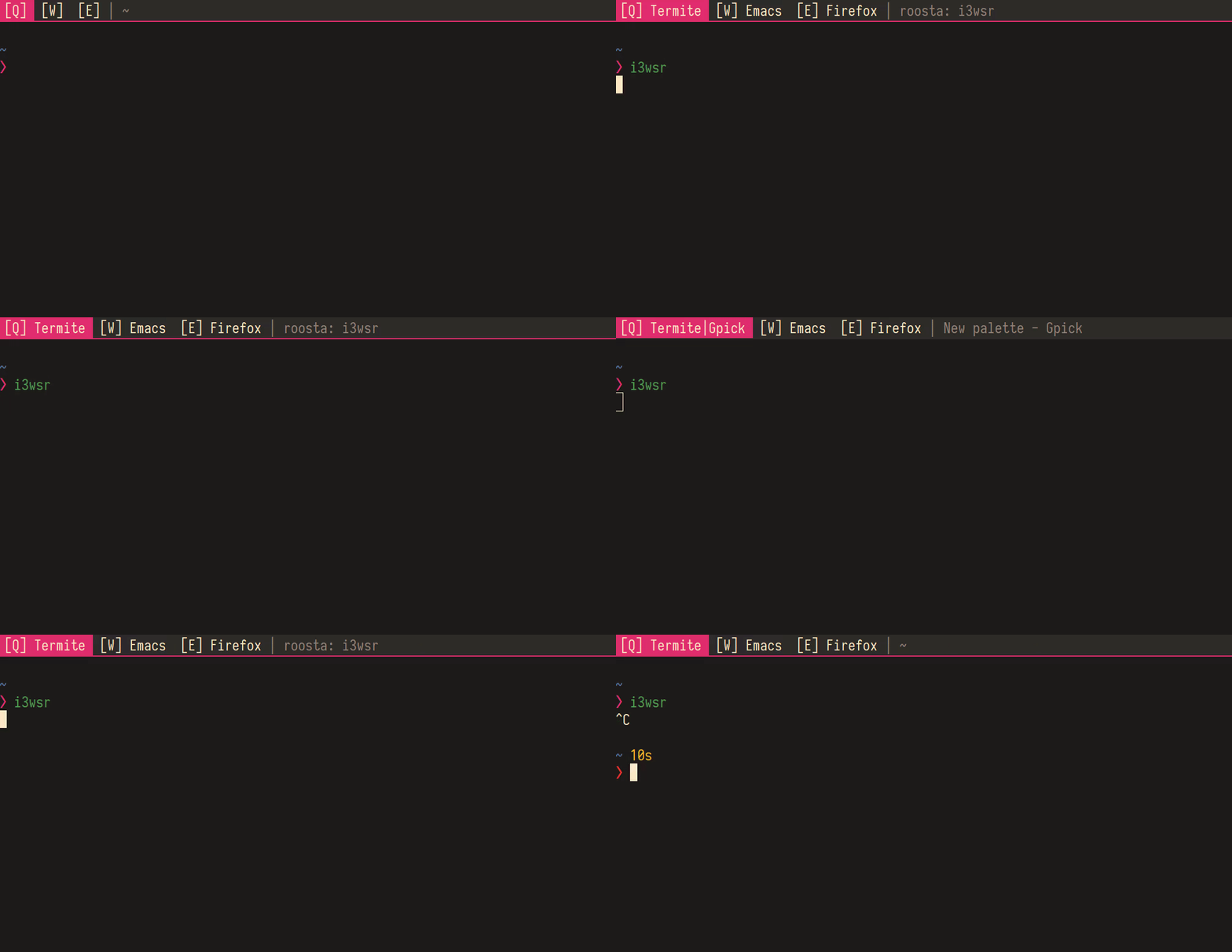
Installation
Rust, and Cargo is
required, and i3wsr can be installed using cargo like so:
Or alternatively, you can build a release binary,
Then place the built binary, located at target/release/i3wsr, somewhere on your $path.
Usage
Just launch the program and it'll listen for events if you are running I3. Another option is to put something like this in your i3 config
exec_always --no-startup-id exec $HOME/.cargo/bin/i3wsr
Configuration
This program depends on numbered workspaces, since we're constantly changing the workspace name. So your I3 configuration need to reflect this:
bindsym $mod+1 workspace number 1
If you're like me and don't necessarily bind your workspaces to only numbers, or you want to keep a part of the name constant you can do like this:
bindsym $mod+q workspace number 1:[Q]
This way the workspace would look something like this when it gets changed:
1:[Q] Emacs|Firefox
You can take this a bit further by using a bar that trims the workspace number and be left with only
[Q] Emacs|Firefox
Test environment
To run the tests Xvfb needs to be installed and run:
Xvfb :99.0
This sets up a headless x server running on DISPLAY :99.0, then some apps needs to be run in this new server:
env DISPLAY=:99.0 gpick
env DISPLAY=:99.0 i3 -c /etc/i3/config
refer to .travis.yml for a CI example
Attribution
This program would not be possible without i3ipc-rs, a rust library for controlling i3-wm through its IPC interface and rust-xcb, a set of rust bindings and wrappers for XCB.