
hx
Futuristic take on hexdump.
hx accepts a file path or stdin as input and outputs a hexadecimal colorized view to stdout.
hx with file path as input, outputting colorized hexadecimal:
hx with stdin as input, outputting colorized hexadecimal:
|



quick links
examples
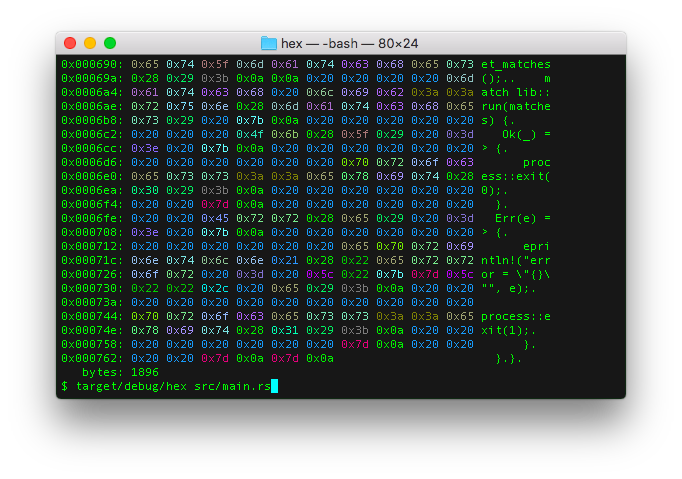
lower hex format -fx
$ hx src/main.rs
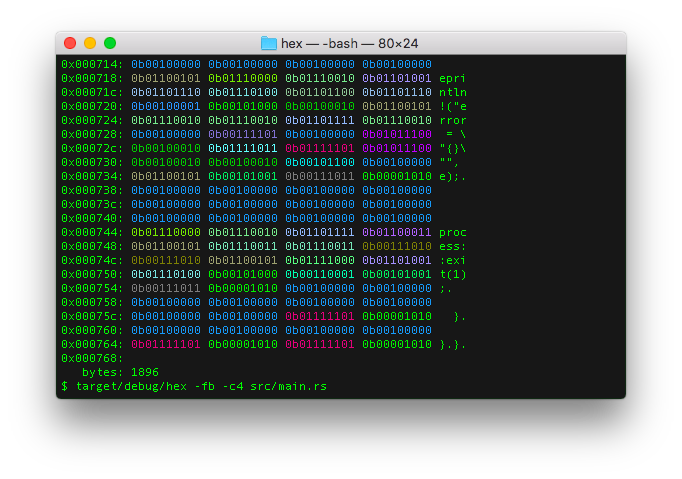
binary hex format -fb
$ hx -fb -c4 src/main.rs
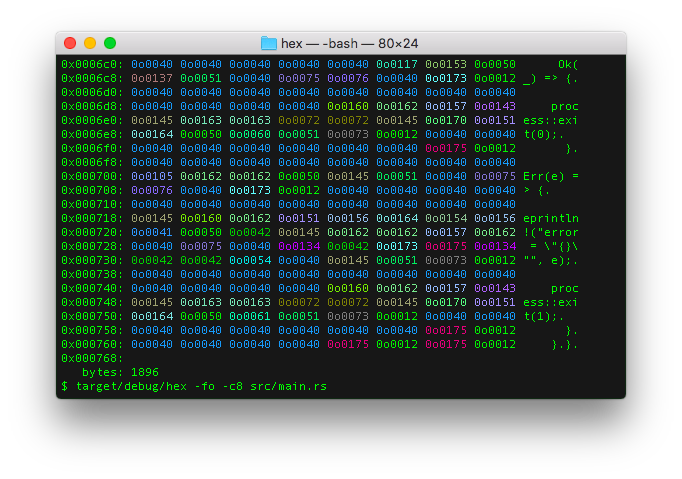
octal hex format -fo
$ hx -fo -c8 src/main.rs
installation
packaging availability
hx is packaged and available for install on the following platforms:

crates.io install
If cargo is already installed, simply:
source install
From within the hx source code directory, simply execute:
This will run the following cargo commands:
Which will compile the release version, run tests and install release binary to <USERDIR>/.cargo/bin/hx.
If <USERDIR>/.cargo/bin is part of the PATH environment variable, hx should be able
executable anywhere in the shell.
arch linux install
debian install
Browse the latest releases to choose VERSION
for use with this debian installation example:
VERSION=0.7.0 && &&
guix install
In an isolated environment:
docker run
# stdin
|
# file input with parameters and NO_COLOR environment variable
&&
features
output arrays in rust, c, golang, python, fsharp, kotlin, java, or swift
hx has a feature which can output the input file bytes as source code arrays.
For example:
rust array: -ar
;
c array: -ac
;
golang array: -ag
python array: -ap
kotlin array: -ak
)
java array: -aj
;
swift array: -as
fsharp array: -af
; ;
|
NO_COLOR support
hx will honor the NO_COLOR environment variable. If set, no color will be output to the terminal.
Rust no_color crate:
help
hx
Futuristic take on hexdump, made in Rust.

USAGE:
    hx [OPTIONS] [INPUTFILE]
    <stdout> | hx [OPTIONS]

FLAGS:
    -h, --help       Prints help information
    -V, --version    Prints version information

OPTIONS:
    -a, --array <array_format>    Set source code format output: rust (r), C (c), golang (g), python (p), kotlin (k),
                                  java (j), swift (s), fsharp (f) [possible values: r, c, g, p, k, j, s, f]
    -t, --color <color>           Set color tint terminal output. 0 to disable, 1 to enable [possible values: 0, 1]
    -c, --cols <columns>          Set column length
    -f, --format <format>         Set format of octet: Octal (o), LowerHex (x), UpperHex (X), Binary (b) [possible
                                  values: o, x, X, b]
    -u, --func <func_length>      Set function wave length
    -l, --len <len>               Set <len> bytes to read
    -p, --places <func_places>    Set function wave output decimal places

ARGS:
    <INPUTFILE>    Pass file path as an argument, or input data may be passed via stdin
license
MIT