# Running Examples
Guido includes several examples that demonstrate different features. Clone the repository and run them to see the library in action.
## Getting the Examples
```bash
git clone https://github.com/zibo/guido.git
cd guido
```
## Running an Example
```bash
cargo run --example <example_name>
```
## Available Examples
### status_bar
A simple status bar demonstrating basic layout and containers.
```bash
cargo run --example status_bar
```

**Features demonstrated:**
- Horizontal flex layout with `SpaceBetween` alignment
- Container backgrounds and corner radius
- Text widgets
---
### reactive_example
Interactive example showing the reactive system.
```bash
cargo run --example reactive_example
```

**Features demonstrated:**
- Signals and reactive text
- Click handlers with `on_click`
- Scroll handlers with `on_scroll`
- Background thread updates
- State layer hover effects
- Borders and gradients
---
### state_layer_example
Comprehensive demonstration of the state layer API.
```bash
cargo run --example state_layer_example
```
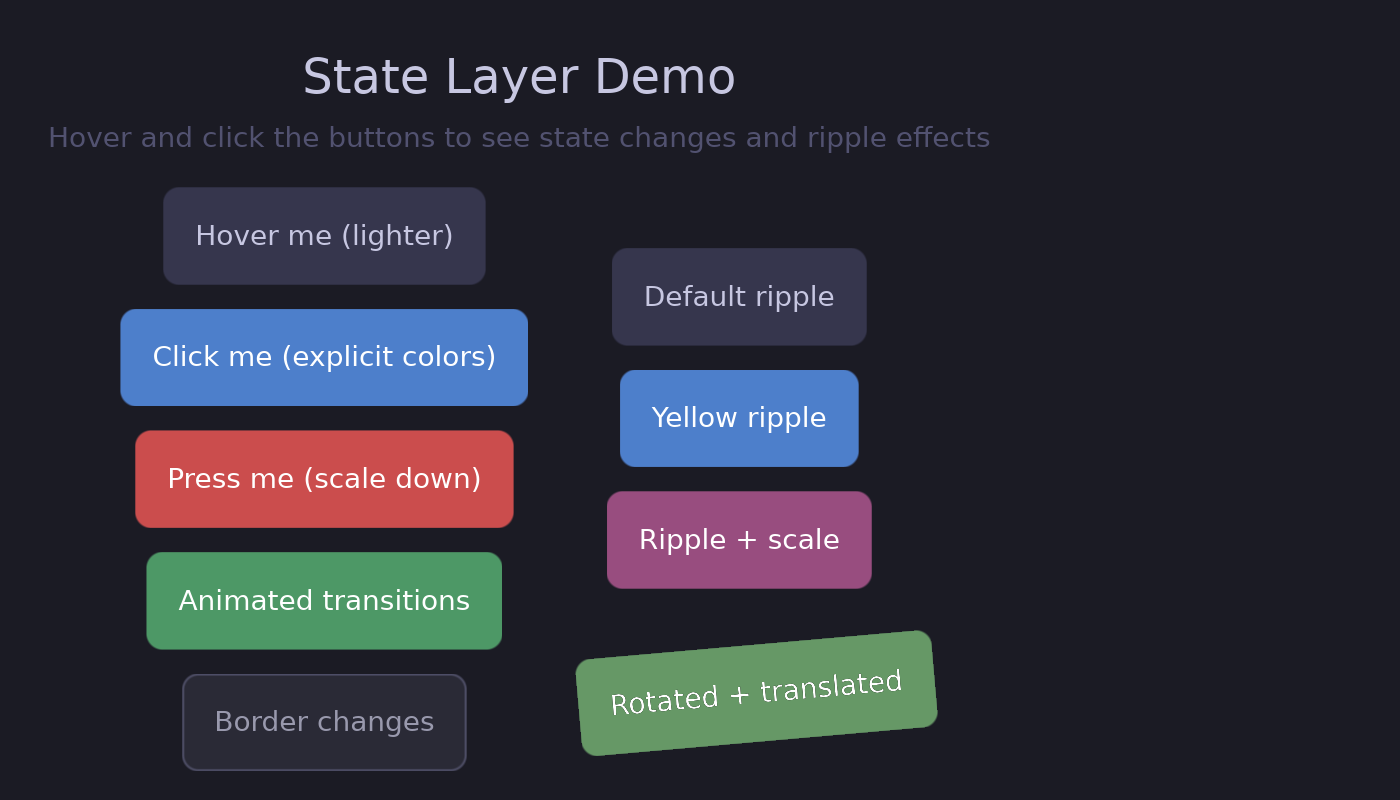
**Features demonstrated:**
- Hover states with `lighter()` and explicit colors
- Pressed states with transforms
- Animated transitions
- Border animations
- Ripple effects (default, colored, with scale)
- Transformed containers with ripples
---
### animation_example
Animated properties with spring physics.
```bash
cargo run --example animation_example
```
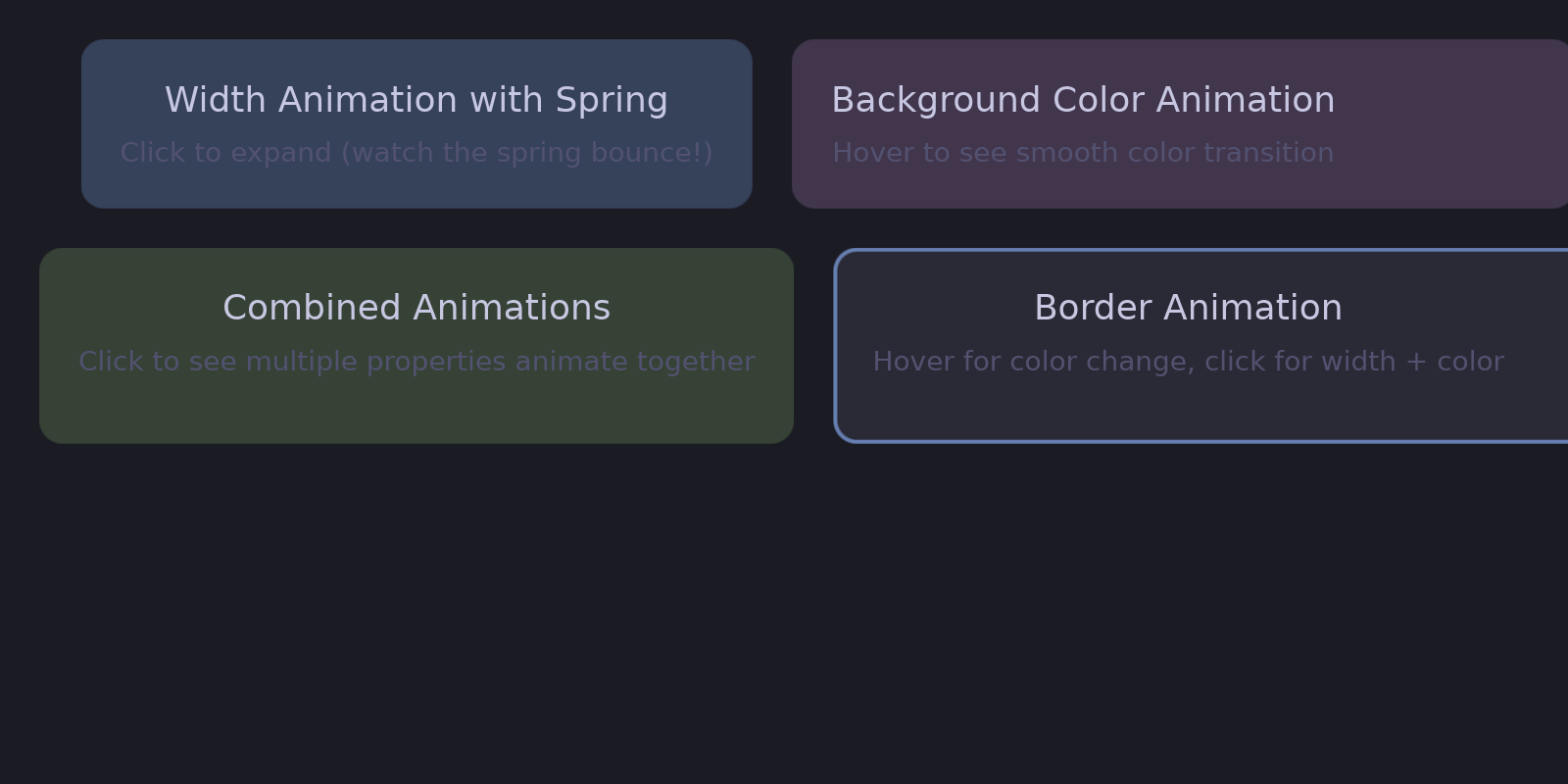
**Features demonstrated:**
- Width animation with spring physics
- Color animation with easing
- Combined animations
- Border animation
---
### transform_example
The 2D transform system.
```bash
cargo run --example transform_example
```

**Features demonstrated:**
- Static rotation and scale
- Click-to-rotate with animation
- Spring-based scale animation
- Transform origins (pivot points)
- Nested transforms
---
### showcase
Corner curvature variations using superellipse rendering.
```bash
cargo run --example showcase
```
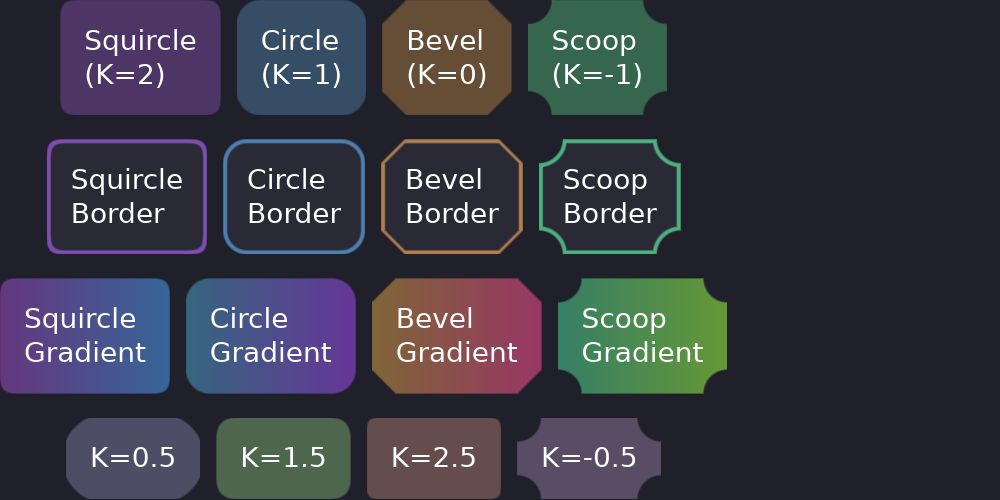
**Features demonstrated:**
- Squircle corners (iOS-style, K=2)
- Circular corners (default, K=1)
- Beveled corners (K=0)
- Scooped/concave corners (K=-1)
- Borders and gradients with different curvatures
---
### flex_layout_test
All flex layout alignment options.
```bash
cargo run --example flex_layout_test
```
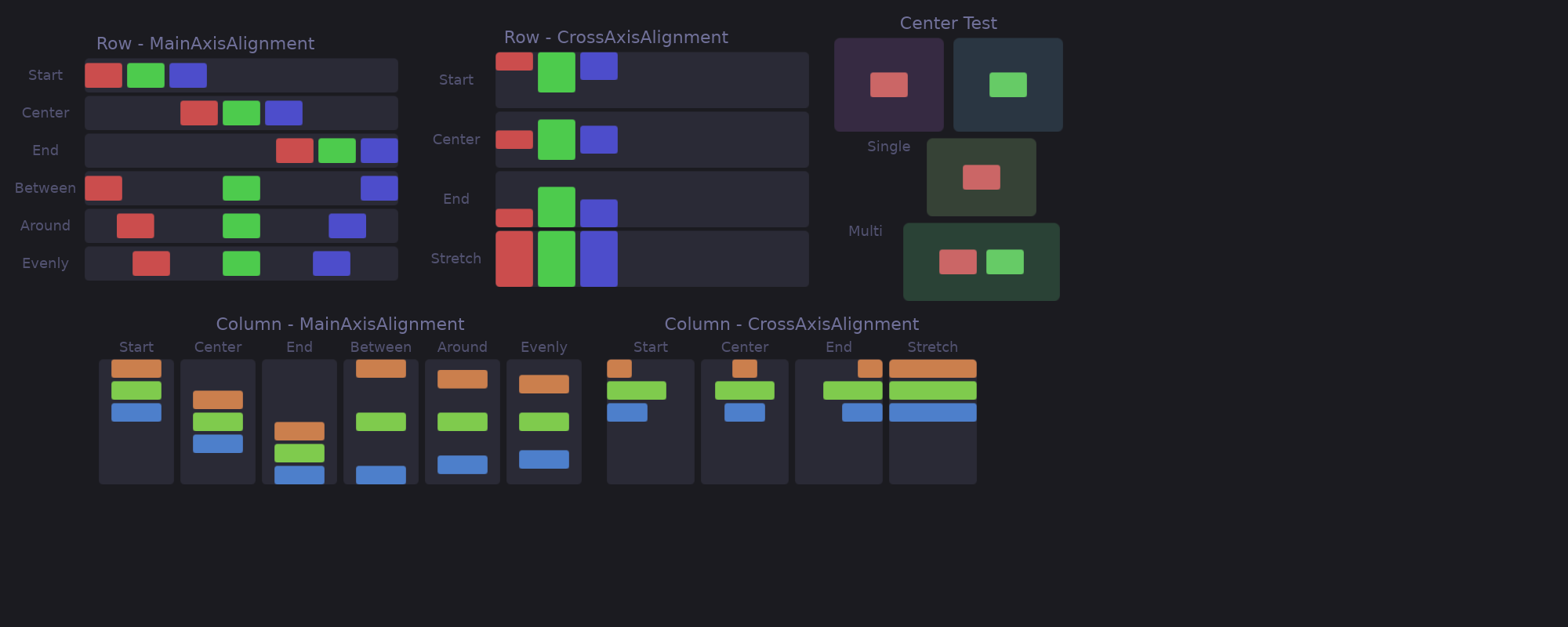
**Features demonstrated:**
- `MainAlignment`: Start, Center, End, SpaceBetween, SpaceAround, SpaceEvenly
- `CrossAlignment`: Start, Center, End, Stretch
- Row and column layouts
---
### baseline_alignment
The four cross alignments on the same row, so the difference is visible.
```bash
cargo run --example baseline_alignment
```
**Features demonstrated:**
- `CrossAlignment::Baseline`: text of different sizes reading as one line
- The pair worth comparing is `End` and `Baseline` — one aligns the boxes,
the other the line the text is written on
- A box carries no baseline, so it aligns by its bottom edge
---
### component_example
Creating reusable components with the `#[component]` macro.
```bash
cargo run --example component_example
```
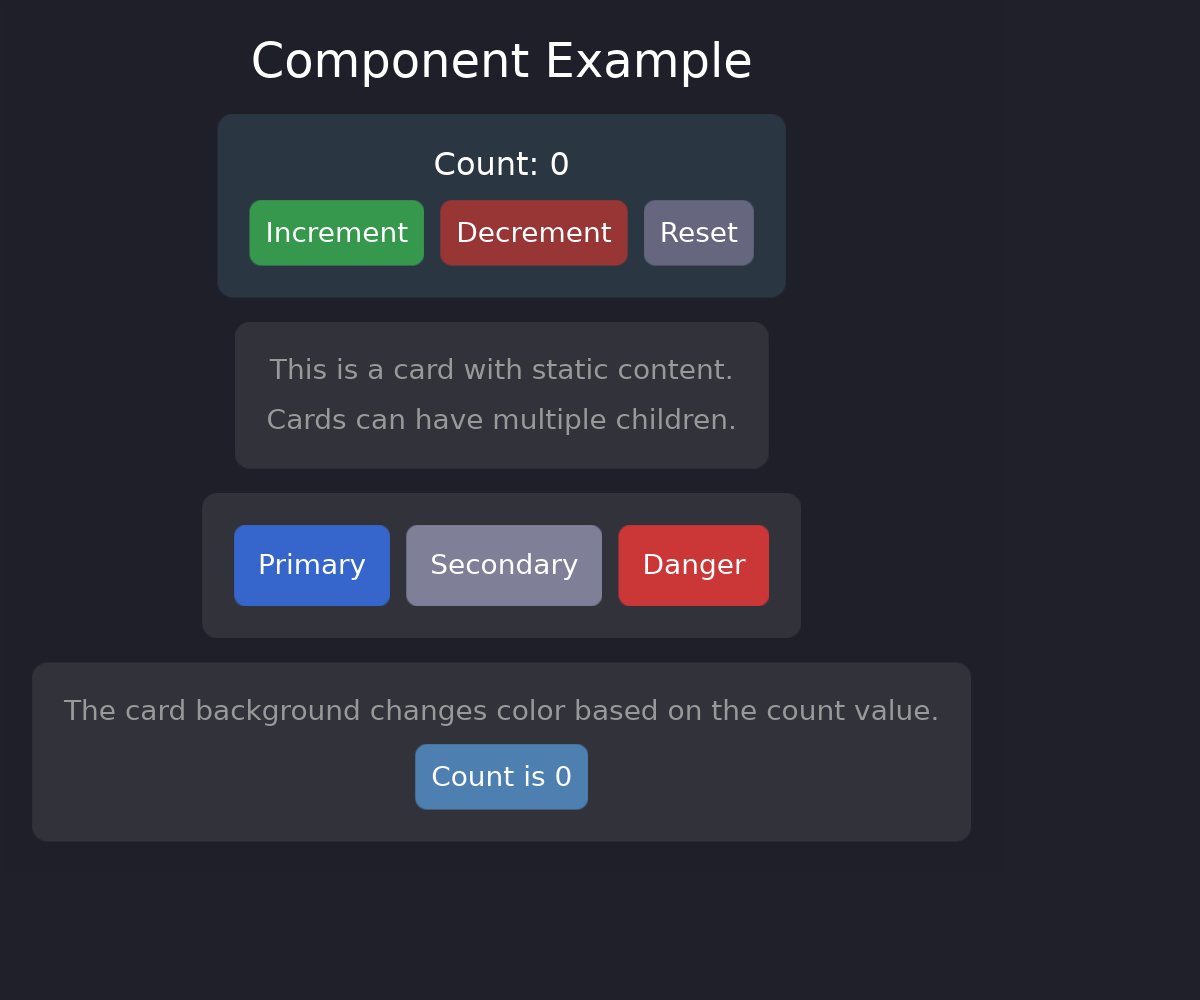
**Features demonstrated:**
- `#[component]` macro for reusable widgets
- Component props and signals
- Stateful components with internal signals
- Composition of components
---
### children_example
Dynamic children and child management patterns.
```bash
cargo run --example children_example
```
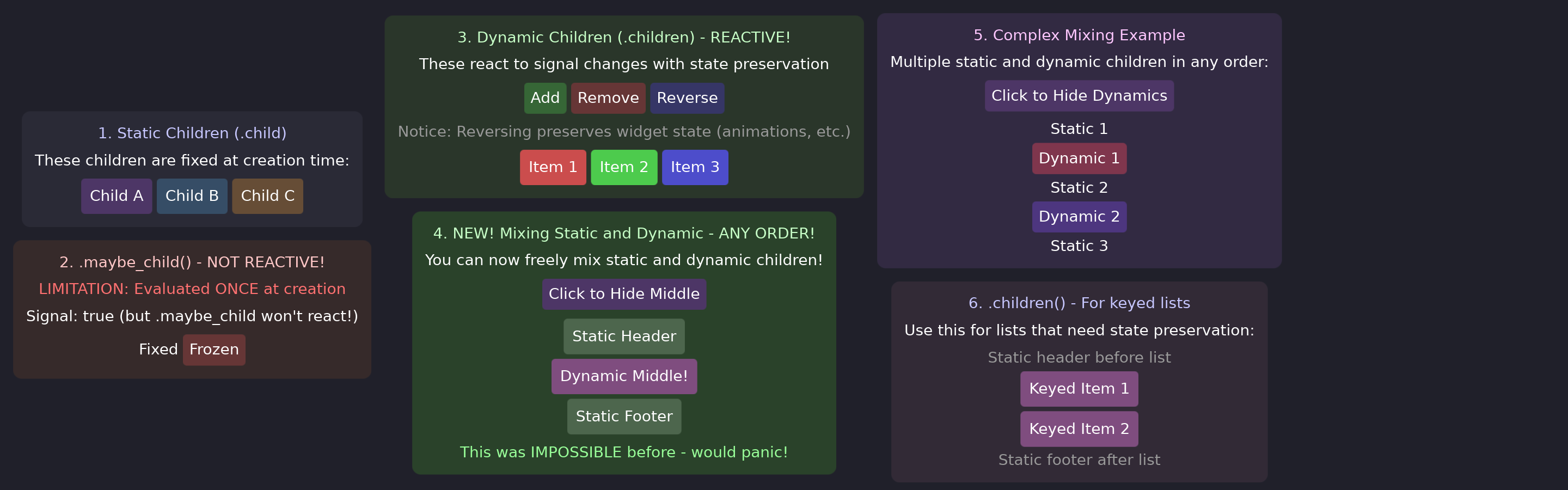
**Features demonstrated:**
- `.child()` for single children
- `.children([...])` for multiple children
- `.child(Option)` for conditional rendering
- `.children(keyed(..))` for reactive lists
---
### shadow_example
Every degree of freedom a `Shadow` has, and where a ladder of them lives.
```bash
cargo run --example shadow_example
```
**Features demonstrated:**
- A ladder of shadows defined by the application, as `const` values
- A shadow thrown sideways, a coloured one, and one with spread — none of which
a single elevation number could ask for
- A hover that lifts a card, with the motion declared beside the value
---
### image_example
Displaying raster and SVG images.
```bash
cargo run --example image_example
```
**Features demonstrated:**
- PNG/WebP raster images
- SVG vector images
- ContentFit modes (Contain, Cover, Fill)
- Images with transforms
---
### scroll_example
Scrollable containers with customizable scrollbars.
```bash
cargo run --example scroll_example
```
**Features demonstrated:**
- Vertical and horizontal scrolling
- Custom scrollbar styling (colors, width, radius)
- Hidden scrollbars
- Kinetic/momentum scrolling
---
### scroll_mixed_content
Advanced scrollable container with mixed content types.
```bash
cargo run --example scroll_mixed_content
```
**Features demonstrated:**
- Text widgets inside scrollable containers
- Text input widgets with form fields
- Raster and SVG images in scrollable content
- Interactive elements with hover states and ripples
- Vertical and horizontal scrolling together
- Scrollbar customization with different styles
---
### multi_surface
Multiple surfaces with shared reactive state.
```bash
cargo run --example multi_surface
```
**Features demonstrated:**
- Creating multiple layer shell surfaces
- Shared reactive signals between surfaces
- Independent surface configuration
---
### surface_properties_example
Dynamic surface property modification at runtime.
```bash
cargo run --example surface_properties_example
```
**Features demonstrated:**
- Changing layer at runtime
- Modifying keyboard interactivity
- Adjusting anchor and size dynamically
---
### text_input_example
Text input widgets with editing capabilities.
```bash
cargo run --example text_input_example
```
**Features demonstrated:**
- Single and multiline text input
- Cursor and selection styling
- Placeholder text
- Focus states
## Exploring the Code
Each example's source code is in the `examples/` directory. Reading through them is a great way to learn Guido patterns:
```bash
# View an example's source
cat examples/reactive_example.rs
```
## Next Steps
After exploring the examples, dive deeper into the concepts:
- [Core Concepts](../concepts/README.md) - Understand the reactive model
- [Building UI](../building-ui/README.md) - Master styling and layout
- [Interactivity](../interactivity/README.md) - Add hover states and events
---
### service_example
Background services with automatic cleanup.
```bash
cargo run --example service_example
```
**Features demonstrated:**
- `create_service` for background threads
- Bidirectional communication with commands
- Read-only services for periodic updates
- Automatic cleanup when component unmounts