# ghpending
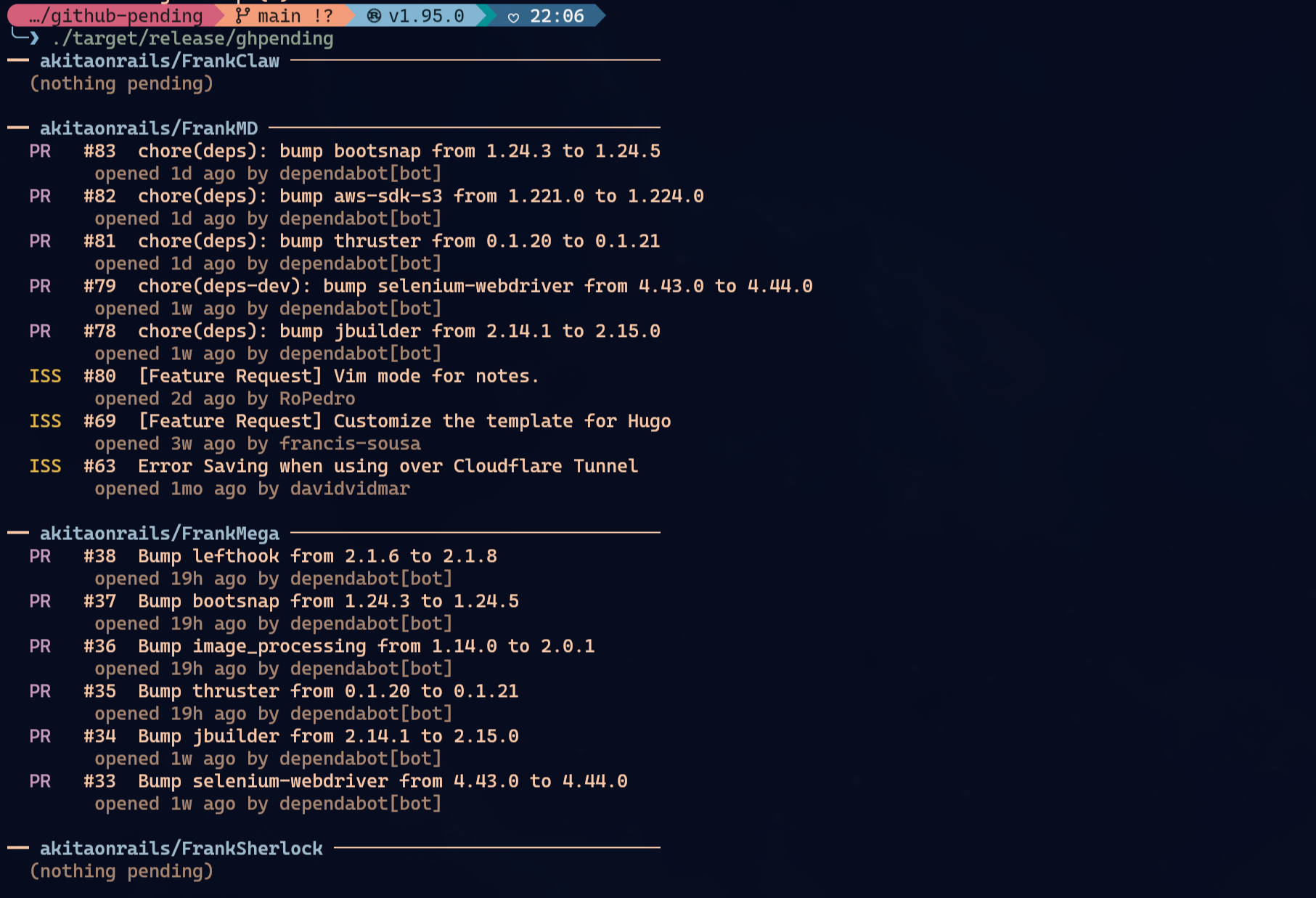
See open issues and pull requests across the GitHub repos you care about, at a glance.
## Install
### Homebrew (macOS / Linux)
```sh
brew tap akitaonrails/tap && brew install ghpending
```
### Arch Linux (AUR)
```sh
yay -S ghpending-bin # prebuilt x86_64 binary, fastest
yay -S ghpending # builds from source, x86_64/aarch64
```
### Cargo
```sh
cargo install ghpending
```
### mise
```sh
mise use -g github:akitaonrails/ghpending
```
### From source
```sh
git clone https://github.com/akitaonrails/ghpending
cargo install --path ghpending
```
## Upgrading
```sh
# Homebrew
brew upgrade ghpending
# AUR (any helper that respects upstream changes)
yay -Syu ghpending-bin
# Cargo
cargo install ghpending --force
# mise
mise upgrade ghpending
# From source
cd ghpending && git pull && cargo install --path .
```
## Usage
```sh
ghpending add # pick repos from the saved user/org to track
ghpending add --user <name> # switch to a different user/org (replaces the saved one)
ghpending add --all # pick from every repo your token can reach (private included)
ghpending # print the digest
ghpending list # show tracked repos
ghpending rm # remove repos from the list
```
- `ghpending add` — lists repos and lets you select which to track. The username is saved so subsequent `add` runs skip the prompt. Pass `--user <name>` to switch to a different user/org without editing the config; it replaces the saved one.
- **Private repos:** with a `GITHUB_TOKEN` that has the `repo` scope, `add` includes private repos automatically when the target is your own account or an org you belong to. For a third-party user only their public repos are visible.
- `--all` lists every repo your token can reach — owned, collaborator and organization-member, private included — in a single picker, ignoring the saved user. Use it to grab private repos you collaborate on across different owners.
- `ghpending` — fetches all tracked repos concurrently and prints a digest of open issues and pull requests.
- `ghpending list` — prints the repos currently in your watch list.
- `ghpending rm` — opens an interactive menu to select repos to remove from tracking.
## Authentication (optional)
Everything works unauthenticated for public repos, subject to GitHub's default 60 requests/hour rate limit. Set `GITHUB_TOKEN` to raise that to 5,000 requests/hour:
```sh
GITHUB_TOKEN=$(gh auth token) ghpending
```
The token is read silently at startup — no configuration needed. To track **private** repos (and have them show up in `ghpending add`), the token needs the `repo` scope (classic) or read access to the repo's Contents, Issues and Pull requests (fine-grained).
### GitHub API proxy (optional)
If a SOCKS proxy is already listening at `127.0.0.1:9050`, `ghpending` uses it for GitHub API calls and falls back to direct API access when it is not available. You can also force a SOCKS proxy with `GHPENDING_GITHUB_PROXY=socks5h://host:port`; existing `HTTPS_PROXY` / `ALL_PROXY` values are honored when they use `socks5` or `socks5h`.
## Config
The config file lives at:
- Linux: `~/.config/ghpending/config.toml`
- macOS: `~/Library/Application Support/ghpending/config.toml`
Example:
```toml
user = "akitaonrails"
repos = ["ratatui-org/ratatui", "tokio-rs/tokio"]
```
Run `ghpending add --user <name>` to change the `user` field, or edit the file directly to reorder repos.
## Themes
Pass `--theme nerv` on the command line (any subcommand) or set `theme = "nerv"` in the config file to switch to the Evangelion/NERV palette. The flag takes priority over the config field when both are set.
```toml
user = "akitaonrails"
repos = ["ratatui-org/ratatui"]
theme = "nerv"
```
## License
MIT