# Fluix 开发总结

## 🎉 完成的功能

### 1. Icon 组件 - SVG 图标支持 ✅

**实现方式**:
- 使用 `rust-embed` 嵌入 SVG 资源到二进制
- 实现 `AssetSource` trait 加载资源
- 通过 `svg().path()` 渲染 SVG

**包含的图标**(22 个):
- **导航**: ArrowLeft, ArrowRight, ArrowUp, ArrowDown, ChevronUpDown, UnfoldMore
- **操作**: Check, Close, Plus, Minus, Search
- **界面**: Settings, Home, User, Bell, Star, Heart, Menu
- **状态**: Info, Warning, Error, Success

**使用方法**:
```rust
Icon::new(IconName::UnfoldMore)
    .medium()
    .color(rgb(0x666666))
```

### 2. Select 组件 - 完整功能 ✅

**功能**:
- ✅ 单选模式
- ✅ 多选模式(带复选框和标签)
- ✅ 分组选项
- ✅ 占位符
- ✅ 下拉箭头图标(SVG)
- ✅ 自定义样式

**使用方法**:
```rust
Select::new("my-select")
    .placeholder("选择选项")
    .multiple(true)
    .options(vec![
        SelectOption::new("1", "选项 1"),
        SelectOption::new("2", "选项 2"),
    ])
```

### 3. 示例程序 ✅

- **icon_demo** - 展示所有图标(可滚动)
- **select_demo** - 展示 Select 组件的各种用法
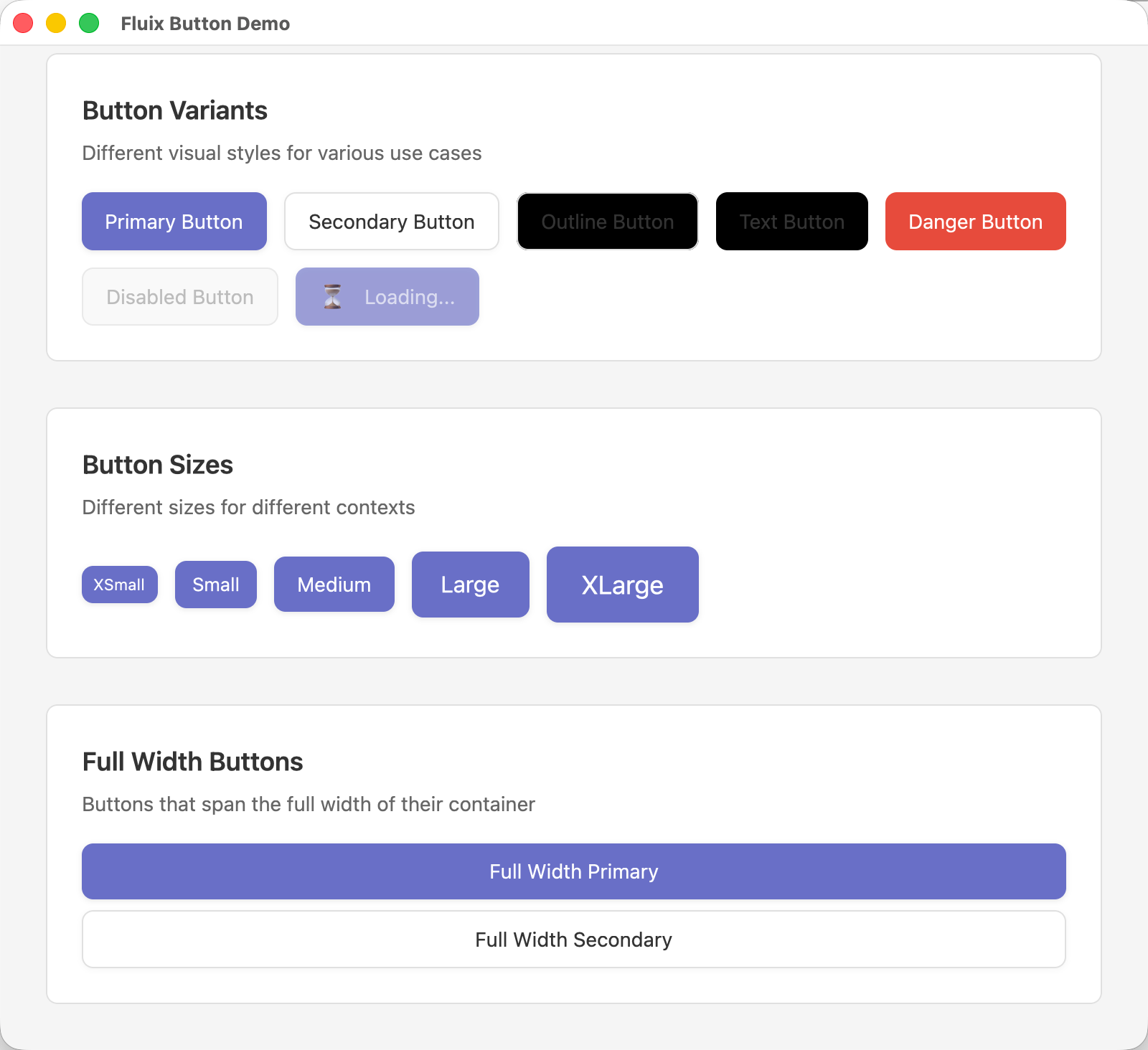
- **button_demo** - 展示 Button 组件

## 🔑 关键技术突破

### SVG 图标加载问题的解决

**问题**:
- `svg().path()` 无法直接从文件系统加载 SVG
- 图标不显示

**根本原因**:
- GPUI 通过 `AssetSource` 加载资源,不是直接读文件
- 没有注册 `AssetSource`,`load()` 返回 `None`

**解决方案**:
1. 添加 `rust-embed` 依赖
2. 创建 `assets/icons/` 目录存放 SVG
3. 实现 `AssetSource` trait
4. 在应用启动时调用 `.with_assets(fluix::Assets)`

**代码**:
```rust
// 1. 实现 AssetSource
#[derive(RustEmbed)]
#[folder = "assets"]
#[include = "icons/**/*"]
pub struct Assets;

impl AssetSource for Assets {
    fn load(&self, path: &str) -> Result<Option<Cow<'static, [u8]>>> {
        Ok(Self::get(path).map(|f| f.data))
    }
    // ...
}

// 2. 注册到应用
Application::new()
    .with_assets(fluix::Assets)  // ← 关键!
    .run(|cx| { ... });

// 3. 使用图标
svg().path("icons/unfold-more.svg")
```

### 滚动容器的实现

**问题**:
- icon_demo 窗口内容过多,无法查看所有图标

**解决方案**:
```rust
struct IconDemo {
    scroll_handle: ScrollHandle,  // 1. 添加 ScrollHandle
}

impl Render for IconDemo {
    fn render(&mut self, _: &mut Window, _cx: &mut Context<Self>) -> impl IntoElement {
        div()
            .size_full()
            .overflow_hidden()  // 2. 外层隐藏溢出
            .child(
                div()
                    .id("scroll-container")  // 3. 需要 ID
                    .size_full()
                    .overflow_y_scroll()  // 4. 内层可滚动
                    .track_scroll(&self.scroll_handle)  // 5. 跟踪滚动
                    .child(/* 内容 */)
            )
    }
}
```

## 📁 项目结构

```
fluix/
├── assets/
│   └── icons/              # SVG 图标文件(21 个)
│       ├── arrow-down.svg
│       ├── unfold-more.svg
│       └── ...
├── src/
│   ├── assets.rs           # AssetSource 实现
│   ├── components/
│   │   ├── basic/
│   │   │   ├── button.rs
│   │   │   └── icon.rs     # Icon 组件
│   │   └── form/
│   │       └── select.rs   # Select 组件
│   ├── theme/
│   └── lib.rs
├── examples/
│   ├── icon_demo.rs        # 图标展示(可滚动)
│   ├── select_demo.rs      # Select 组件演示
│   └── button_demo.rs
├── docs/
│   ├── ASSET_LOADING_GUIDE.md      # 资源加载完整指南
│   ├── ICON_SOLUTION_SUMMARY.md    # SVG 加载解决方案
│   ├── ZED_ICON_PATTERN.md         # Zed 的实现模式
│   └── FINAL_SUMMARY.md            # 本文档
└── README.md
```

## 📚 文档

创建的文档:
1. **ASSET_LOADING_GUIDE.md** - GPUI 资源加载完整指南
2. **ICON_SOLUTION_SUMMARY.md** - SVG 图标加载问题解决方案
3. **ZED_ICON_PATTERN.md** - 学习 Zed 的图标实现模式
4. **ICON_SVG_LOADING_ISSUE.md** - 问题记录和解决过程
5. **ICON_FONT_GUIDE.md** - 图标字体指南(参考)
6. **ICON_IMPLEMENTATION.md** - Icon 组件实现说明

## 🎯 使用指南

### 1. 添加依赖

```toml
[dependencies]
fluix = { git = "https://github.com/lipish/fluix" }
rust-embed = "8"  # 如果需要自定义资源
```

### 2. 注册资源(重要!)

```rust
fn main() {
    let app = Application::new()
        .with_assets(fluix::Assets);  // ← 必须!

    app.run(|cx| {
        // ...
    });
}
```

### 3. 使用组件

```rust
// Icon
Icon::new(IconName::UnfoldMore)
    .medium()
    .color(rgb(0x666666))

// Select
Select::new("my-select")
    .placeholder("选择...")
    .multiple(true)
    .options(vec![
        SelectOption::new("1", "选项 1"),
    ])
```

## 🔧 添加新图标

1. 将 SVG 文件放到 `assets/icons/`
2. 在 `IconName` 枚举中添加新项
3. 在 `path()` 方法中添加路径映射
4. 重新编译(rust-embed 会自动包含)

**SVG 要求**:
```xml
<svg xmlns="http://www.w3.org/2000/svg"
     fill="none"
     viewBox="0 0 24 24"
     stroke-width="1.5"
     stroke="currentColor">
  <path stroke-linecap="round"
        stroke-linejoin="round"
        d="..." />
</svg>
```

- 使用 `stroke="currentColor"` 支持颜色定制
- 使用 `fill="none"` 用于线条图标
- 标准 viewBox: `0 0 24 24`

## 🙏 致谢

感谢提供的技术支持和 Zed 源代码分析,帮助我们:
1. 理解了 GPUI 的 `AssetSource` 机制
2. 找到了正确的 SVG 加载方式
3. 学习了 Zed 的实现模式

## 📊 统计

- **组件数量**: 3 个(Icon, Select, Button)
- **图标数量**: 22 个 SVG 图标
- **示例程序**: 3 个
- **文档页面**: 7 个
- **代码行数**: ~2000+ 行

## 🚀 下一步

可能的改进方向:
1. 添加更多图标(从 Heroicons 或 Lucide)
2. 实现更多表单组件(Input, Checkbox, Radio 等)
3. 添加布局组件(Grid, Stack 等)
4. 实现主题系统
5. 添加动画支持
6. 改进 Select 组件的外部点击关闭逻辑

## 🎊 总结

通过这次开发,我们:
- ✅ 成功实现了 SVG 图标加载
- ✅ 完善了 Select 组件功能
- ✅ 创建了完整的文档
- ✅ 学习了 GPUI 的资源加载机制
- ✅ 理解了 Zed 的实现模式

Fluix 现在是一个功能完整、文档齐全的 GPUI UI 组件库!🎉