# fenestra
A pure-Rust native GUI framework with web-grade aesthetics — and first-class
headless rendering, so both humans and AI coding agents can *see* what they
build.
**[▶ Try the live demo](https://richer-richard.github.io/fenestra/)** — the
dashboard and widget galleries running in your browser via WebGPU. No DOM,
no CSS: every pixel is vello on wgpu, the same code as the native window.
**[Read the book](https://richer-richard.github.io/fenestra/book/)** for
the guided tour.
| 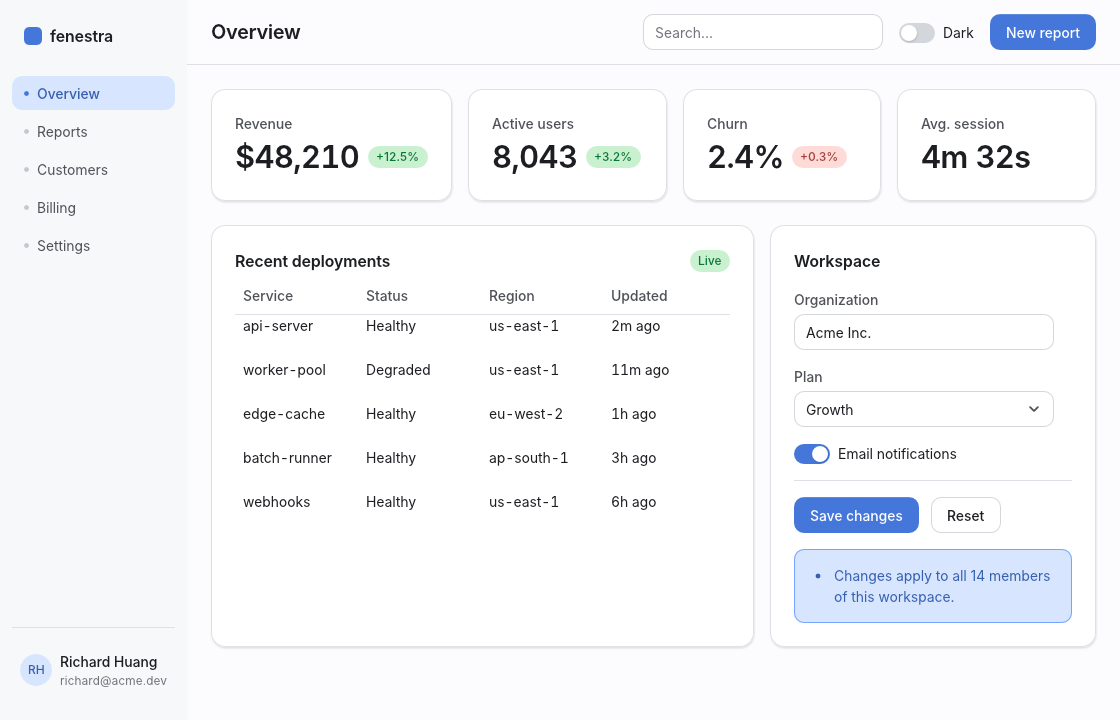 | 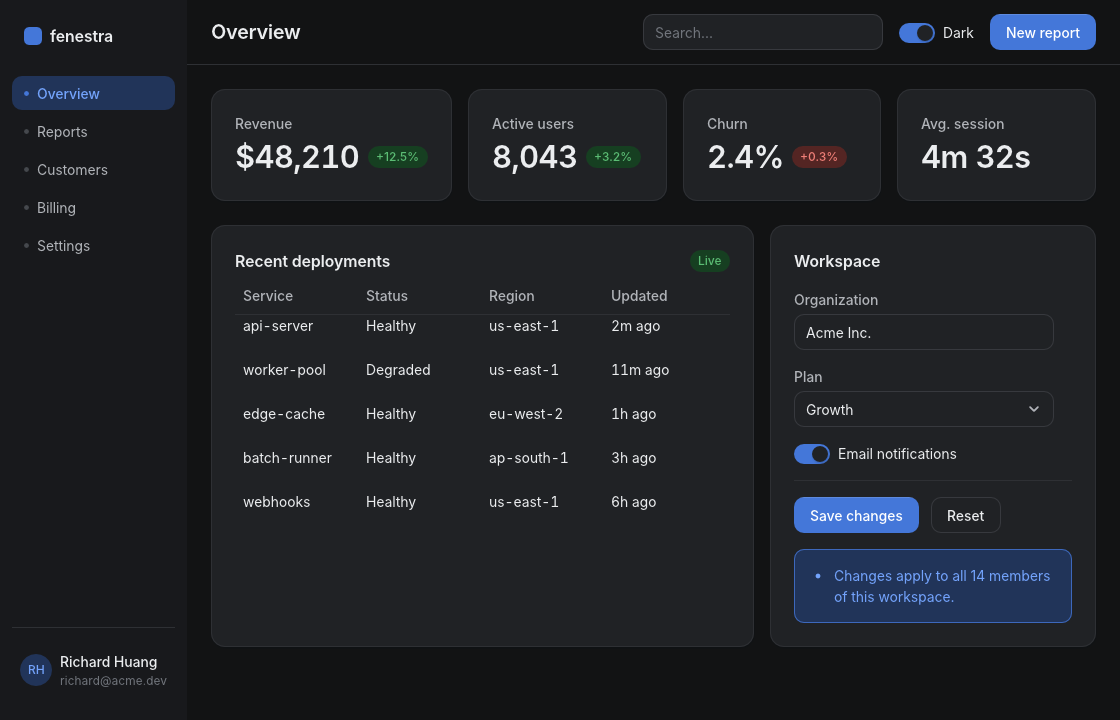 |
No browser. No webview. No HTML or CSS parser. fenestra draws everything
itself with [vello] on wgpu, lays out with [taffy] (flexbox + grid), shapes
text with [parley], and ships a themed widget kit that looks like a polished
modern web app: layered soft shadows, OKLCH color ramps, real typographic
hierarchy, hover/focus transitions, and first-class light and dark themes.
[vello]: https://github.com/linebender/vello
[taffy]: https://github.com/DioxusLabs/taffy
[parley]: https://github.com/linebender/parley
## Quickstart
```rust
use fenestra::prelude::*;
struct Counter { n: i64 }
#[derive(Clone)]
enum Msg { Inc, Dec }
impl App for Counter {
type Msg = Msg;
fn update(&mut self, msg: Msg) {
match msg { Msg::Inc => self.n += 1, Msg::Dec => self.n -= 1 }
}
fn view(&self) -> Element<Msg> {
col().p(SP6).gap(SP4).items_center().children([
text(self.n.to_string()).size(TextSize::Xl2).weight(Weight::Semibold),
row().gap(SP3).children([
button("Decrement").variant(ButtonVariant::Secondary).on_click(Msg::Dec),
button("Increment").on_click(Msg::Inc),
]),
])
}
}
fn main() { fenestra::run(Counter { n: 0 }, WindowOptions::titled("Counter")) }
```
`cargo add fenestra`, paste, `cargo run`. Or start from the template —
`cargo generate richer-richard/fenestra-template` — which includes a
headless UI test and CI. The whole view is rebuilt, laid out, and
repainted on every redraw — no diffing, no macros, everything
autocompletes.
## Agents can see what they build
Rendering `(element tree, theme, size)` to pixels is a pure function, and it
runs without a window or display server:
```rust
use fenestra::shell::{SyntheticEvent, render_app, render_element};
// A picture of any element tree:
let image = render_element(my_view(), &Theme::dark(), (800, 600));
image.save("preview.png")?;
// Or drive a full app with scripted input and look at the result:
let image = render_app(
&mut app,
&[
SyntheticEvent::MouseMove { x: 50.0, y: 34.0 },
SyntheticEvent::MouseDown,
SyntheticEvent::MouseUp,
SyntheticEvent::Text("hello".into()),
],
(800, 600),
&Theme::light(),
);
assert_eq!(app.value, "hello");
```
Headless rendering is deterministic (embedded fonts, fixed scale, reduced
motion), which makes pixel-exact golden tests practical — fenestra's own
widget kit is tested this way, on CI, with no GPU display attached.
**The verification envelope, stated plainly.** A headless render is a
deliberate *subset* of the live window — that subset is what makes it
deterministic — so trust it accordingly. It uses the embedded fonts (Inter
covers Latin; the real monospace, CJK, emoji, and RTL faces come from the OS
and so appear only in a real window), forces reduced motion, and is
referenced against one GPU backend (macOS/Metal; Linux/lavapipe within a
wider tolerance). The full Liquid-Glass optics — backdrop blur, edge lensing,
adaptive vibrancy — render only in the headless/golden path; the live
single-pass window shows the translucent tint plus the specular rim and
sheen. So headless is the right oracle for layout, semantics, color, and the
large majority of pixels — but confirm non-Latin/monospace text and full
glass in a window. On the web target, AccessKit, the OS clipboard, and the
glass passes are compiled out.
**Working with an AI agent?** [AGENTS.md](AGENTS.md) is the manual for the
build → render → look → verify loop (and [llms.txt](llms.txt) for
context loaders).
## Philosophy: web aesthetics without the web platform
The web's *look* — soft elevation, tinted neutrals, OKLCH ramps, 4px-grid
spacing, focus rings, 120–300ms easing — is the best-tested visual language
in software. The web *platform* is a heavy way to get it. fenestra encodes
that language as typed Rust values: a `Theme` generated from one accent hue,
spacing/radius/shadow/motion tokens, and a builder vocabulary (`row()`,
`.p(SP4)`, `.rounded(R_MD)`, `.shadow(ShadowToken::Sm)`) small enough to
memorize and regular enough for rust-analyzer (or a language model) to
autocomplete. Every widget routes every color through the theme; flip one
`Mode` and the whole app is dark.
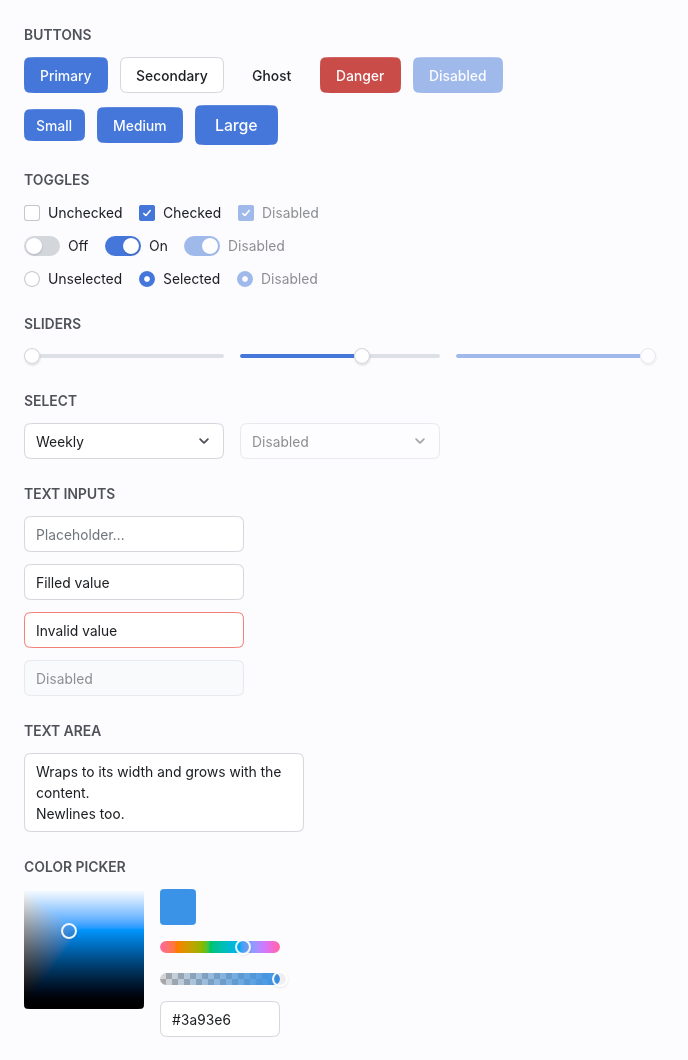
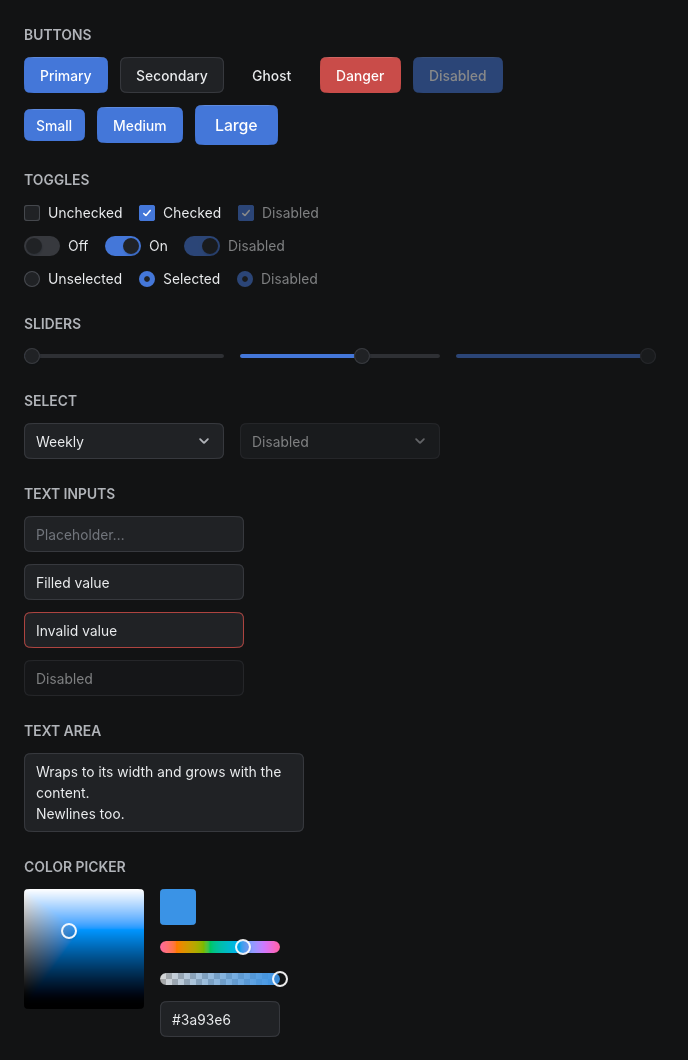
## The kit
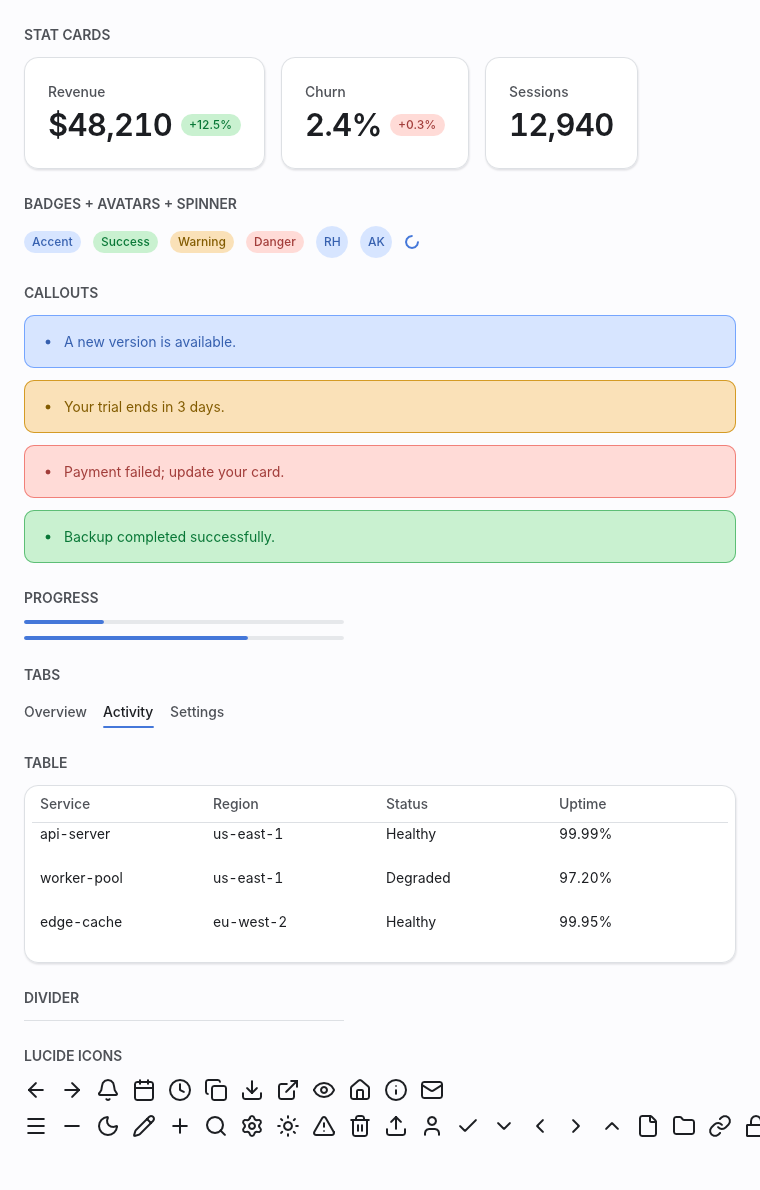
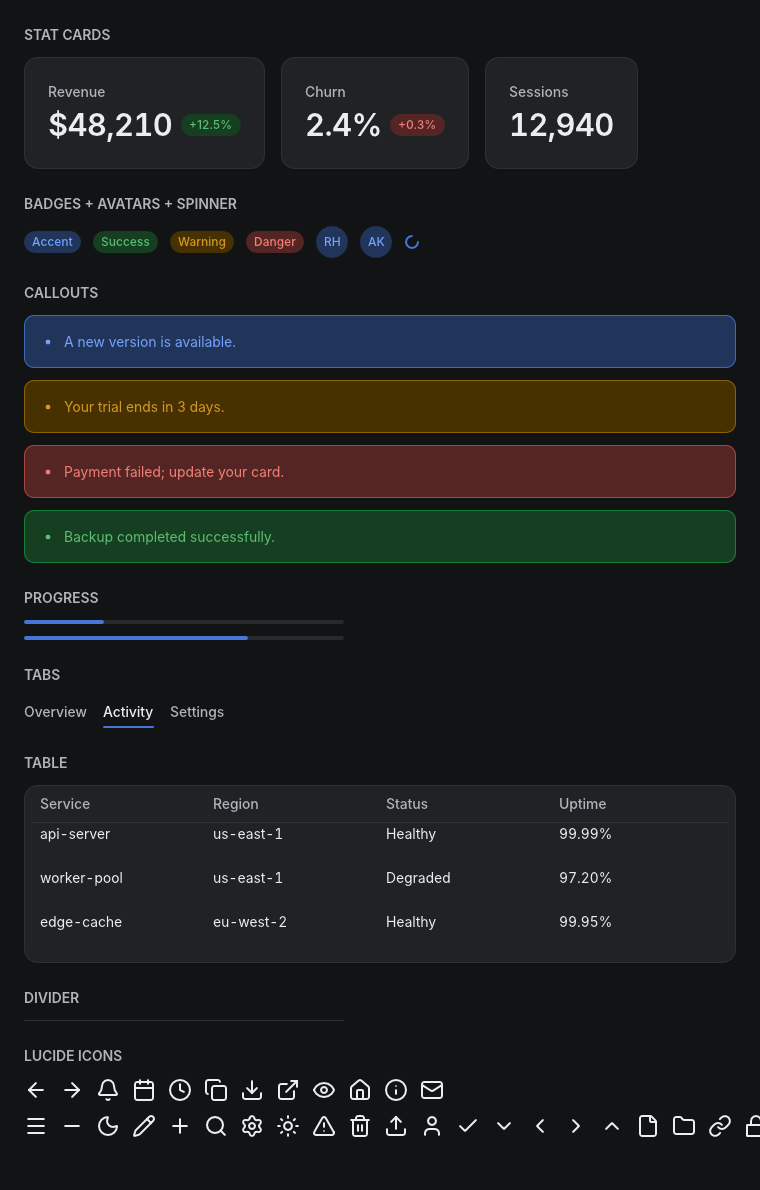
Button, IconButton, Checkbox, Switch, Radio, Slider, SegmentedControl,
TextInput (parley editing, clipboard, IME), TextArea (multiline,
auto-growing), Select, Tooltip, Modal (focus trap + backdrop), Toasts, Tabs,
Card, StatCard, Badge, Avatar, StatusIndicator (with a live pulse), Kbd
key-caps, Skeleton loaders, Divider, Progress (including a Material-3
Expressive wavy bar), Spinner, Table, Callout, and a vendored Lucide icon
subset — every state, both themes:
|  |  |
|  |  |
| 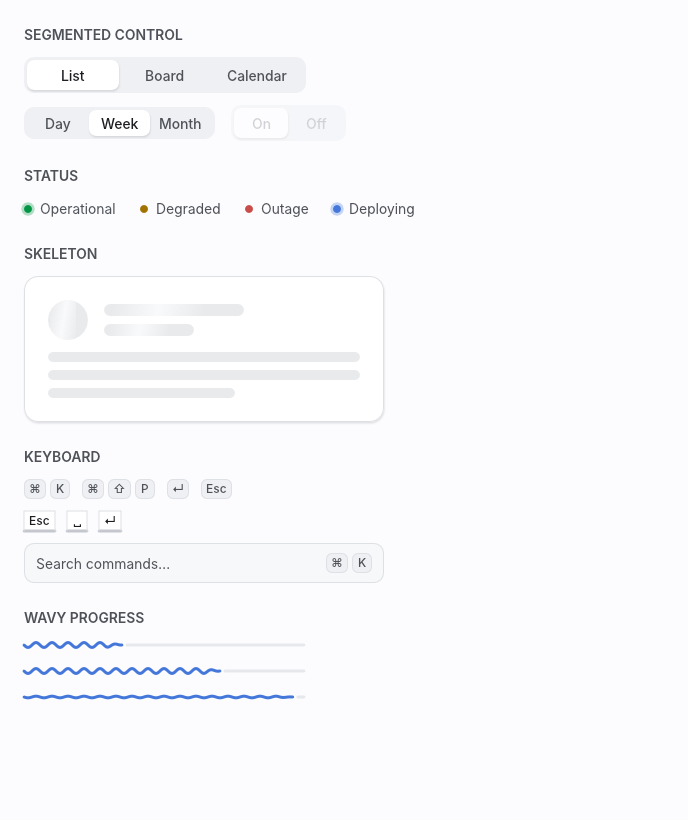 | 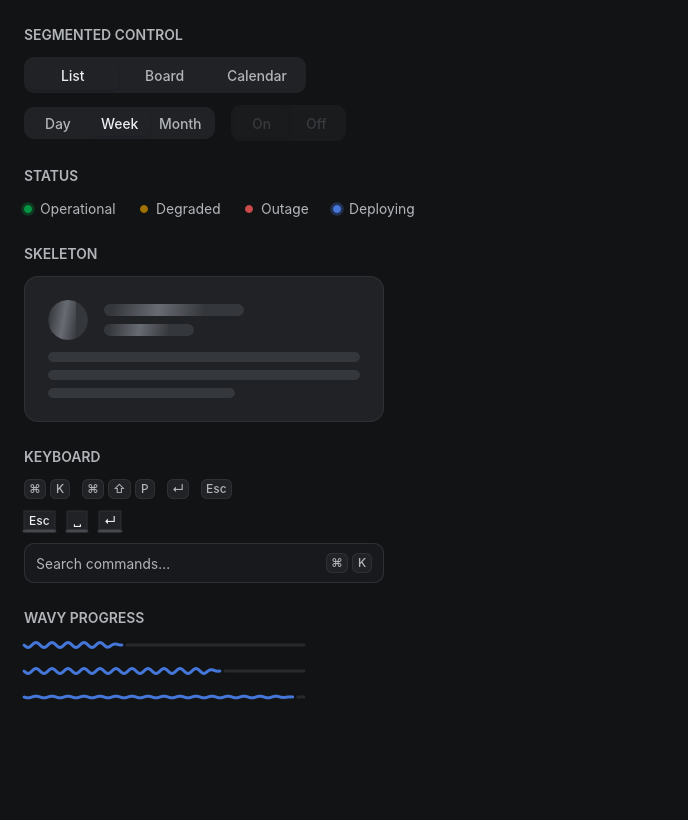 |
Regenerate this corpus any time with `cargo run --example gallery` — it
renders headlessly.
## Workspace
| `fenestra` | Facade: prelude, `run()`, examples |
| `fenestra-core` | Element IR, theme/tokens, layout, text, paint, input, transitions |
| `fenestra-shell` | winit + wgpu window runner and the headless renderer |
| `fenestra-kit` | The themed widget kit, built only on core's public API |
| `fenestra-motion` | Frame-pure motion graphics: timelines, headless frame/video rendering, temporal lints, the `motion` CLI |
See [ARCHITECTURE.md](ARCHITECTURE.md) for how the pipeline, widget
identity, transitions, and overlays work — recorded decision-by-decision as
the framework was built — and [BENCHMARKS.md](BENCHMARKS.md) for honest
frame-cost numbers (a full screen rebuilds, lays out, and paints in ~0.3 ms;
100k-row lists virtualize to ~0.09 ms).
## Design range
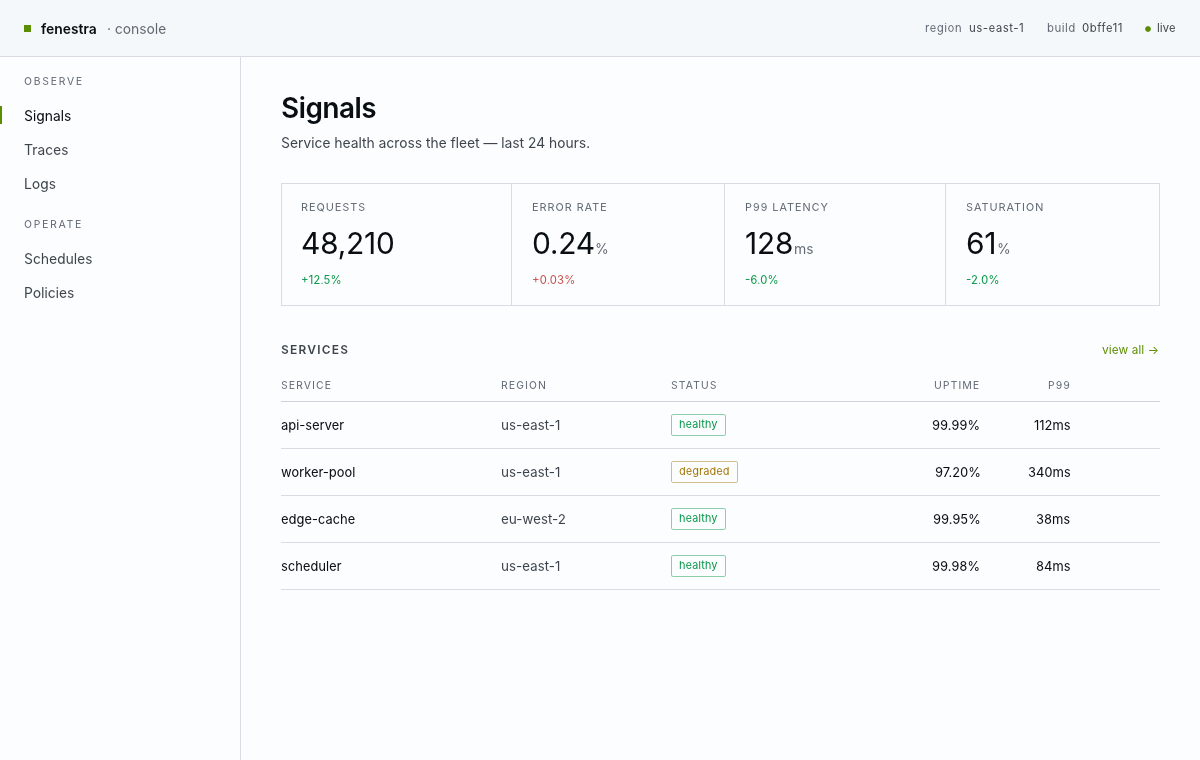
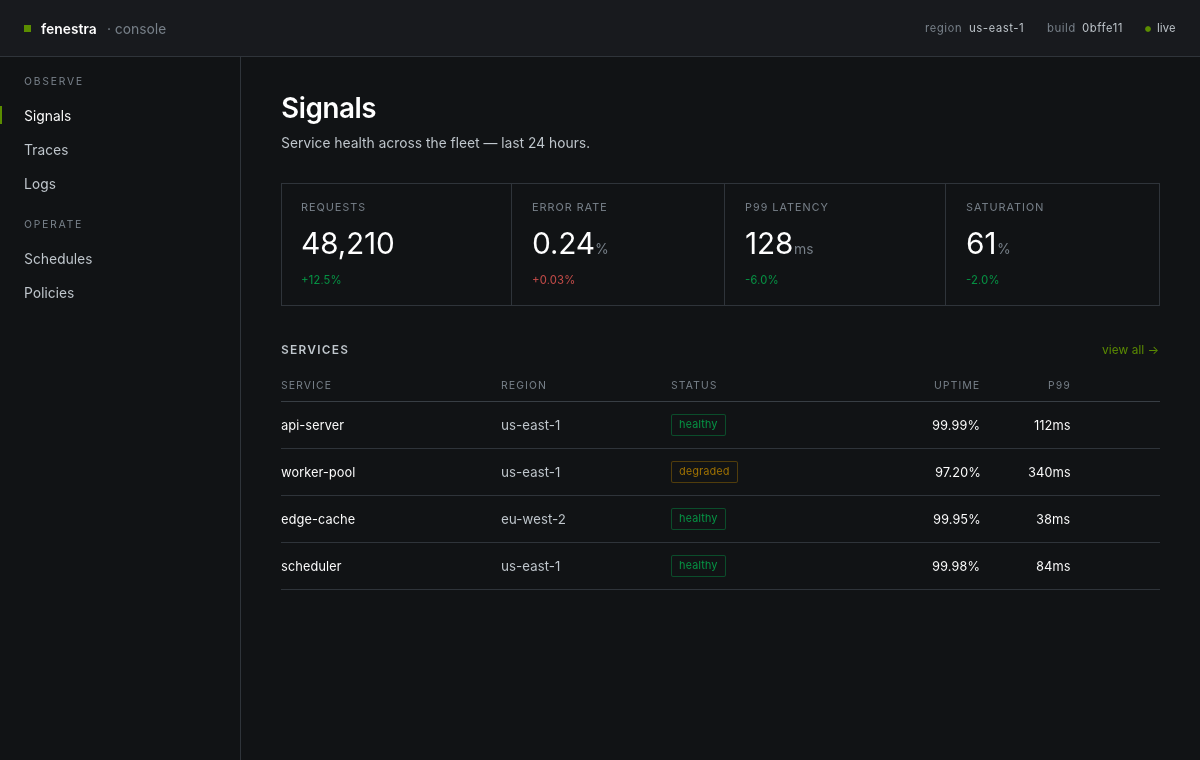
The same framework, the same tokens — a different design language. The
`fenestra-looks` crate bundles six ready voices (product, editorial, terminal,
console, warm-editorial, playful — enumerate them with `all()`), and one knob
re-skins the whole kit: `Theme::with_radius(RadiusScale::sharp())` for
un-rounded tech chrome, `Theme::with_elevation(Elevation::Flat)` for
border-not-shadow surfaces, and `Theme::duotone` for atmospheric fields instead
of neutral grays (custom display faces register under font roles via
`Fonts::register`). The opposite end of the range from the soft default
dashboard above — a sharp, hairline-ruled **console**: slate with a single lime
accent and mono numerals, rendered headlessly and golden-tested.
|  |  |
## Composition, commands, accessibility
Components written around their own message type compose with
`Element::map`. Background work flows in through `App::init`, which hands
the app a cloneable `Proxy<Msg>` — spawn a thread, send messages, the
window repaints (`examples/clock.rs`, `examples/toasts.rs`). Every widget
exposes its role, state, and name: headlessly via `Frame::access_tree()`
(assert your UI is labeled, in CI), and to real assistive technology
through AccessKit in the windowed runner. Ambient motion comes from
looping `Keyframes` timelines; images from `image_rgba8` (round avatars
via `.rounded_full()`).
## Status
0.2 covers the spec'd milestones M0–M7 — rendering, theme, text, layout
and scrolling, interactivity and transitions, text input, overlays, the
full kit, the dashboard — plus the M8 set: `Element::map`, the command
proxy, images, multiline text areas, toasts, keyframe timelines, a Lucide
icon subset, and the AccessKit tree. Out of scope so far: the
screen-reader text-editing protocol, live regions, and rich text.
## License
MIT or Apache-2.0, at your option. The embedded Inter font, the Playfair
Display faces (poster and editorial looks), the Fraunces variable text serif
(the `opsz`/optical-sizing serif in the warm-editorial look), and JetBrains
Mono (terminal look) are licensed under the SIL Open Font License 1.1; the
vendored Lucide icon path data is ISC (see `fenestra-kit/LICENSE-LUCIDE.txt`).