[](https://crates.io/crates/ditherlib)
[](https://docs.rs/ditherlib)
[](https://github.com/Downmoto/ditherlib/actions/workflows/ci.yml)
[](https://github.com/Downmoto/ditherlib/blob/master/LICENSE)
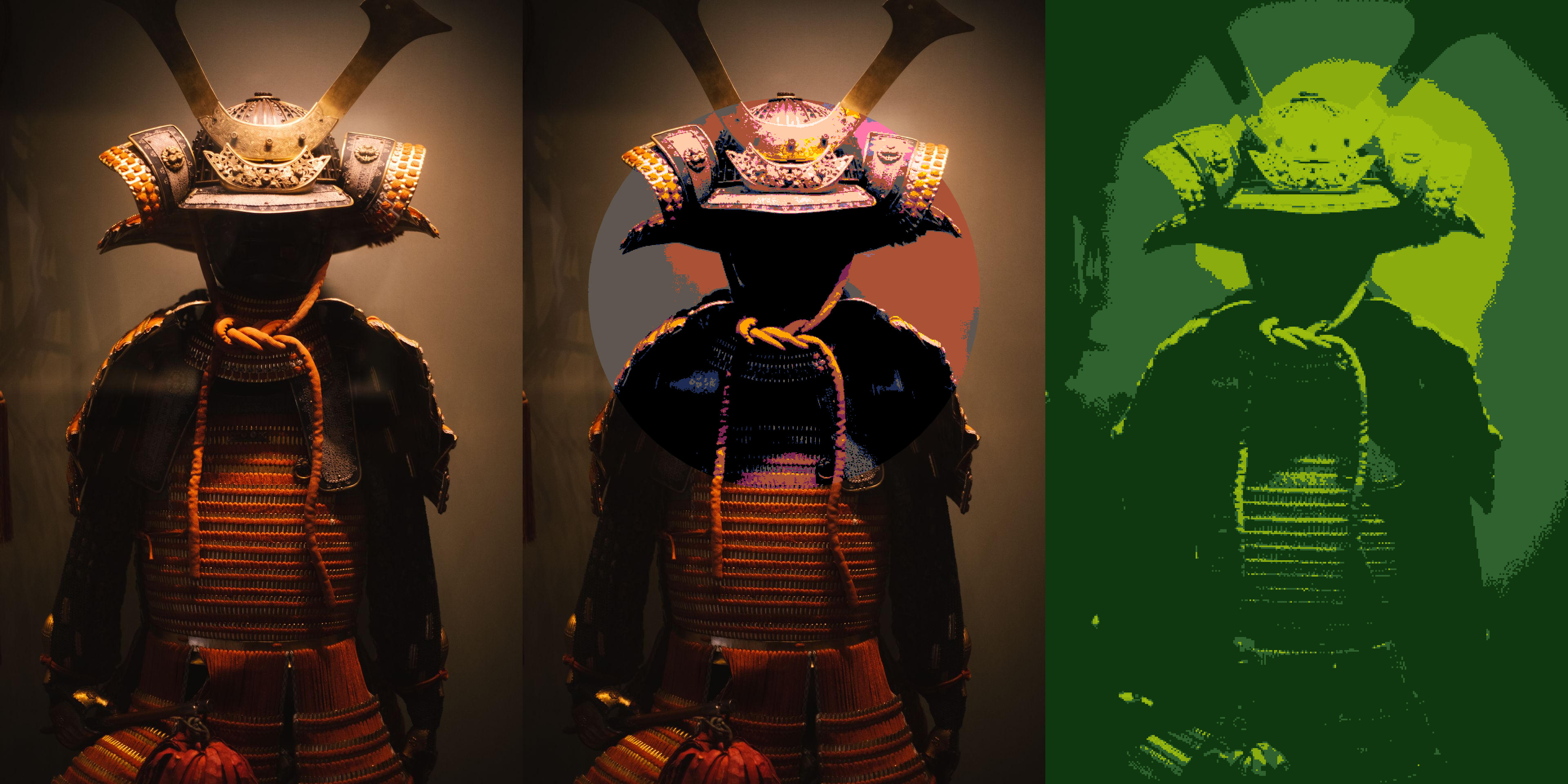
Ditherlib is a Rust library for non-destructive image effects and dithering.
Apply an effect to a whole image, a polygon, or a custom mask, then combine
effects in an ordered pipeline when one pass is not enough.
## Table of contents
- [Installation](#installation)
- [Quick start](#quick-start)
- [Core concepts](#core-concepts)
- [Effect catalogue](#effect-catalogue)
- [Palettes](#palettes)
- [Selections](#selections)
- [Pipelines](#pipelines)
- [Codec features](#codec-features)
- [Examples](#examples)
- [Benchmarks](#benchmarks)
- [Minimum supported Rust version](#minimum-supported-rust-version)
- [Errors](#errors)
- [Licence](#licence)
## Installation
```sh
cargo add ditherlib
```
Or add Ditherlib directly to `Cargo.toml`:
```toml
[dependencies]
ditherlib = "1"
```
JPEG and PNG support are enabled by default. See [Codec features](#codec-features)
to select other formats.
## Quick start
Read an image, apply a black-and-white threshold, and write the result:
```rust,no_run
use ditherlib::{
Renderer, Selection,
effects::dither::{palette::Palette, threshold::Threshold},
read, write,
};
fn main() -> ditherlib::Result<()> {
let source = read("input.jpg")?;
let effect = Threshold::new(Palette::black_and_white());
let rendered = Renderer::new().render(&source, &effect, &Selection::All)?;
write("output.png", &rendered)
}
```
The [`quick_start` example](https://github.com/Downmoto/ditherlib/blob/master/examples/quick_start.rs)
is the runnable version.
## Core concepts
- `SourceImage` owns immutable RGBA8 source pixels. Load one with `read`, or
construct one from decoded pixels with `SourceImage::from_rgba8`.
- An `Effect` describes one transformation. Effects can be reused across
renders and configured through builder methods.
- A `Selection` limits an effect to the whole image, an anti-aliased polygon,
or a custom coverage mask.
- `Renderer` applies effects and returns an owned `RenderedImage`. Reusing a
renderer also reuses its internal working buffers.
- `Pipeline` applies several selected effects in order. Every render begins
from the unchanged source image.
The [`prelude`](https://docs.rs/ditherlib/latest/ditherlib/prelude/index.html)
collects common imports. Specific imports remain available under their effect
families, such as `effects::dither::diffusion::ErrorDiffusion`.
## Effect catalogue
| [`Greyscale`](https://docs.rs/ditherlib/latest/ditherlib/effects/greyscale/struct.Greyscale.html) | Convert RGB pixels to greyscale while preserving alpha. |
| [`Blur`](https://docs.rs/ditherlib/latest/ditherlib/effects/blur/struct.Blur.html) | Apply Gaussian blur with a configurable sigma. |
| [`Threshold`](https://docs.rs/ditherlib/latest/ditherlib/effects/dither/threshold/struct.Threshold.html) | Map sampled logical pixels directly to a palette. |
| [`OrderedDither`](https://docs.rs/ditherlib/latest/ditherlib/effects/dither/threshold/struct.OrderedDither.html) | Dither with Bayer, artistic, blue-noise, or custom threshold maps. |
| [`NoiseDither`](https://docs.rs/ditherlib/latest/ditherlib/effects/dither/noise/struct.NoiseDither.html) | Apply deterministic white-noise or blue-noise dithering. |
| [`Halftone`](https://docs.rs/ditherlib/latest/ditherlib/effects/dither/halftone/struct.Halftone.html) | Render a palette through geometric print-style screens. |
| [`ColourHalftone`](https://docs.rs/ditherlib/latest/ditherlib/effects/dither/halftone/struct.ColourHalftone.html) | Screen RGB or CMYK channels independently. |
| [`ErrorDiffusion`](https://docs.rs/ditherlib/latest/ditherlib/effects/dither/diffusion/struct.ErrorDiffusion.html) | Use one of fourteen diffusion presets or a custom kernel. |
| [`OstromoukhovDither`](https://docs.rs/ditherlib/latest/ditherlib/effects/dither/ostromoukhov/struct.OstromoukhovDither.html) | Apply tone-adaptive variable-coefficient diffusion. |
| [`RiemersmaDither`](https://docs.rs/ditherlib/latest/ditherlib/effects/dither/riemersma/struct.RiemersmaDither.html) | Diffuse error along a Hilbert curve. |
Threshold, ordered, noise, error-diffusion, Ostromoukhov, and Riemersma
effects share logical-pixel sizing, grid offsets, and sampling controls. The
API documentation covers every parameter and validation rule.
## Palettes
`Palette` includes black-and-white, greyscale, Game Boy, CGA, PICO-8, and
monochrome presets. You can also supply custom colours or derive a palette from
a source image:
```rust,no_run
use ditherlib::{SourceImage, effects::dither::palette::{Palette, PaletteSize}};
fn palette_from(source: &SourceImage) -> ditherlib::Result<Palette> {
Palette::from_source(source, PaletteSize::Limited(16))
}
```
Palette matching supports gamma-encoded RGB, linear RGB, and Oklab colour
spaces, with full-colour or luminance-only matching. See the
[`palettes` example](https://github.com/Downmoto/ditherlib/blob/master/examples/palettes.rs)
for built-in, custom, derived, and perceptual palettes.
## Selections
Use `Selection::All` for the whole image, `Selection::Polygon` for an
anti-aliased geometric region, or `Selection::Mask` for custom per-pixel
coverage. Polygons can be rectangles, centred squares, regular polygons, or
arbitrary validated vertices.
The [`selections` example](https://github.com/Downmoto/ditherlib/blob/master/examples/selections.rs)
shows whole-image and polygon rendering.
## Pipelines
A pipeline applies effects in insertion order, so each step receives the
result of the previous step:
```rust,no_run
use ditherlib::{Pipeline, Renderer, Selection, SourceImage};
use ditherlib::effects::{
blur::Blur,
dither::{palette::Palette, threshold::{OrderedDither, ThresholdMap}},
greyscale::Greyscale,
};
fn render(source: &SourceImage) -> ditherlib::Result<()> {
let mut pipeline = Pipeline::new();
pipeline.add(Greyscale, Selection::All);
pipeline.add(
OrderedDither::new(Palette::black_and_white(), ThresholdMap::bayer_4x4())
.with_pixel_size(4, 4)?,
Selection::All,
);
pipeline.add(Blur::new(1.5)?, Selection::All);
Renderer::new().render_pipeline(source, &pipeline)?;
Ok(())
}
```
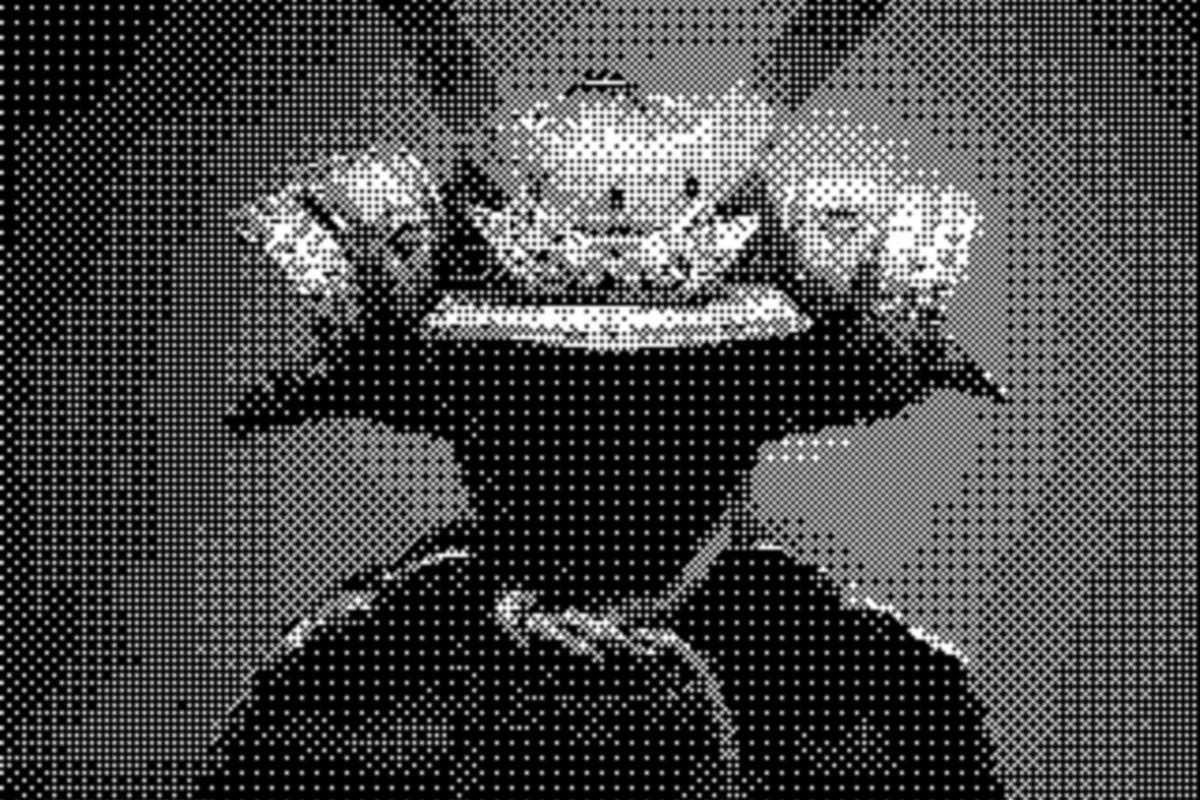
See the runnable [`pipeline` example](https://github.com/Downmoto/ditherlib/blob/master/examples/pipeline.rs).
## Codec features
The default `jpeg` and `png` features can be replaced with any supported image
codecs:
```toml
[dependencies]
ditherlib = { version = "1", default-features = false, features = ["png", "webp"] }
```
Available features are `avif`, `bmp`, `dds`, `exr`, `ff`, `gif`, `hdr`, `ico`,
`jpeg`, `png`, `pnm`, `qoi`, `tga`, `tiff`, and `webp`. Processing algorithms
compile without codec features when images are supplied through
`SourceImage::from_rgba8`.
## Examples
Every example accepts an input path and output directory:
```sh
cargo run --release --example quick_start -- input.jpg output
```
| [`quick_start`](https://github.com/Downmoto/ditherlib/blob/master/examples/quick_start.rs) | Reading, thresholding, rendering, and writing. |
| [`ordered_dither`](https://github.com/Downmoto/ditherlib/blob/master/examples/ordered_dither.rs) | Ordered dithering with custom logical pixels. |
| [`error_diffusion`](https://github.com/Downmoto/ditherlib/blob/master/examples/error_diffusion.rs) | Floyd-Steinberg, Ostromoukhov, and Riemersma. |
| [`halftone`](https://github.com/Downmoto/ditherlib/blob/master/examples/halftone.rs) | Monochrome and colour halftones. |
| [`palettes`](https://github.com/Downmoto/ditherlib/blob/master/examples/palettes.rs) | Built-in, custom, derived, and perceptual palettes. |
| [`selections`](https://github.com/Downmoto/ditherlib/blob/master/examples/selections.rs) | Whole-image and polygon selections. |
| [`pipeline`](https://github.com/Downmoto/ditherlib/blob/master/examples/pipeline.rs) | A multi-effect rendering pipeline. |
| [`comparison`](https://github.com/Downmoto/ditherlib/blob/master/examples/comparison.rs) | A visual overview of the major algorithm families. |
## Benchmarks
The Criterion suite covers every effect and configuration family across
deterministic in-memory fixtures. See the
[benchmark guide](https://github.com/Downmoto/ditherlib/blob/master/BENCHMARKS.md)
for the complete matrix, measurement boundaries, HTML reports, and baseline
workflow.
## Minimum supported Rust version
Ditherlib requires Rust 1.88 or newer.
## Errors
Fallible operations return `ditherlib::Result<T>`. `DitherError::kind()`
provides stable `ErrorKind` categories for matching, while the error display
and source retain diagnostic detail. JPEG output discards alpha because the
format does not support transparency.
## Licence
Licensed under the
[Apache License 2.0](https://github.com/Downmoto/ditherlib/blob/master/LICENSE).
Example image attribution is recorded in the
[assets documentation](https://github.com/Downmoto/ditherlib/blob/master/assets/README.md).