
crmux
A TUI viewer for Claude Code sessions in tmux.
Inspired by cmux. crmux brings a similar multi-session management experience using tmux and a terminal UI.
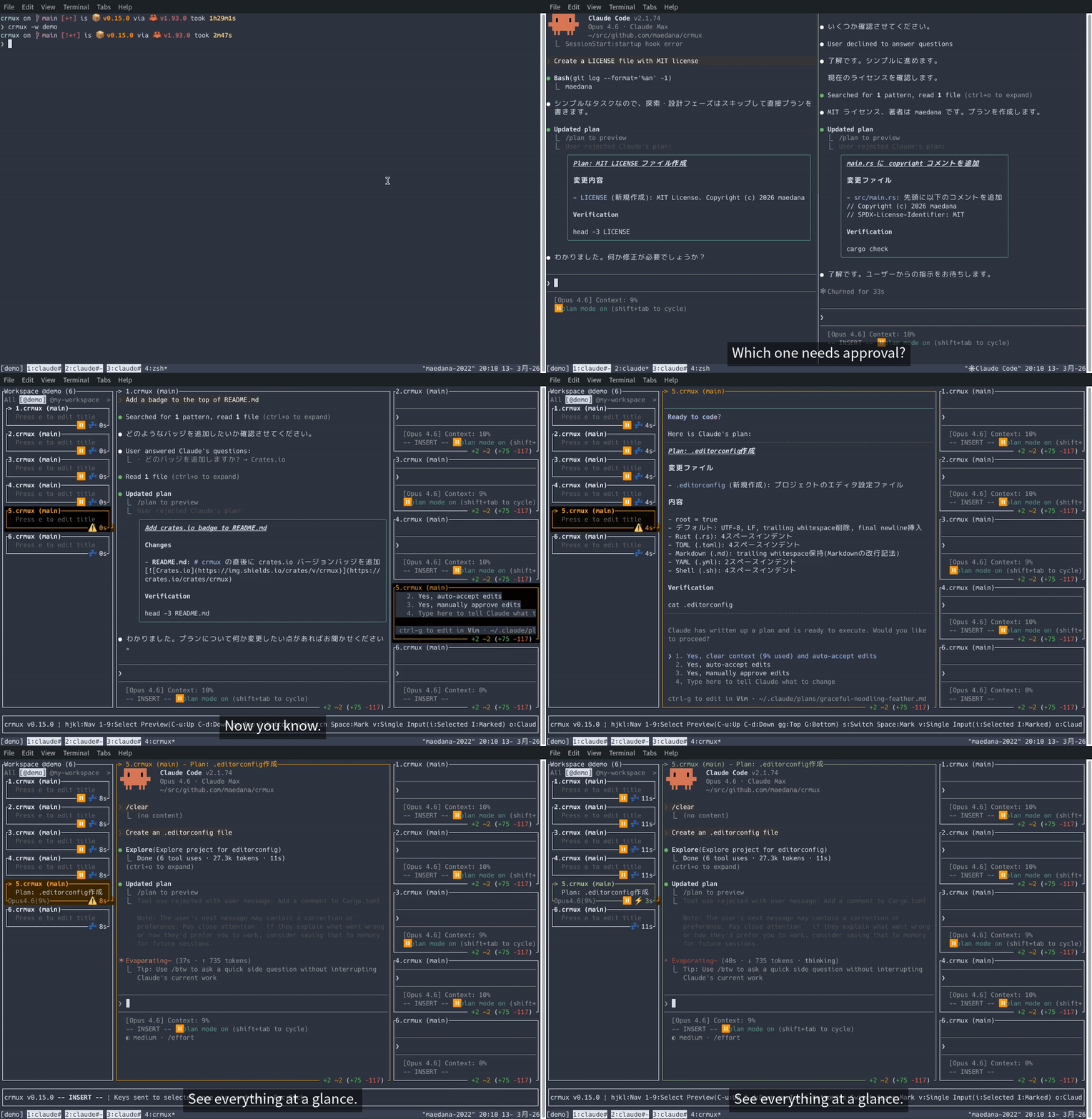
- Monitor multiple Claude Code sessions from a single sidebar and preview their output
- Mark sessions to preview multiple panes simultaneously
- Switch to any session's tmux pane instantly
- Send prompts directly via tmux
send-keysin input mode without leaving crmux - Pulse animation to highlight sessions that need attention (approval idle, stale idle)
Demo
Prerequisites
- tmux
- tmux-claude-state
- Rust (latest stable version)
- (Optional) claudeye for overlay integration (
okey to toggle)
Installation
From crates.io (Recommended)
After installation, make sure ~/.cargo/bin is in your PATH, then you can run:
Build from source
Usage
Run inside a tmux session:
Keybindings
Keybindings are shown in the app footer. Run crmux -h or press ? in the app to see all available keybindings.
Claude Code Hook Setup (Optional)
By configuring Claude Code hooks, crmux can display additional session metadata such as the model name and context window usage.
Add the following to ~/.claude/settings.json:
To also display model display name (e.g. "Opus") and context window usage percentage, configure a statusLine command. The simplest setup uses crmux notify status-update directly:
Note: The
statusLinecommand's stdout is used as Claude Code's own status line display. Sincecrmux notifyproduces no output, Claude Code's status line will be blank with this setup. If you want both crmux sidebar info and Claude Code's status line, use a wrapper script instead.
Create ~/.local/bin/ccstatus:
#!/bin/bash
input=
# Notify crmux of status update (non-blocking)
| &
MODEL=
CONTEXT_SIZE=
USAGE=
if [; then
CURRENT_TOKENS=
PERCENT_USED=
else
fi
Roadmap
- Display worktree info per session
- Programmatic control from external tools (e.g. tmux-style subcommands, MCP server)
Limitations
Input mode uses tmux send-keys to forward keystrokes, which has inherent limitations:
- Modifier keys: Some modifier key combinations (e.g. Shift+Enter, Ctrl+Enter) cannot be accurately reproduced via tmux
send-keys - Terminal dependency: Terminals without Kitty keyboard protocol support (VTE-based terminals such as XFCE Terminal, GNOME Terminal) cannot distinguish some modified key events from their unmodified counterparts
- Paste on macOS:
Cmd+vis intercepted by the terminal emulator and never reaches crmux as a key event. Text paste works via bracketed paste, but image paste (used by Claude Code) cannot be forwarded. On Linux,Ctrl+vis forwarded as a key event, so image paste works through the target Claude Code session.
License
MIT