
crmux-0.2.1 is not a library.
crmux
A TUI viewer for Claude Code sessions in tmux.
Inspired by cmux. crmux brings a similar multi-session management experience using tmux and a terminal UI.
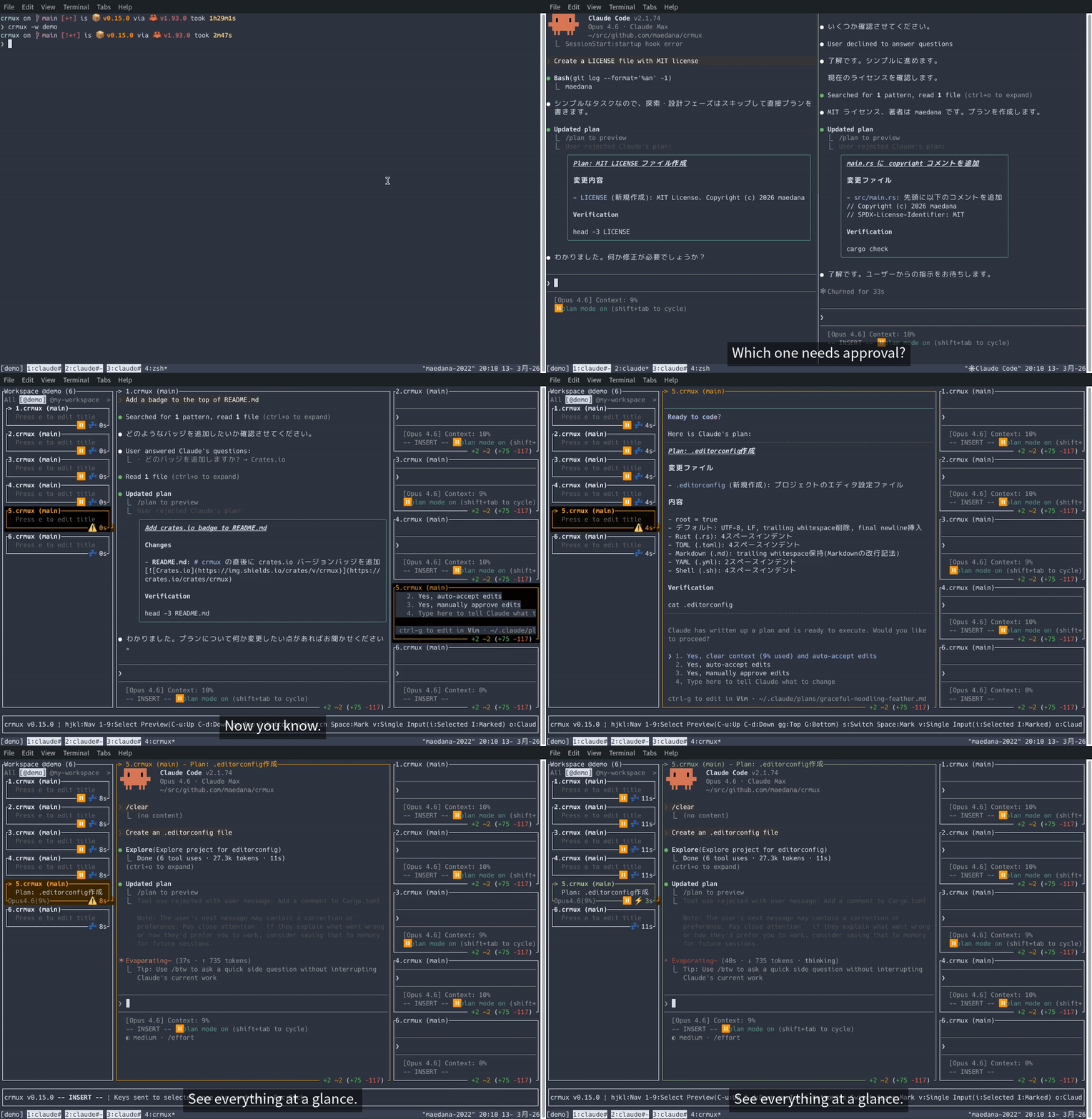
- Monitor multiple Claude Code sessions from a single sidebar and preview their output
- Mark sessions to preview multiple panes simultaneously
- Switch to any session's tmux pane instantly
- Send prompts directly via tmux
send-keysin input mode without leaving crmux - Pulse animation to highlight sessions that need attention (approval idle, stale idle)
Demo
Prerequisites
- tmux
- tmux-claude-state
- Rust (latest stable version)
Installation
From crates.io (Recommended)
After installation, make sure ~/.cargo/bin is in your PATH, then you can run:
Build from source
Usage
Run inside a tmux session:
Keybindings
Keybindings are shown in the app footer. Run crmux -h or press ? in the app to see all available keybindings.
Roadmap
- Display git branch and worktree info per session
- Auto-set session title based on the most recent plan mode content
- More layout options for multi-preview (currently horizontal equal split only)
- Broadcast prompt to all marked sessions at once
- Session status summary in footer (e.g. Running 3 / Idle 2 / WaitingForApproval 1)
- Programmatic control from external tools (e.g. tmux-style subcommands, MCP server)
Limitations
Input mode uses tmux send-keys to forward keystrokes, which has inherent limitations:
- Modifier keys: Some modifier key combinations (e.g. Shift+Enter, Ctrl+Enter) cannot be accurately reproduced via tmux
send-keys - Terminal dependency: Terminals without Kitty keyboard protocol support (VTE-based terminals such as XFCE Terminal, GNOME Terminal) cannot distinguish some modified key events from their unmodified counterparts
License
MIT