
🏋️♀️ bevy_rl





Reinforcement Learning for Bevy Engine
🏗️ Build 🤔 Reinforcement Learning 🏋🏿♂️ Gym environments with 🕊 Bevy engine to train 👾 AI agents that 💡 can learn from 📺 screen pixels or defined obeservation state.
Compatibility
| bevy version | bevy_rl version |
|---|---|
| 0.7 | 0.0.5 |
| 0.8 | 0.8.4 |
| 0.9 | 0.9.8-beta |
📝Features
- Set of APIs to implement OpenAI Gym interface, such as
reset,step,render,closeand associated simulator states - Multi-Agent support
- Rendering screen pixels to RAM buffer — for training agents with raw pixels
- REST API to control agents
👩💻 Usage
1. Define Action and Obeservation Space
Observation space needs to be Serializable for REST API to work.
// Action space
// Observation space
2. Enable AI Gym Plugin
Width and height should exceed 256, otherwise wgpu will panic.
// Setup bevy_rl
let ai_gym_state = new;
app.insert_resource
.add_plugin;
2.1 (Optional) Enable Rendering to Buffer
If your environment wants to export raw pixels, you will need to attach a render target to each camera you want to export them from. Render targets are copied each frame from GPU memory to RAM buffers so that they can be accessed with REST API.
pub
4. Handle bevy_rl events
bevy_rl will communicate with your environment through events. You can use EventReader to read events and respond to them. Those event are from REST API or from a timer that pauses the simulation with given interval (AIGymSettings.pause_interval).
| Event | Description | Usage |
|---|---|---|
EventReset |
Reset environment to initial state | You should rebuild your evnironment here |
EventControl |
Switch to control state | You should recieve actions here and apply them to your environment (and resume simulation) |
EventPause |
Pause environment execution | Pause physics engine or game clock and take snapshot of your game state |
Here's example of how to handle those events:
// EventPauseResume
// EventControl
/// Handle bevy_rl::EventReset
pub
Register systems to handle bevy_rl events.
app.add_system_set;
💻 AIGymState API
Those methods are available on AIGymState resource. You should use them to alter bevy_rl internal state.
| Method | Description | Usage |
|---|---|---|
set_reward(agent_index: usize, score: f32) |
Set reward for an agent | When a certain event happens, you can set reward for an agent. |
set_terminated(agent_index: usize, result: bool) |
Set termination status for an agent | Once your agent is killed, you should set it's status to true. Useful for Multi-agent. |
reset() |
Reset bevy_rl state | You should call this method when you reset your environment to clear exported state history |
set_env_state(state: State) |
Set current environment state | When you serialize your environment state, you should set it here. |
send_reset_result(result: bool) |
Send reset result to REST API | You should call this method when you have reset your environment to sychronize with REST API |
🌐 REST API
Accessing bevy_rl-enabled environment is possible through REST API. You can use any HTTP client to communicate with it. Here's a list of available endpoints:
| Method | Verb | bevy_rl version |
|---|---|---|
| Camera Pixels | GET | http://localhost:7878/visual_observations |
| State | GET | http://localhost:7878/state |
| Reset Environment | POST | http://localhost:7878/reset |
| Step | GET | http://localhost:7878/step payload=ACTION |
One would wrap those endpoints into a client library (python) to make it easier to use.
✍️ Examples
- bevy_rl_shooter — example FPS project
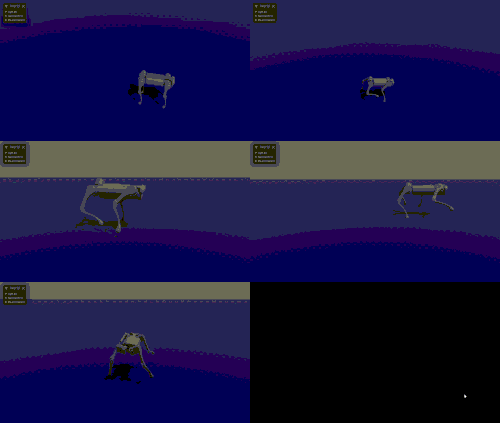
- bevy_quadruped_neural_control — quadruped locomotion with bevy_mujoco and bevy_rl