
Work: a terminal todo manager
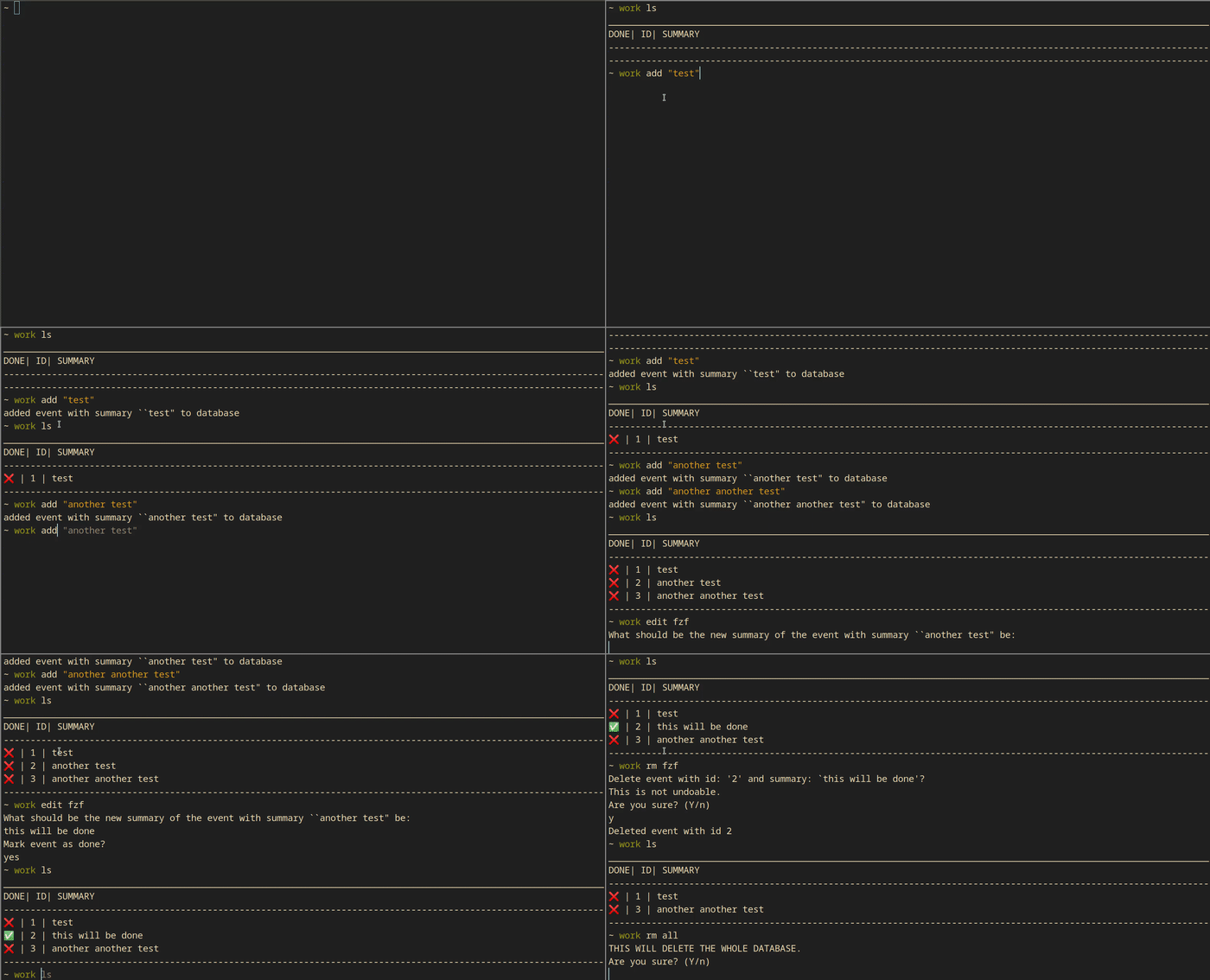
Features:
-
use a sqlite database with rusqlite
-
command line parsing with clap.rs
-
fuzzy finder built in with skim
-
config file parsing with confy
Instructions:
work ls to list all of your events.
Ex:
[user@hostname ~]$ work ls
________________________________________
DONE| ID| SUMMARY
----------------------------------------
❌ | 1 | test
❌ | 2 | another another test
✅ | 3 | another test
----------------------------------------
work add <string of an event to add> add an event. Ex: work add "test"
work rm <event id> to remove an event. Ex: work rm 1
work rm fzf to remove an event or multiple through a fuzzy finder. Search through the events and press tab to select multiple.
work rm all delete the whole database of events.
work edit <event id> get to a prompt to edit an event. This will allow you to edit the name and make it done. Ex: work edit 1
work edit fzf the same as work rm fzf except multiple are not allowed.
work done <event id> Mark an event as done. Ex: work done 1
work done fzf the same as work rm fzf except marking events done. Multiple are allowed.
Configuration:
You will find a worktodo.toml file in ~/.config/worktodo/ this is the method of configuration. The settings are self explanatory. The config file will be auto generated on the first use of work.
~/.config/worktodo/worktodo.toml
= true
= true
= true
= true
= true
Database:
The database file will be stored at ~/.local/share/worktodo/work.db It is a sqlite database.
Limits:
- Only works on unix systems for now (I dont have any windows stuff to test on for now).
Install:
It is on crates.io. Yay!