
Crate tui_markup
source · [−]Expand description
tui markup
This crate provides a markup language to quickly write colorful and styled terminal text in plain text.
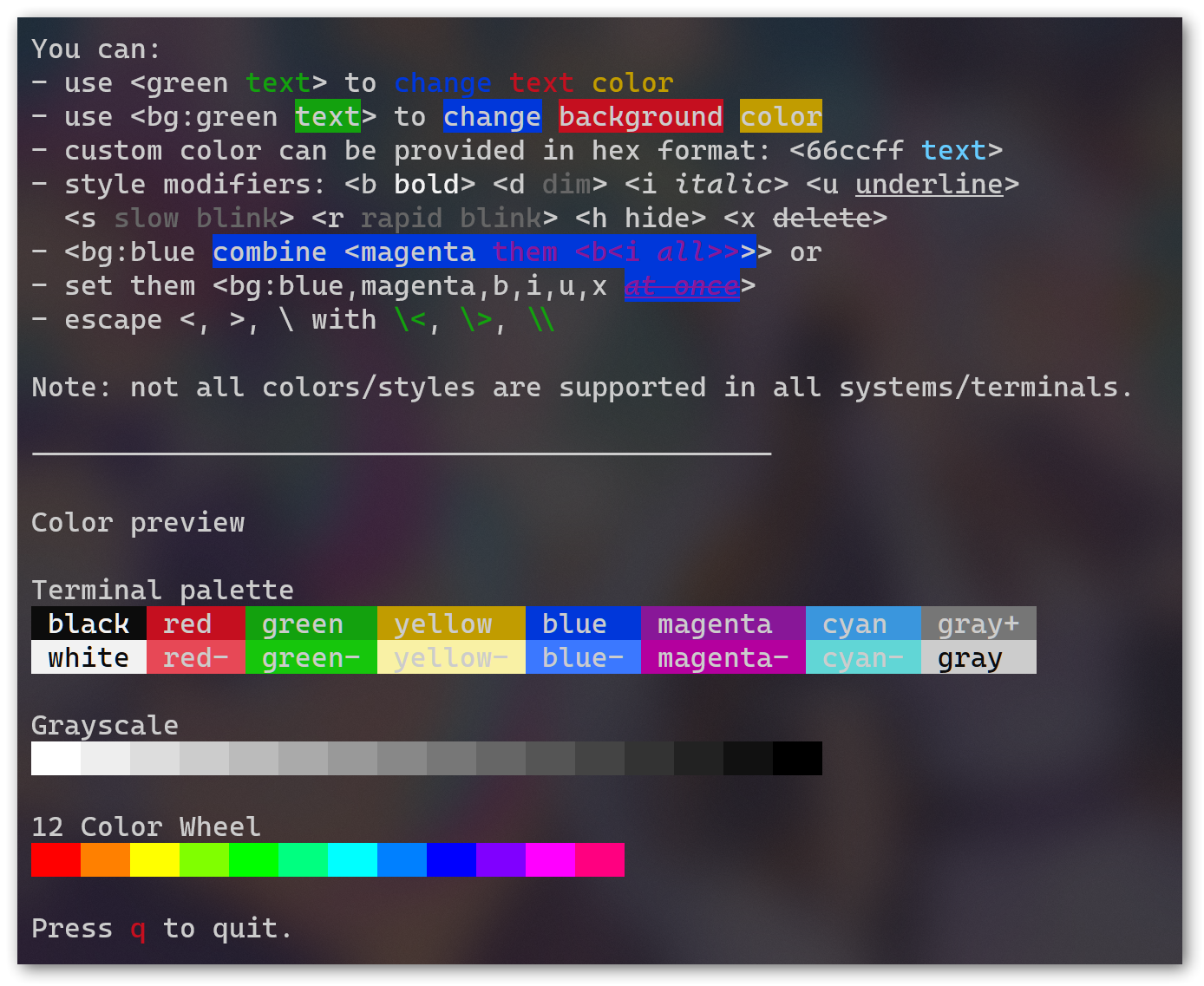
I suggest to check help.txt in examples folder, which generated this self-describing syntax help document:
For formal syntax specification, see syntax.ebnf.
How two use
let output = tui_markup::compile::<GeneratorType>("<geeen hello>").unwrap();How two print the output vary depending on the the Generator you use, See their document for more info.
Builtin generators
The builtin generators are under feature gates, there is the list:
| feature | environment | generator type |
|---|---|---|
tui | the popular tui crate | TuiTextGenerator |
The example page above is using the tui generator, print in Windows Terminal.
If you want write your own generator, please see document of Generator trait.
Modules
Enums
Traits
Error with a location info.
Functions
Parse markup language source, then generate final output using the default configure of a generator type.
Parse markup language source, then generate final output using the provided generator.