Struct requestty::question::Question [−][src]
pub struct Question<'a> { /* fields omitted */ }Expand description
A Question that can be asked.
There are 11 variants.
Every Question has 4 common options.
-
name(required): This is used as the key inAnswers. It is not shown to the user unlessmessageis unspecified. -
message: The message to display when the prompt is rendered in the terminal. If it is not given, themessagedefaults to “<name>: “. It is recommended to set this asnameis meant to be a programmaticid. -
when: Whether to ask the question or not. This can be used to have context based questions. If it is not given, it defaults totrue. -
ask_if_answered: Prompt the question even if it is answered. By default if an answer with the givennamealready exists, the question will be skipped. This can be override by settingask_if_answeredis set totrue.
A Question can be asked by creating a PromptModule or using prompt_one or
prompt_one_with.
Examples
use requestty::Question;

let question = Question::input("name")
    .message("What is your name?")
    .default("John Doe")
    .transform(|name, previous_answers, backend| {
        write!(backend, "Hello, {}!", name)
    })
    .build();
Implementations
Prompt that takes user input and returns a String
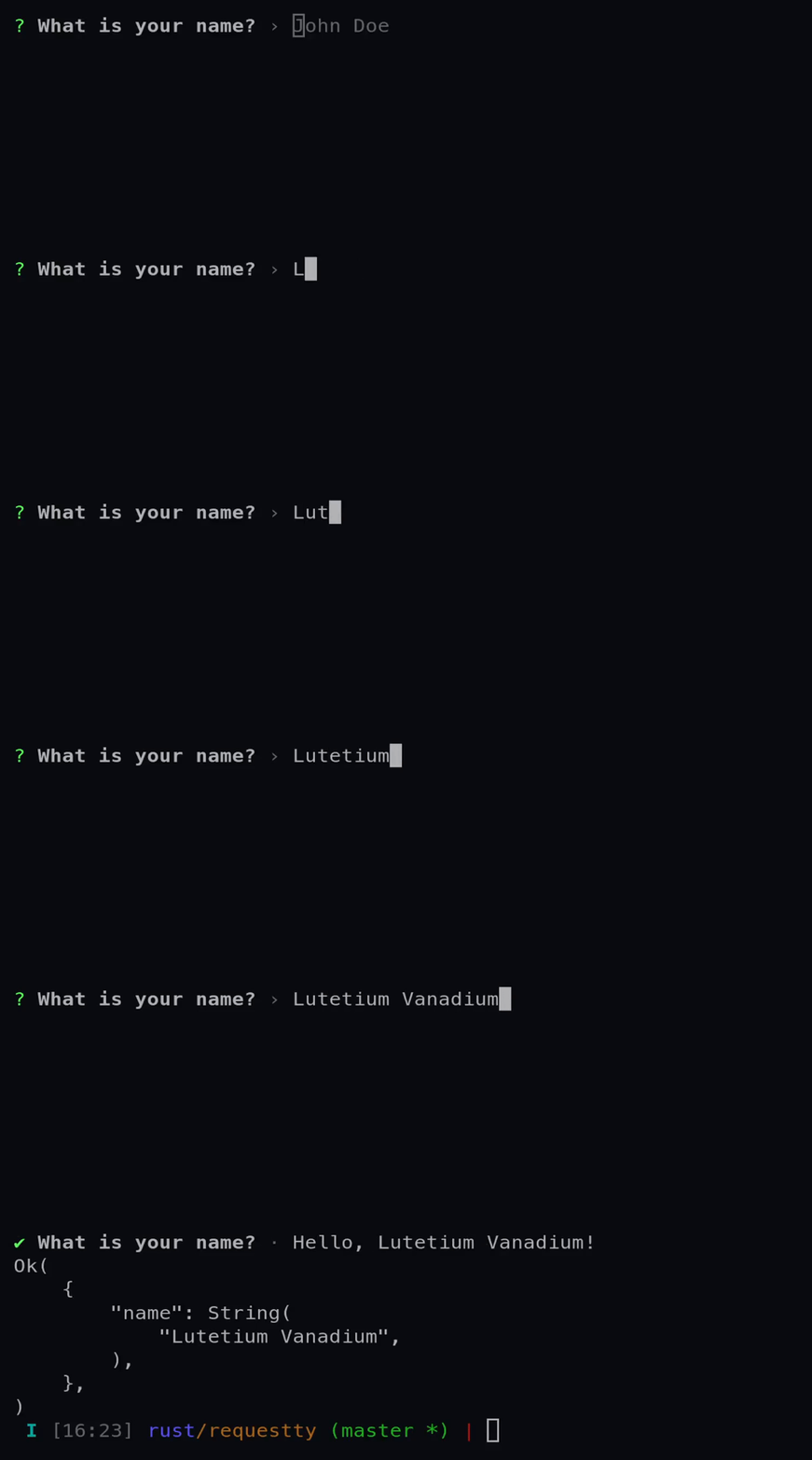
See the various methods on the builder for more details on each available option.
Examples
use requestty::Question;

let input = Question::input("name")
    .message("What is your name?")
    .default("John Doe")
    .transform(|name, previous_answers, backend| {
        write!(backend, "Hello, {}!", name)
    })
    .build();
Prompt that takes user input and hides it.
How it looks if you set a mask:
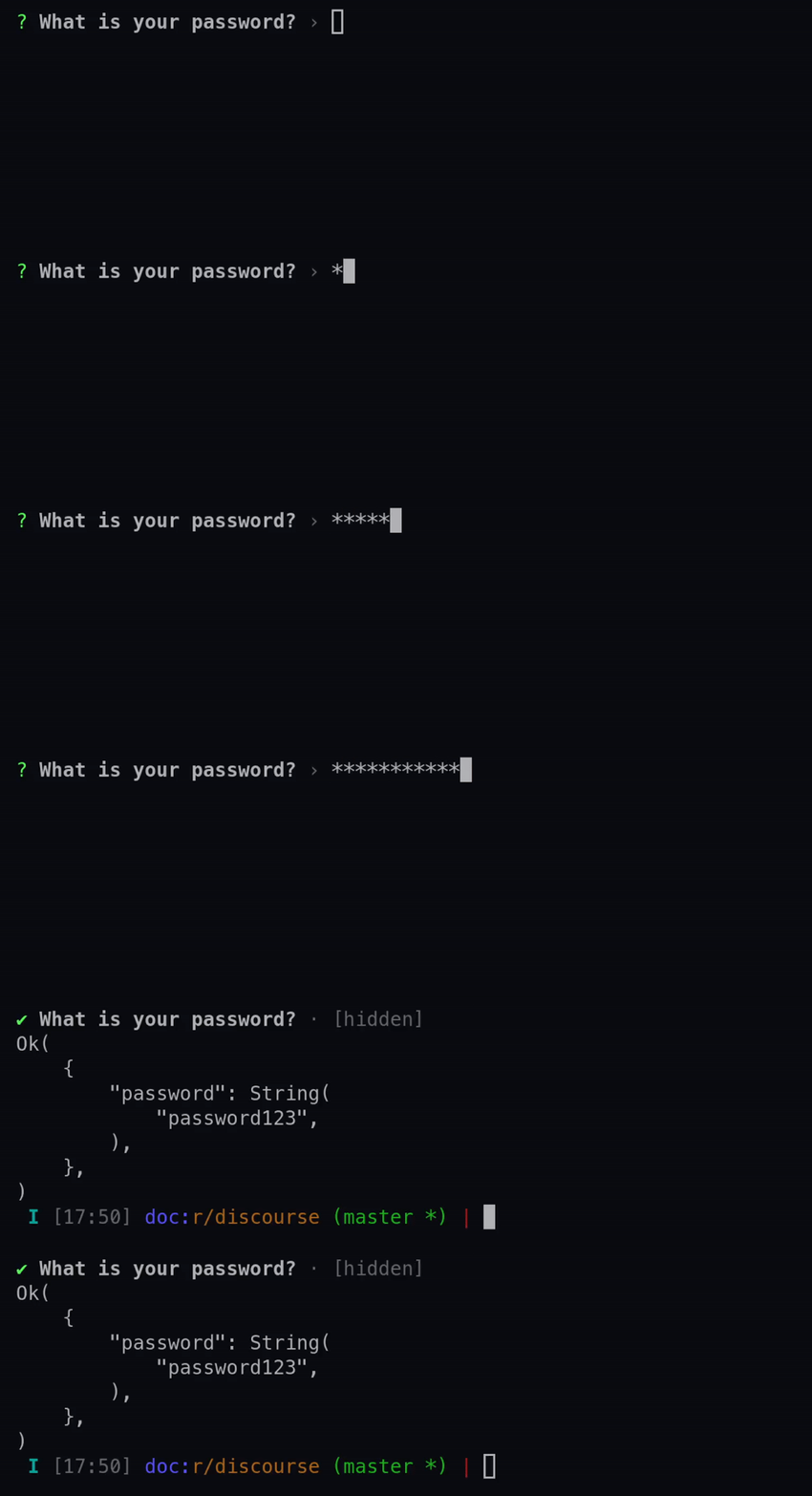
How it looks if you do not set a mask:
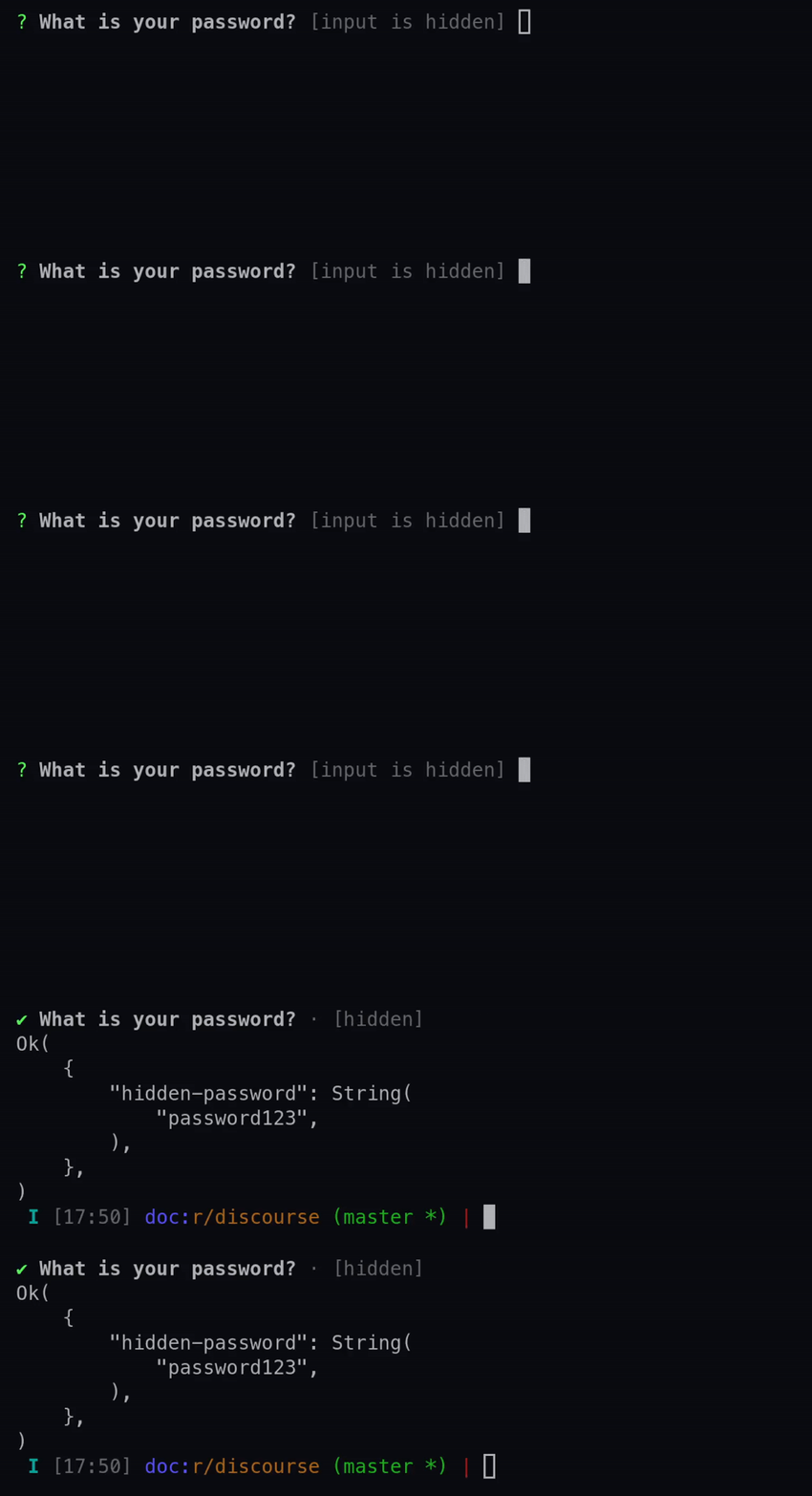
See the various methods on the builder for more details on each available option.
Examples
use requestty::Question;

let password = Question::password("password")
    .message("What is your password?")
    .mask('*')
    .build();
Prompt that takes launches the users preferred editor on a temporary file
Once the user exits their editor, the contents of the temporary file are read in as the
result. The editor to use is determined by the $VISUAL or $EDITOR environment variables.
If neither of those are present, vim (for unix) or notepad (for windows) is used.
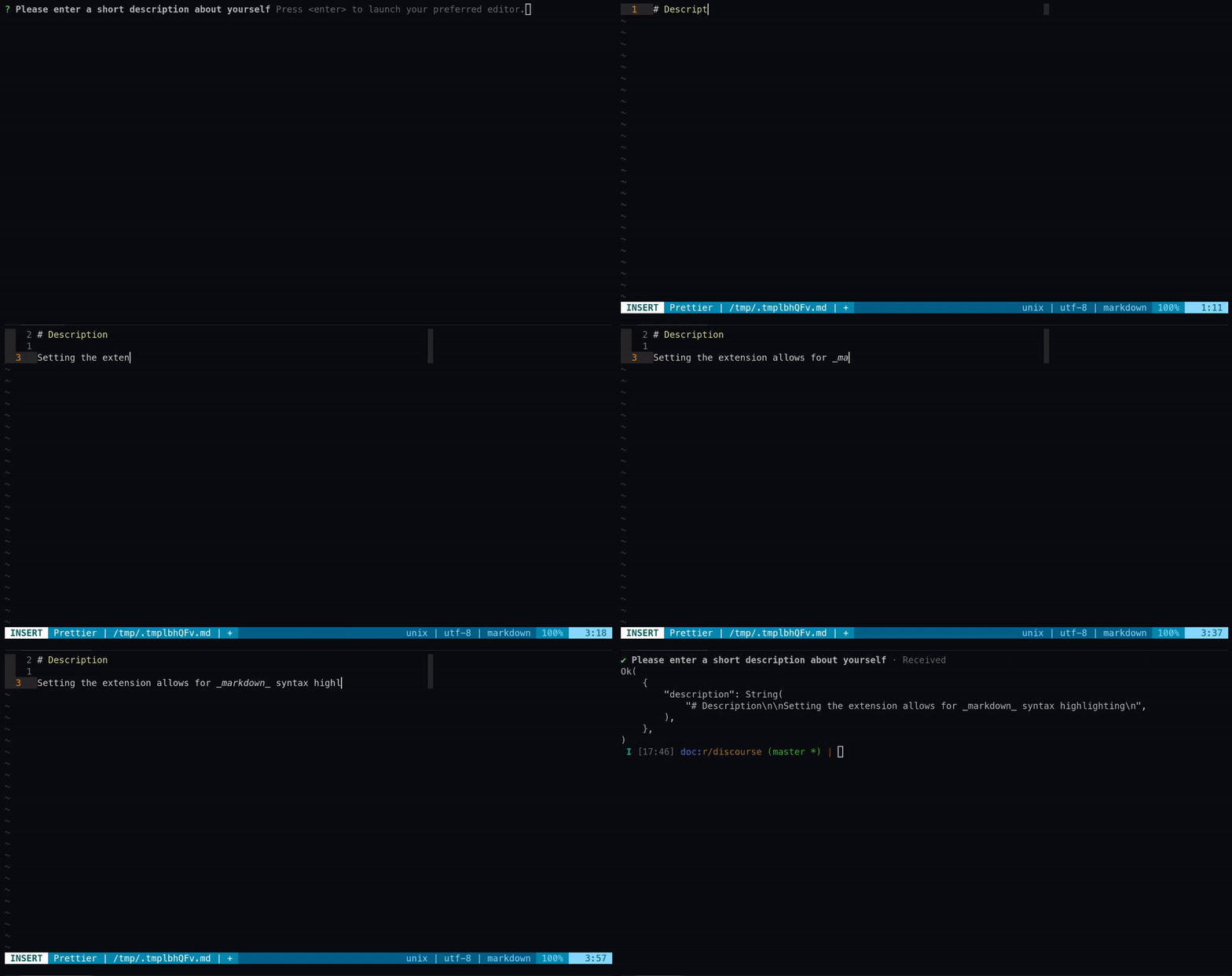
See the various methods on the builder for more details on each available option.
Examples
use requestty::Question;

let editor = Question::editor("description")
    .message("Please enter a short description about yourself")
    .extension(".md")
    .build();
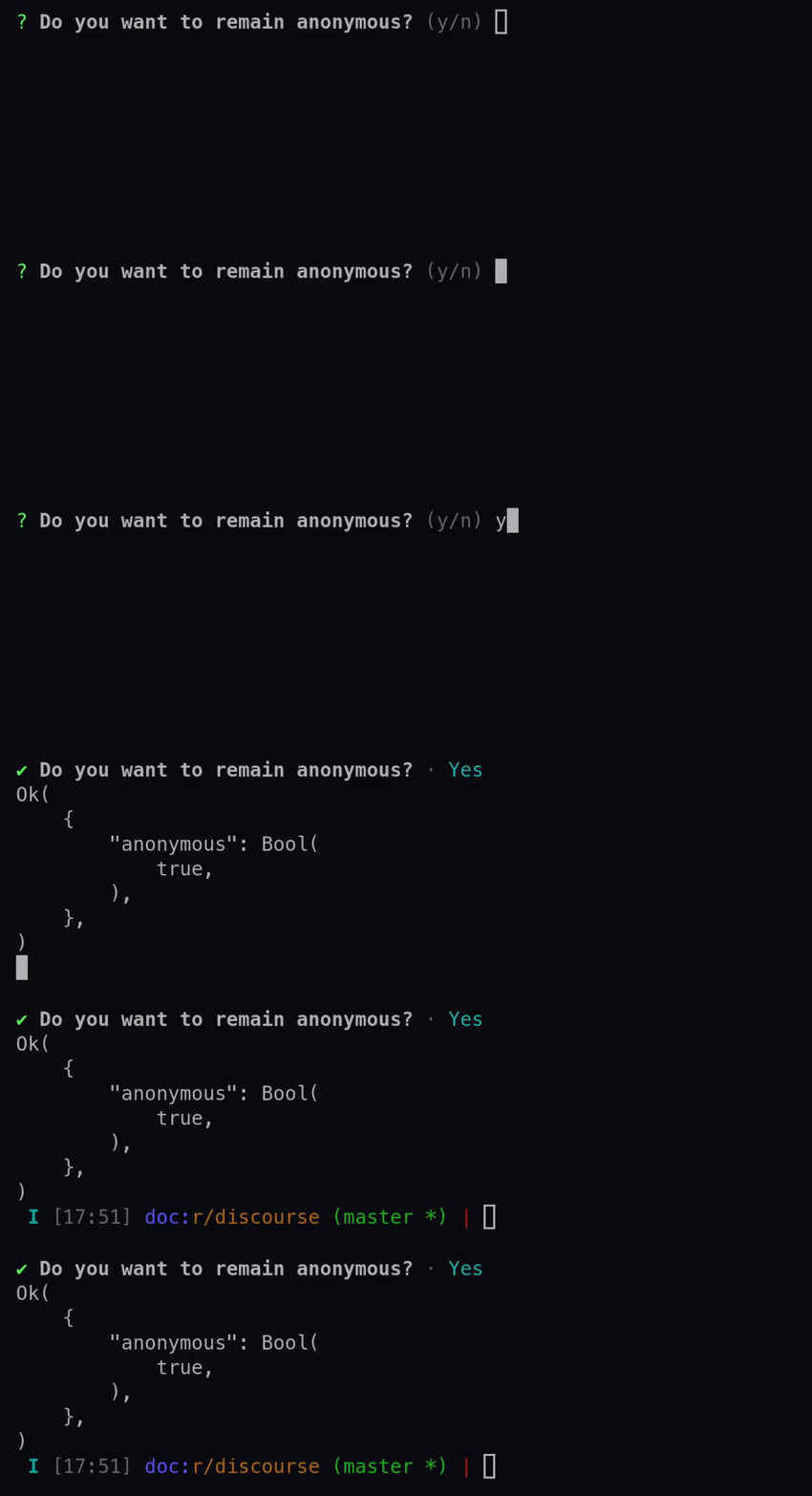
Prompt that takes a i64 as input.
The number is parsed using from_str.
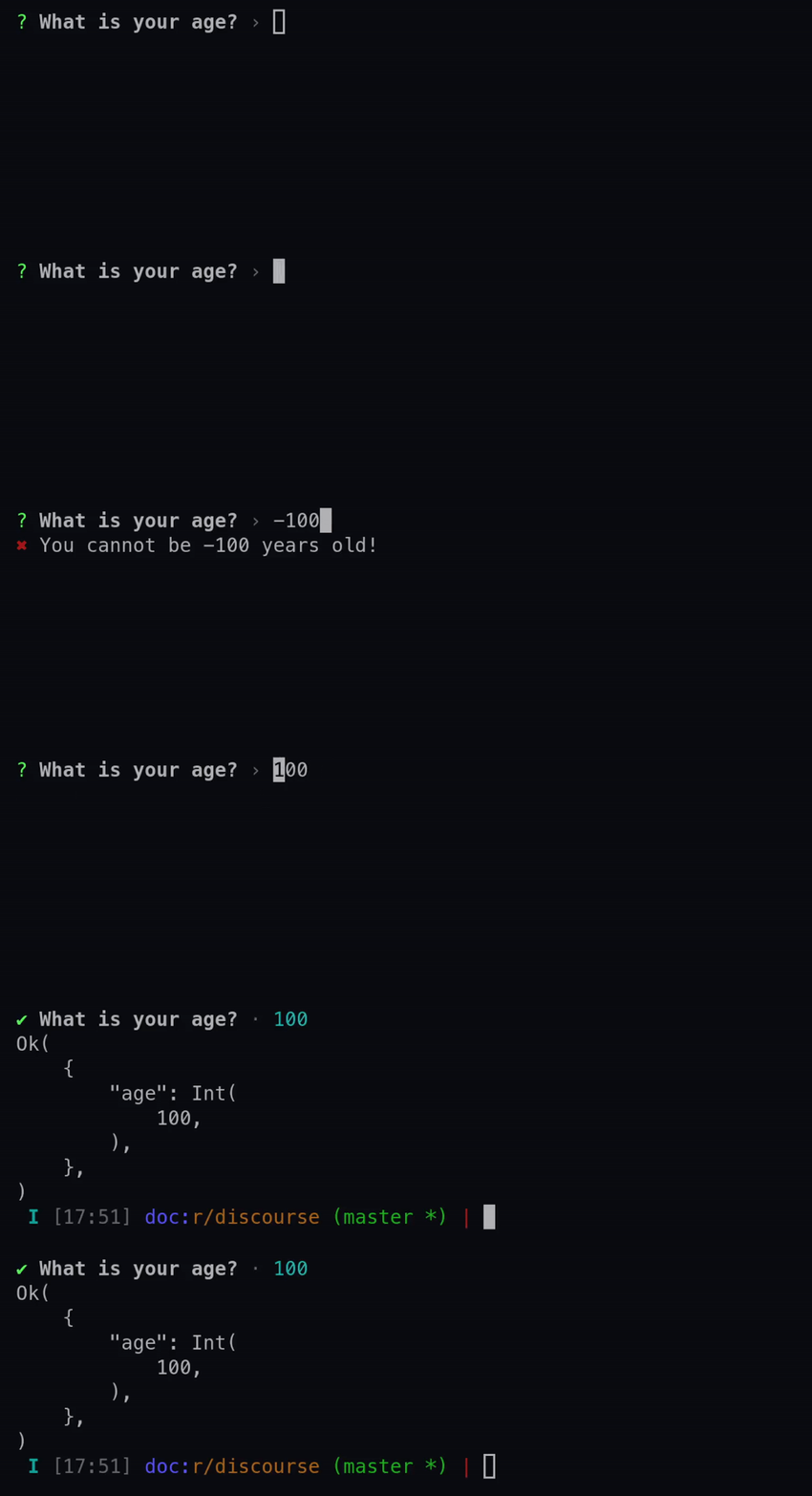
See the various methods on the builder for more details on each available option.
Examples
use requestty::Question;

let int = Question::int("age")
    .message("What is your age?")
    .validate(|age, previous_answers| {
        if age > 0 && age < 130 {
            Ok(())
        } else {
            Err(format!("You cannot be {} years old!", age))
        }
    })
    .build();
Prompt that takes a f64 as input.
The number is parsed using from_str, but cannot be NaN.
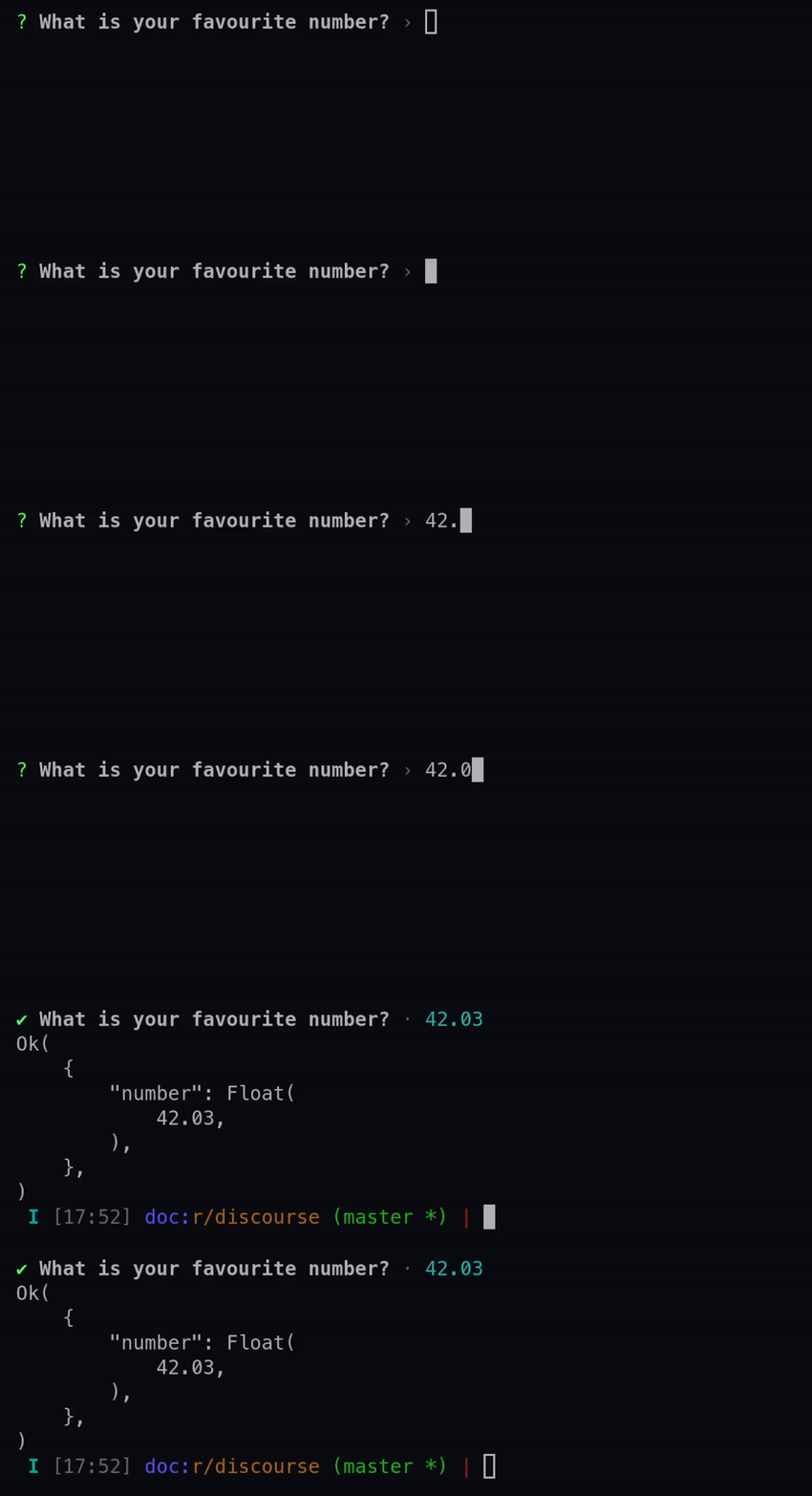
See the various methods on the builder for more details on each available option.
Examples
use requestty::Question;

let float = Question::float("number")
    .message("What is your favourite number?")
    .validate(|num, previous_answers| {
        if num.is_finite() {
            Ok(())
        } else {
            Err("Please enter a finite number".to_owned())
        }
    })
    .build();
Prompt that allows the user to select from a list of options by key
The keys are ascii case-insensitive characters. The ‘h’ option is added by the prompt and shouldn’t be defined.
The choices are represented with the Choice enum. Choice::Choice can be multi-line,
but Choice::Separators can only be single line.
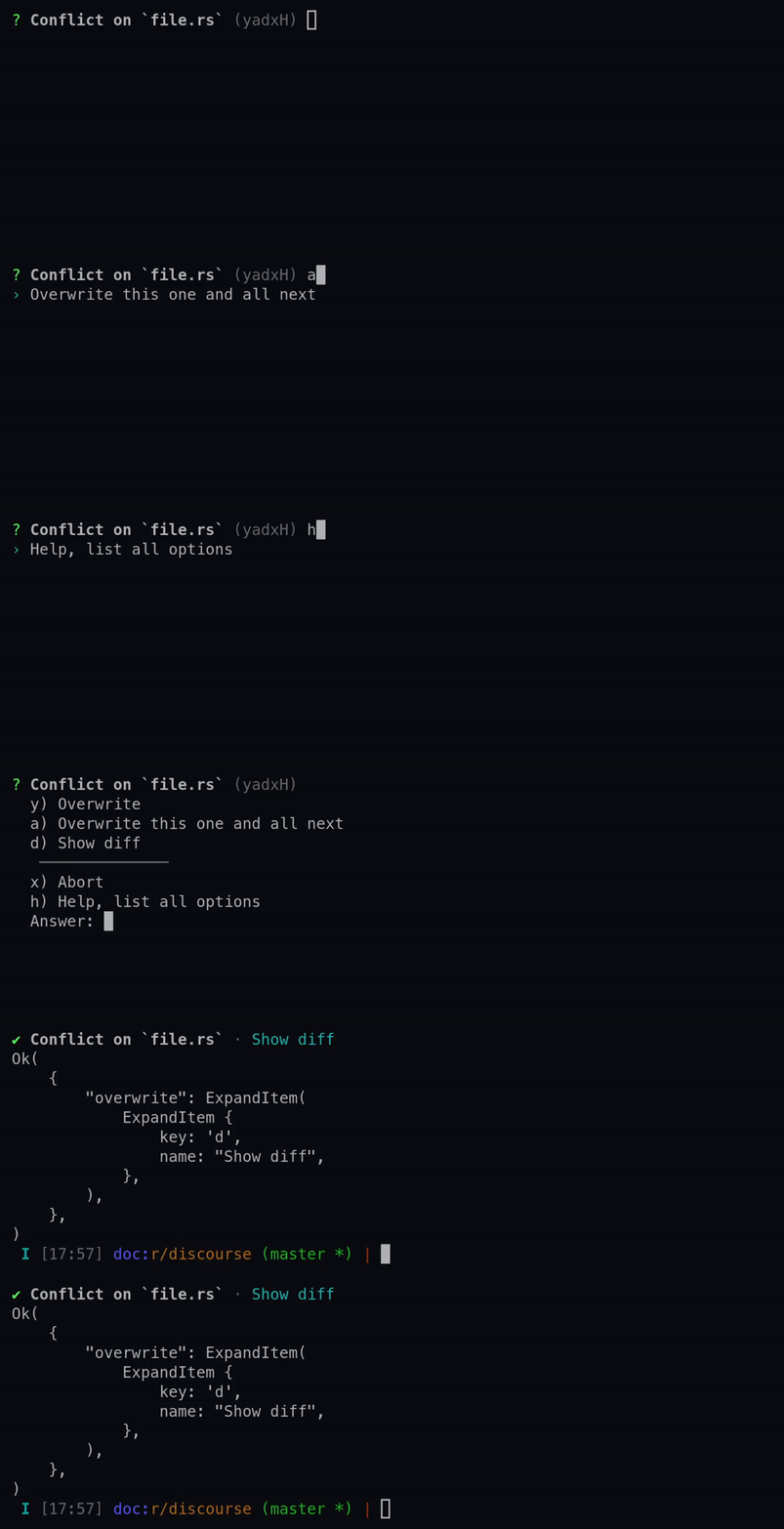
See the various methods on the builder for more details on each available option.
Examples
use requestty::Question;

let expand = Question::expand("overwrite")
    .message("Conflict on `file.rs`")
    .choices(vec![
        ('y', "Overwrite"),
        ('a', "Overwrite this one and all next"),
        ('d', "Show diff"),
    ])
    .default_separator()
    .choice('x', "Abort")
    .build();
Prompt that allows the user to select from a list of options
The choices are represented with the Choice enum. Choice::Choice can be multi-line,
but Choice::Separators can only be single line.
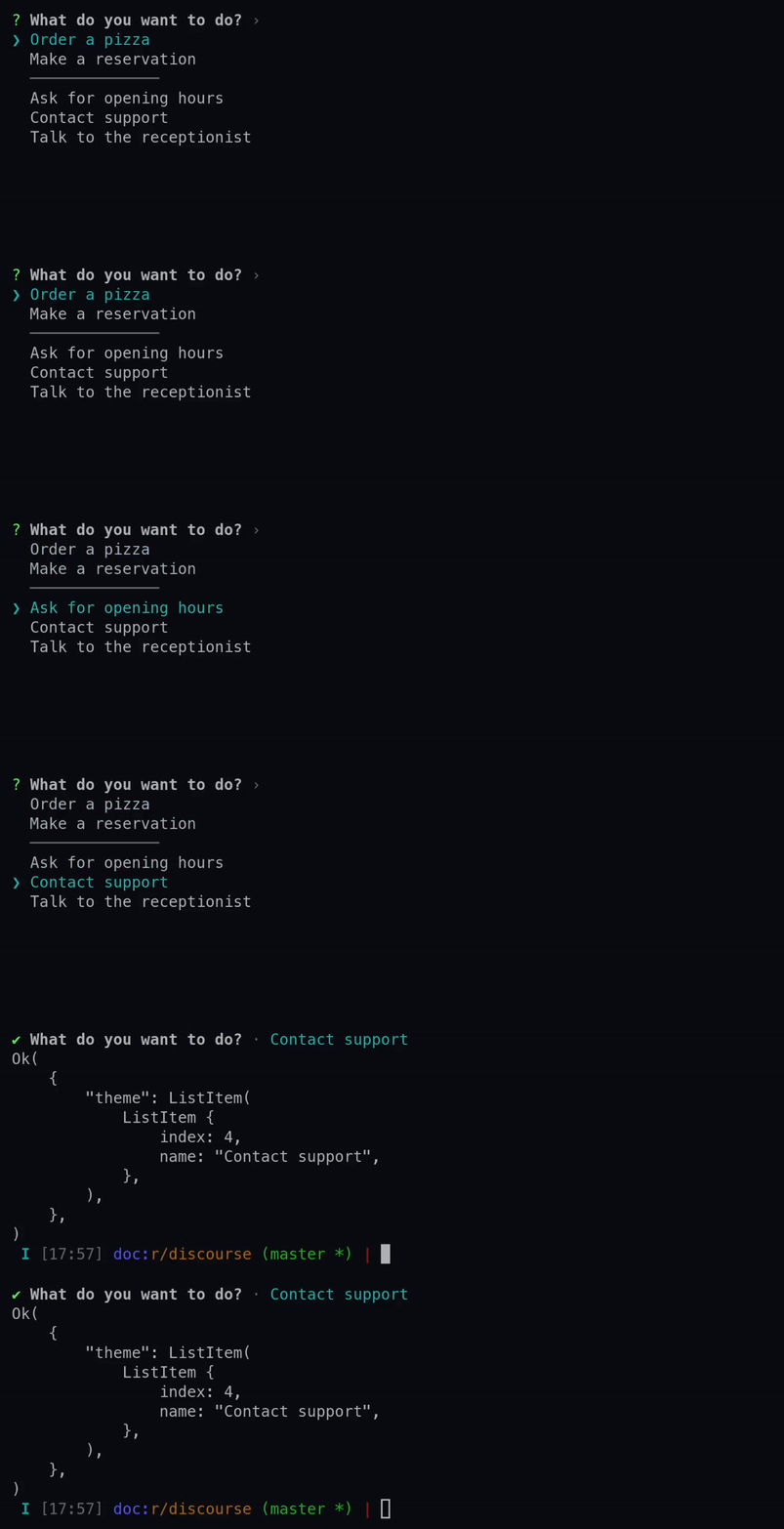
See the various methods on the builder for more details on each available option.
Examples
use requestty::{Question, DefaultSeparator};

let select = Question::select("theme")
    .message("What do you want to do?")
    .choices(vec![
        "Order a pizza".into(),
        "Make a reservation".into(),
        DefaultSeparator,
        "Ask for opening hours".into(),
        "Contact support".into(),
        "Talk to the receptionist".into(),
    ])
    .build();
Prompt that allows the user to select from a list of options with indices
The choices are represented with the Choice enum. Choice::Choice can be multi-line,
but Choice::Separators can only be single line.
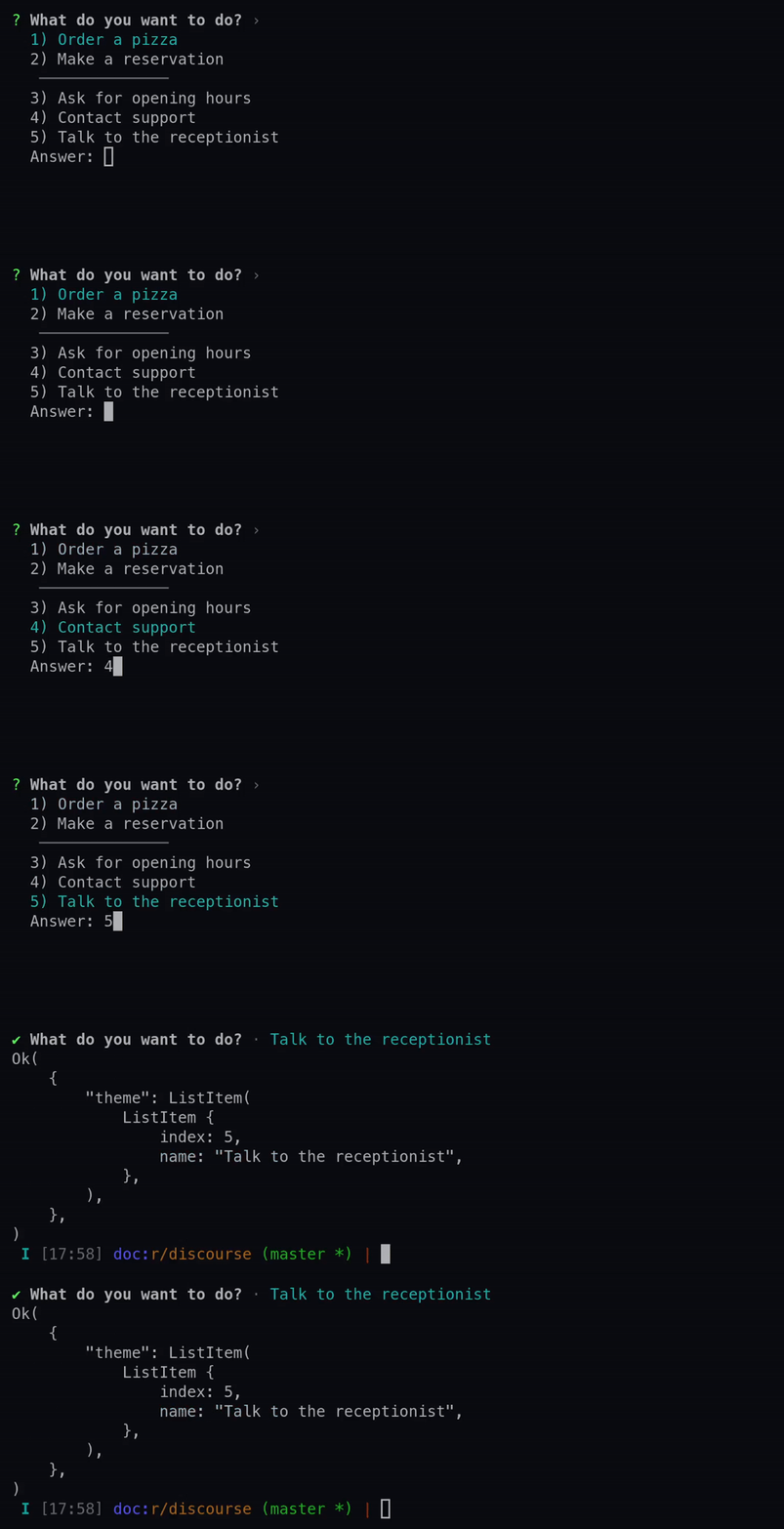
See the various methods on the builder for more details on each available option.
Examples
use requestty::{Question, DefaultSeparator};

let raw_select = Question::raw_select("theme")
    .message("What do you want to do?")
    .choices(vec![
        "Order a pizza".into(),
        "Make a reservation".into(),
        DefaultSeparator,
        "Ask for opening hours".into(),
        "Contact support".into(),
        "Talk to the receptionist".into(),
    ])
    .build();
Prompt that allows the user to select multiple items from a list of options
Unlike the other list based prompts, this has a per choice boolean default.
The choices are represented with the Choice enum. Choice::Choice can be multi-line,
but Choice::Separators can only be single line.
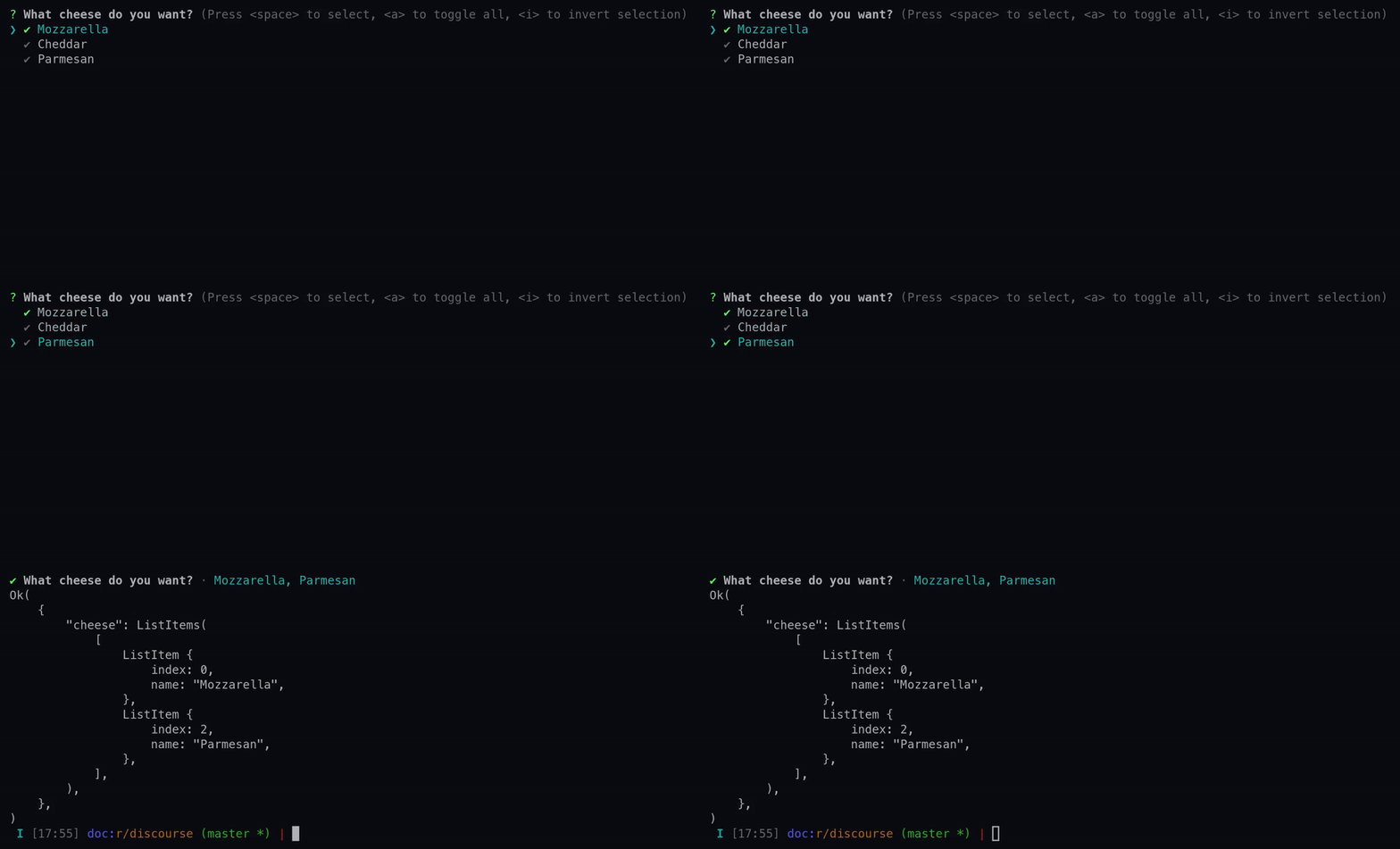
See the various methods on the builder for more details on each available option.
Examples
use requestty::{Question, DefaultSeparator};

let multi_select = Question::multi_select("cheese")
    .message("What cheese do you want?")
    .choice_with_default("Mozzarella", true)
    .choices(vec![
        "Cheddar",
        "Parmesan",
    ])
    .build();
Create a Question from a custom prompt.
See Prompt for more information on writing custom prompts and the various methods on the
builder for more details on each available option.
Examples
use requestty::{prompt, Question};

#[derive(Debug)]
struct MyPrompt { /* ... */ }


impl prompt::Prompt for MyPrompt {
    fn ask(
        self,
        message: String,
        answers: &prompt::Answers,
        backend: &mut dyn prompt::Backend,
        events: &mut dyn prompt::EventIterator,
    ) -> requestty::Result<prompt::Answer> {
        /* ... */
    }
}

let prompt = Question::custom("my-prompt", MyPrompt::new())
    .message("Hello from MyPrompt!")
    .build();
Trait Implementations
Consumes the builder returning a Question
Consumes the builder returning a Question
Consumes the builder returning a Question
Consumes the builder returning a Question
Consumes the builder returning a Question
Consumes the builder returning a Question
Consumes the builder returning a Question
Consumes the builder returning a Question
Consumes the builder returning a Question
Consumes the builder returning a Question
Consumes the builder returning a Question
Auto Trait Implementations
impl<'a> !RefUnwindSafe for Question<'a>impl<'a> !UnwindSafe for Question<'a>