Struct requestty::question::FloatBuilder [−][src]
pub struct FloatBuilder<'a> { /* fields omitted */ }Expand description
The builder for a float prompt.
The number is parsed using from_str, but cannot be NaN.
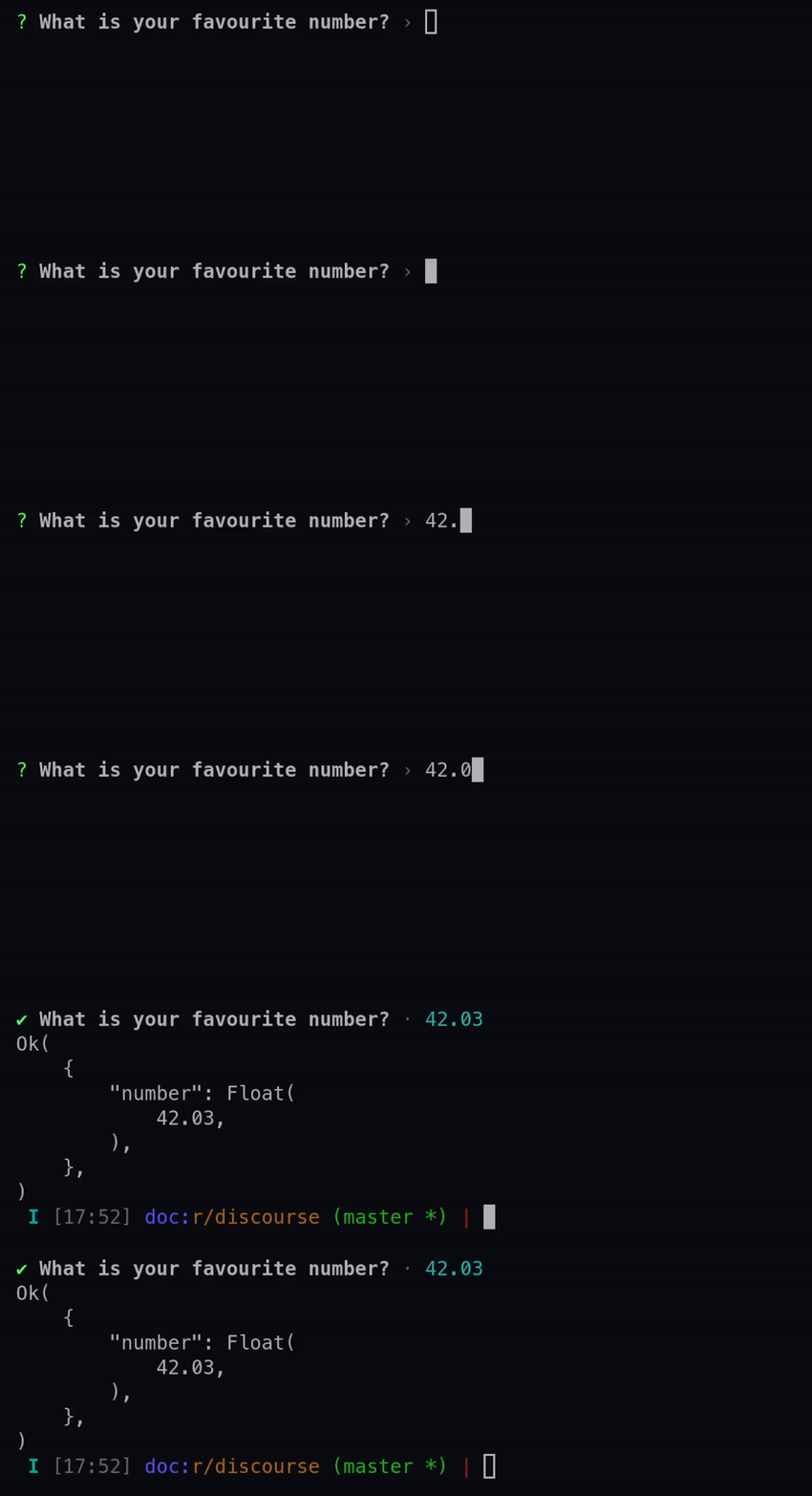
See the various methods for more details on each available option.
Examples
use requestty::Question;

let float = Question::float("number")
    .message("What is your favourite number?")
    .validate(|num, previous_answers| {
        if num.is_finite() {
            Ok(())
        } else {
            Err("Please enter a finite number".to_owned())
        }
    })
    .build();
Implementations
The message to display when the prompt is rendered in the terminal.
It can be either a String or a FnOnce that returns a String. If it is a
function, it is passed all the previous Answers, and will be called right before the
question is prompted to the user.
If it is not given, the message defaults to “<name>: “.
Examples
use requestty::Question;

let float = Question::float("float")
    .message("Please enter a number")
    .build();
Whether to ask the question (true) or not (false).
It can be either a bool or a FnOnce that returns a bool. If it is a
function, it is passed all the previous Answers, and will be called right before the
question is prompted to the user.
If it is not given, it defaults to true.
Examples
use requestty::{Question, Answers};

let float = Question::float("float")
    .when(|previous_answers: &Answers| match previous_answers.get("ask_number") {
        Some(ans) => ans.as_bool().unwrap(),
        None => true,
    })
    .build();
Prompt the question even if it is answered.
By default if an answer with the given name already exists, the question will be
skipped. This can be overridden by setting ask_if_answered is set to true.
If this is not given, it defaults to false.
If you need to dynamically decide whether the question should be asked, use when.
Examples
use requestty::{Question, Answers};

let float = Question::float("float")
    .ask_if_answered(true)
    .build();
Set a default value
If the input text is empty, the default is taken as the answer.
If default is used, validation is skipped, but filter is still called.
Examples
use requestty::Question;

let float = Question::float("float")
    .default(10.0)
    .build();
Function to change the final submitted value before it is displayed to the user and
added to the Answers.
It is a FnOnce that is given the answer and the previous Answers, and should
return the new answer.
This will be called after the answer has been validated.
Examples
use requestty::Question;

let float = Question::float("float")
   .filter(|n, previous_answers| (n * 10000.0).round() / 10000.0)
    .build();
Function to validate the submitted value before it’s returned.
It is a FnMut that is given the answer and the previous Answers, and should
return Ok(()) if the given answer is valid. If it is invalid, it should return an
Err with the error message to display to the user.
This will be called when the user presses the Enter key.
Examples
use requestty::Question;

let float = Question::float("float")
    .validate(|n, previous_answers| {
       if n.is_sign_positive() {
            Ok(())
        } else {
            Err("Please enter a positive number".to_owned())
        }
    })
    .build();
Change the way the answer looks when displayed to the user.
It is a FnOnce that is given the answer, previous Answers and the Backend to
display the answer on. After the transform is called, a new line is also added.
It will only be called once the user finishes answering the question.
Examples
use requestty::Question;

let float = Question::float("float")
    .transform(|n, previous_answers, backend| {
        write!(backend, "{:e}", n)
    })
    .build();
Trait Implementations
Consumes the builder returning a Question
Auto Trait Implementations
impl<'a> !RefUnwindSafe for FloatBuilder<'a>impl<'a> !Send for FloatBuilder<'a>impl<'a> !Sync for FloatBuilder<'a>impl<'a> Unpin for FloatBuilder<'a>impl<'a> !UnwindSafe for FloatBuilder<'a>