
Zenthra
A high-performance, immediate-mode UI framework written in Rust. Zenthra is built from scratch with a custom GPU render pipeline, a flexible layout engine, and a widget system designed for speed and ergonomics.
🌐 Website: zenthralabs.dev
📖 Documentation: zenthralabs.dev/products/zenthra/docs/
Showcase
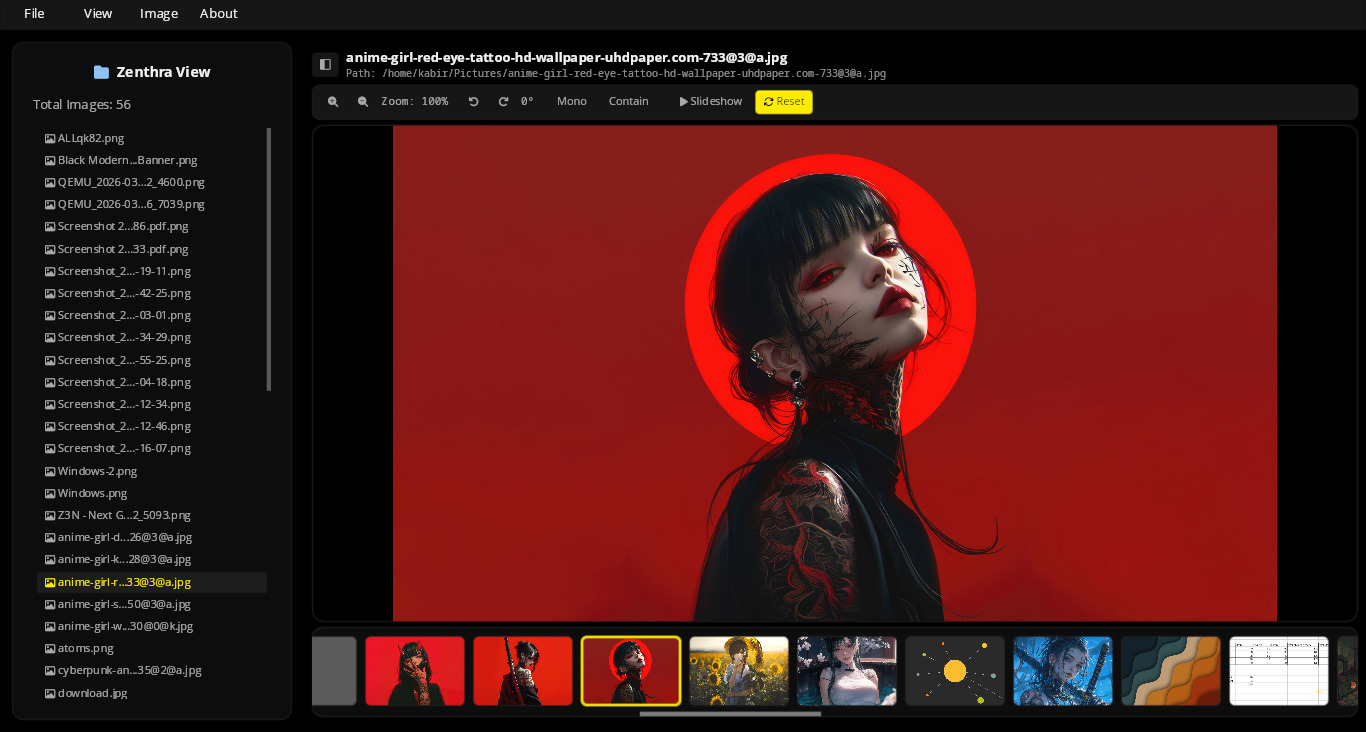
Here are some native applications built entirely with the Zenthra framework:
Zenthra View (Native Image Viewer)
ZenFile (Native File Manager)
Features
- GPU-Accelerated Rendering — Rect, text, and overlay draw commands sent directly to the GPU via WGPU.
- Immediate-Mode API — Rebuilds the UI each frame for instant state transitions and zero-synchronization overhead.
- Flexible Layout Engine — Row, Column, and Wrap layouts with alignment, padding, and gap support.
- High-Performance Virtualization —
LazyContainerrenders only visible items, handling millions of rows at a constant 60 FPS. - Premium Glassmorphism — Built-in hardware-accelerated Dual-Pass Kawase blur, frosted grain overlays, and beveled specular edge highlights.
- Extensible WGSL Shaders — Dynamically load and run developer-registered fragment shaders on layout containers with ease.
- Scrollable Containers — Out-of-the-box scrollbar drag, mouse wheel, and trackpad gestures.
- Text System — Powered by cosmic-text with full shaping, bidirectional text, and font fallback.
- Input Widgets — Single-line
Inputand multi-lineTextAreawith cursor tracking, selection, and virtual scrolling.
Understanding the Paradigm
Immediate-Mode API
Zenthra uses an Immediate-Mode programming model (similar to egui or Dear ImGui). Instead of maintaining a persistent, memory-heavy tree of widgets (like the HTML DOM or traditional desktop toolkits), your application code describes the entire UI layout and behavior every frame in line with execution. This eliminates state-synchronization bugs and keeps your code simple and readable.
Event-Driven vs. Continuous Rendering
While Zenthra's API is immediate-mode, its rendering loop is highly optimized:
- Event-Driven (Default): To save CPU/GPU resources and battery life, Zenthra sleeps when there is no activity. It only runs your UI functions and redraws the window when it receives a system event (e.g. mouse movement, clicks, keyboard input, or window resizing).
- Continuous: If you are running animations, transitions, or games, Zenthra can dynamically switch to continuous rendering to redraw the screen at your monitor's full refresh rate (60+ FPS).
Quick Start
Add zenthra to your dependencies in Cargo.toml:
[]
= "0.2.0"
Create a minimal application in src/main.rs:
use *;
Examples
Run the built-in examples to see widgets and layouts in action:
# Basic window
# Glassmorphism & layout tab panels
# Custom WGSL post-processing shaders
# Standard containers
Widgets
| Widget | Description |
|---|---|
container() |
Layout box with padding, background, corner radius, scrolling, and custom shaders |
lazy_container() |
Virtualized container — only renders visible items |
text() |
Styled text with font size, color, and paragraph alignment |
button() |
Interactive button with hover/active states |
input() |
Single-line text input field |
text_area() |
Multi-line text editor |
Full API reference can be found in docs/widget-guide.md.
Architecture
See docs/architecture.md for a detailed overview of the layout lifecycle, rendering pipelines, and state management.
License
Apache 2.0 — see LICENSE.