# youchoose

A simple, easy to use command line menu for Rust.
## Usage
There are two methods you need to be familiar with to get started: `Menu::new` which takes an `Iterator` as an argument, and `Menu::show` which initializes `ncurses` and displays the menu.
Here is a minimal example that displays the range `0..100` in a menu:
```rust
use youchoose;
fn main() {
let mut menu = youchoose::Menu::new(0..100);
let choice = menu.show();
// `choice` is a Vec<usize> containing the chosen indices
println!("Index of the chosen item: {:?}", choice);
}
```
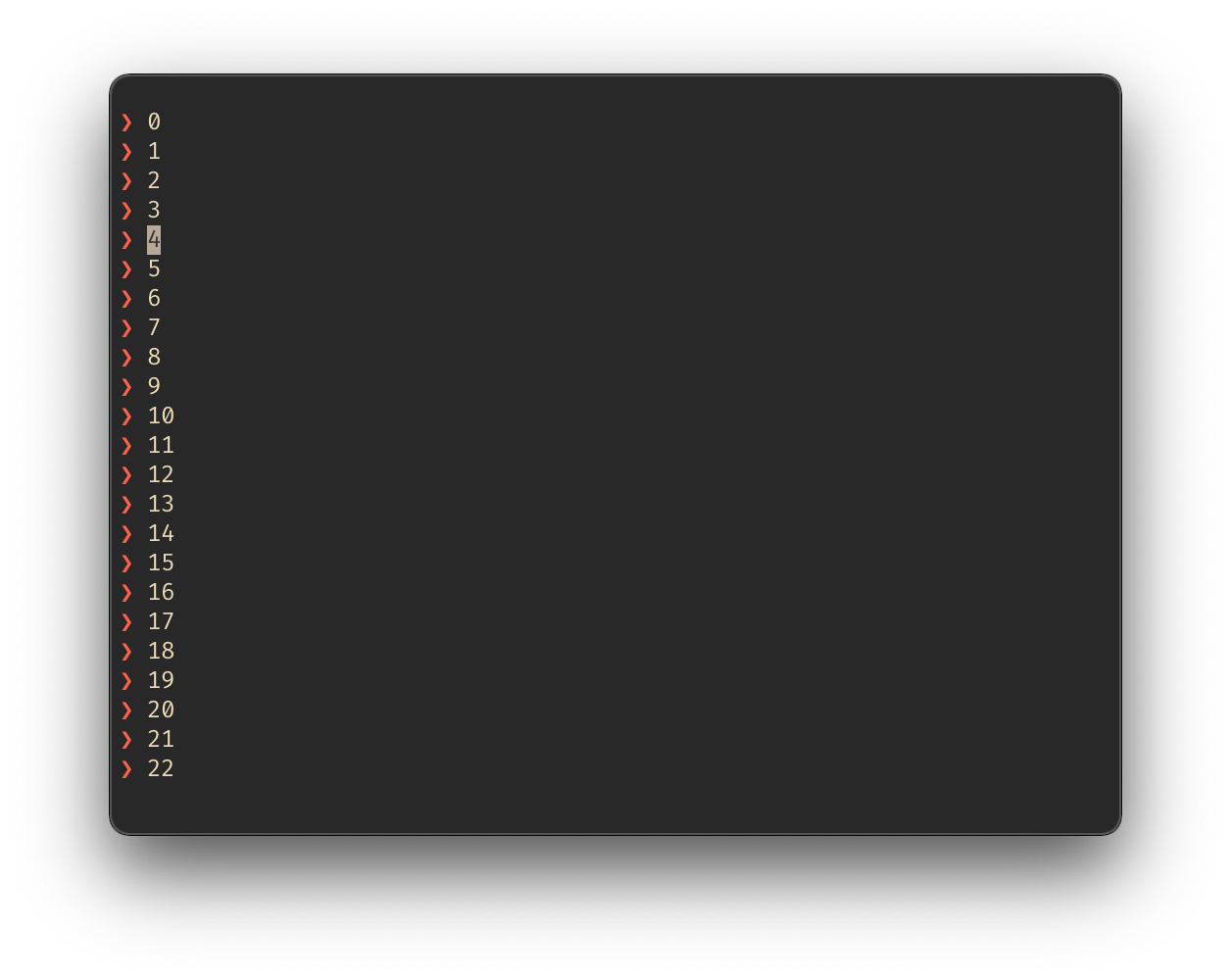
Either `↓↑` or `jk` can be used to scroll, and `return` is used to select. `ESC` or `q` can be used to quit.
**Previews**
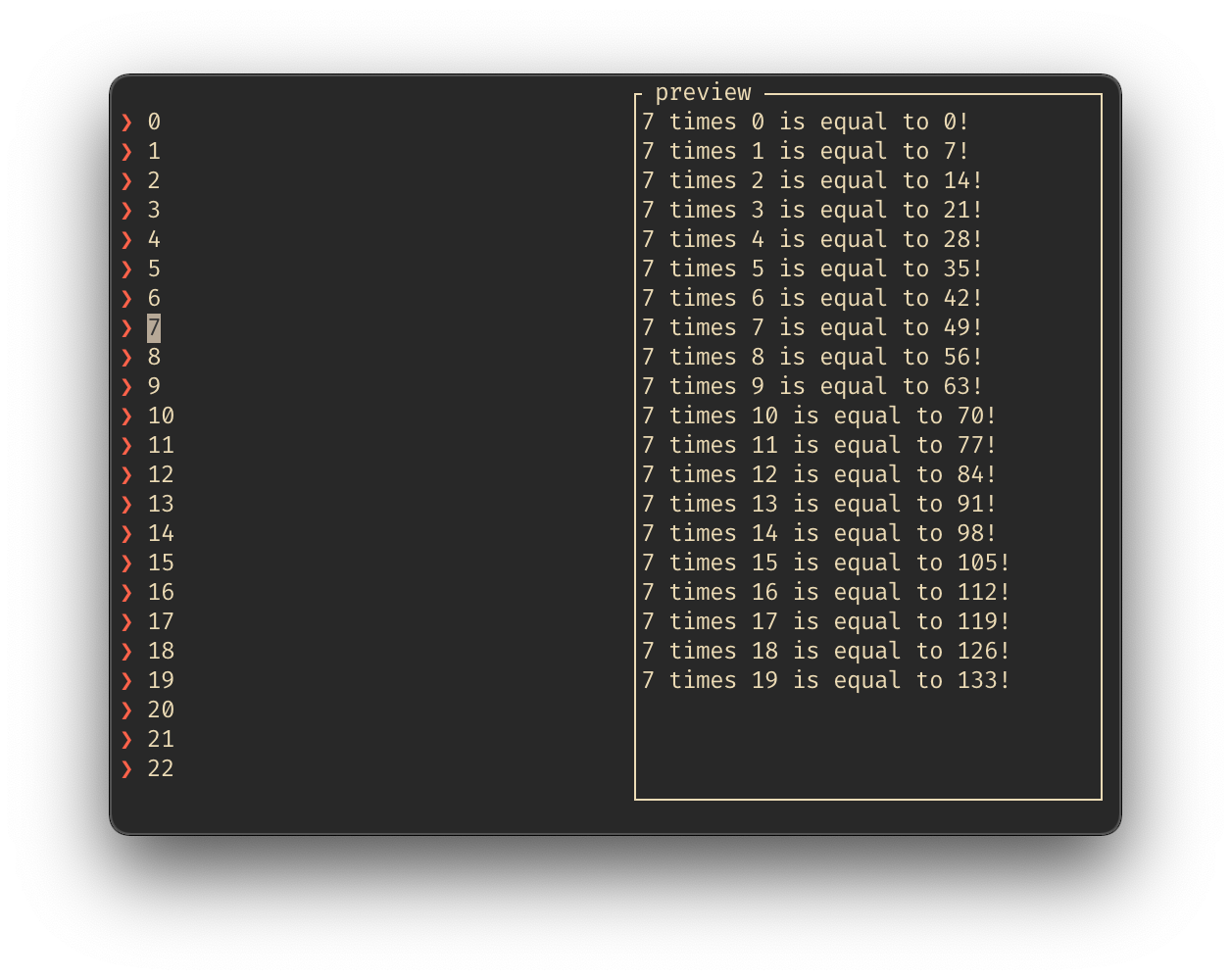
The `youchoose::Menu` has a preview feature, which executes a command and shows the results on a seperate pane.
```rust
use youchoose;
fn main(){
let mut menu = youchoose::Menu::new(0..100).preview(multiples);
let choice = menu.show();
println!("Chose {:?}", choice);
}
fn multiples(num: i32) -> String {
let mut buffer = String::new();
for i in 0..20 {
buffer.push_str(
&format!("{} times {} is equal to {}!\n", num, i, num * i)
);
}
buffer
}
```
**Customization**
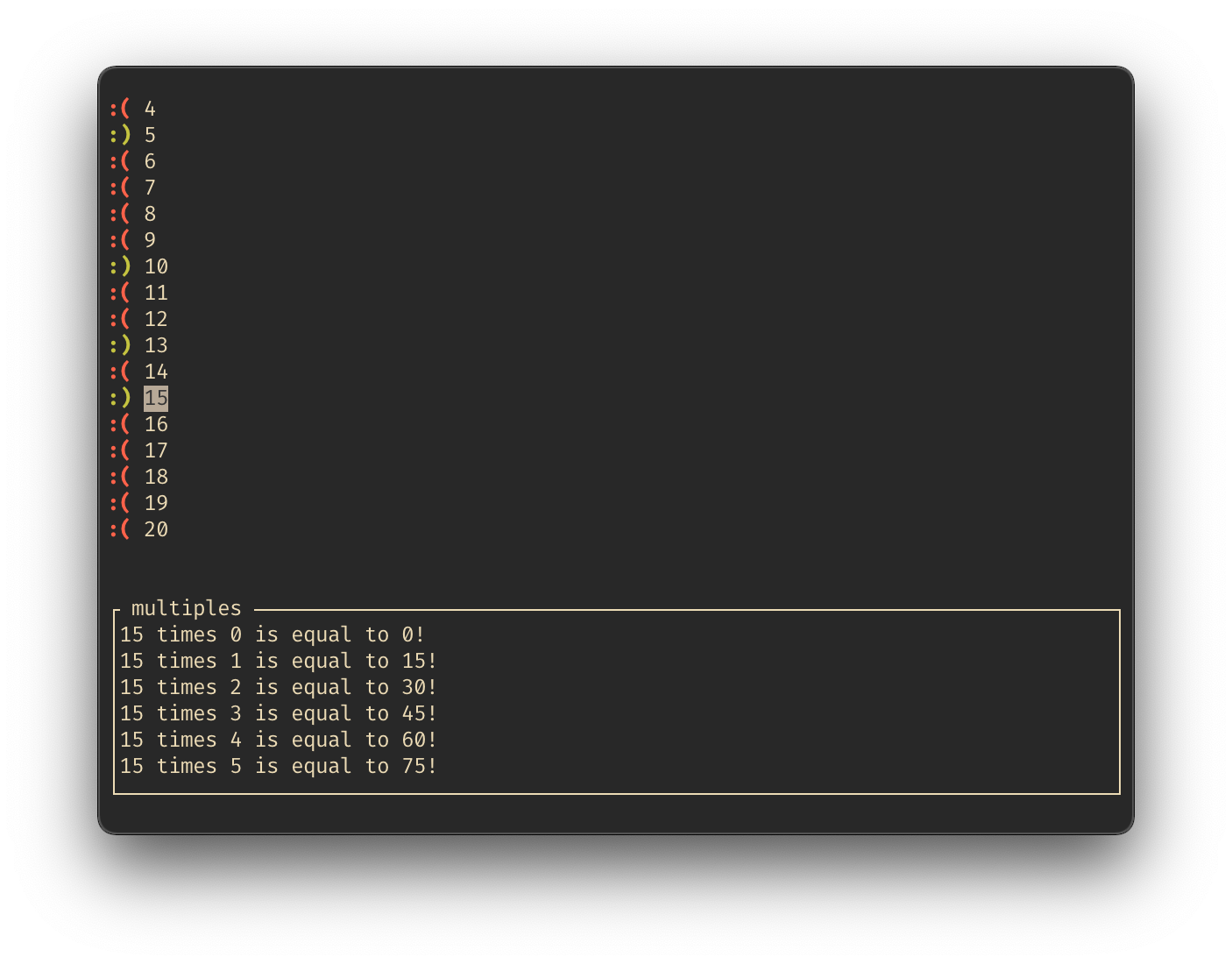
Let's take a look at an example that showcases the available methods for customization.
```rust
use youchoose;
fn main() {
let mut menu = youchoose::Menu::new(0..100)
.preview(multiples) // Sets the preview function
.preview_pos(youchoose::ScreenSide::Bottom, 0.3) // Sets the position of the preview pane
.preview_label(" multiples ".to_string()) // Sets the text at the top of the preview pane
.multiselect() // Allows multiple items to be selected
.icon(":(") // Sets the default (not selected) icon for an item
.selected_icon(":)") // The icon for selected items
.add_multiselect_key('s' as i32) // Bind the 's' key to multiselect
.add_up_key('u' as i32) // Bind the 'u' key to up
.add_down_key('d' as i32) // Bind the 'd' key to down
.add_select_key('.' as i32); // Bind the '.' key to select
let choice = menu.show();
}
fn multiples(num: i32) -> String {
// --- Snip ---
}
```