
Yolop






A terminal coding agent built on
everruns-runtime. One binary
that plans, edits, runs, and verifies code in your repository — autonomous by
default, with persistent sessions, agent skills, MCP servers, and editor
integration over the Agent Client Protocol.
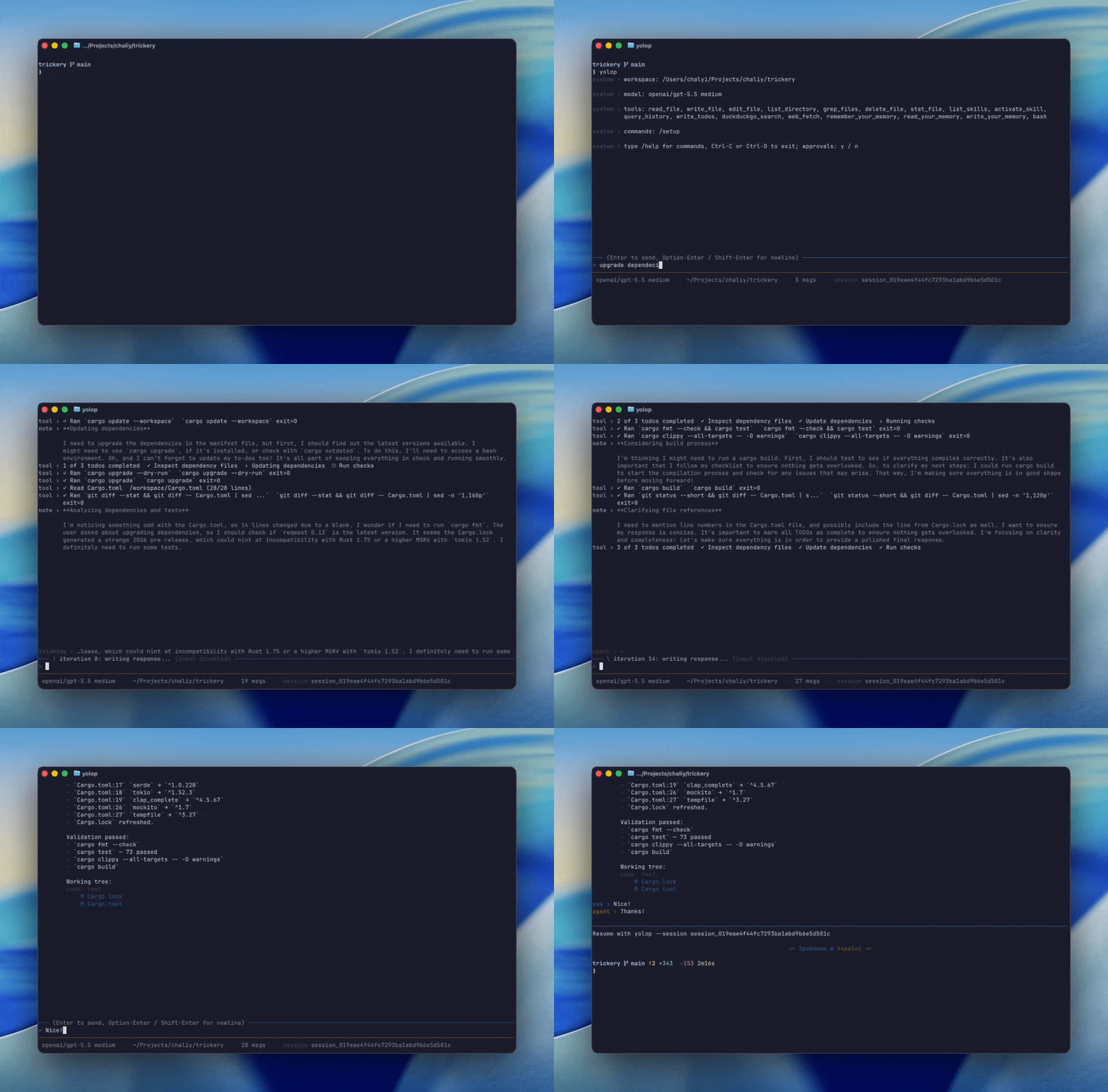
Origin of the name
yolop comes from the Ukrainian Йолоп: a dummy, fool, or not-too-bright
person. The name was meant to sound clever and funny in Ukrainian while also
describing the agent's starting point: yolop does not believe in per-tool
approval pop-ups. It uses an AI-judgement approach instead — autonomous by
default, with soft approval for critical
moments when you want spoken consent and an audit trail.
Install
Works on macOS (arm64/x86_64) and Linux (x86_64). If your Homebrew enforces
tap trust checks, trust the tap once first with brew trust --tap everruns/tap.
Building from source instead? cargo install yolop --locked.
Quick start
First launch with no credentials opens a guided, keyboard-driven setup: provider → credentials → model. Or set a provider key and go:
OPENAI_API_KEY=sk-…
Features
Agent core
- Autonomous by default — yolop runs writes, edits, deletes, and bash
commands without prompting. A standing write blocklist rejects writes
into
.git/,node_modules/,target/,dist/,build/,.next/,.venv/,venv/,.tox/,.gradle/at any depth; reads are unrestricted inside the workspace. - Native shell sandbox by default — every foreground, background, slash,
and direct shell command runs under Seatbelt on macOS or Landlock + seccomp
on Linux. The active workspace and
/tmpare writable, other writes and network access are denied, and macOS also makes workspace.gitmetadata read-only. You can setsandbox = "off"only when yolop already runs inside a trusted VM/container; Yolop marks that modeUNSAFE HOSTand warns that it exposes host files, processes, and network. See Shell sandboxing. - Soft approval — an optional spoken-consent layer for critical actions.
yolop batches the safe work and pauses to ask, in plain chat, only before
destructive or outward-facing steps; you approve by replying "yes". The
paranoia level (
protective/normal/off) is shown in the status bar and set with/setup approval <level>(or just by telling yolop to be more or less careful). See Soft approval below. - TUI chat (ratatui): scrolling transcript with language-aware syntax
highlighting of fenced code blocks (tree-sitter) and styled
http(s)links (setYOLOP_HYPERLINKS=1to also emit them as clickable OSC 8 terminal hyperlinks), multiline composer, a busy indicator with a live elapsed timer while a turn runs, status bar (with abgcount whenever the session has background tasks and actxcontext-window gauge once the model reports usage), slash commands (/help,/tools,/mcp,/cwd,/setup,/model,/effort,/goal,/shell,/background,/clear,/quit), a read-only background-tasks panel toggled withCtrl+B,!<command>as a direct shell shortcut,@-triggered file-path completion, shell-style↑/↓recall andCtrl+Rreverse search of previously submitted prompts (persisted across sessions), and natural-language requests for terminal actions such as "exit" or "clear the screen". - Side questions —
/btw <question>answers a question about the current session out-of-band: same context as the main task, no tools, and nothing added to the conversation history. - Goal loops —
/goal <condition>keeps working across turns until a separate evaluator model confirms the condition from the transcript; use/goalfor status and/goal clearto stop early. Works in--printmode (yolop -p "/goal …"). - Planning —
write_todoskeeps multi-step tasks on track, and loop detection stops the model from retrying the same failing tool call. - One-shot mode —
--printruns a single prompt non-interactively, for scripts and CI.
Tools
- Filesystem —
read_file,write_file,edit_file,list_directory,grep_files,delete_file,stat_file, backed by the real workspace disk. - Repo map —
repo_mapandrepo_symbolsbuild an on-demand multi-language symbol overview for broad codebase orientation before targeted grep/read. - AST grep —
ast_grepruns read-only structural pattern search with ast-grep syntax across Rust, Python, TypeScript/TSX, JavaScript/JSX, C#, Go, CSS, HTML, and Bash. - AST edit (optional, off by default) —
ast_editapplies pattern/replacement rewrites with a preview-firstdry_runflow (default) before writing. Enable with[[capabilities]] ref = "ast_edit"insettings.toml. - LSP (optional, off by default) — real language servers
(rust-analyzer, typescript-language-server, pyright, gopls, clangd, or any
configured binary) behind
lsp_diagnostics,lsp_definition,lsp_references,lsp_hover,lsp_rename(workspace-wide, fixes every reference),lsp_symbols, andlsp_code_actions. Servers spawn lazily per language on first use. Enable with[[capabilities]] ref = "lsp"insettings.toml. - Shell —
bash -lcfrom the workspace root, with a 120 s wall-clock timeout and per-stream 1 MiB output cap; large output is spilled to disk under the session folder and stays readable for model tool calls. Use/shell <command>or!<command>in interactive sessions to run a command directly with bounded inline output. - Background tasks —
spawn_backgroundruns a shell command detached from the current turn (e.g.gh pr checks <pr> --watchwaiting on CI): it streams to a session-file log, writes aresult.json, and tracks a background session task. Inspect and control them withlist_tasks,get_task, andcancel_task(the/backgroundcommand and theCtrl+Bpanel list them). A task's result survives a restart. Detached shell commands may run for up to 24 hours (foregroundbashremains limited to 120 seconds).spawn_backgroundcan also schedule a one-shot or recurring monitor; yolop executes due schedules while the TUI or ACP session is running and recovers overdue schedules after restart. When a schedule fires or a task finishes while the session is idle, yolop proactively wakes the agent with a turn so it reacts without waiting for your next prompt (turn off with theproactive_wakesetting). - Web —
free_web_search(best-effort SERP/developer search),web_fetch(HTTP GET/HEAD with markdown/text conversion and DNS-pinned SSRF protection), andduckduckgo_instant_answer(curated facts and abstracts). All work without an API key. SettingEVERRUNS_SYSTEM_ALLOWLIST_ENABLED=truerestrictsweb_fetchto the runtime's curated allowlist of well-known public resources (package registries, source hosting, AI/cloud provider APIs, OS mirrors); off by default.
Context engineering
AGENTS.md— project instructions re-read every turn.- Workspace context — root, shell, local date/timezone, Git identity and branch injected automatically.
- Memory — a central, structured
MEMORY.mdof durable, cross-session user memories, each with a title, timestamp, and body. Managed in natural language ("remember that I prefer terse answers") via theremember/recall/forgettools. Only memory titles are injected each turn (progressive disclosure); bodies are recalled on demand, so the prompt stays small however much you remember. Tunable through the generic capability-config system (disclosed_titles,recall_limit,soft_cap). - Skills —
SKILL.mdfiles discovered from workspace (.agents/skills/), global (<config_dir>/yolop/skills/), ephemeral environment integrations, and system (bundled) scopes, exposed vialist_skills,read_skill,write_skill, andactivate_skill. Workspace/global skills installed after startup are available immediately; the bundledskill-managementskill covers search, npx-style imports, and upgrades. - OKF knowledge — a bundled
okfskill for the Open Knowledge Format: read, author, convert to, and validate knowledge bundles (a directory of markdown + YAML frontmatter). Point Yolop at a repo's bundle fromAGENTS.mdand it reads and maintains it through the skill. See OKF. - Herdr-aware sessions — when launched in a Herdr pane, Yolop reports
working,idle, and explicitblockedlifecycle states and exposes read-only Herdr operating guidance without installing a global skill. - Infinity context — older history is trimmed out of the live prompt but
stays queryable via
query_history, so long sessions don't hit the wall. - Tool search — provider-agnostic deferred tool loading: core file/shell tools stay loaded, long-tail tools are hidden until the model pulls them in on demand, saving input tokens on every provider.
- Prompt caching — Anthropic prompt-caching markers out of the box.
Extensibility
- Extensions — installable capability packages that add tools, prompt
guidance, MCP servers, and hooks without rebuilding yolop, served over the
yolop extension protocol (YEP). Install from crates.io with no Rust toolchain
(
install_extension source="crates.io:yolop-extension-<name>"), a git URL, or a local path. Author one in a few lines of Rust with theyolop-yepSDK (or any language over stdio JSON-RPC). See docs/extensions.md to set up or create one. - MCP servers — extra tools from local (stdio) or remote (HTTP)
Model Context Protocol servers via
.mcp.json(see MCP servers). - Hooks — workspace and global hook files can block, mutate, or audit
agent actions through the upstream
user_hookscapability. Configure them by chatting with yolop or by editinghooks.json. Seedocs/features/hooks.md. - Editor integration —
--acpspeaks the Agent Client Protocol over stdio, so editors such as Zed can drive yolop as an external agent (see Editor integration). - Sessions — every run writes a durable per-session event log; resume any
conversation with
--session <id>(see Session persistence). - Checkpoint rewind — every turn gets a durable conversation checkpoint and,
in Yolop-owned Git worktrees, an exact workspace snapshot.
/undo,/redo, and/rewindpreview and restore either axis without changingHEADor the real Git index. - Session search —
search_sessionsfinds recent local sessions by a distinctive user/assistant phrase, or lists recent sessions when no query is supplied. This keeps investigations of prior or crashed runs grounded in the saved event log before source-code analysis.
Providers
| Provider | Credential | Default model |
|---|---|---|
| OpenAI | OPENAI_API_KEY |
gpt-5.6-sol |
| Codex subscription | browser/device ChatGPT login or CODEX_ACCESS_TOKEN |
gpt-5.6-sol |
| Anthropic | ANTHROPIC_API_KEY |
claude-opus-4-8 |
| OpenRouter | OPENROUTER_API_KEY |
openai/gpt-5.6-sol |
GEMINI_API_KEY / GOOGLE_API_KEY |
gemini-2.5-flash |
|
| Ollama | OLLAMA_BASE_URL / OLLAMA_API_KEY |
llama3.2 |
| Custom | CUSTOM_BASE_URL (+ optional CUSTOM_API_KEY) |
— (set via /setup) |
| llmsim | none (offline simulator) | — |
Pick explicitly with --provider, override the model with -m/--model.
Codex subscription signs in through ChatGPT and uses the Codex backend
directly; it does not shell out to the Codex CLI.
Custom is any OpenAI-compatible Chat Completions endpoint (vLLM,
llama.cpp, LM Studio, hosted gateways, …): point CUSTOM_BASE_URL at it or
configure the base URL, optional key, and model interactively via /setup.
Git attribution
Enabled by default and configurable. When yolop creates commits, it keeps
your git author/committer identity and appends
Co-Authored-By: yolop <yolop@everruns.com> once. PR descriptions created or
edited through gh get a Produced by [yolop](https://everruns.com/yolop) footer. Disable with
/setup attribution off.
Soft approval
Soft approval is prompt-engineering, not a hard gate: yolop is told, in its
system prompt, to batch safe work and pause for spoken consent only at the
critical moments. The model decides what is critical; you approve in plain
language ("yes", "approved"); each granted approval is recorded to the session
event log for audit (via the record_approval tool). There is no separate
approval UI — consent lives in the conversation.
A single central level, approval_mode, tunes how cautious yolop is:
| Level | yolop pauses before… |
|---|---|
protective |
any state-changing action (writes, commits, pushes, installs) |
normal |
only destructive/irreversible or outward-facing actions (the default) |
off |
nothing — fully autonomous, no soft-approval prompt |
The current level is always shown in the status bar. Change it with
/setup approval <protective\|normal\|off>, or just ask yolop to be more or
less careful ("stop asking me", "yolo mode") — it switches the level itself.
The setting is saved to settings.toml, so it persists across sessions.
Soft approval is judgement, not a guarantee. Native shell sandboxing supplies the kernel boundary; deterministic hooks can additionally block specific operations. The controls compose. See Shell sandboxing for containment setup, platform requirements, and limitations. For the public user-facing details, see Approvals.
Editor integration (ACP)
yolop implements the agent side of the Agent Client
Protocol. Launch it with --acp and it
speaks newline-delimited JSON-RPC 2.0 over stdin/stdout: the editor performs
the initialize handshake, opens a session with session/new, and sends
turns with session/prompt; yolop streams back assistant text, reasoning,
tool calls, and plans as session/update notifications. Editors can also
load an existing yolop session with session/load; yolop replays the persisted
conversation history and continues from the same JSONL session log used by
CLI --session.
To set up Zed:
That adds a custom ACP agent server to ~/.config/zed/settings.json using
the current yolop executable, preserving any existing env and extra
settings on re-run. Then pick yolop in Zed's agent panel.
MCP servers
Yolop pulls in extra tools from MCP servers — remote (Streamable HTTP)
and local (stdio, a child process) — configured in the standard
.mcp.json shape every MCP client understands. Two scopes are read and
merged (workspace overrides global by name):
- workspace:
<workspace_root>/.mcp.json - global:
<config_dir>/yolop/mcp.json(e.g.~/.config/yolop/mcp.json)
typedefaults tohttp; HTTP servers need aurl, stdio servers need acommand.- String values support
${VAR}expansion from the environment, so secrets stay out of the file (an unset${VAR}is left as-is so it's easy to spot). - Discovered tools are exposed to the model as
mcp_<server>__<tool>;/mcplists the configured servers.
Linear works as a global HTTP MCP server. Put this in the global mcp.json,
start yolop with LINEAR_API_KEY set, and keep any repo-specific Linear
server in .mcp.json if that repo needs to override it:
Trust model: HTTP requests keep yolop's DNS-pinned SSRF protection; stdio
servers run local processes you listed yourself, so authoring .mcp.json is
the act of consent. MCP tools run autonomously like the rest of yolop's
tools.
Reference
Flags
| Flag | Description |
|---|---|
-C, --cwd <PATH> |
Workspace root (default: current dir) |
--provider <P> |
Force anthropic, codex, openai, google, openrouter, ollama, custom, or llmsim |
-m, --model <ID> |
Override the model id for the chosen provider |
-p, --print <PROMPT> |
Run one prompt non-interactively and print the result |
--acp |
Speak the Agent Client Protocol over stdio (for editors like Zed) |
--session <ID> |
Resume a previous session by id |
--session-dir <PATH> |
Override the parent directory for session folders |
--reasoning-effort <E> |
Reasoning effort override when the selected model profile supports it |
--trajectory-out <PATH> |
Write the session as an ATIF v1.7 trajectory JSON file at end of run (interactive and --print) |
Commands
| Command | Description |
|---|---|
yolop version |
Print yolop, commit, and runtime versions |
yolop into zed |
Configure yolop as a custom ACP agent in Zed |
RUST_LOG is honored for the underlying tracing layer (writes to stderr).
Provider env vars
| Env var | Effect |
|---|---|
OPENAI_API_KEY |
Select OpenAI unless --provider overrides |
CODEX_ACCESS_TOKEN |
Select Codex subscription auth unless a higher-priority provider is configured |
ANTHROPIC_API_KEY |
Select Anthropic when OpenAI is not configured |
OPENROUTER_API_KEY |
Select OpenRouter when OpenAI/Anthropic are not configured |
OPENROUTER_BASE_URL |
Optional, defaults to https://openrouter.ai/api/v1 |
GEMINI_API_KEY / GOOGLE_API_KEY |
Select Google Gemini via its OpenAI-compatible endpoint |
GOOGLE_BASE_URL |
Optional, defaults to https://generativelanguage.googleapis.com/v1beta/openai |
OLLAMA_BASE_URL |
Select Ollama, defaults to http://localhost:11434/v1 |
OLLAMA_API_KEY |
Optional, defaults to ollama for local Ollama |
CUSTOM_BASE_URL |
Select the custom OpenAI-compatible endpoint (beats the saved base URL) |
CUSTOM_API_KEY |
Optional key for the custom endpoint (a placeholder is sent otherwise) |
EVERRUNS_CLI_MODEL |
Override the auto-selected default model (beats the saved model) |
EVERRUNS_CLI_REASONING_EFFORT |
Reasoning effort override when the selected model profile supports it |
Settings
A small TOML settings file persists the preferred provider, per-provider
model picks, custom endpoint base URLs, the soft-approval level
(approval_mode), shell sandbox mode (sandbox, default native), Codex
subscription login metadata, and (optionally) provider API tokens across runs:
<config_dir>/yolop/settings.toml —
~/.config/yolop/settings.toml on Linux,
~/Library/Application Support/yolop/settings.toml on macOS,
%APPDATA%\yolop\settings.toml on Windows.
The TUI's /setup, /model, and /effort commands update the active
provider, saved API keys, current model, reasoning effort, or offline demo
mode. The /setup provider picker shows which providers are already
connected (env key, saved key/login, or no key needed); selecting a connected one
jumps straight to model selection, and c opens key/base-URL configuration
for any provider. Provider, model, and custom base URL choices are written
to this file.
To disable kernel containment for an already isolated environment, add
sandbox = "off" or ask yolop to set that config key. This is dangerous on a
normal host: commands then have unrestricted host file, process, and network
access. Clearing the key restores the native default.
The model picker queries the provider's models API live (OpenAI, Anthropic,
and OpenRouter via the everruns drivers; Ollama, Gemini, and other
OpenAI-compatible endpoints via GET <base>/models), enriched with
human-readable names and descriptions from the everruns model profiles. A
curated shortlist is shown until the API responds — or instead of it, when
listing is unavailable — and the "Custom..." entry always accepts any model
id.
Provider resolution at startup:
--providerflag (always wins)- Saved
default_providersetting (the legacyproviderkey is still read) - Auto-detect: the first provider in the order OpenAI → Codex → Anthropic → OpenRouter → Google → Ollama → Custom with either a matching env var or a saved token/login/base URL (the provider order decides the tiebreak, not the credential source)
- Fall back to OpenAI's default model and open setup so a provider/API key can be configured
The model saved by /setup model for the resolved provider is restored,
unless -m/--model or EVERRUNS_CLI_MODEL overrides it. When the resolved
provider has no saved model, the global default_model setting (if set) is
applied as a cross-provider fallback. At runtime, the
per-provider env var (OPENAI_API_KEY, etc.) always beats the saved token,
so a per-run env override is always possible. /model <id> opens the model
picker prefilled for the active provider. Reasoning effort can be changed at
runtime with the /effort modal or /setup effort <level> when the selected
model profile exposes effort levels. The available values and default come from
that model profile, so they can vary by model.
/setup can store an API token under [tokens] in the settings file. The
Codex subscription provider stores OAuth data under [codex_auth] instead.
Refreshed Codex access/refresh tokens are written back to that section so the
next process start does not reuse a spent refresh token. If login becomes
invalid (refresh_token_reused), run /setup and sign in with Codex again.
The file is written with 0o600 on Unix (owner-only) and stored token values are
never echoed — but it is plain text on disk, so treat it the same way you
would ~/.aws/credentials.
The settings file is also schema-described: every key carries a title,
description, type, default, and examples. yolop itself can read and edit it
through the get_config and set_config tools or
the yolop-config skill — for example, "use anthropic by default", "store my
OpenAI key", or "set the default model to gpt-5.5 high". Unknown keys in the
file are ignored, never fatal, so the format stays forward-compatible.
Session persistence
Every run writes a durable per-session folder under the platform-native user data directory:
| OS | Default location |
|---|---|
| Linux | $XDG_DATA_HOME/yolop/sessions/<session_id>/ (typically ~/.local/share/…) |
| macOS | ~/Library/Application Support/yolop/sessions/<session_id>/ |
| Windows | %APPDATA%\yolop\sessions\<session_id>\ |
The event log lives at <session_folder>/events.jsonl; the workspace root is
stored in <session_folder>/workspace.json; large tool output is spilled under
<session_folder>/outputs/. On Unix the session folder is 0o700 and the log
and workspace metadata are 0o600 (owner-only). The log keeps everything
needed to restore the transcript and provider continuation state on resume —
including prompts, tool arguments and output, and reasoning artifacts.
To continue a previous conversation:
When no -C/--cwd is supplied, resume uses the workspace root saved for that
session instead of the shell's current directory. Pass -C <PATH> with
--session to intentionally move the resumed session to a different
workspace.
--session-dir <PATH> overrides the parent storage location (useful for
keeping per-workspace session histories in <workspace>/.yolop/sessions/).
Interactive sessions create a checkpoint before every turn. /undo previews a
restore to before the latest turn; /rewind lists earlier checkpoints and
/rewind <id> [conversation|workspace|both] previews one explicitly. /redo
previews the last abandoned branch. Every restore returns a confirmation token;
confirm with the same command followed by confirm <token>. Conversation
restore removes abandoned turns from model-visible history and returns the
original prompt to the composer. Workspace restore is available only in a
Yolop-owned worktree and never changes the branch, HEAD, commits, or real
index.
Treat session logs as you would shell history. They contain every prompt
you typed, every string passed to bash / write_file / web_fetch, tool
output, and reasoning artifacts — deliberately unredacted, because providers
need them to resume encrypted reasoning across sessions. There is no
retention policy or rotation. If a session should not be persisted, point
--session-dir at a path you can wipe (e.g. a tmpfs) or delete the JSONL
after the run.
Contributing
Development setup, validation commands, and local smoke tests live in
CONTRIBUTING.md.
Please report vulnerabilities through SECURITY.md, and follow
the project CODE_OF_CONDUCT.md when participating.
Benchmarking
evals/ holds yolop's Mira eval
studies. evals/swebench_verified/ benchmarks yolop
on SWE-bench Verified and, behind the same interface, other terminal agents
(claude-code, codex, pi) for head-to-head comparison — recording resolved-rate
plus cost, tokens, turns, and tool usage per run. The mira host CLI drives it.
See evals/README.md; evals/swebench_verified/bootstrap.sh
sets it up.
Releases
Yolop ships to the everruns/homebrew-tap Homebrew tap and to crates.io as
the yolop crate. See CHANGELOG.md for what shipped in
each version.
License
MIT — see LICENSE.
MCP servers
Yolop can load MCP servers from global settings or a workspace .mcp.json file.
Use yolop mcp to manage them from the CLI:
In an interactive session, /mcp lists startup MCP servers and
/mcp enable|disable|remove <name> [global|workspace] updates the config. MCP
connection changes take effect in the next yolop session.