# yedb - rugged embedded and client/server key-value database (Rust implementation)
## Why YEDB?
- Is it fast?
- Rust version is pretty fast, except writes are still slow if auto-flush is
enabled.
- Is it smart?
- No
- So what is YEDB for?
- YEDB is ultra-reliable, thread-safe and very easy to use.
- I don't like Rust
- There are other [implementations](https://www.yedb.org).
[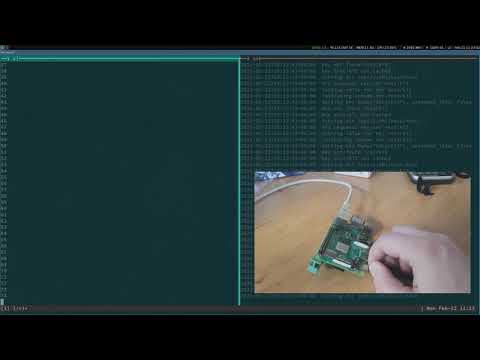](https://www.youtube.com/watch?v=i3hSWjrNqLo)
https://www.youtube.com/watch?v=i3hSWjrNqLo
YEDB is absolutely reliable rugged key-value database, which can survive in any
power loss, unless the OS file system die. Keys data is saved in the very
reliable way and immediately flushed to disk (this can be disabled to speed up
the engine but is not recommended - why then YEDB is used for).
## Rust version features
- Rust version is built on top of [Serde](https://serde.rs) framework.
- All key values are *serde_json::Value* objects.
- Storage serialization formats supported: JSON (default), YAML, MessagePack
and CBOR.
- As byte type is not supported by *serde_json::Value* at this moment, Rust
version can not handle byte key values.
- Contains: embedded library, async server and command-line client (TCP/Unix
socket only).
- The command-line client is very basic. If you need more features, use [yedb
Python CLI](https://github.com/alttch/yedb-py).
## Client/server
Binaries available at the [releases
page](https://github.com/alttch/yedb-rs/releases).
Run server:
```shell
./yedb-server /tmp/db1
```
Use client:
```shell
# get server info
./yedb-cli info
# set key value
./yedb-cli set x 5 -p number
# list all keys
./yedb-cli ls /
# edit key with $EDITOR
./yedb-cli edit x
# get key as JSON
./yedb-cli get x
# get help for all commands
./yedb-cli -h
```
## Code examples
The database/client objects can be safely shared between threads using any kind
of Lock/Mutex preferred.
### Embedded example
```rust
use yedb::Database;
use serde_json::Value;
fn main() {
let mut db = Database::new();
db.set_db_path("/tmp/db1").unwrap();
db.open().unwrap();
let key_name = "test/key1";
db.key_set(&key_name, Value::from(123u8)).unwrap();
println!("{:?}", db.key_get(&key_name));
db.key_delete(&key_name).unwrap();
db.close().unwrap();
}
```
### TCP/Unix socket client example
```rust
use yedb::YedbClient;
use serde_json::Value;
fn main() {
let mut db = YedbClient::new("tcp://127.0.0.1:8870");
let key_name = "test/key1";
db.key_set(&key_name, Value::from(123u8)).unwrap();
println!("{:?}", db.key_get(&key_name));
db.key_delete(&key_name).unwrap();
}
```
## Cargo crate
[crates.io/crates/yedb](https://crates.io/crates/yedb)
## Specification
[www.yedb.org](https://www.yedb.org/)
## Some benchmark data
* CPU: Intel Core i7-8550U (4 cores)
* Drive: Samsung MZVLB512HAJQ-000L7 (NVMe)
- auto\_flush: false
- connection: Unix socket
- server workers: 2
- client threads: 4
```shell
set/number: 8164 ops/sec
set/string: 7313 ops/sec
set/array: 7152 ops/sec
set/object: 5272 ops/sec
get/number: 49709 ops/sec
get/string: 33338 ops/sec
get/array: 31426 ops/sec
get/object: 11654 ops/sec
get(cached)/number: 122697 ops/sec
get(cached)/string: 61206 ops/sec
get(cached)/array: 59309 ops/sec
get(cached)/object: 34583 ops/sec
increment: 7079 ops/sec
```