# Yarn Spinner for Rust
[](https://crates.io/crates/bevy_yarnspinner)
[](https://docs.rs/bevy_yarnspinner/latest/bevy_yarnspinner/)
[](https://discord.gg/yarnspinner)
> **Note:**
> Yarn Spinner for Rust is a work-in-progress project. We don't currently offer any official support for it. We encourage you to
> file [issues](https://github.com/YarnSpinnerTool/YarnSpinner-Rust/issues/new) if you have them, and to join the official [Yarn Spinner Discord](https://discord.gg/yarnspinner) to discuss the
> project!
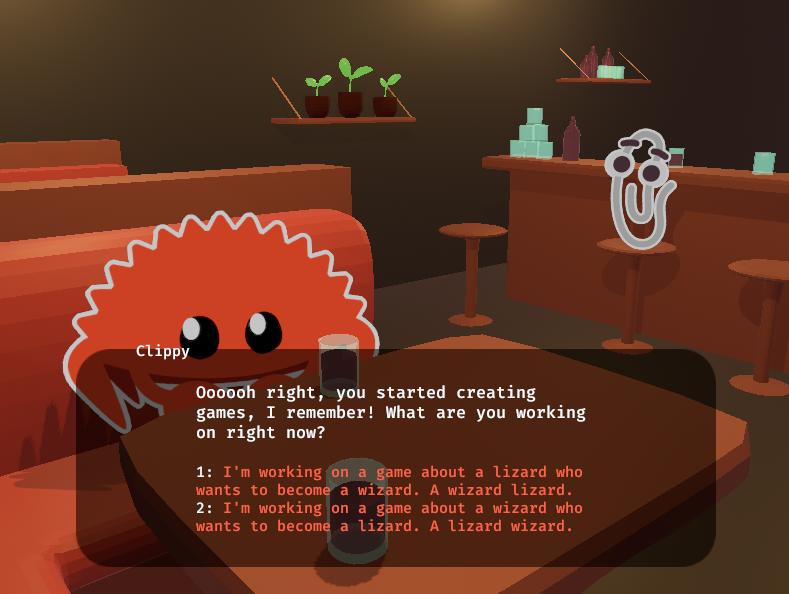
The Rust port of Yarn Spinner, the friendly tool for writing game dialogue. Read more on [docs.yarnspinner.dev](https://docs.yarnspinner.dev/using-yarnspinner-with-rust/overview) or check out
the [live demo](https://janhohenheim.itch.io/yarnspinner-rust-demo), which was written using the [Bevy engine](https://bevyengine.org/).
This project offers first class support for Bevy and assumes you are using it. If you are not, check out
the [relevant section of the book](https://yarnspinnertool.github.io/YarnSpinner-Rust/working_without_bevy)
[](https://janhohenheim.itch.io/yarn-slinger-demo)
## Quickstart
Taken straight from our [examples](https://github.com/YarnSpinnerTool/YarnSpinner-Rust/tree/main/examples/bevy_yarnspinner):
First, let's add our dependencies:
```bash
cargo add bevy bevy_yarnspinner bevy_yarnspinner_example_dialogue_view
```
Now, the `main.rs`:
```rust,no_run
use bevy::prelude::*;
use bevy_yarnspinner::prelude::*;
use bevy_yarnspinner_example_dialogue_view::prelude::*;
fn main() {
let mut app = App::new();
app.add_plugins((
DefaultPlugins,
// Register the Yarn Spinner plugin using its default settings, which will look for Yarn files in the "dialogue" folder.
// If this app should support Wasm or Android, we cannot load files without specifying them, so use the following instead.
// YarnSpinnerPlugin::with_yarn_source(YarnFileSource::file("dialogue/hello_world.yarn")),
YarnSpinnerPlugin::new(),
// Initialize the bundled example UI
ExampleYarnSpinnerDialogueViewPlugin::new(),
))
.add_systems(Startup, setup_camera)
.add_systems(
Update,
// Spawn the dialogue runner once the Yarn project has finished compiling
spawn_dialogue_runner.run_if(resource_added::<YarnProject>),
)
.run();
}
fn setup_camera(mut commands: Commands) {
commands.spawn(Camera2d::default());
}
fn spawn_dialogue_runner(mut commands: Commands, project: Res<YarnProject>) {
// Create a dialogue runner from the project.
let mut dialogue_runner = project.create_dialogue_runner(&mut commands);
// Immediately start showing the dialogue to the player
dialogue_runner.start_node("HelloWorld");
commands.spawn(dialogue_runner);
}
```
And finally, the `assets/dialogue/hello_world.yarn`:
```text
title: HelloWorld
---
Hello World! To continue the dialogue, click with your mouse, press the space bar or the enter key.
These are options. You can select one by clicking on it or pressing the corresponding number on your keyboard.
-> Some cool option
-> Some other cool option
Now we'll jump to another node!
<<jump AnotherNode>>
===
title: AnotherNode
---
Now, a character will talk. Notice how the upper left corner of the dialogue will show their name.
Hohenheim: Hi, I'm Jan Hohenheim, creator of Yarn Spinner for Rust. I hope you enjoy using it!
Let's set a condition. Do you prefer dogs or cats?
-> Dogs
<<set $animal = "dog">>
-> Cats
<<set $animal = "cats">>
-> Turtles
I, uuuh... okay, why not.
<<set $animal = "turtles">>
Now let's print the result of the condition. Your preference is...
(Drum roll)
<<if $animal == "dog">>
Dogs! Arf Arf!
<<elseif $animal == "cats">>
Cats! (Can't say I agree, but you do you)
<<else>>
Turtles! Solid choice.
<<endif>>
Et voilà! That was all. Thanks for checking out Yarn Spinner for Rust! Continuing from the last node will exit the dialogue.
===
```
## Examples
To run the examples, switch to the correct dir:
```sh
# For Bevy examples:
cd examples/bevy_yarnspinner
# Or, for non-Bevy examples:
cd examples/yarnspinner_without_bevy
```
then list the available examples with
```sh
cargo run --bin
```
finally, pick something from the list, e.g.
```sh
cargo run --bin hello_world
```
The Bevy demo game is in `demo` and can be run by using
```sh
cd demo
cargo run
```
## Version Table
| 0.17 | 0.6 |
| 0.16 | 0.5 |
| 0.15 | 0.4 |
| 0.14 | 0.3 |
| 0.13 | 0.2 |
| 0.12 | 0.1 |