<div align="center">
# xplore
X scraper for Rust
[](https://crates.io/crates/xplore)


</div>
>> 💥 PRs are welcome.
>> ❗We are still in the early development phase, so please be aware that the interfaces may evolve as we continue to refine the project.
## Features
- Authentication with cookies
- Comprehensive user profile management
- Timeline retrieval
- Tweet interactions (like, retweet, post)
- Advanced search capabilities
- User relationship management (follow/unfollow)
## Installation
```toml
[dependencies]
xplore = "0.1"
```
## Usage
Two method to authenticate with Cookie:
* By using `login`
```rust
let mut xplore = Xplore::new(None).await.unwrap();
xplore.login(username, password, email, two_factor_secret).await;
```
OR
* By using `set_cookie`
```rust
let mut xplore = Xplore::new(None).await.unwrap();
let cookie = env::var("X_COOKIE_STRING").expect("X_COOKIE_STRING");
xplore.set_cookie(&cookie).await;
```
---
> [!IMPORTANT]
> **How to Get Request Cookie for Authentication**
>
> **Steps to Retrieve Cookie:**
> 1. Open Chrome Developer Tools:
> - Press `F12` or `Fn+F12` (depending on your keyboard)
> - Alternatively: Right-click → "Inspect" → "Network" tab
>
> 2. Locate the Request:
> - Filter requests and select `user_flow.json`
> - Navigate to the "Headers" section
>
> 3. Copy Cookie Value:
> - Under "Request Headers" → Find the "Cookie" field
> - Select and copy the entire cookie string
>
> 4. Configure Environment:
> - Paste the copied value in your `.env` file:
> ```env
> X_COOKIE_STRING=your_copied_cookie_value_here
> ```
>
> **Note:** This cookie is used for authentication - keep it secure and never commit to version control.
---
### A quick start
```rust
use dotenv::dotenv;
use std::env;
use xplore::Xplore;
#[tokio::main]
async fn main() {
dotenv().ok();
let mut xplore = Xplore::new(None).await.unwrap();
let cookie = env::var("X_COOKIE_STRING").expect("X_COOKIE_STRING");
xplore.set_cookie(&cookie).await;
let screen_name = "zTgx5"; // Replace with the desired screen name
println!("Getting profile for: {screen_name}");
let profile = xplore.get_profile(screen_name).await.expect("Failed to get profile");
println!("Profile: {profile:#?}");
}
```
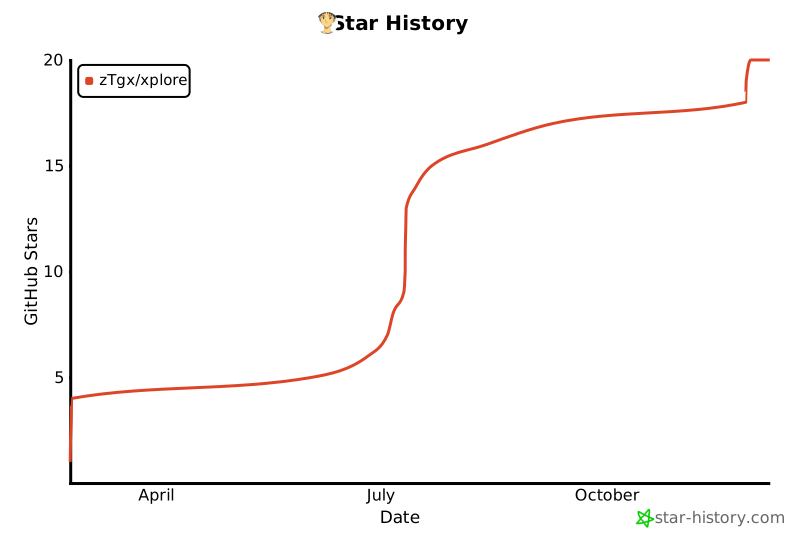
## Star History
[](https://www.star-history.com/#zTgx/xplore&Date)
## License
MIT