# xcom
A professional Windows file operations utility providing `xmove` and `copyx` commands with Windows Shell integration.
## Features
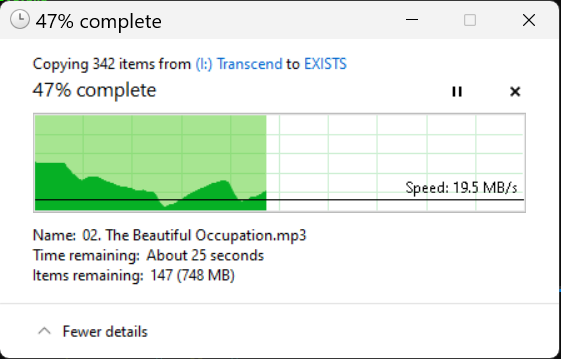
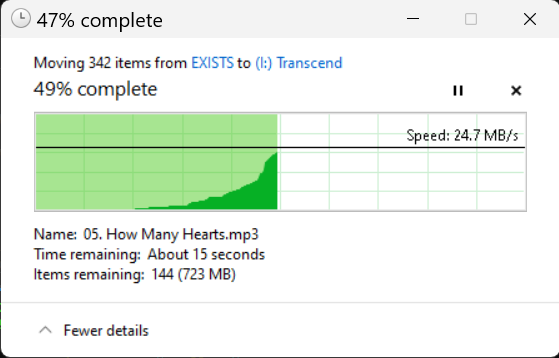
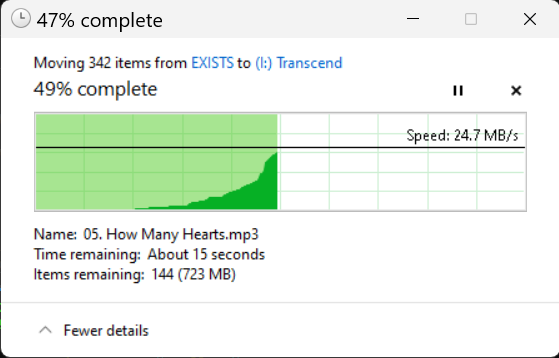
- **xmove**: Move files and directories using Windows Shell operations
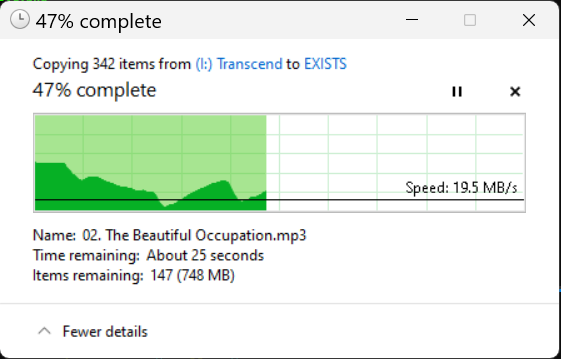
- **copyx**: Copy files and directories using Windows Shell operations
- Wildcard support (`*` patterns)
- Recursive directory operations
- Comprehensive logging with timestamps
- Windows Shell integration for proper file handling
- Professional command-line interface with clap
[](https://raw.githubusercontent.com/cumulus13/xcom/master/xmove.png)
[](https://raw.githubusercontent.com/cumulus13/xcom/master/copyx.png)
## Installation
### Option 1: Download Pre-built Binaries (Recommended)
Download the latest release for your platform from the [Releases page](https://github.com/cumulus13/xcom/releases):
- **x86_64-pc-windows-msvc** - 64-bit Windows (Intel/AMD) - **Most Common**
- **i686-pc-windows-msvc** - 32-bit Windows
- **aarch64-pc-windows-msvc** - 64-bit Windows (ARM)
**Steps:**
1. Download the appropriate `.zip` file for your system
2. Extract `xmove.exe` and `copyx.exe`
3. Place them in a directory in your PATH, or use directly
### Option 2: Install from crates.io
```bash
cargo install xcom
```
### Option 3: Build from Source
```bash
git clone https://github.com/cumulus13/xcom
cd xcom
cargo build --release
```
The binaries will be in `target/release/xmove.exe` and `target/release/copyx.exe`
## Usage
### Move Files
```bash
# Move single file
xmove file.txt destination/
# Move multiple files
xmove file1.txt file2.txt dir1/ destination/
# Move all files in current directory
xmove * destination/
# Move with wildcard pattern
xmove *.txt destination/
# Show version
xmove -v
```
### Copy Files
```bash
# Copy single file
copyx file.txt destination/
# Copy multiple files
copyx file1.txt file2.txt dir1/ destination/
# Copy all files in current directory
copyx * destination/
# Copy with wildcard pattern
copyx *.txt destination/
# Show version
copyx --version
```
## Logging
All operations are logged to `xcom.log` in the same directory as the executable, with timestamps and operation details.
## Platform Support
Currently supports Windows only (requires Windows Shell APIs).
## License
Licensed under either of:
- Apache License, Version 2.0 ([LICENSE-APACHE](LICENSE-APACHE) or http://www.apache.org/licenses/LICENSE-2.0)
- MIT license ([LICENSE-MIT](LICENSE-MIT) or http://opensource.org/licenses/MIT)
at your option.
## Contributing
Contributions are welcome! Please feel free to submit a Pull Request.
## 👤 Author
[Hadi Cahyadi](mailto:cumulus13@gmail.com)
[](https://www.buymeacoffee.com/cumulus13)
[](https://ko-fi.com/cumulus13)
[Support me on Patreon](https://www.patreon.com/cumulus13)