win-toast-notiy
This is a library for sending Windows Toast notifications, mainly referencing the following two projects:
Tested in Windows 11
Usage
# Cargo.toml

[dependencies]

win-toast-notify = "0.1.4"
Examples
Basic
cargo run --example basic
use win_toast_notify::WinToastNotify;

fn main() {
    WinToastNotify::new()
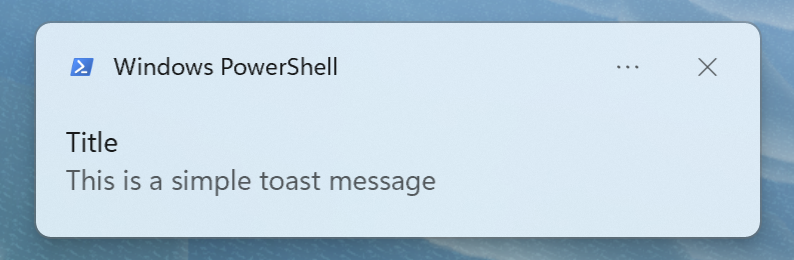
        .set_title("Title")
        .set_messages(vec![
            "This is a simple toast message"
        ])
        .show()
        .expect("Failed to show toast notification")
}
Button
cargo run --example button # button_2
use win_toast_notify::{WinToastNotify, Action, ActivationType};

fn main() {
    WinToastNotify::new()
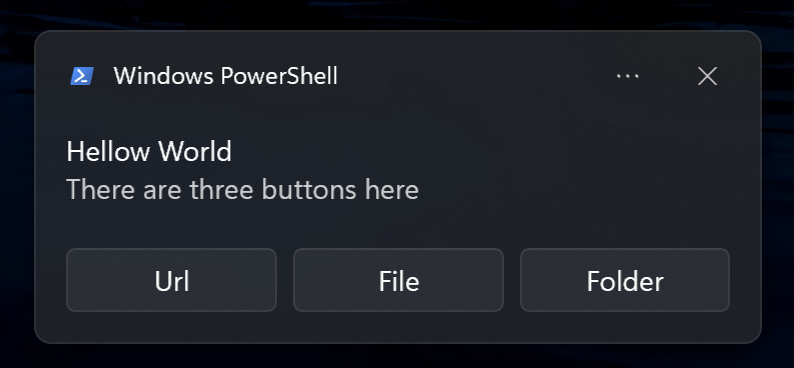
        .set_title("Hellow World")
        .set_messages(vec!["There are two buttons here"])
        .set_actions(vec![
            Action {
                activation_type: ActivationType::Protocol,
                action_content: "Open Github",
                arguments: "https://github.com/".to_string(),
                image_url: None,
            },
            Action {
                activation_type: ActivationType::Protocol,
                action_content: "Open Wallpaper",
                arguments: r"C:\Windows\Web\Screen\img101.jpg".to_string(),
                image_url: None,
            }
        ])
        .show()
        .expect("Failed to show toast notification")
}
Advance
cargo run --example advance
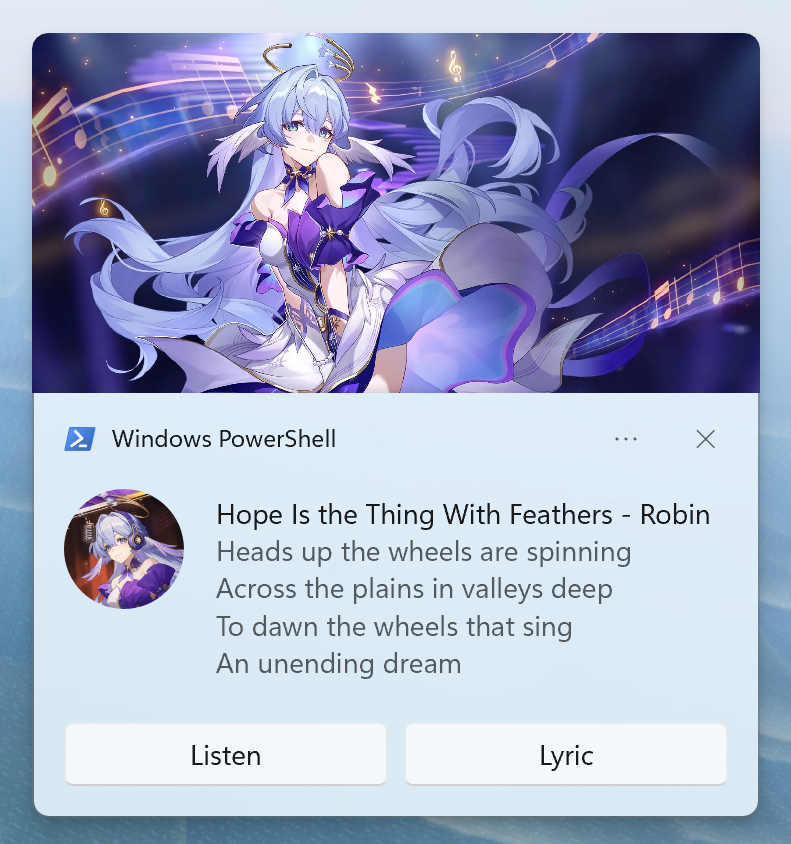
use win_toast_notify::*;
use std::env;

fn main() {
    let current_dir = env::current_dir().expect("Failed to get current directory");
    let logo_path = current_dir.clone().join("examples/album_artist.png");
    let image_path = current_dir.join("examples/album_cover.jpg");
    let introduce_url = "https://honkai-star-rail.fandom.com/wiki/Hope_Is_the_Thing_With_Feathers";
    let music_url = "https://t.co/6urFxrI6K0";
    let music_lyric = "https://x.com/honkaistarrail/status/1789149010831569254";

    WinToastNotify::new()
        .set_open(introduce_url)    // Click on the notification to open the link or file (folder)
        .set_duration(Duration::Long)
        .set_title("Hope Is the Thing With Feathers - Robin")
        .set_messages(vec![
            "Heads up the wheels are spinning\nAcross the plains in valleys deep",
            "To dawn the wheels that sing\nAn unending dream"
        ])
        .set_logo(logo_path.to_str().expect("Failed to convert path to string"), CropCircle::True)
        .set_image(image_path.to_str().expect("Failed to convert path to string"), ImagePlacement::Top)
        .set_actions(vec![
            Action {
                activation_type: ActivationType::Protocol,
                action_content: "Listen",
                arguments: music_url.to_string(),
                image_url: None,
            },
            Action {
                activation_type: ActivationType::Protocol,
                action_content: "Lyric",
                arguments: music_lyric.to_string(),
                image_url: None,
            }
        ])
        .set_audio(Audio::WinLoopingAlarm5, Loop::True)
        .show()
        .expect("Failed to show toast notification")
}
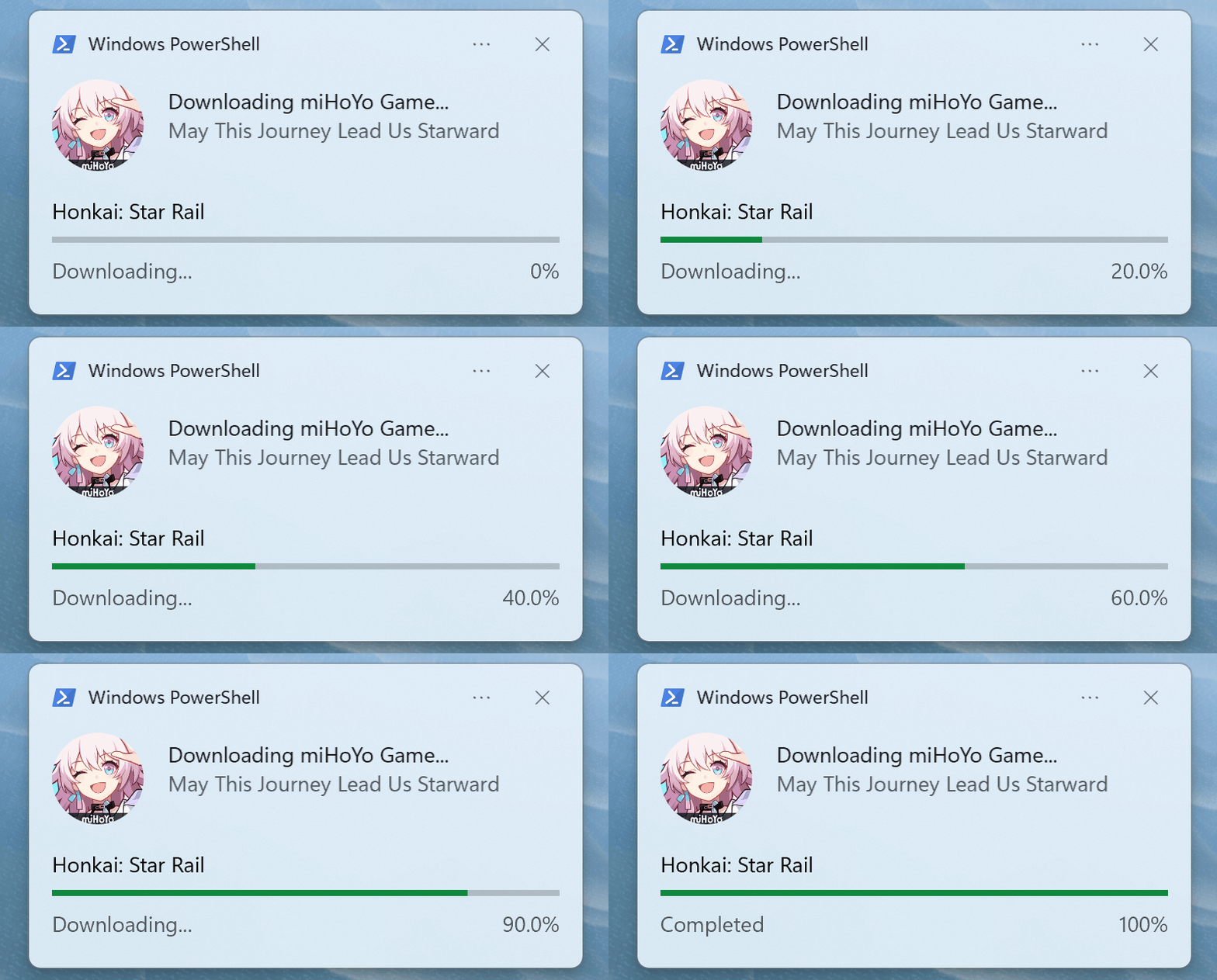
Progress Bat
cargo run --example progress_bat_2
use win_toast_notify::{WinToastNotify, CropCircle, Duration, Progress};
use std::env;

fn main() {
    let current_dir = env::current_dir().expect("Failed to get current directory");
    let logo_path = current_dir.join("examples/progress_logo.png");

    WinToastNotify::new()
        .set_duration(Duration::Long)
        .set_title("Downloading miHoYo Game...")
        .set_messages(vec![
            "May This Journey Lead Us Starward"
        ])
        .set_logo(logo_path.to_str().expect("Failed to convert path to string"), CropCircle::True)
        .set_progress(Progress {
            tag: "star-rail",
            title:"Honkai: Star Rail",
            status:"Downloading...",
            value: 0.0,
            value_string: "0%"
        })
        .show()
        .expect("Failed to show toast notification");

    for i in 1..=10 {
        std::thread::sleep(std::time::Duration::from_secs(1));
        let i_f32 = i as f32 / 10.0;
        if i != 10 {
            WinToastNotify::progress_update(None, "star-rail", i_f32, &format!("{:.1}%", i_f32 * 100.0)).expect("Failed to update");
        } else {
            WinToastNotify::progress_complete(None, "star-rail", "Completed", "100%").expect("Failed to complete");
        };
    };
}