# crawler
[](https://circleci.com/gh/a11ywatch/crawler)
A gRPC web indexer turbo charged for performance.
## Getting Started
Make sure to have [Rust](https://doc.rust-lang.org/book/ch01-01-installation.html) installed or Docker.
This project requires that you start up another gRPC server on port `50051` following the [proto spec](https://github.com/A11yWatch/crawler/blob/main/proto/website.proto).
The user agent is spoofed on each crawl to a random agent and the indexer extends [spider](https://github.com/madeindjs/spider) as the base.
1. `cargo run` or `docker compose up`
## Installation
You can install easily with the following:
### Cargo
The [crate](https://crates.io/crates/website_crawler) is available to setup a gRPC server within rust projects.
```sh
cargo install website_crawler
```
### Docker
You can use also use the docker image at [a11ywatch/crawler](https://hub.docker.com/repository/docker/a11ywatch/crawler).
Set the `CRAWLER_IMAGE` env var to `darwin-arm64` to get the native m1 mac image.
```yml
crawler:
container_name: crawler
image: "a11ywatch/crawler:${CRAWLER_IMAGE:-latest}"
ports:
- 50055
```
### Node
We also release the package to npm [@a11ywatch/crawler](https://www.npmjs.com/package/@a11ywatch/crawler).
```sh
npm i @a11ywatch/crawler
```
After import at the top of your project to start the gRPC server or run node directly against the module.
```ts
import "@a11ywatch/crawler";
```
## About
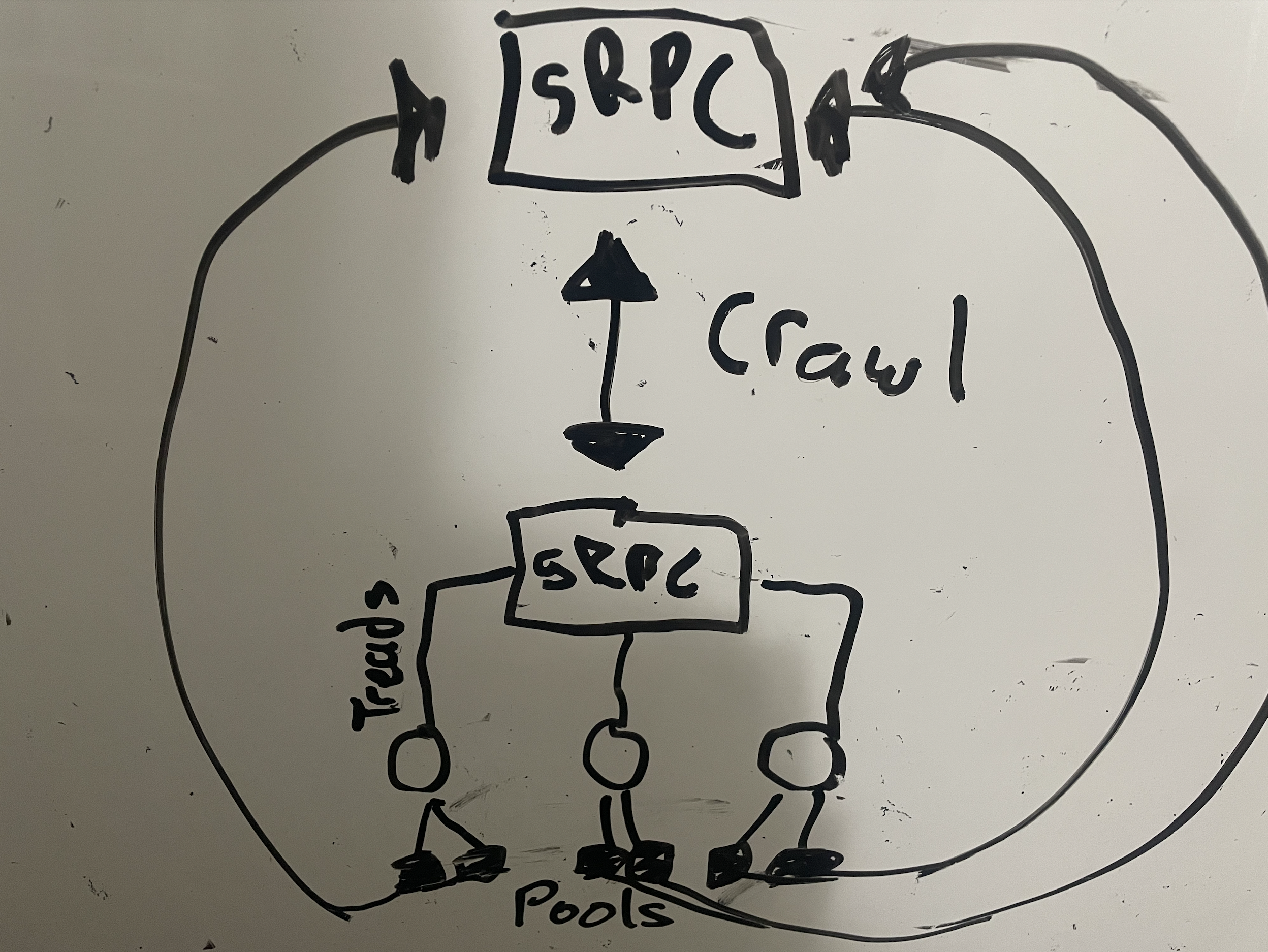
This crawler is optimized for reduced latency and performance as it can handle over 10,000 pages within seconds.
In order to receive the links found for the crawler you need to add the [`website.proto`](./proto/website.proto) to your server.
This is required since every request spawns a thread. Isolating the context drastically improves performance (preventing shared resources / communication ).
## Help
If you need help implementing the gRPC server to receive the pages or links when found check out the [gRPC node example](https://github.com/A11yWatch/a11ywatch-core/blob/main/src/proto/website-server.ts) for a starting point .
## TODO
1. Allow gRPC server port setting or change to direct url:port combo.
## LICENSE
Check the license file in the root of the project.