
Walkers, a map widget for Rust



Walkers is a slippy maps widget for egui, similar to very popular Leaflet, but written in Rust. It compiles to native applications as well as WASM. See the online demo here.
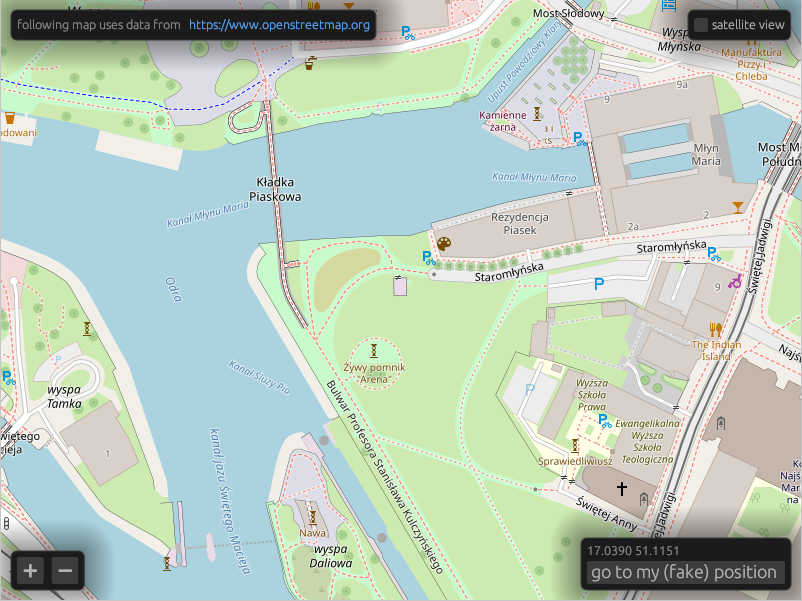
It supports OpenStreetMap, mapbox, and compatible tile servers as well as off-line tiles using the PMTiles format.
Before deploying your application, please get yourself familiar with the OpenStreetMap usage policy, and consider donating to the OpenStreetMap Foundation.
Features
- Fetching tiles over HTTP from XYZ tile servers.
- Reading tiles from local
.pmtilesfiles. - Raster tiles rendering.
- Vector tiles (MVT) rendering with styling similar to MapLibre style.
- Experimental local
.geojsonfiles support.
Quick start
Walkers has three main objects. Tiles downloads images from a tile map provider
such as OpenStreetMap and stores them in a cache, MapMemory keeps track of
the widget's state and Map is the widget itself.
use ;
use ;
use ;
You can see a more complete example here.
Running the demo
Native
To run demo application locally, use a default cargo run target.
Web / WASM
Android
You need to have Android SDK and cargo-ndk installed.
Offline maps
To obtain offline maps in .pmtiles format, you can fetch Dolnośląskie region extract from
Protomaps using:
You can also use Overpass API to fetch hiking trails in GeoJSON format:
Mapbox support
To enable mapbox layers, you need to define MAPBOX_ACCESS_TOKEN environment
variable before building. You can get one by creating a
mapbox account.