<div align="center">
<img src="assets/images/logos/logo_dark.svg" width="200px" alt="vLLora Logo">
#### Lightweight, Real-time Debugging for AI Agents
Debug your Agents in Real Time. Trace, analyze, and optimize instantly. Seamless with LangChain, Google ADK, OpenAI, and all major frameworks.
</div>
## Quick Start
First, install [Homebrew](https://brew.sh) if you haven't already, then:
```bash
brew tap vllora/vllora
brew install vllora
```
### Start the vLLora:
```bash
vllora
```
> The server will start on `http://localhost:9090` and the UI will be available at `http://localhost:9091`.
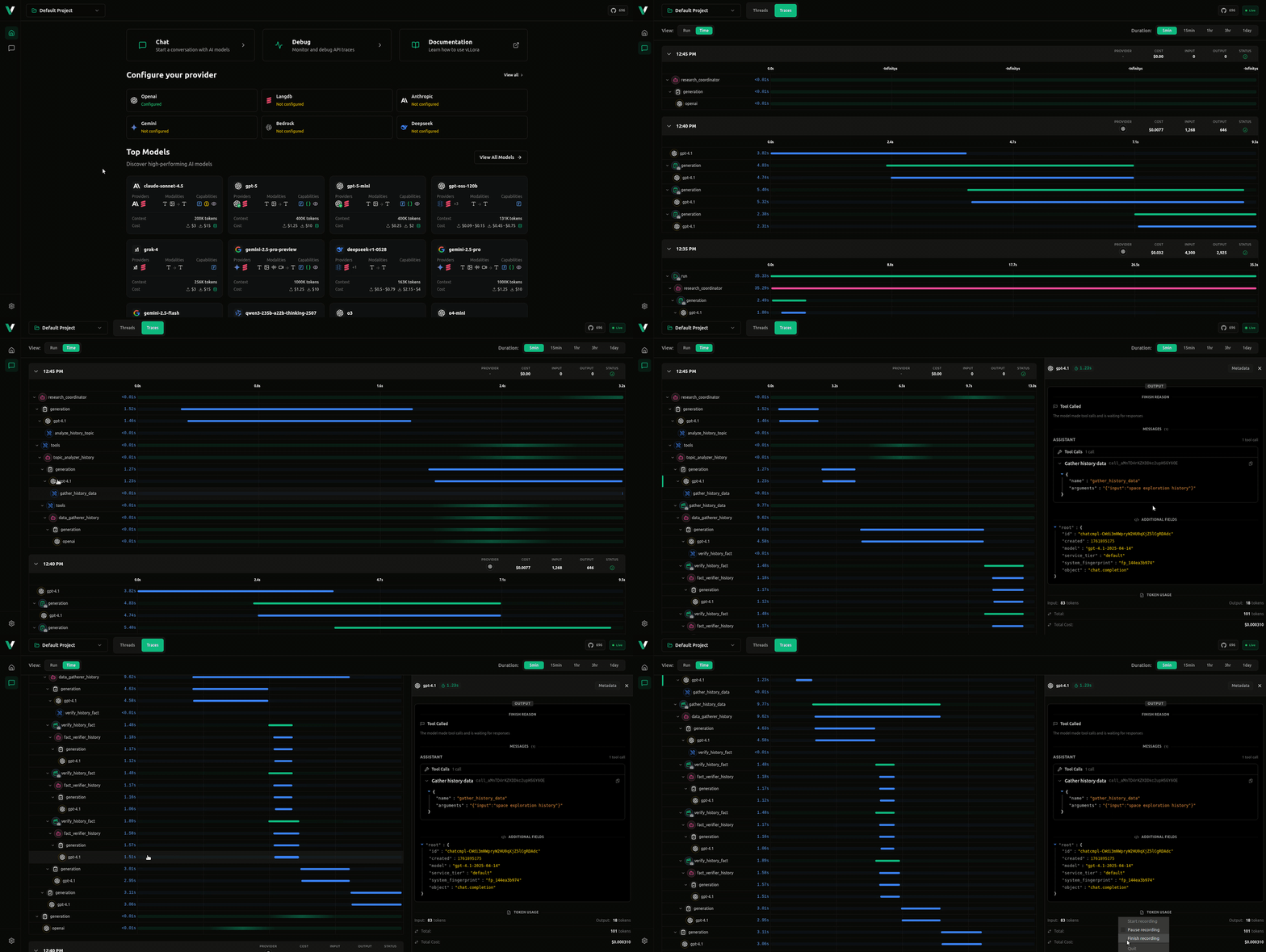
vLLora uses OpenAI-compatible chat completions API, so when your AI agents make calls through vLLora, it automatically collects traces and debugging information for every
interaction.
<div align="center">
</div>
### Test Send your First Request
1. **Configure API Keys**: Visit `http://localhost:9091` to configure your AI provider API keys through the UI
2. **Make a request** to see debugging in action:
```bash
curl http://localhost:9090/v1/chat/completions \
-H "Content-Type: application/json" \
-d '{
"model": "gpt-4o-mini",
"messages": [{"role": "user", "content": "What is the capital of France?"}]
}'
```
## Features
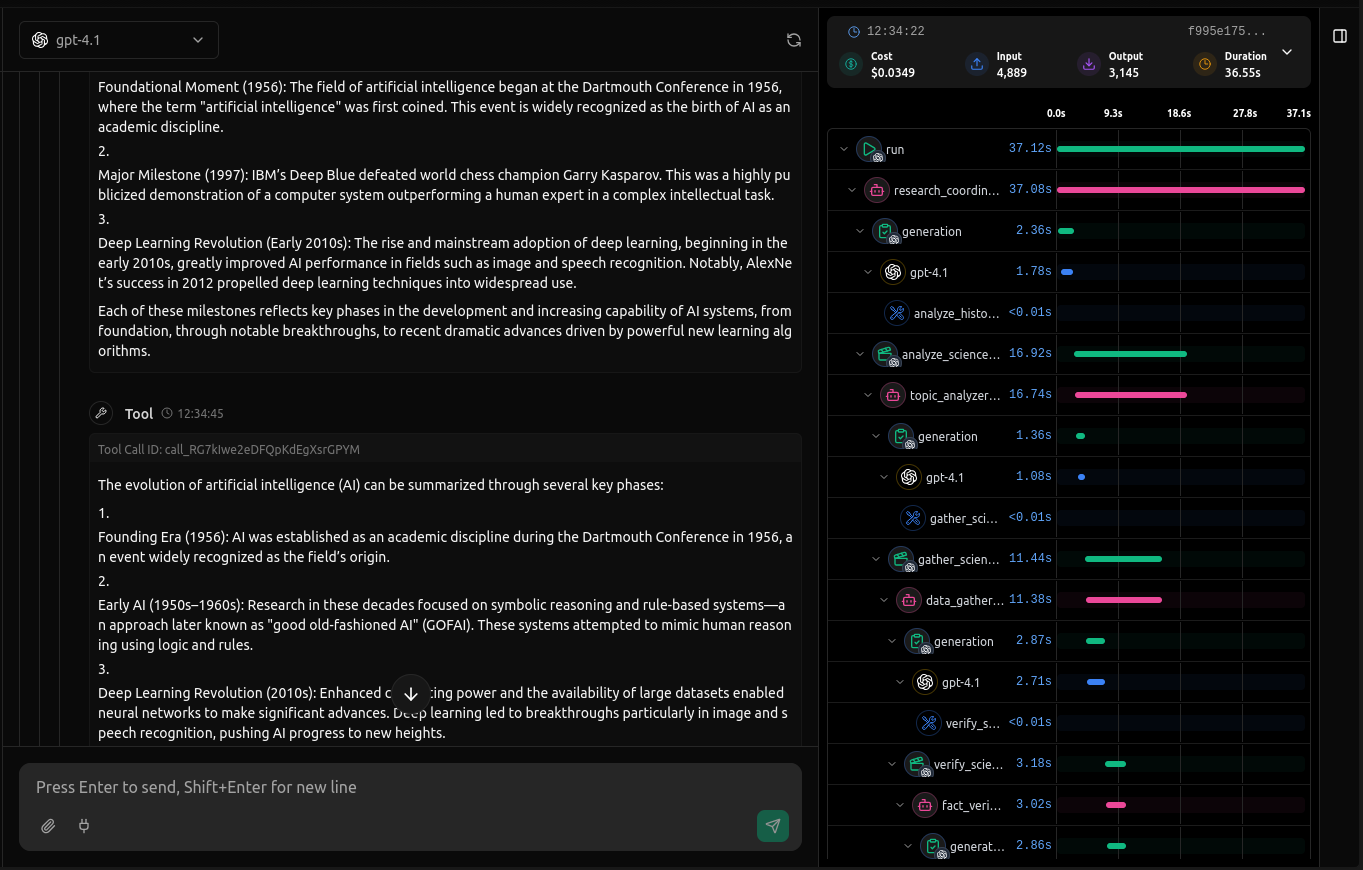
**Real-time Tracing** - Monitor AI agent interactions as they happen with live observability of calls, tool interactions, and agent workflow. See exactly what your agents are doing in real-time.
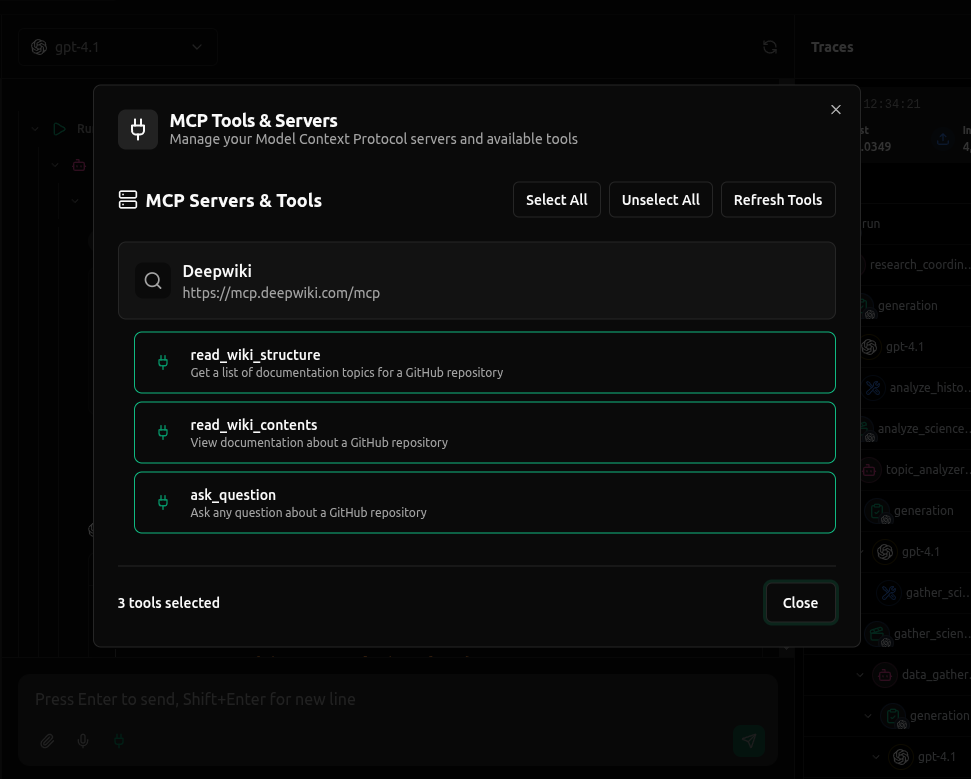
**MCP Support** - Full support for Model Context Protocol (MCP) servers, enabling seamless integration with external tools by connecting with MCP Servers through HTTP and SSE
## Development
To get started with development:
1. **Clone the repository**:
```bash
git clone https://github.com/vllora/vllora.git
cd vLLora
cargo build --release
```
The binary will be available at `target/release/vlora`.
2. **Run tests**:
```bash
cargo test
```
## License
vLLora is [fair-code](https://faircode.io/) distributed under the [Elastic License 2.0 (ELv2)](https://github.com/vllora/vllora/blob/main/LICENSE.md).
- **Source Available**: Always visible vLLora source code
- **Self-Hostable**: Deploy vLLora anywhere you need
- **Extensible**: Add your own providers, tools, MCP servers, and custom functionality
For Enterprise License, contact us at [hello@vllora.dev](mailto:hello@vllora.dev).
Additional information about the license model can be found in the docs.
## Contributing
We welcome contributions! Please check out our [Contributing Guide](CONTRIBUTING.md) for guidelines on:
- How to submit issues
- How to submit pull requests
- Code style conventions
- Development workflow
- Testing requirements