# vimcord - Terminal UI Discord client
<p align="center">
<a href="https://aur.archlinux.org/packages/vimcord">
<img src="https://img.shields.io/aur/version/vimcord?style=for-the-badge&logo=Arch-Linux&logoColor=white&color=1793D1"></a>
<a href="https://crates.io/crates/vimcord">
<img src="https://img.shields.io/crates/v/vimcord?style=for-the-badge&logo=rust&logoColor=white&color=FF4E00"></a>
<a href="https://crates.io/crates/vimcord">
<img src="https://img.shields.io/crates/d/vimcord?style=for-the-badge&logo=crates-io&logoColor=white&color=D07300"></a>
<a href="https://github.com/YetAnotherMechanicusEnjoyer/vimcord/blob/5392a5b9f8982187b02d11ccd94dcd952fee36b6/LICENSE">
<img src="https://img.shields.io/github/license/YetAnotherMechanicusEnjoyer/vimcord?style=for-the-badge&logo=github&color=2EA44F"></a>
</p>
<p align="center">
<a href="https://github.com/YetAnotherMechanicusEnjoyer/vimcord/actions/workflows/aur.yml">
<img src="https://img.shields.io/github/actions/workflow/status/YetAnotherMechanicusEnjoyer/vimcord/aur.yml?style=for-the-badge&logo=github-actions&logoColor=white&color=1793D1&label=AUR"></a>
<a href="https://github.com/YetAnotherMechanicusEnjoyer/vimcord/actions/workflows/rust.yml">
<img src="https://img.shields.io/github/actions/workflow/status/YetAnotherMechanicusEnjoyer/vimcord/rust.yml?style=for-the-badge&logo=github-actions&logoColor=white&color=FF4E00&label=Rust"></a>
<a href="https://github.com/YetAnotherMechanicusEnjoyer/vimcord/actions/workflows/bin.yml">
<img src="https://img.shields.io/github/actions/workflow/status/YetAnotherMechanicusEnjoyer/vimcord/bin.yml?style=for-the-badge&logo=github-actions&logoColor=white&color=2088FF&label=Binaries"></a>
</p>
## About
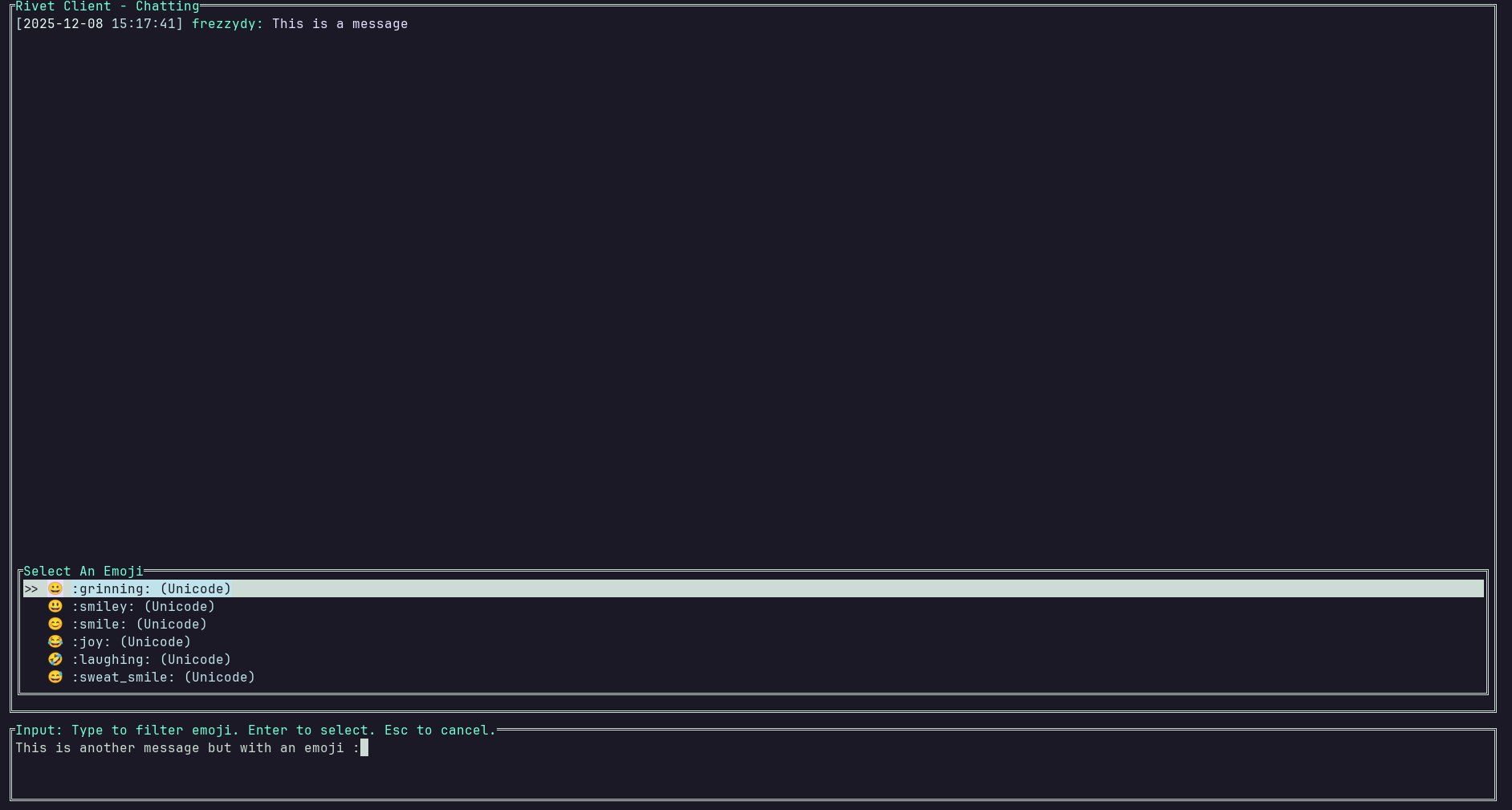
vimcord is a terminal UI Discord client written in Rust.
For best visuals, install [NerdFonts](https://www.nerdfonts.com/)
### Terms of Service Notice
> [!WARNING]
> Under no circumstances should you use a Discord User Token (also known as a self-bot token) with this software or any associated tools.
Discord's [Terms of Service (ToS)](https://discord.com/terms) explicitly prohibits the use of User Tokens for programmatic access or self-botting. Violation of these terms can lead to permanent termination of your Discord account.
> **Do not use self-bots or user-bots.** Each account must be associated with a human, not a bot. Self-bots put strain on Discord’s infrastructure and our ability to run our services. For more information, you can read our Developer Policies [here](https://discord.com/developers/docs/policy).
The developers, contibutors, and maintainers are not responsible for any consequences resulting from a user's violation of Discord's Terms of Service. You (the user) assumes all risk if you choose to ignore Discord's policies.
## Installation
### Arch Linux ([AUR](https://aur.archlinux.org/packages/vimcord))
Requires [YaY](https://github.com/Jguer/yay)
```bash
yay -S vimcord
# or
yay -S vimcord-git
```
### Binaries
Download prebuilt binaries from: [releases](https://github.com/YetAnotherMechanicusEnjoyer/vimcord/releases/)
### [Cargo](https://doc.rust-lang.org/cargo/)
Requires [Rust](https://www.rust-lang.org/tools/install)
Make sure that `~/.cargo/bin` is in your PATH env variable.
#### With [crates.io](https://crates.io/crates/vimcord)
```bash
cargo install vimcord
```
### From Source
```bash
git clone https://github.com/YetAnotherMechanicusEnjoyer/vimcord
cd vimcord/
cargo build --release
```
Run:
```bash
./target/release/vimcord
```
## Configuration
Set your Discord token using one of the following:
### .env file
```env
DISCORD_TOKEN="your-token-here"
```
### Shell
```bash
export DISCORD_TOKEN="your-token-here"
```
### Inline
```bash
DISCORD_TOKEN="your-token-here" vimcord
```
## Usage
```bash
vimcord
```
or
```env
DISCORD_TOKEN="your-token-here" vimcord
```
## Licence
[](https://github.com/YetAnotherMechanicusEnjoyer/vimcord/blob/5392a5b9f8982187b02d11ccd94dcd952fee36b6/LICENSE)