<div align="center">
# Velox
**现代、极速、高颜值的跨平台 Rust 原生 GUI 框架**
一套纯 Rust 声明式代码,构建桌面、移动与 Web 原生体验 —— 75+ 主题组件、物理弹簧动效、实时毛玻璃特效与 **0% CPU 静止休眠**。
<p>
<strong>简体中文</strong> | <a href="README.en.md">English</a>
</p>
<p>
<a href="https://crates.io/crates/velox-kit"><img src="https://img.shields.io/crates/v/velox-kit.svg?style=flat-square&color=3B82F6" alt="crates.io" /></a>
<a href="https://docs.rs/velox-kit"><img src="https://img.shields.io/docsrs/velox-kit?style=flat-square" alt="docs.rs" /></a>
<a href="LICENSE"><img src="https://img.shields.io/badge/license-MPL--2.0-22C55E?style=flat-square" alt="License" /></a>
<img src="https://img.shields.io/badge/platforms-Win%20%7C%20macOS%20%7C%20Linux%20%7C%20Android%20%7C%20iOS%20%7C%20HarmonyOS%20%7C%20Web-18181B?style=flat-square" alt="Platforms" />
</p>
<img src="https://raw.githubusercontent.com/cnwzhu/velox/main/docs/screenshots/gallery-overview-dark.png" alt="Velox Component Gallery" width="920" />
</div>
---
## 为什么选择 Velox?
- **🎨 75+ 开箱即用的现代主题组件**:内置 Shadcn / Tailwind 风格设计系统,一键切换亮色 / 暗色主题与多语言,涵盖按钮、表单、密码查看、分格 OTP 验证码、日期选择、代码编辑器、数据表、交互图表、抽屉、弹窗与 AI 对话流。
- **✨ 丝滑物理弹簧动效 + 0% CPU 休眠**:按钮、开关、进度条、页签、弹窗、图表与聊天气泡默认自带可打断二阶物理弹簧动画;画面静止后自动挂起,**零轮询、零电量浪费**。
- **🪟 GPU 硬件加速与现代视觉特效**:自带轻量 2D GPU 渲染管线(无 GPU 时自动回退软件光栅),原生支持多色标 OKLab 渐变、实时 Acrylic 毛玻璃、27 种混合模式、柔和阴影、SVG 路径裁剪与抗锯齿矢量画布。
- **⚡ 优雅的 Rust 链式写法**:无 WebView 内存负担、无需 HTML/CSS 桥接、无需复杂宏魔法,直观的 Flexbox / Grid 链式 API 让你像写 Tailwind 一样快速构建原生应用。
- **📱 全平台一次编写**:原生覆盖 **Windows、macOS、Linux(Wayland / X11)、Android、iOS、HarmonyOS NEXT** 与 **WebAssembly**。
- **🔌 零拷贝融合外部渲染**:支持将 3D 引擎、地图/海图或视频画面零拷贝嵌入 Velox 界面,也可将 Velox 作为透明 HUD 直接零拷贝嵌入 Qt、WPF、WinUI 3 与 GTK4。
---
## 30 秒快速上手
在 `Cargo.toml` 中添加统一入口 `velox-kit`:
```toml
[dependencies]
velox-kit = "0.3"
```
编写你的第一个 Velox 原生桌面应用:
```rust
use velox_kit::prelude::*;
pub struct HelloWorld {
clicks: u32,
}
impl View for HelloWorld {
fn render<'a>(&mut self, cx: &'a mut Scope<Self>) -> Element<'a> {
let on_click = cx.listener(|this, _: ClickEvent, _| {
this.clicks += 1;
});
div()
.flex_col()
.gap(12)
.size_full()
.items_center()
.justify_center()
.bg(cx.theme().background)
.child(
cx,
text(fmt!(cx, "Hello, Velox! ({})", self.clicks))
.size(20)
.color(cx.theme().foreground),
)
.child(
cx,
Button::new(1, "Let's Go!")
.primary()
.medium()
.on_click(on_click),
)
.into_element(cx)
}
}
fn main() {
velox_kit::application().run(|cx| {
velox_kit::init(cx);
velox_kit::open_window(
WindowOptions::new("Hello Velox").size(480, 320),
cx,
|cx| cx.new(|_| HelloWorld { clicks: 0 }),
)
.expect("Failed to open window");
});
}
```
### 立即体验 15 页互动组件画廊
```bash
# 启动原生 GPU 硬件加速桌面组件画廊
cargo run -p desktop_app
# 直达指定亮点页面(支持亮色主题与中/英/日三语实时切换)
cargo run -p desktop_app -- --story effects
cargo run -p desktop_app -- --story motion
cargo run -p desktop_app -- --story chat
cargo run -p desktop_app -- --story inputs --light --lang zh
```
---
## 实机效果预览
以下全部界面均由 Velox 原生渲染引擎在 **2× HiDPI** 下实机渲染导出,无任何 WebView 或外部 CSS 依赖:
### 亮色 / 暗色主题与多语言实时热切换
| 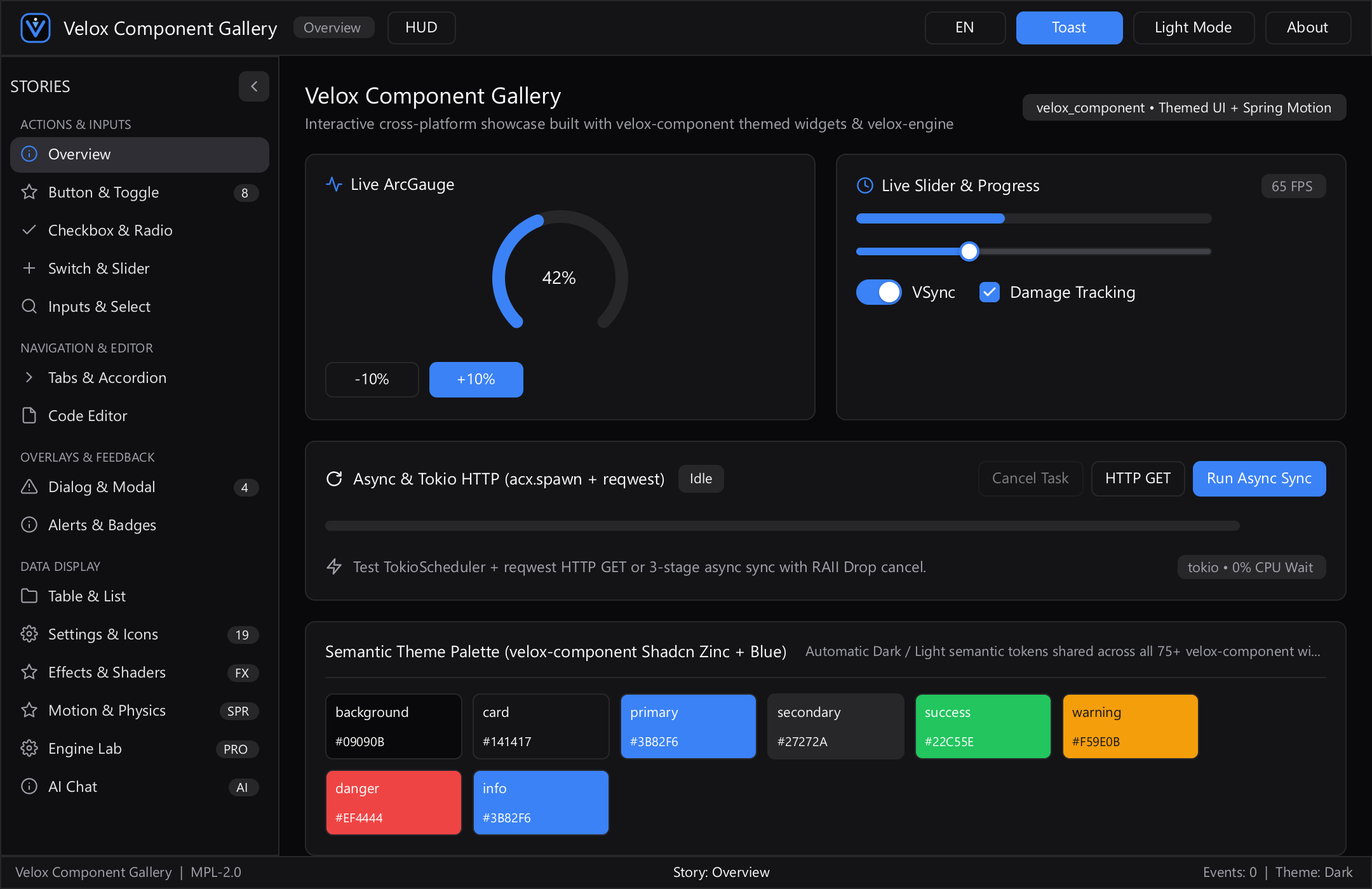 | 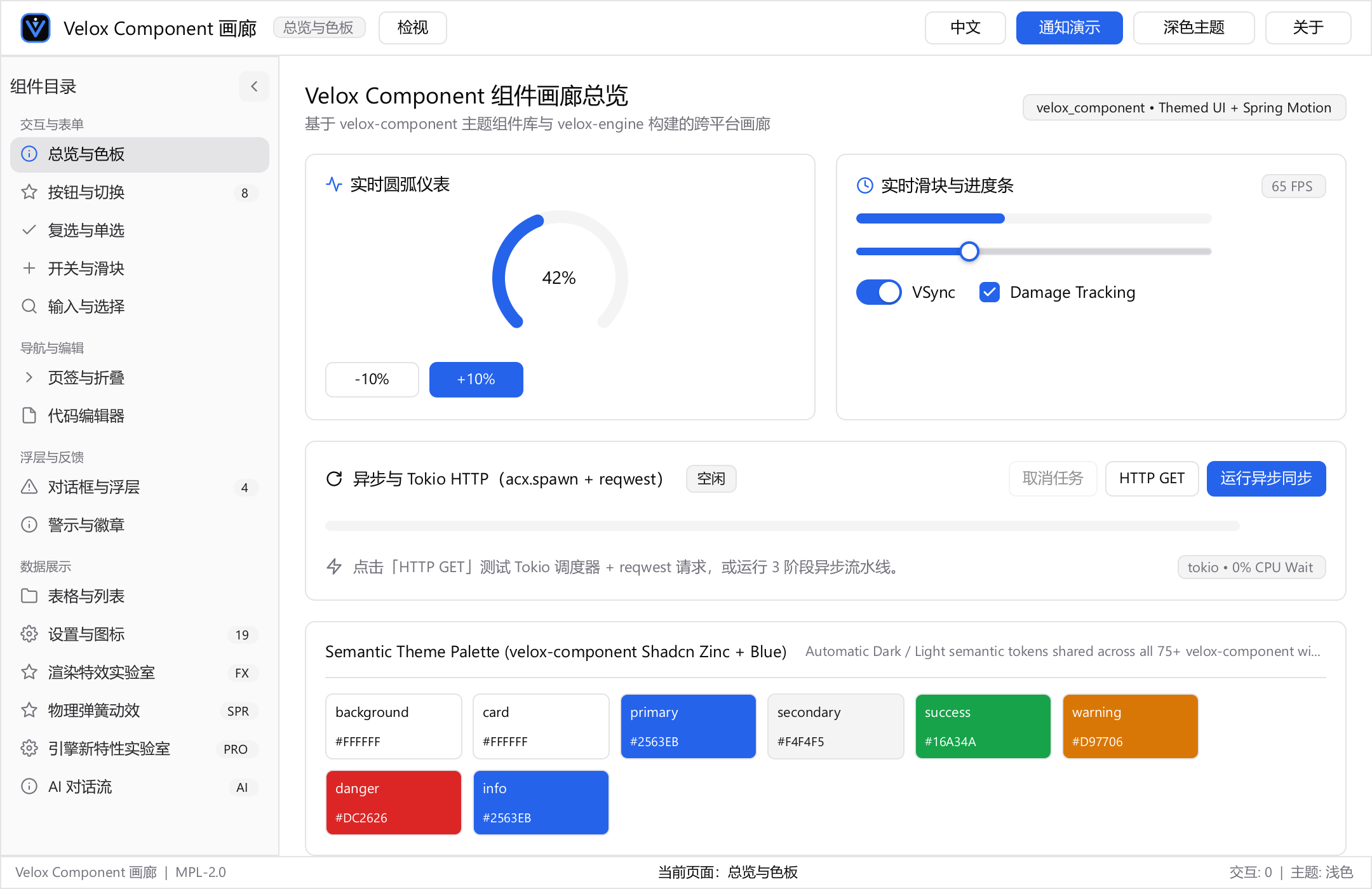 |
| 完整应用壳层、响应式仪表盘、Tokio 异步任务演示与现代语义色板。 | 顶栏一键即时切换亮/暗主题与多语言目录,全部组件同步过渡。 |
### GPU 特效实验室 & 物理弹簧动效
| 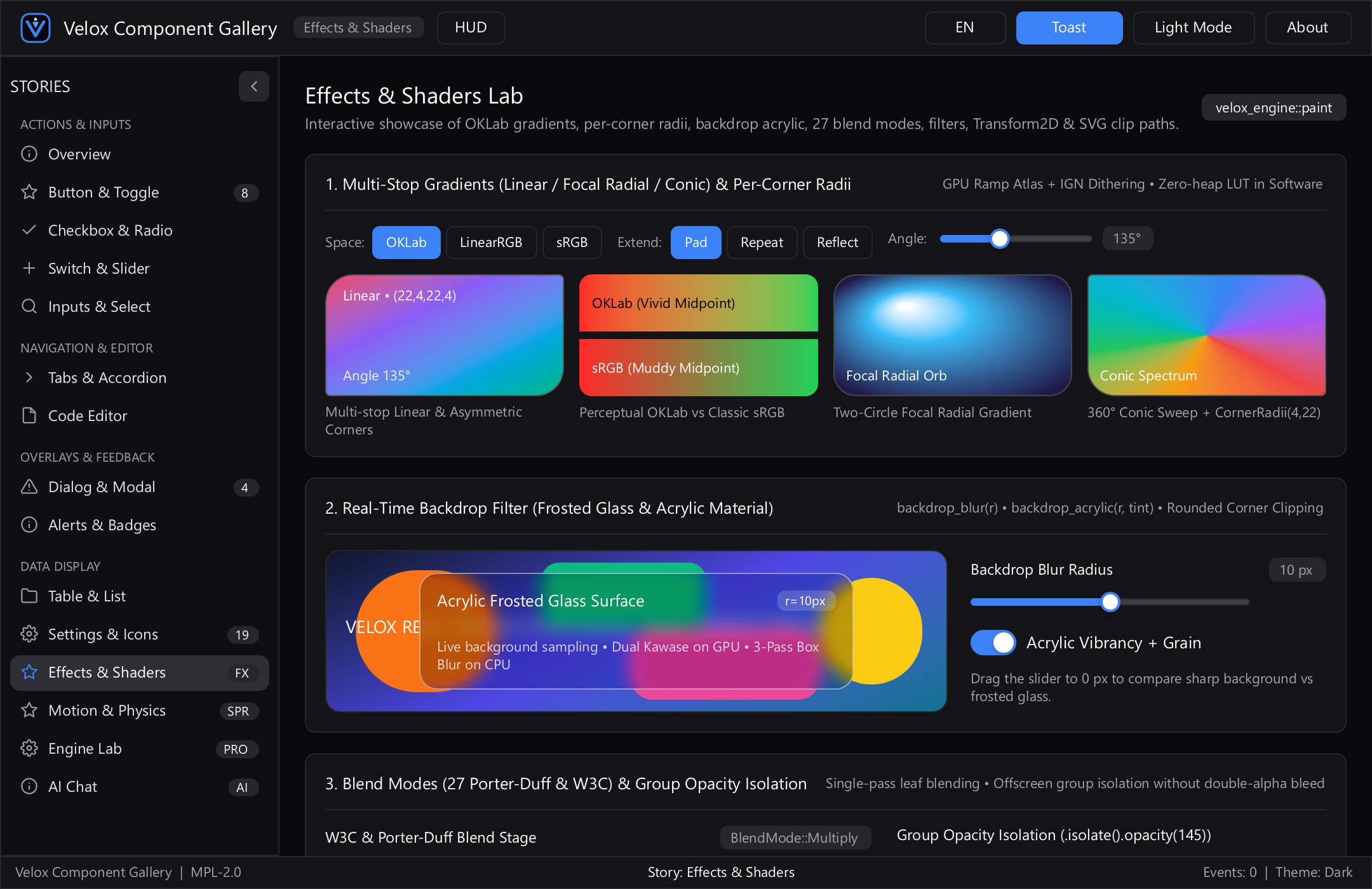 | 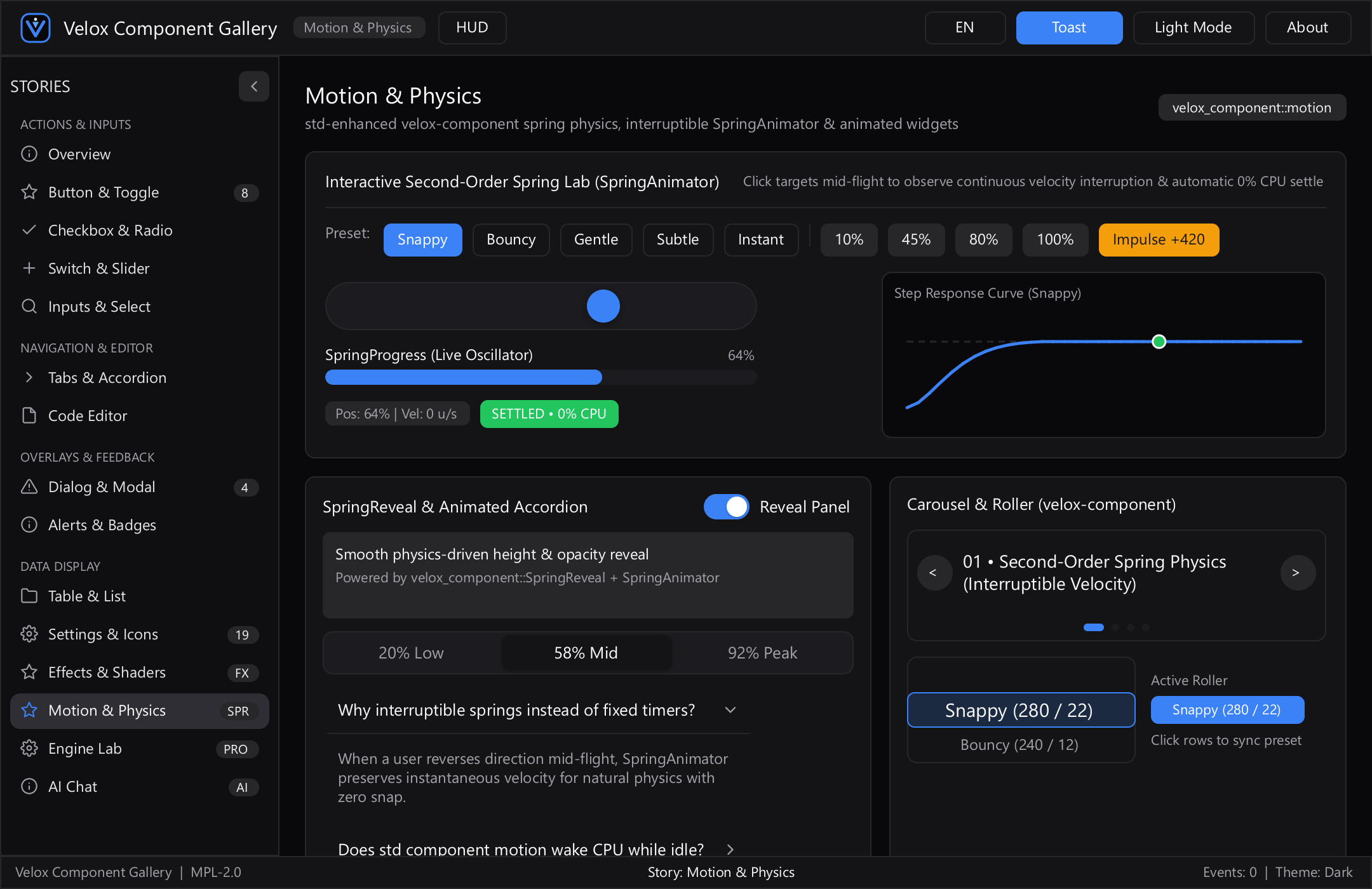 |
| 感知均匀 OKLab 渐变、圆锥光谱、实时 Acrylic 毛玻璃、27 种混合模式与 SVG 裁剪。 | 5 档物理弹簧预设、运动中途平滑打断、速度冲量与自动 0% CPU 收敛。 |
### AI 流式对话 & 富文本 / 矢量画布
| 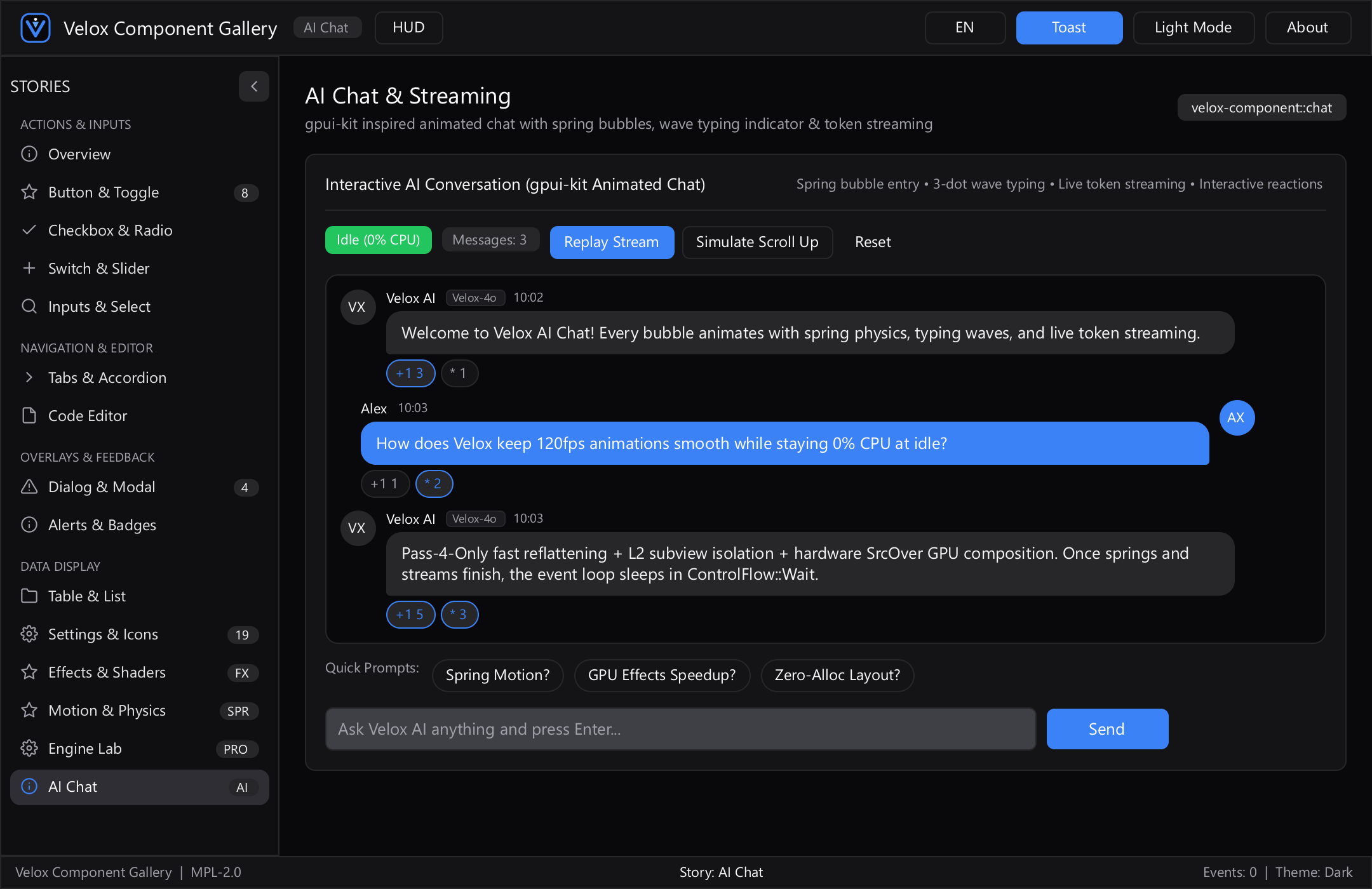 | 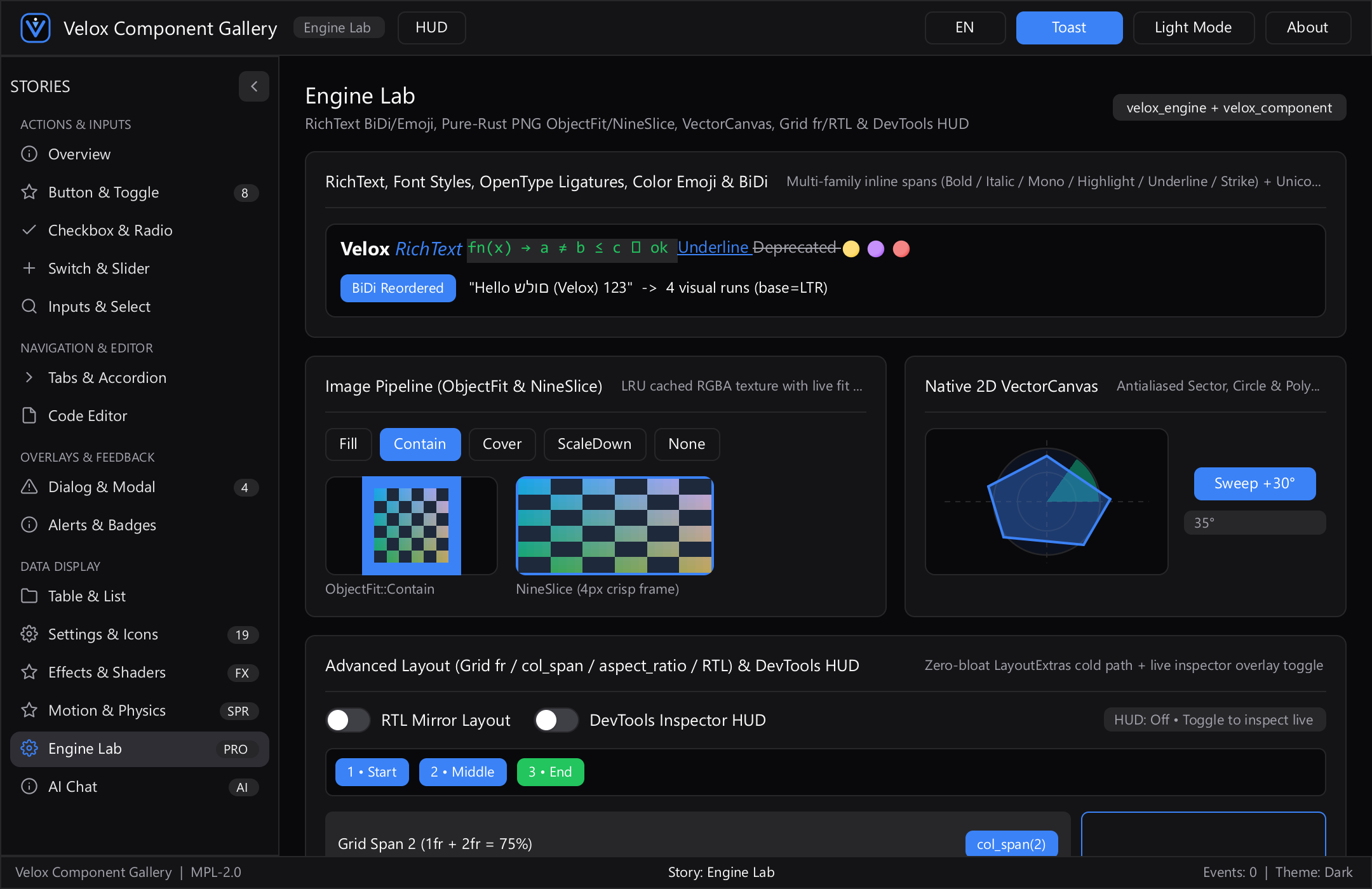 |
| 弹簧弹入消息气泡、3 点思考波浪、流式光标、互动表情与回底悬浮按钮。 | 多字族/编程连字/双向文本排版、纯 Rust PNG 解码、九宫格拉伸与抗锯齿矢量画布。 |
### 现代输入表单 & 原生代码编辑器
| 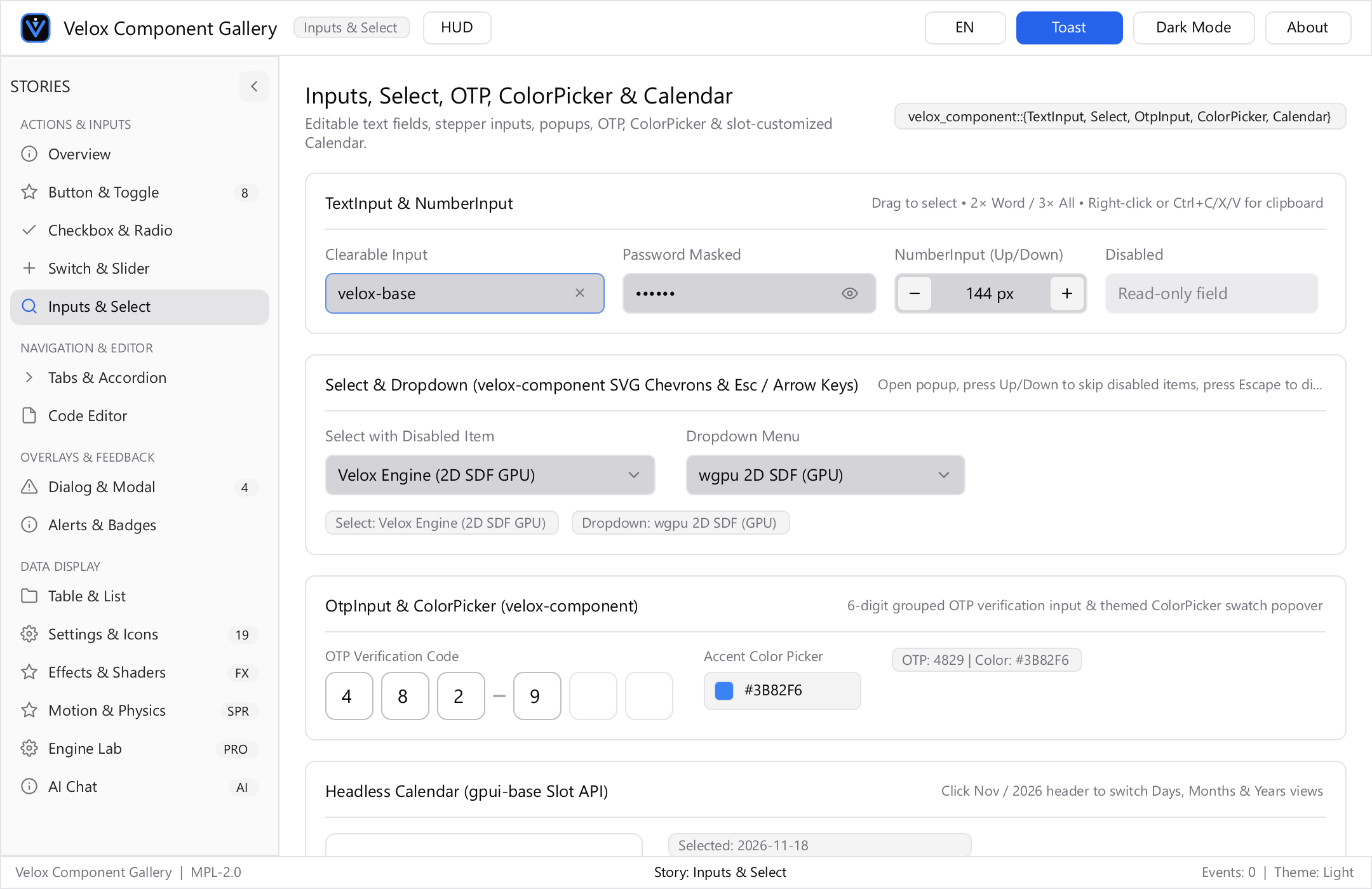 | 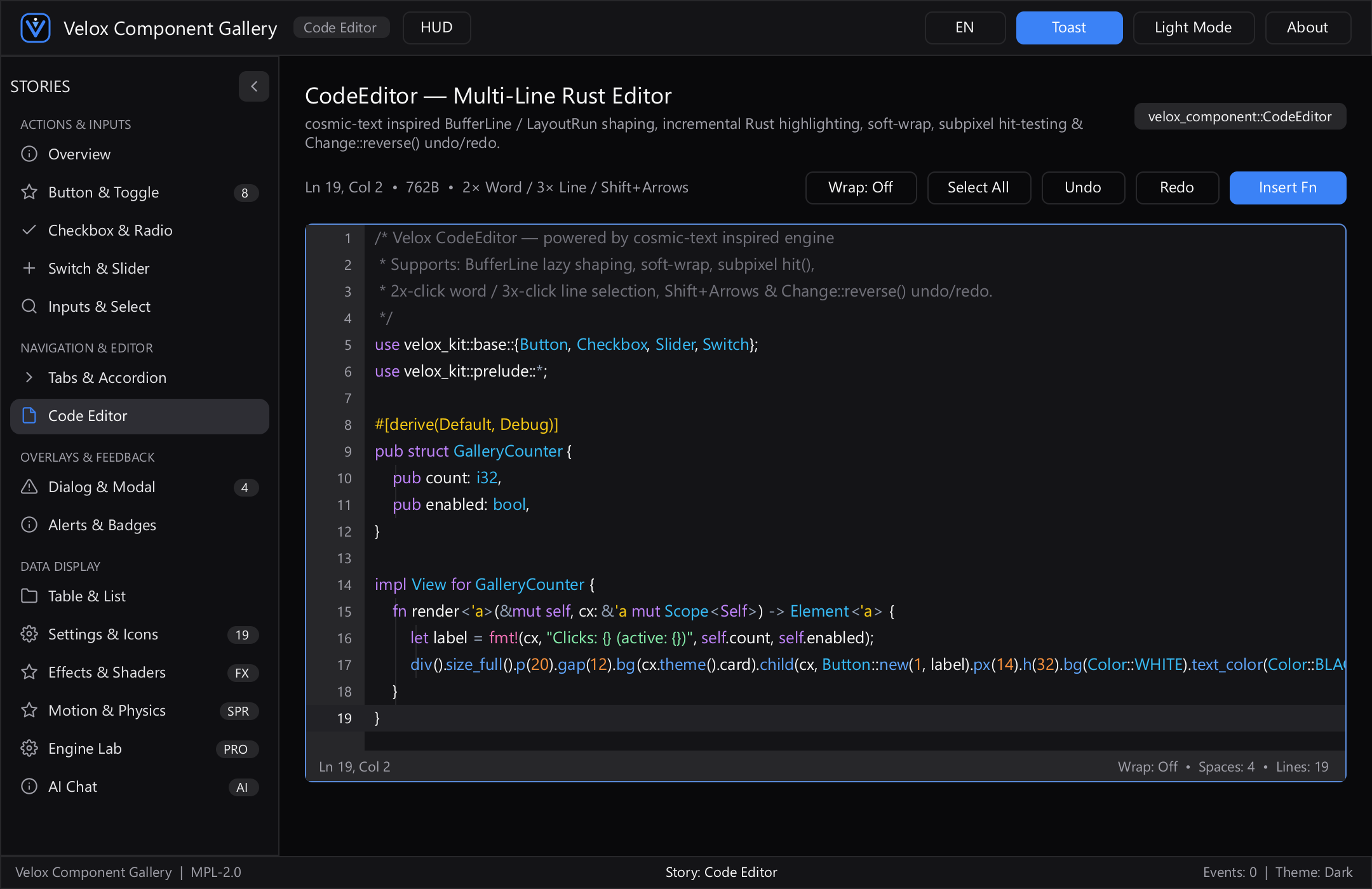 |
| 一键清空输入、带小眼睛切换的密码框、无外框分组 OTP 验证码、取色器与插槽日历。 | 增量语法高亮、软折行、亚像素鼠标拖选、双/三击选词选行、撤销重做与系统剪贴板。 |
### 语义按钮体系 & 数据表与交互图表
| 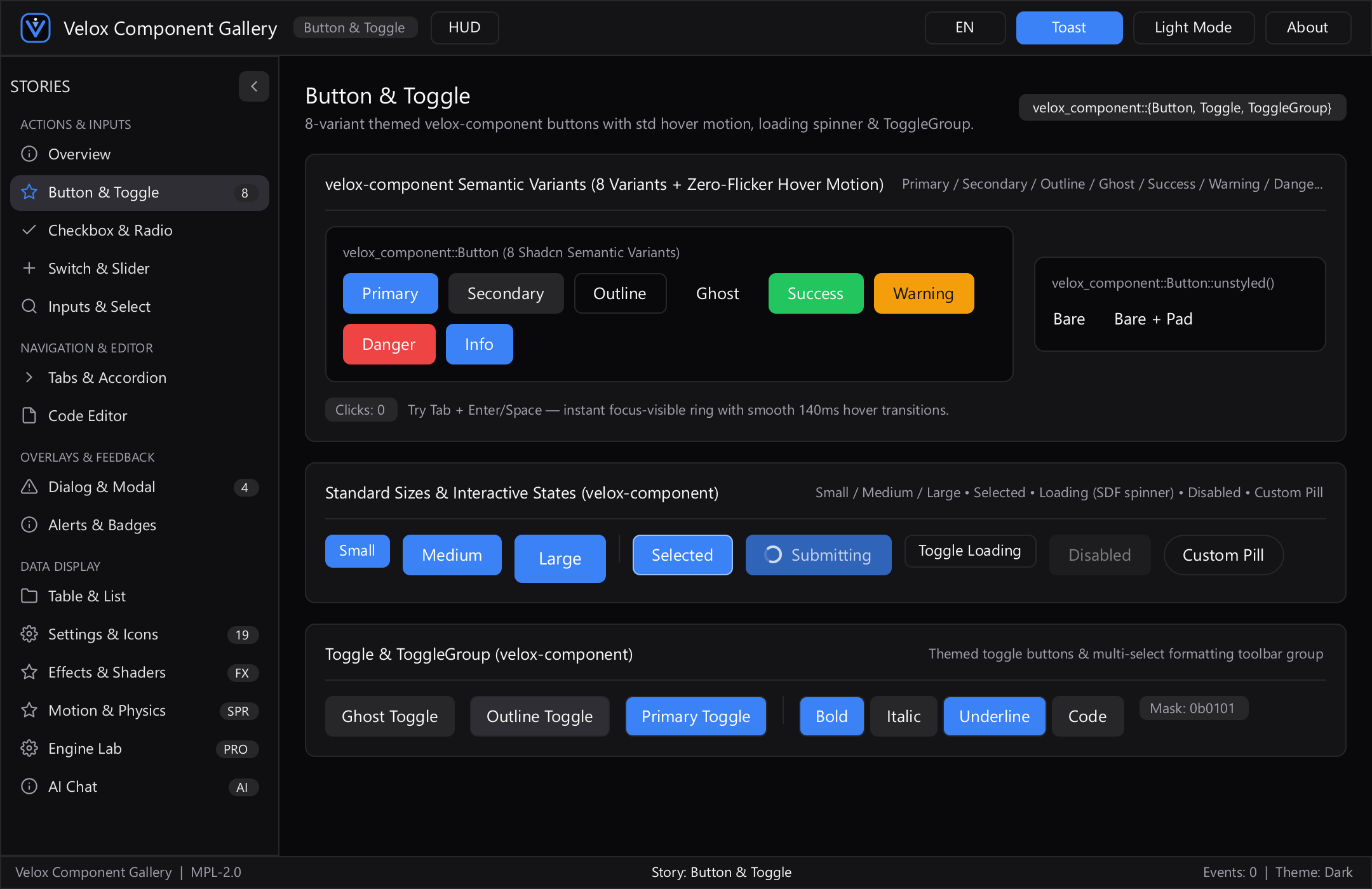 | 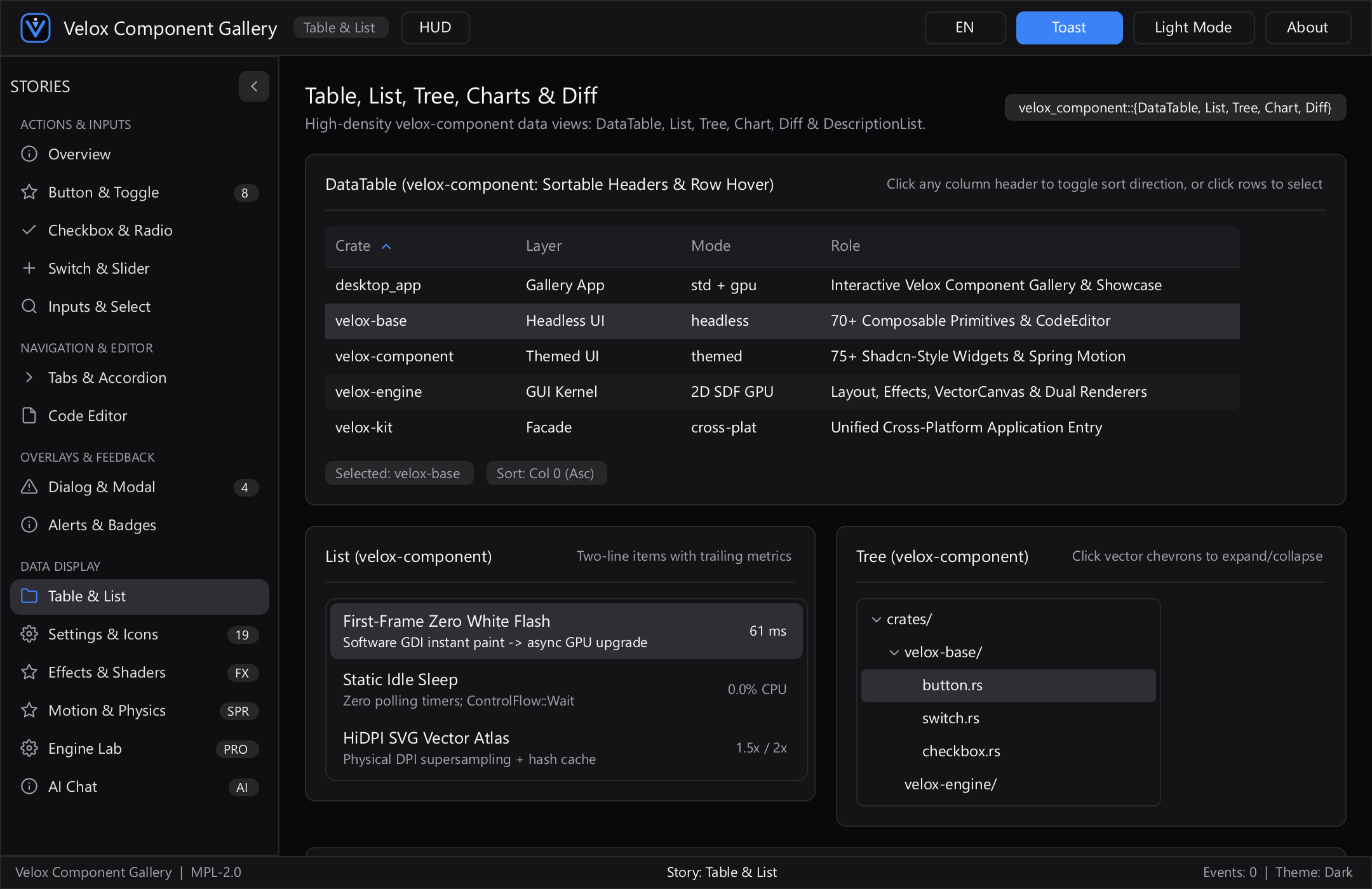 |
| 8 种语义变体、无闪烁平滑悬停过渡、Loading 加载态、圆角胶囊与 `ToggleGroup`。 | 支持排序与选中的 `DataTable`、树形目录、Diff 对比及带悬停追踪与扇区弹出动画的 `Chart`。 |
---
## 丰富的开箱即用组件生态
| **基础与表单** | `Button`、`Toggle`、`ToggleGroup`、`Checkbox`(三态)、`RadioGroup`、`Switch`、`Slider`、`TextInput`(清空 / 密码小眼睛 / 拖选 / 右键剪贴板)、`NumberInput`、`OtpInput`、`Textarea`、`Select`、`Dropdown`、`ColorPicker`、`Calendar` |
| **导航与布局** | `Sidebar`、`Tabs`(分段 / 下划线 / 胶囊)、`Accordion`、`Breadcrumb`、`Stepper`、`Pagination`、`StatusBar`、`ResizableSplit`、`VirtualList`、`Navigator` |
| **反馈与浮层** | `Dialog`、`AlertDialog`、`Modal`、`Sheet`(四向抽屉)、`Notification`、`Toast`、`Alert`、`Badge`、`Tag`、`Tooltip`、`Popover`、`ContextMenu`、`ProgressBar`、`ArcGauge`、`Spinner`、`Skeleton`、`Rating`、`Avatar`、`Kbd` |
| **数据与专业场景** | `DataTable`、`List`、`Tree`、`Chart`(折线 / 面积 / 柱状 / 环形饼图 / K 线,含悬停追踪与 Morphing 动效)、`Diff`、`DescriptionList`、`CodeEditor`、`SyntaxEditor`、`Message` / `Bubble` / `MessageScroller`(AI 对话流)、`Settings` |
| **特效、动效与图形** | `SpringAnimator`、`SpringProgress`、`SpringCard`、`SpringReveal`、`Carousel`、`Roller`、`VectorCanvas`、`RichText`、`Image`(内置 PNG/BMP 解码与 `NineSlice`)、`Svg`、`Icon`(21 个内置 Lucide 矢量图标)、`SurfaceCanvas`(外部零拷贝纹理) |
---
## 全平台与可选特性
| **Windows / macOS / Linux** | 原生窗口(`wgpu` GPU 加速 / 自动软件回退 / Pure Wayland) | `examples/desktop_app`、`examples/hello_world` |
| **Android / iOS / HarmonyOS** | 原生 Surface / Metal / XComponent 宿主桥接 | `examples/android_app`、`examples/ios_app`、`examples/harmony_app` |
| **Web (WASM)** | WebAssembly Canvas / WebGPU 运行时 | `examples/web_app` |
| **宿主框架零拷贝嵌入** | 统一 C ABI + DX12 / Vulkan DMA-BUF / IOSurface(Qt6 / WPF / WinUI 3 / GTK4) | `features = ["gpu-interop"]` |
按需启用特性组合:
```toml
[dependencies]
# 默认开箱即用:桌面原生窗口 + GPU 硬件加速 + 75+ 主题组件
velox-kit = "0.3"
# 启用跨框架零拷贝 GPU 互操作(嵌入 Qt / WPF / WinUI 3 / GTK4 等)
# velox-kit = { version = "0.3", features = ["gpu-interop"] }
# 搭配 Tokio 异步运行时,或切换轻量纯软件渲染模式
# velox-kit = { version = "0.3", features = ["tokio"] }
# velox-kit = { version = "0.3", default-features = false, features = ["winit", "component"] }
```
---
## 工作区结构
| **`velox-kit`** | 推荐应用层统一入口,一站式引入引擎、组件与异步适配 |
| **`velox-component`** | 75+ Shadcn 风格主题化组件库与 `motion` 物理弹簧动效体系 |
| **`velox-base`** | 无头可组合组件原语、代码编辑器、虚拟列表与路由栈 |
| **`velox-engine`** | 核心渲染、布局、动效、富文本、图片解码与跨平台窗口内核 |
| **`velox-async`** | 可选 `tokio` / `smol` 异步调度器集成 |
> **AI 辅助开发**:仓库内置遵循渐进式披露规范的编码与界面设计技能([skills/velox-kit](skills/velox-kit/SKILL.md)、[skills/velox-design-guides](skills/velox-design-guides/SKILL.md)),让 AI 编码助手开箱即可写出地道高效的 Velox 界面。
---
## 画廊常用命令
```bash
# 运行全部自动化单元测试与画廊集成测试
cargo test --workspace
# 导出任意故事页的 2x HiDPI 无损 PNG 截图
cargo run -p desktop_app -- --story overview --scale 2 --save-png preview.png
# 切换内置软件渲染器运行
cargo run -p desktop_app -- --software
```
可用 `--story` 页面:`overview` · `buttons` · `selection` · `sliders` · `inputs` · `navigation` · `editor` · `overlays` · `feedback` · `data` · `icons` · `effects` · `motion` · `engine` · `chat`
---
## 开源协议
本项目基于 **Mozilla Public License 2.0 (`MPL-2.0`)** 开源,完整条款见 [LICENSE](LICENSE)。
- 你可以自由地将未修改的 Velox 静态链接至开源项目或专有商业软件中;
- 对 Velox 框架自身文件的修改需在 `MPL-2.0` 协议下保持开源。